Morph&Mob Mod for MinecraftPE
- 374.00
- 4.4
- Installs
- 10.00M
- Price
- Free
Screenshots
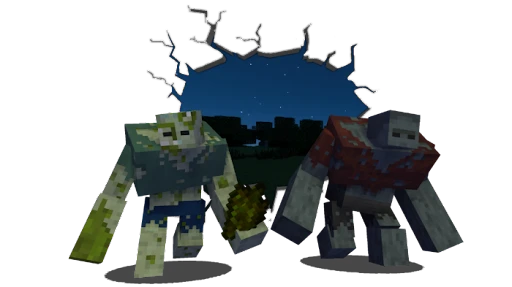
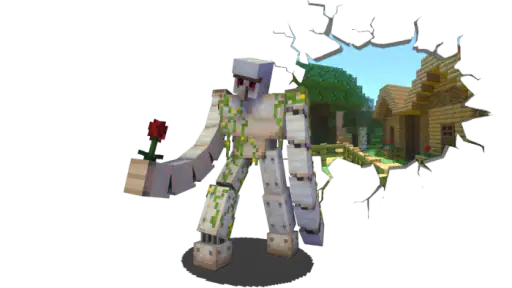
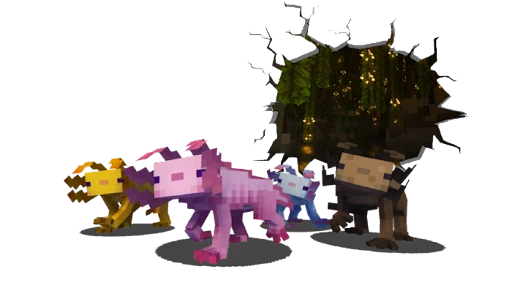
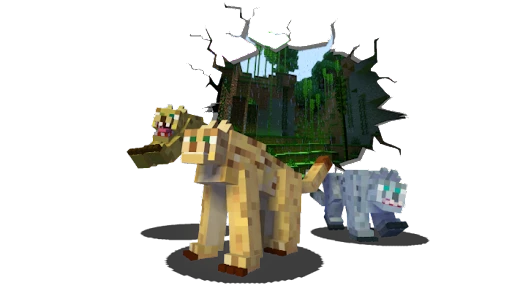
Analysis by Reviewed
Before installing a Minecraft add-on, I like to decide what I want to test and where I can test it safely. That is especially useful with Morph&Mob Mod for MinecraftPE: the idea is playful, but the first session still depends on a successful handoff between the app and the game. I would treat it as a focused experiment in changing how a familiar world feels, not as a one-tap replacement for MinecraftPE or a guarantee that every setup will work the same way.
Choose a test that answers a real question
Rather than trying to explore every possibility at once, I would begin with a simple question: does the add-on work in this world, on this device, in the way I expect? Testing one change at a time makes the answer easier to read. It also gives you a practical stopping point if setup turns out to be more fiddly than the fun is worth.
This approach suits players who enjoy tinkering as part of play. If you prefer a completely frictionless session, an add-on app may feel like an extra chore beside opening MinecraftPE and starting a world. I would choose the usual game experience instead when I want to build, gather resources, or relax without spending time checking whether an imported change is active.
A low-risk way to fit it into a normal day
For a realistic first try, imagine having a short break after school or work and wanting to make an existing world feel different without committing a whole evening to it. I would use a spare world, test one transformation, and note what changed before inviting anyone else to join. If it works, that small trial can become the start of a longer session; if it does not, the main world and its plans remain untouched.
That separation is more than caution. It helps distinguish a problem with the add-on from an expectation that does not match what is happening in play. Keeping a test world also gives you a place to repeat a check after restarting the game, without risking a build or confusing changes in a world you care about.
How it differs from other ways to change MinecraftPE
The broad alternatives are to play without add-ons, use another add-on, or choose a different kind of Minecraft customization. Ordinary play is simpler and more predictable; another add-on may suit you better if you want a different kind of change. This one is most relevant when the specific appeal is trying out mob forms, rather than adding general building tools or changing the whole rhythm of a world.
I would also avoid stacking several unfamiliar add-ons during the first test. Even if each one seems appealing, combining them makes it harder to tell which change is responsible when something behaves unexpectedly. A single, clearly chosen experiment is less exciting on paper but much more useful for deciding whether this particular idea belongs in your regular play.
More From Our News Desk

Weather by Xiaomi Review: Clear at a Glance, Less Clear Up Close

X Under Pressure: Can It Recover When Posting Goes Wrong?

Clash of Clans Is Won Between the Battles

Android Auto Makes the Case for Quieter Car Software

MobiOffice: Transforming Mobile Productivity with Seamless Integration

EA SPORTS FC™ Mobile Soccer: Redefining Mobile Sports Gaming
When a Minecraft add-on does not behave as expected, it is easy to blame the download before checking how it was brought into the game. That is why I would approach Morph&Mob Mod for MinecraftPE with a little patience: its appeal is trying out mob forms, but the useful part is getting the add-on into a world and figuring out what works there. The app is free, aimed at Everyone, and comes from Maps with Addons and Mods for Minecraft PE. It has a 4.4 average from around 28,000 ratings and over 10 million installs, so it has reached plenty of players, though popularity alone cannot guarantee a smooth setup on every device.
Where the first attempt can go wrong
The main point to keep in mind is that the app and MinecraftPE are separate parts of the experience. Finding an add-on is not the same as having it active in the world where you plan to play. If you open a world and nothing seems different, retrace the import and activation steps rather than repeatedly downloading the same item. I would also test in a fresh or spare world first; that gives you a low-stakes place to check the result without disrupting a long-running build.
For a practical routine, I would choose one add-on, complete its setup, and check it in a world before trying another. This makes it easier to spot where a problem begins and avoids mixing several changes together. It is also a sensible way to decide whether the experience suits your play style: a player who enjoys experimenting may welcome a little setup, while someone wanting an instant, hands-off change may find the extra steps annoying.
Checks that make setup less frustrating
The app is an entertainment companion for MinecraftPE rather than a replacement for the game. Its current version is 2.0.0.1, and it requires Android 6.0 or later. Before trying an import, make sure MinecraftPE itself is available and that you are following the add-on’s instructions for bringing it into a world. If you play on a different platform, check that platform’s add-on support instead of assuming an Android workflow will transfer unchanged.
A useful troubleshooting habit is to change only one thing at a time. First confirm that the add-on has been imported; next check whether it has been enabled for the intended world; then reopen that world and see whether anything changes. If the result is unclear, return to a known, simple test rather than adding more content. This orderly approach is more informative than treating every failure as a game bug, and it helps keep an existing world separate from experiments.
What to expect from the play experience
Ever wondered how to spice up your MinecraftPE sessions with a bit of extra flair? Let me introduce you to Morph&Mob Mod for MinecraftPE, a nifty little addon that has completely transformed my gaming experience. Imagine being able to morph into any mob you encounter—yes, from the creepiest creeper to the most elusive enderman. Intrigued? Let’s dive into the details!
The Magic of Morphing: What’s It All About?
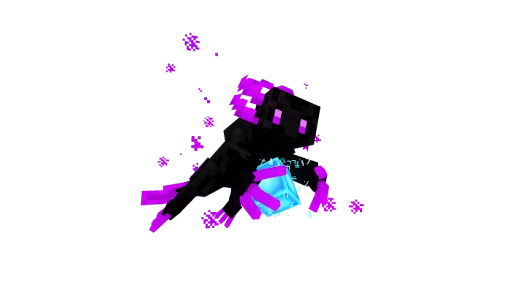
Firstly, let’s talk about what this mod actually does. Essentially, the Morph&Mob Mod allows you to not just transform into various mobs, but also to inherit their unique abilities. Picture this: you’re playing as a zombie, and suddenly you’re immune to fall damage. Or maybe you’ve morphed into a spider and can now climb walls with ease. The game is literally in your hands, and it’s a whole new level of fun!
Those examples suggest why a morphing add-on can change the feel of a familiar world: a different form can encourage you to approach exploration or a challenge in a new way. I would still treat each ability as something to test in play rather than building a plan around it before seeing how it behaves in your setup. That small distinction matters if you are playing with friends or trying to protect a carefully built world.
Getting Started: Installation and First Impressions
Installing the mod is a breeze. If you’ve ever added mods to MinecraftPE before, you’ll find this process quite familiar. Simply download the mod file, import it into your game, and activate it. Once you’ve got it up and running, the first thing you’ll notice is how seamlessly it integrates into the game. No glitches, no lag—just smooth gameplay.
The first time I used the mod, I was amazed at how intuitive it was. The interface is straightforward. You just need to defeat the mob you want to morph into, and voilà! You can now take on its form and abilities. The thrill of experimenting with different mobs kept me hooked for hours.
For a less frustrating first session, I would pick a familiar world and try one transformation before planning a whole adventure around it. That gives you a clear comparison with ordinary play and makes it easier to tell whether the change is working as you expected. If it is not, go back through the import and world-activation checks rather than assuming that every mob or ability will behave identically.
Gameplay Experience: Endless Possibilities
Here’s where the fun truly begins. The Morph&Mob Mod offers endless possibilities for gameplay. Whether you’re sneaking past enemies as a creeper or exploring new heights as a bat, the game feels fresh and exciting. I found myself planning my strategies based on the mob I could morph into, adding a strategic layer to the gameplay that wasn’t there before.
There’s also a multiplayer option, which is a blast. Imagine playing hide and seek with friends, where everyone can morph into different mobs. It’s chaotic, hilarious, and adds a competitive edge to the game that I didn’t even know I needed.
A good everyday use is to set aside a short session for experimentation instead of making the add-on the centerpiece of a long survival project straight away. For example, after finishing a build, I might invite friends to try a quick hide-and-seek round and see whether the different forms make the familiar map more entertaining. If the group would rather focus on building or standard survival, the usual MinecraftPE experience is the better fit; this add-on is most appealing when everyone wants to play with the change it brings.
When the game, rather than the add-on, may be the issue
If an imported add-on appears to do nothing, keep the diagnosis simple: check that you are in the world where it was enabled, then restart the game and test again. If other add-ons are involved, try the morphing experience on its own so you can tell whether another change is interfering. These are general checks, not a guarantee that every setup will behave the same way, but they are more useful than repeatedly reinstalling without changing anything.
Players who want a straightforward, dependable session with no setup or experimentation may prefer to skip this app and stick with ordinary MinecraftPE play. It is also not the right choice if you expect the app itself to replace MinecraftPE or to make every world automatically different. I see it as an optional way to add a specific kind of playful variation, not a universal upgrade for every player.
Practical questions before you commit a world
A natural question is whether this is a standalone game. I would not treat it that way: it is an entertainment app built around an add-on for MinecraftPE, so the Minecraft game and its world remain part of the process. Another common concern is whether an Android setup can simply be copied to another platform. I would check that platform’s own add-on support first; the Android steps are not a safe assumption for every device.
If an import seems successful but the effect does not appear, the most useful next move is not to repeat the download blindly. Confirm the intended world is the one you opened, check its activation settings, restart MinecraftPE, and test again with other add-ons temporarily out of the picture. If the effect is still unclear, keep the experiment small and avoid making changes to a world you value until you understand the result.
For players wondering whether it is worth trying when they already use other add-ons, I would start with it by itself. That gives you a clean comparison and prevents an unrelated change from muddying the test. If you mainly want dependable building or survival with no extra setup, there is no need to add this to your routine; if the mob-form idea is what you have been looking for, a controlled trial is a reasonable way to judge it.
Final Thoughts: A Must-Try for Minecraft Fans
In conclusion, the Morph&Mob Mod is a must-try for anyone looking to enhance their MinecraftPE experience. It’s easy to install, fun to use, and opens up a world of new possibilities. Whether you’re a seasoned player or a newbie, this mod adds a layer of excitement that will keep you coming back for more.
So, if you’re ready to take your Minecraft adventures to the next level, give this mod a try. Trust me, you won’t be disappointed!
My practical verdict is that this is best for MinecraftPE players who enjoy trying unusual ways to explore and who do not mind checking an add-on’s setup in a test world first. The app is free, and its entertainment focus is clear, but a large audience does not remove the small compatibility and setup decisions that come with add-ons. I would start with one controlled test, keep valuable worlds out of the troubleshooting process, and then decide whether the morphing changes are fun enough to become part of regular play.
Morph&Mob Mod for MinecraftPE Frequently Asked Questions
Does Morph&Mob Mod for MinecraftPE work without Minecraft Pocket Edition?
Morph&Mob Mod for MinecraftPE is intended to add content to Minecraft Pocket Edition, not to function as a standalone game. You will need Minecraft Pocket Edition to use the mod as intended. If you are looking for a separate game to play on its own, this app may not fit that purpose; it is aimed at players who want to use morphing and mob-related content within Minecraft.
Who develops Morph&Mob Mod for MinecraftPE, and what is it designed for?
Morph&Mob Mod for MinecraftPE is an Entertainment app developed by Maps with Addons and Mods for Minecraft PE. Its short description is “Morph&Mob,” and its summary invites MinecraftPE players to express themselves with these add-ons. It is designed for people who want to explore additional morphing and mob-related content alongside Minecraft Pocket Edition rather than replace the main game.
Is Morph&Mob Mod for MinecraftPE free, and what kind of app is it?
Morph&Mob Mod for MinecraftPE is a free Entertainment app from Maps with Addons and Mods for Minecraft PE. It is intended for players looking to add morphing and mob-related content to Minecraft Pocket Edition, rather than being a standalone Minecraft game. Before downloading, make sure you are choosing the app you want and that your device meets its listed minimum operating-system requirement of Android 6.0.
What is Morph&Mob Mod for MinecraftPE and how does it enhance gameplay?
Morph&Mob Mod for MinecraftPE is a modification that allows players to transform into any mob they defeat in the game. This mod enhances gameplay by offering a unique experience where players can access special abilities and characteristics of different mobs, allowing for diverse strategies and creative exploration within the Minecraft Pocket Edition environment.
How do I install the Morph&Mob Mod on my MinecraftPE?
To install the Morph&Mob Mod for MinecraftPE, you need to download the mod file from a trusted source and import it into the Minecraft Pocket Edition app using the 'Import' feature. Ensure your game version is compatible with the mod and follow the installation instructions provided. It's recommended to back up your game data before proceeding with any mod installation.
Pros
- Enhances MinecraftPE gameplay significantly.
- Offers a wide variety of new mobs.
- User-friendly interface for easy navigation.
- Regular updates with new features.
- Compatible with most devices.
Cons
- May cause lag on lower-end devices.
- Requires MinecraftPE to be installed.
- Ads can be intrusive at times.
- Some features need in-app purchases.
- Limited support for older OS versions.
- Category
- Entertainment
- Version
- 2.0.0.1











