Magic Doodle: Glow Art Drawing
- 138.00
- 4.5
- Installs
- 1.00M
- Price
- Free
Screenshots

Analysis by Reviewed
When a phone or tablet gets passed around at home, a drawing app can become a quick shared activity rather than a serious art project. I found Magic Doodle: Glow Art Drawing best suited to that kind of casual use: one person can sketch a bright pattern, then hand the device to someone else to add a few marks. The glowing look gives even simple shapes a finished feel, so nobody needs to arrive with a plan or drawing experience.
A quick creative break for a shared device
Picture a quiet stretch after dinner: one person starts a flower or a star, another adds a border, and a child turns the page into something unexpected. That sort of loose handoff is where the app makes sense. Its templates can help someone get started, while a blank drawing lets the next person take the idea in a new direction. I would treat it as a playful activity, not a shared project that needs a polished result.
It also works well as a short solo break while waiting or winding down. The neon style rewards bold lines and uncomplicated designs, so I would start with a small idea—an initial, a simple animal, or a repeating pattern—rather than trying to recreate a detailed illustration. Keeping the drawing simple makes the glow effect the focus and helps avoid spending a long session on a toolset that is intentionally approachable.
Setting expectations before handing over the screen
Because this is a drawing app rather than a full art workstation, I would agree on a few household basics before sharing a device: who is using it next, whether a drawing should be saved before switching, and whether the device is available for other tasks. That is ordinary shared-device coordination, not a special family feature. It can prevent the familiar disappointment of someone expecting to continue a picture that another person has replaced or changed.
Saving and sharing are useful parts of the experience, but they also make it worth thinking about where a finished drawing is going. For a child’s doodle, I would keep sharing decisions with the adult who manages the device and choose personal saves when the artwork is just for the household. The app’s simple creative focus is a plus here: it is easy to make a picture together without turning the activity into a public posting task.
Age context and who will enjoy it
The app is rated for Everyone, and its low-pressure drawing style can suit a wide range of ages when a device is used with sensible household boundaries. Younger children may enjoy making glowing marks and following a template; older users can use the same tools for decorative lettering or quick visual ideas. I would still stay nearby when a child is sharing or saving artwork, since age suitability does not replace a parent’s judgment about device use.
Magic Doodle is a stronger fit for people who want immediate visual fun than for anyone learning a formal drawing workflow. Compared with a conventional sketching app, its appeal is the vivid neon finish and the easy route from a few strokes to something eye-catching. A more advanced illustration app is the better choice if you need layers, careful revisions, or detailed brush control; this one is about playful marks, not precision production.
More From Our News Desk

Clash of Clans Is Won Between the Battles

Android Auto Makes the Case for Quieter Car Software

MobiOffice: Transforming Mobile Productivity with Seamless Integration

EA SPORTS FC™ Mobile Soccer: Redefining Mobile Sports Gaming

How Microsoft OneDrive Became a Mobile Productivity Giant

How Google Translate Breaks Language Barriers Effortlessly
One useful way to get more out of a shared session is to decide on a small theme before drawing—such as a night sky or a made-up creature—and let each person contribute one element. That gives the handoff a purpose without needing a tutorial. Playback can then make the process part of the fun: watching how a doodle grew may prompt the next person to add a detail rather than start over.
Small routines that make shared drawing easier
When several people use the same screen, I would treat each drawing as a short turn instead of assuming that everyone will want to work on one picture for the same amount of time. A simple plan—one person chooses a template, the next adds a detail, and the last decides whether to save it—keeps the activity moving. It also gives younger participants a clear way to join in without needing to master every tool first.
There is a practical trade-off here: a shared canvas can be funny and collaborative, but it can also make a careful doodle feel less personal. If someone is proud of a picture, I would save it before handing over the device, then start a fresh drawing for the group. That small habit helps avoid accidental changes and keeps the app feeling relaxed rather than turning into an argument over whose marks belong where.
Choosing it over a general drawing app
For quick decorative work, the glow treatment gives this app a different purpose from a plain sketch pad. I would reach for it to make a bright greeting, a playful name design, or a simple picture to show someone nearby. A general-purpose drawing app remains the more sensible option for building an illustration gradually, editing separate parts, or practicing controlled linework. The choice is less about which app is universally better and more about whether the visual effect or the editing process matters most.
That distinction is useful before a child or beginner starts: the app can make a simple drawing feel satisfying, but it is not a substitute for learning how to draw with more control. If the goal is to explore shapes and colors without pressure, that is a strength. If the goal is to produce a polished image that can be revised in detail, the limited focus may become frustrating.
Have you ever felt the urge to unleash your inner artist? If so, let me introduce you to Magic Doodle: Glow Art Drawing, a quirky little app that promises to sprinkle some magic into your doodles. I spent some time dabbling with it, and boy, do I have some thoughts to share!
First Impressions
Upon launching Magic Doodle: Glow Art Drawing, you're immediately greeted with a vibrant and user-friendly interface. It's like stepping into a digital art studio with neon lights everywhere. The app doesn’t waste time with unnecessary tutorials — it invites you to dive straight into the creative process, which I absolutely loved.
Features and Tools
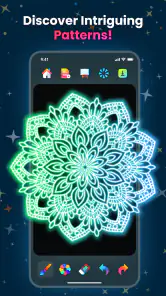
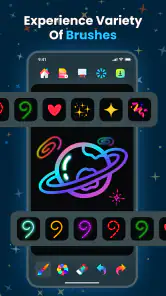
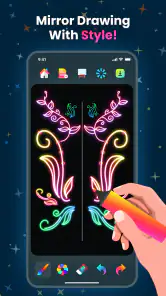
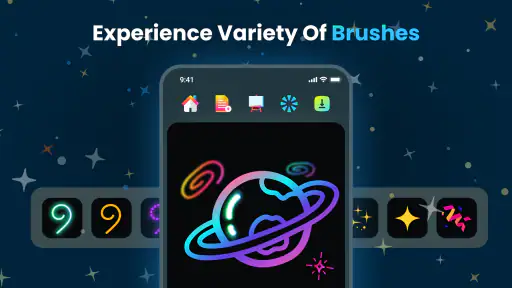
This app is packed with an array of tools that can turn your ordinary scribbles into glow-in-the-dark masterpieces. From neon brushes to an impressive color palette, the possibilities are endless. I particularly enjoyed experimenting with the different brush sizes and effects. The glow effect is not just a gimmick; it genuinely enhances your artwork, making it pop with a futuristic flair.
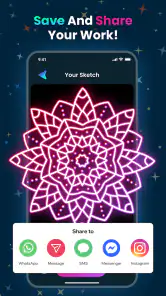
Another cool feature is the ability to save and share your creations easily. Whether you want to showcase your artwork on social media or just keep it for personal satisfaction, the app makes it a breeze. Plus, the option to watch playback of your drawing process is a delightful touch, offering a chance to relive your artistic journey step by step.
Creative Freedom
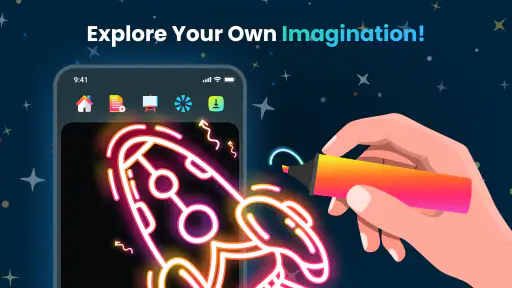
One of the standout aspects of this app is the creative freedom it offers. There's no pressure to create a perfect piece of art; instead, it encourages playful exploration. I found myself getting lost in the process, experimenting with different styles and techniques without the fear of making mistakes. It’s almost therapeutic, really.
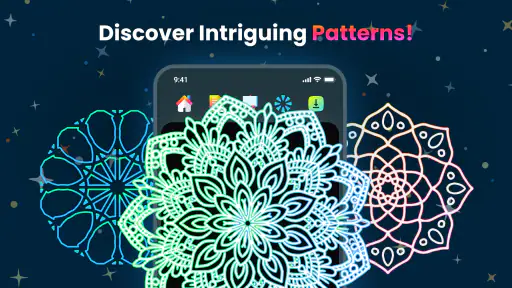
For those who might be creatively challenged, or simply need a bit of inspiration, the app provides a gallery of templates and examples. You can choose to trace over these or use them as a springboard for your own ideas — a thoughtful addition that caters to artists of all levels.
Room for Improvement
While I thoroughly enjoyed my time with Magic Doodle, there are a couple of areas that could use some tweaking. For instance, the app could benefit from more advanced editing tools, such as layering options or more detailed brush customization. Additionally, offering a tutorial or tips section for beginners could enhance the user experience.
Also, I noticed that the app occasionally lags when working on more detailed pieces. It’s not a dealbreaker, but something to be aware of, especially if you’re planning to create extensive doodles.
Practical details and the household verdict
As an Art & Design app from CEM SOFTWARE LTD, it is free to install, with optional in-app purchases ranging from $1.99 to $19.99 per item. Its average rating is 4.5 from around 29,000 ratings, and it has over one million installs. It was released on March 15, 2025, and version 1.1.15 requires Android 8.0 or later. Those details make it easy to judge whether it suits a household’s device, while the in-app purchase range is a reason to check purchase settings before letting younger users explore on their own.
For everyday use, I would choose this over a traditional drawing app when the goal is a quick, bright result or a relaxed shared activity. I would choose a more capable sketching tool for artwork that needs precise edits or a layered workflow. The occasional lag I noticed on detailed drawings reinforces that distinction: the best results come from keeping the design loose rather than treating the canvas like a professional project.
Who should keep it on the device
I would recommend it to someone who likes small creative breaks, wants an easy way to make vivid doodles, or needs a low-pressure activity to share at home. It is especially appealing when the finished image matters less than the pleasure of drawing together. The templates offer a starting point for people who freeze at a blank page, while the ability to draw freely leaves room for anyone who already has a simple idea in mind.
I would skip it if my main reason for downloading a drawing app were to practice technical illustration or produce artwork that needs repeated, careful adjustment. Its visual style is the point, but that same emphasis narrows its usefulness. People who want layers, fine control, or a more deliberate workflow will be happier with a dedicated art tool. Likewise, a household looking for a structured lesson or a long-form activity should not mistake an inviting canvas for a teaching course.
Price, purchases, and sharing habits
Since the app is free to install but offers optional purchases, I would check the device’s purchase settings before leaving it with a child. That is a sensible precaution for any shared app that presents paid options, not a reason to avoid this one. I would also decide in advance whether the drawing is staying on the device or being shared elsewhere. A finished picture can be a private keepsake just as easily as something to show friends, and children may not think through that distinction on their own.
The save and playback options make it easier to revisit a drawing, but I would not assume that every family member will know which picture is theirs if one device is used by several people. Agreeing on a simple naming habit or taking turns with separate drawings can help keep creations distinct. This is a household routine rather than an account or family-management feature, and it works best when expectations are clear before the screen changes hands.
A practical way to try it
For a first session, I would pick one uncomplicated subject, such as a starry sky or a bold initial, and test how the brush sizes and glow effects change its look. Then I would use playback to see which marks build the image effectively. This is a useful way to learn the app’s visual character without spending time on a complex drawing that may be awkward to revise. Once the result feels right, save it before experimenting further or handing the device to someone else.
On a tablet, a shared drawing can be an easy after-school or waiting-room activity; on a phone, I would keep the idea even simpler so the screen does not feel crowded. Either way, the best use is brief and flexible. A child can add color to a template, an adult can turn the same tools into decorative lettering, and everyone can stop when the picture feels done instead of treating it as a project that needs finishing.
Final Thoughts
All in all, Magic Doodle: Glow Art Drawing is a delightful tool for anyone looking to add a bit of sparkle to their digital art. It’s fun, easy to use, and offers a unique twist on traditional drawing apps. Whether you're a seasoned artist or just someone looking to doodle away idle time, this app is well worth a try. So, go ahead, download it and let your creativity glow!
Magic Doodle: Glow Art Drawing Frequently Asked Questions
What kind of drawings can I make with Magic Doodle: Glow Art Drawing?
Magic Doodle: Glow Art Drawing is designed for creating neon-style drawings and doodles, with glow effects that give artwork a bright, luminous look. It may suit quick creative sessions as well as more deliberate experiments with colors and brush effects. If you enjoy expressive digital drawing rather than a traditional painting tool, its focus on magic doodle art is the main appeal.
Is Magic Doodle: Glow Art Drawing beginner-friendly?
The app is intended for playful drawing, so it can be approachable for people who are new to digital art as well as those who already like doodling. Its glow-focused effects let you make distinctive artwork without needing professional illustration experience. You can start by experimenting with the available drawing tools and effects, then decide whether the style fits the kind of art you enjoy making.
Is Magic Doodle: Glow Art Drawing free to download, and are there optional purchases?
Magic Doodle: Glow Art Drawing is free to download, so you can try its neon drawing and doodle effects without paying upfront. It also offers optional in-app purchases, priced from $1.99 to $19.99 per item. Consider whether you are comfortable with in-app spending before downloading, particularly if children will use the app, and check purchase settings on your device.
What devices can run Magic Doodle: Glow Art Drawing?
The app is available for Android, and its minimum operating system requirement is Android 8.0. Before downloading, check the Android version on your device to make sure it meets that requirement. Magic Doodle: Glow Art Drawing is an Art & Design app from CEM SOFTWARE LTD, focused on creating neon-style drawings and doodles.
What is Magic Doodle: Glow Art Drawing and what can I do with it?
Magic Doodle: Glow Art Drawing is a creative mobile application that allows users to create stunning glow art and doodles. The app provides a variety of brushes, colors, and effects to enhance your artwork. Whether you're a professional artist or a beginner, you can enjoy drawing with glowing effects and sharing your creations with friends or on social media.
Pros
- Intuitive user interface for easy navigation.
- Wide range of colors and brushes available.
- Supports saving and sharing creations.
- Encourages creativity and artistic skills.
- No ads to interrupt the drawing process.
Cons
- Limited features in free version.
- Requires internet for optimal performance.
- High battery consumption during use.
- Occasional lag on older devices.
- In-app purchases can be expensive.

- Category
- Art & Design
- Version
- 1.1.15













