Animation Creator: Flipbook 2D
- 643.00
- 3.5
- Installs
- 1.00M
- Price
- Free
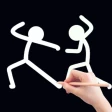
Screenshots
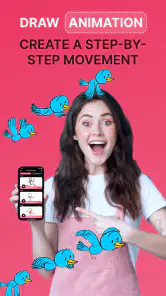
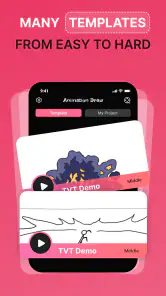
Analysis by Reviewed
I find Animation Creator: Flipbook 2D most appealing as a low-pressure way to try frame-by-frame drawing, rather than as a replacement for a full animation studio. Its focus on flipbook-style work gives beginners a clear place to start: make a small change, move to the next frame, and watch a sketch take shape. That simple loop is also useful when I want to test an idea without turning it into a complicated project.
A practical fit for quick animation experiments
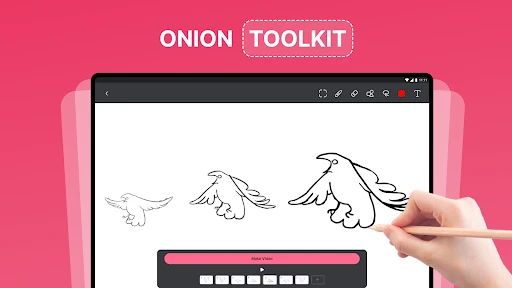
A good first exercise is to animate something with a clear, small movement: a bouncing ball, a blinking face, or a hand-drawn arrow that points toward a note. Keeping the subject simple makes it easier to judge whether each frame follows the last. Onion skinning helps with that by showing the previous drawing as a guide, so I can spot a jump in position before it becomes distracting.
For a more everyday use, imagine having a few minutes between tasks and wanting to make a short visual joke or a moving birthday-card doodle. I’d sketch the main pose, duplicate frames where the drawing should hold, then adjust only the parts that need to move. That workflow can save effort compared with redrawing an entire scene, though it still rewards patience: smooth motion comes from deliberate frame changes, not from adding lots of detail.
What to consider before choosing it
This is a drawing-led tool, so it suits people who enjoy making images by hand. If you mainly want polished motion graphics, detailed character rigs, or a timeline built around video editing, a dedicated desktop animation program or a more specialized mobile editor may be a better match. A flipbook approach keeps the process approachable, but it can feel laborious when a scene needs many carefully coordinated movements.
Imported images can give a project a starting point, such as a photo used as a background or a character reference. I’d keep those assets simple and check that they remain readable behind the moving drawing; a busy image can compete with the animation rather than support it. Likewise, layers are useful for separating elements, but they work best when planned early. Splitting a background, character, and small effects can make revisions easier than treating the whole frame as one drawing.
The app is free to install, with in-app purchases listed from $2.99 to $29.99 per item. I’d begin with a tiny test project before spending anything: it’s the quickest way to see whether the drawing controls and frame-by-frame rhythm suit you. It has a 3.5 average from around 8,100 ratings, so I’d treat it as a promising option to try rather than assume every user will find it equally comfortable.
Have you ever wished you could bring your doodles to life? Well, with Animation Creator: Flipbook 2D, you can do just that. It's a neat little app that lets you create animations frame by frame, kind of like those old-school flipbooks we used to make as kids. Let me walk you through my experience with this app and why I think it's worth a download.
More From Our News Desk

Clash of Clans Is Won Between the Battles

Android Auto Makes the Case for Quieter Car Software

MobiOffice: Transforming Mobile Productivity with Seamless Integration

EA SPORTS FC™ Mobile Soccer: Redefining Mobile Sports Gaming

How Microsoft OneDrive Became a Mobile Productivity Giant

How Google Translate Breaks Language Barriers Effortlessly
Getting Started with Animation
When you first open up Animation Creator: Flipbook 2D, you're greeted with a user-friendly interface. It’s super intuitive, so you don’t have to be a seasoned animator to dive right in. I was pleasantly surprised by how easy it was to start a new project. You just tap on 'New Animation', and you're off to the races!
Tools and Features
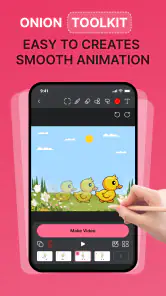
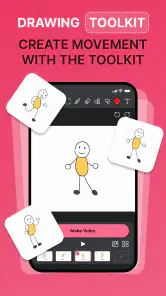
The app is packed with tools that make the animation process smooth and enjoyable. You’ve got a variety of brushes, colors, and layers to play around with. The onion skinning feature is a lifesaver, as it allows you to see the previous frame while working on the next one, making the animation flow much more seamless.
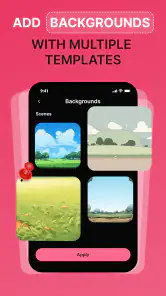
One of the standout features for me was the frame management system. It’s easy to add, duplicate, and delete frames, which is great for tweaking your animation to perfection. Plus, the app supports importing images, so if you want to add a photo background or character, you can do that too.
Making a small project feel manageable
For a first attempt, I’d choose a movement with a clear beginning and end rather than trying to animate a whole character through a complicated scene. A paper-plane doodle crossing a page, for example, can be planned as a handful of positions with a short pause at the end. That gives you a finished result quickly and makes it easier to notice whether the spacing between drawings feels natural.
A useful trade-off in frame-by-frame work is deciding what not to redraw. If the background stays still, keep it separate from the moving subject where possible; then you can focus your edits on the animation instead of rebuilding the whole image every time. This is especially helpful for a simple greeting or classroom visual, where a small movement can carry the idea without requiring elaborate artwork.
Performance and Usability
Performance-wise, the app runs smoothly, even on devices that are a few years old. I didn’t experience any lag or crashes, which is crucial when you’re deep into creating your masterpiece. The developers have done a solid job ensuring that the app is optimized for both Android and iOS platforms.
Usability is another strong point. The app is designed to be accessible for beginners but also offers advanced features that seasoned animators will appreciate. It’s a perfect balance that makes it appealing to a wide range of users.
Where the mobile flipbook approach fits
Compared with a general-purpose drawing app, the advantage here is that each image belongs to a sequence: you can judge a sketch by how it moves, not just by how it looks on its own. That makes the app a more direct place to practice timing and simple motion than a canvas without frame tools. In contrast, a full desktop animation package is usually a better home for long scenes, complex editing, or a production that needs many coordinated elements.
I also wouldn’t choose a flipbook workflow for every kind of animation. If the goal is clean text movement, polished logo transitions, or footage-based edits, a motion-graphics or video editor is likely to be less labor-intensive. The strength here is the handmade quality and the learning that comes from drawing each change yourself; that same hands-on process is the limitation when speed and precise repeatability matter more.
Sharing Your Creations
Once you're done crafting your animation, sharing is a breeze. The app allows you to export your work in various formats, including GIF and MP4. This makes it super easy to share your creations on social media or with friends and family. I found this feature particularly handy because, let's be honest, half the fun of making animations is showing them off!
Choosing a useful first project
If you’re wondering whether a phone or tablet is enough to get started, I’d say it is for a short, uncomplicated sequence. A small screen can make fine corrections less comfortable, though, especially when you need to keep several details aligned. I’d use a larger device if I had one, but I’d still keep the first animation modest: a clear silhouette and a few purposeful changes are more useful practice than a crowded scene.
For a realistic everyday project, imagine making a quick visual reminder for a family chat: a drawn cup filling up, followed by a short pause and a final frame with a note. The process can be split into brief sessions—rough poses first, then a playback check, then cleanup—so it doesn’t demand one long stretch of concentration. This kind of small personal use is where the app’s approachable, tactile rhythm makes sense.
Who I’d recommend it to
Animation Creator is a sensible choice for curious beginners, students practicing visual storytelling, and anyone who wants to turn a sketch into a short looping idea. CEM SOFTWARE LTD publishes it in the Art & Design category, and its Everyone content rating makes it accessible to a broad audience. It has passed 1 million installs, which suggests plenty of people are willing to give this kind of mobile animation a try.
It is less suitable if your priority is precise professional control or if you prefer building motion with automated transitions instead of drawing individual frames. Compared with general drawing apps, its frame tools and onion skinning are more directly aimed at animation; compared with full desktop software, the mobile flipbook workflow is easier to approach but less suited to complex production. I’d choose it for a first experiment or a compact personal project, not as the centerpiece of a demanding studio pipeline.
A few habits that make the workflow easier
Before drawing a long sequence, I’d make a short motion test with only a few frames. It quickly shows whether the action reads clearly and helps avoid spending time polishing an idea that feels awkward in motion. I’d also duplicate a frame when the subject should pause, then change only one feature at a time—position, expression, or a small detail—so it’s easier to see what improves the movement.
When importing an image, I’d use it as a guide or a restrained background rather than letting it overwhelm the hand-drawn subject. And before sharing, I’d play through the sequence and look for uneven spacing: a character that suddenly jumps may need an in-between drawing or a held frame. These small checks matter more than adding extra brushes or detail when the goal is a readable animation.
The app’s current version is 1.3.2, and it supports devices running Android 8.0 or later. The listing shows 643 written reviews alongside its ratings, so there is a visible body of user feedback to browse if you want another perspective before installing. Since the app is free to start, I’d use that opportunity to test a simple project and decide whether its hands-on pace feels enjoyable.
What I’d check before committing time
A sensible first session is also a good way to answer the practical questions that matter: can you draw comfortably with the controls, do you enjoy checking changes one frame at a time, and does the result look clear when played back? I’d make a rough test before building a polished piece, because a workflow that feels fun for six frames may become tiring across a much longer sequence. That isn’t a reason to avoid the app; it’s a useful way to set the right scale for a project.
Likewise, I’d treat purchases as something to consider only after the basic workflow has earned a place in your routine. The free starting point lets you explore whether animation is something you’ll return to, while paid items may make more sense for someone who already knows what they want from the app. For a one-off doodle, there’s little reason to decide that in advance.
The 643 written reviews offer another perspective beyond the 3.5 average, but I’d read them with a specific question in mind—such as whether people find the drawing process comfortable—rather than expecting every review to match my needs. A broad user score can summarize mixed experiences, while your own short test is still the most direct way to judge whether this particular flipbook approach suits you.
In conclusion, Animation Creator: Flipbook 2D is a fantastic tool for anyone looking to dip their toes into the world of animation. Whether you're a newbie or a pro, this app has something to offer. It’s user-friendly, packed with features, and runs like a dream on both Android and iOS. So, if you’ve ever wanted to create animations on the go, give this app a try. You might just find your new favorite hobby!
Animation Creator: Flipbook 2D Frequently Asked Questions
Is Animation Creator: Flipbook 2D suitable for children?
Animation Creator: Flipbook 2D has an Everyone content rating, so it is presented as suitable for a broad audience. Its drawing and frame-by-frame animation approach may appeal to children interested in making simple flipbooks, as well as adults exploring 2D animation. As with any creative app, parents can decide whether its tools and any in-app purchases are appropriate for their child.
What device requirements should I check before downloading Animation Creator: Flipbook 2D?
Before downloading, check that your device runs Android 8.0 or later. The app is listed as available for Android and iOS, so iPhone and iPad users can also look for it in the Apple App Store. Making sure your device meets the relevant operating-system requirement helps avoid compatibility issues and gives you a better starting point for trying its animation tools.
Who developed Animation Creator: Flipbook 2D, and is it popular?
Animation Creator: Flipbook 2D is developed by CEM SOFTWARE LTD and is listed in the Art & Design category. It has passed one million installs and has an average rating of 3.5 from around 8,100 ratings, giving prospective users a quick sense of its reach and reception. Those figures can be useful context, though your experience will depend on how well its tools suit your creative workflow.
What platforms is Animation Creator: Flipbook 2D available on?
Animation Creator: Flipbook 2D is available for both Android and iOS devices. You can download it from the Google Play Store for Android devices and from the Apple App Store for iOS devices. This ensures that a wide range of users can access and enjoy the app's creative tools for animation.
Can I use Animation Creator: Flipbook 2D without any prior animation experience?
Yes, Animation Creator: Flipbook 2D is designed to be user-friendly for both beginners and experienced animators. It features an intuitive interface with easy-to-use tools that allow users to create animations frame by frame. Tutorials and guides are also available within the app to help newcomers get started quickly.
Pros
- Intuitive interface for beginners.
- Wide range of drawing tools.
- Supports multi-layer editing.
- Smooth animation playback.
- Includes tutorials for new users.
Cons
- Limited export options.
- No cloud save feature.
- Ads in free version.
- Requires internet for full features.
- Occasional app crashes.

- Category
- Art & Design
- Version
- 1.3.2













