FlipArtify - 2D Draw Animation
- 1.06K
- 3.6
- Installs
- 1.00M
- Price
- Free

Screenshots
Analysis by Reviewed
I find frame-by-frame animation much less intimidating when I treat it as a tiny drawing exercise rather than a project that needs to look polished. That is the appeal of FlipArtify - 2D Draw Animation: it gives a doodle room to move, so a first attempt can be a bouncing dot or a waving stick figure, not a full cartoon. If you’re new to animation, a small, clear idea is the easiest route to a satisfying first result.
What to expect from a pocket animation studio
FlipArtify is an art and design app from CEM SOFTWARE LTD, focused on making 2D drawings into animations. It is free to install, rated for Everyone, and has optional in-app purchases ranging from $2.99 to $29.99 per item. Its 3.6 average from around 10,000 ratings, alongside more than a million installs, suggests a sizeable audience but also a mixed response. I’d approach it as a playful creative tool, not assume it will replace a dedicated desktop animation setup.
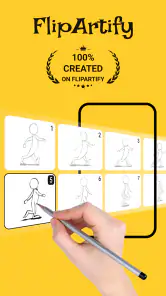
The first-time experience is best when you begin with one motion and a handful of frames. Draw a simple shape, change its position a little in the next frame, then repeat. That makes the core idea of frame-by-frame work easy to grasp: each drawing is a small change, and the sequence creates movement. A short test also lets you learn the controls before you invest time in detailed characters or backgrounds.
Set up for a comfortable first session
Before you start drawing, choose an idea that can be explained in one sentence: “the ball bounces,” “the face blinks,” or “the hand waves.” That simple limit is useful because it gives you a clear test for whether the animation works. You do not need to plan a story, design a cast, or make a polished background to learn the basic rhythm of the app.
I’d also decide what you want from the first session. If you have only a few minutes, aim to make one motion readable rather than finishing a shareable clip. If you have longer, leave time to replay the result and fix the pose that looks least convincing. This small distinction keeps the process enjoyable: a quick experiment can still count as success even if you do not export anything.
On a phone, finger drawing is convenient for rough shapes, but it can be harder to make small, consistent details. If you already use a stylus, it may help with controlled lines; it is not a requirement for trying the app. I would begin with bold, uncomplicated shapes either way, because a tiny eye or narrow outline is difficult to judge while you are still learning the frame controls.
Getting Started with FlipArtify
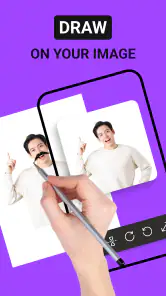
First off, let me tell you how easy it is to get started with FlipArtify. Once you download and open the app, you're greeted with a simple, intuitive interface that makes you feel right at home. The app doesn't bombard you with complex tutorials; instead, it gives you the freedom to explore and create at your own pace. It's perfect for both beginners and seasoned artists. All you need is a bit of imagination, and you're good to go!
More From Our News Desk

Clash of Clans Is Won Between the Battles

Android Auto Makes the Case for Quieter Car Software

MobiOffice: Transforming Mobile Productivity with Seamless Integration

EA SPORTS FC™ Mobile Soccer: Redefining Mobile Sports Gaming

How Microsoft OneDrive Became a Mobile Productivity Giant

How Google Translate Breaks Language Barriers Effortlessly
Make the first animation small on purpose
One practical way to avoid getting stuck is to animate a motion that loops naturally: a blinking eye, a bouncing ball, or a character lifting one arm. Keep the background plain at first. This helps you judge whether the movement reads clearly before adding details, and makes edits less tedious if the timing or pose feels off. I’d save more ambitious ideas for after you’ve made one short sequence from beginning to end.
When you’re drawing, think of onion skinning as a guide rather than a shortcut: it helps you compare neighboring poses, but you still need to decide how far the subject should travel between them. Small changes tend to look smoother; larger jumps can make a motion feel snappy or accidental. If a drawing looks messy, check the pose progression before redrawing every frame. Often the issue is spacing, not the quality of the individual sketch.
Features That Spark Creativity
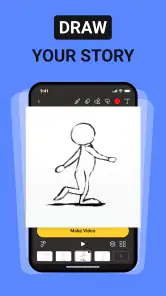
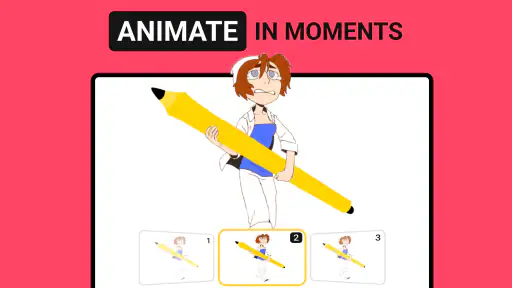
One of the standout features of FlipArtify is its extensive toolset. From basic brushes and colors to more advanced features like layers and onion skinning, this app has it all. The onion skinning feature is particularly handy as it allows you to see multiple frames at once, making the animation process smoother and more intuitive. It's like having a sneak peek into the magic of animation!
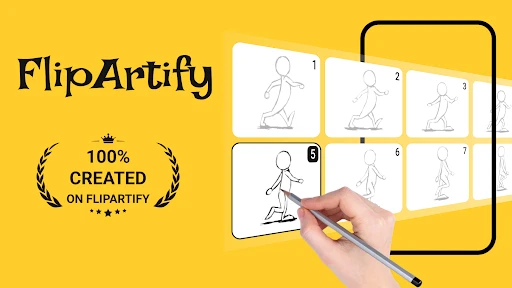
Not to mention, the timeline feature is a game-changer. It lets you manage and edit your frames with precision, so your animations look seamless. Plus, you can add sound effects to make your creations even more dynamic. Imagine drawing a little character and then having it dance to your favorite tune. How cool is that?
Make the timeline work for you
The timeline is most useful when you treat it as a way to inspect rhythm, not simply as a row of drawings to fill. A motion can look correct in still frames yet feel sluggish when played, or it can move too abruptly because a pose changes too much at once. I like to watch the sequence before adding decorative details, then identify whether the problem is a drawing, the order of frames, or the spacing between poses.
A practical editing habit is to change one thing at a time. If a wave feels stiff, first adjust the hand’s position across neighboring frames; do not simultaneously redraw the face, change the colors, and add a background. That makes it easier to see which alteration helped. Layers can also help separate a moving subject from other artwork, but for a first test I would keep the scene simple rather than adding structure you do not yet need.
Sound is best treated as a finishing touch rather than a fix for unclear movement. A short effect may make an action feel more playful, but it cannot make a confusing sequence easier to read. I would get the visual timing working first, then try sound only if it supports the idea. That approach also makes it easier to decide whether the clip works on its own before you spend time dressing it up.
Everyday projects and the right expectations
A realistic first project could be a quick birthday greeting: sketch a simple cake, animate a candle flicker, and send the finished clip to a friend. Another useful exercise is making a tiny visual note for yourself, such as an arrow that moves toward an item on a checklist. These projects are small enough to finish in a spare moment and teach you how drawing, frame order, and timing work together.
This is where the app differs from a standard drawing app: a still-image tool is usually faster when you only need a polished illustration, while FlipArtify’s frame-based approach makes sense when motion is the point. Compared with more complex animation software, its approachable feel is better suited to casual experiments than long productions with elaborate scenes. I’d skip it if your main goal is professional editing or highly detailed animation; it is more appealing when you want to learn by making short, personal clips.
A low-pressure way to use it during the day
Imagine you have a short break and want to make a friend laugh with a tiny animated greeting. I’d sketch a simple face, decide on one expression change, and work through just that action before thinking about captions or sound. If the result reads clearly when played back, it has done its job. If not, I can adjust the pose spacing or remove an unnecessary detail rather than turning a quick idea into a large project.
The same approach works for informal learning. A student could animate a simple object moving from one place to another to explore how changing poses affects the sense of motion. A hobby artist might test a character’s blink or a hand gesture before drawing a full scene. In both cases, the value is in seeing a still idea move, not in producing a finished film. That makes the app a useful sketchbook for motion, while a dedicated illustration app remains the quicker choice for a single polished image.
Sharing Your Masterpieces
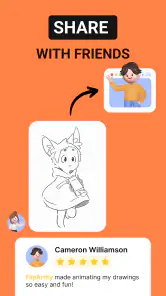
Once you've crafted your masterpiece, sharing it with the world is just a tap away. FlipArtify makes it super easy to export and share your animations on social media or with friends. Whether you're showcasing your work to fellow artists or just having a bit of fun, the satisfaction of seeing your animations appreciated by others is truly rewarding.
For a smoother sharing routine, finish the motion before adding sound or polishing color. Play the sequence back, look for a frame that holds too long or a pose that changes abruptly, and make one adjustment at a time. That order keeps a small project manageable and avoids spending effort on details that may need to move when the animation is revised.
Before sending a clip, I’d watch it once without focusing on the drawing itself. Ask whether the action is understandable at a glance and whether the ending feels intentional. A simple loop often benefits from returning to a pose close to its starting position; otherwise, the transition back to the beginning can feel like a jump. This is a useful check even for a casual greeting, because a clear loop can make a few drawings feel more complete.
And if you're looking for inspiration or want to challenge yourself, you can join the FlipArtify community. It's a vibrant space where artists share their work, exchange tips, and engage in friendly competitions. Trust me, being part of such a creative community is both inspiring and motivating.
Who will enjoy it, and where it can frustrate
I think it suits beginners, doodlers, and anyone who wants to turn a sketch into a short moving image without starting with a complicated workflow. It can also be useful for an art student testing simple motion ideas before committing to a larger piece. The trade-off is that frame-by-frame drawing takes patience: a small change repeated across a sequence can become repetitive, and accuracy matters if you want a character to stay consistent. A stylus may make careful drawing more comfortable, but I’d still start with a simple shape to see whether the controls suit your hands.
It is less appealing if you expect a full production workflow, want to animate detailed characters for a long sequence, or mainly need crisp still artwork. Frame-by-frame work asks you to manage continuity yourself; even a small shift in a character’s size or placement may be noticeable when the images play. If you prefer to build motion from reusable elements or need extensive editing controls, a more specialized animation tool may be a better fit. I would also avoid judging your drawing ability from a first attempt: the learning curve here is partly about planning consistent movement, not just making attractive individual sketches.
For a first meaningful result, I’d use a two-pass routine. In the first pass, draw only the main poses and check that the action is recognizable. In the second, add the small in-between changes that make it feel smoother. This is more manageable than trying to perfect every frame as you go, and it gives you a clear point at which to stop. If the movement already communicates the idea, extra polish is optional rather than a requirement.
Before building a longer piece, try a short animation and check that the frame controls feel clear to you. If you’re wondering whether you need to pay to begin, the app is free to install, while optional purchases are available; you can decide whether they matter after trying the basic workflow. The current version is 1.5.6, and it requires Android 7.0 or later. Those details make it straightforward to judge whether your device can run it and whether its basic creative approach is the kind you want.
Final Thoughts
In conclusion, FlipArtify - 2D Draw Animation is a delightful app that brings your drawings to life in the most enchanting way. It's user-friendly, packed with features, and offers endless fun. Whether you're an aspiring animator or just someone who loves to doodle, this app is a fantastic tool to unleash your creativity. So why not give it a try and see where your imagination takes you? You might just discover a hidden talent for animation!
FlipArtify - 2D Draw Animation Frequently Asked Questions
Is FlipArtify free to download, and does it include in-app purchases?
FlipArtify is free to download, so you can try its 2D animation tools without an upfront purchase. The app also offers in-app purchases, with items priced from $2.99 to $29.99. If you prefer to keep spending under control, check the purchase options before buying anything and review your device’s purchase settings.
What is FlipArtify - 2D Draw Animation?
FlipArtify is a creative application designed for both amateur and professional artists who are interested in 2D animation. It allows users to create frame-by-frame animations with ease, offering a simple interface and a variety of tools. The app is equipped with features that enable users to draw, sketch, and animate, catering to those who want to bring their artistic visions to life.
What features does FlipArtify offer for animation creation?
FlipArtify provides a comprehensive set of tools for creating animations. Users can expect features such as multiple drawing layers, onion skinning, a wide range of brushes, and color palettes. The app also includes timeline management for organizing frames and a playback option to preview animations. These features together make it an excellent choice for animators looking to craft intricate 2D animations.
Is FlipArtify suitable for beginners in animation?
Yes, FlipArtify is designed to be user-friendly and accessible to beginners. The app features an intuitive interface that simplifies the animation process, making it easy for newcomers to navigate. It also offers tutorials and guides to help beginners understand the basics of animation and improve their skills. Thus, it's a great starting point for anyone new to 2D animation.
Can FlipArtify be used on both Android and iOS devices?
FlipArtify is compatible with both Android and iOS platforms, allowing a wide range of users to access it. Whether you have an Android phone or an iOS device, you can download and install the app to start creating animations. This cross-platform availability ensures that more users can enjoy the creative possibilities offered by FlipArtify.
Pros
- Intuitive interface for easy navigation.
- Wide variety of drawing tools available.
- Supports exporting in multiple formats.
- Regular updates with new features.
- Responsive customer support team.
Cons
- Limited free version features.
- Occasional app crashes reported.
- Requires internet for some features.
- Some tools have a steep learning curve.
- Ads can be intrusive in free version.

- Category
- Art & Design
- Version
- 1.5.6













