Loopit - Make Playables
- 4.97K
- 4.8
- Installs
- 5.00M
- Price
- Free

Screenshots
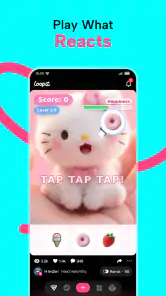
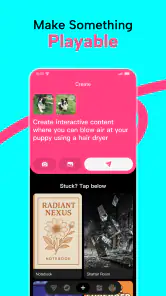

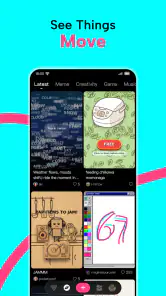
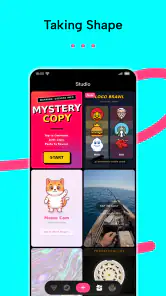
Analysis by Reviewed
I would reach for Loopit when I have a small creative impulse but no clear plan for turning it into something people can interact with. It sits in the entertainment space, but it is less like a conventional game and more like a place to make playful digital things: a quick joke, a tiny game idea, a toy-like interaction, or a piece of art that invites someone to tap and explore. That open-ended starting point is its appeal—and also the first thing to consider if you prefer apps with a clear goal waiting for you.
From a passing idea to something playable
I find it helps to decide what I want the other person to feel before I start making anything: laugh, try a small challenge, or simply explore an odd little visual. That choice gives a loose idea a useful shape without turning a playful experiment into a big project. From there, the key question is how to make the first interaction understandable on its own.
Start with a prompt, not a finished plan
In my experience, the useful way to approach Loopit is to begin with one simple thought rather than trying to design a complete project in your head. Imagine a friend sends a photo of a lopsided homemade cake. You might want to turn it into a silly interactive scene, or build a tiny game around balancing toppings. The idea does not need to be polished; the point is to give yourself a playful direction and see what it can become.
That makes the app a better fit for experimentation than for formal production. Its focus on making and remixing encourages you to treat an early version as material to work with, not as a final piece. I like that framing because it lowers the stakes: a rough joke or odd visual can be worth exploring even if it never becomes a finished game.
There is a trade-off, though. Open-ended creative tools can leave you wondering what to do first. If you want a structured campaign, a ready-made collection of conventional games, or a tutorial-led design course, Loopit may feel less immediately satisfying. I would come to it with a small question—“Can I make this funny?” or “What if this object reacted?”—rather than expecting the app to supply a full creative brief.
Shape the idea by making, then revising
The central promise is that playables can be made from creative building blocks and remixed. In practical terms, I would think of the process as a cycle: choose an idea, make a first version, test whether the interaction reads clearly, and adjust the part that feels confusing or dull. That last step matters more than adding extra decoration. A playful object that responds in an understandable way is often more enjoyable than a busier one whose purpose is hard to spot.
One useful habit is to make the first interaction obvious. If someone opens your creation, they should be able to tell whether to tap, explore, or simply look without needing a long explanation. This is especially important for quick jokes and small games, where the fun depends on a short setup. I would also keep the first pass narrow: one central gag or interaction gives you a clearer test than several competing ideas.
More From Our News Desk

Weather by Xiaomi Review: Clear at a Glance, Less Clear Up Close

X Under Pressure: Can It Recover When Posting Goes Wrong?

Clash of Clans Is Won Between the Battles

Android Auto Makes the Case for Quieter Car Software

MobiOffice: Transforming Mobile Productivity with Seamless Integration

EA SPORTS FC™ Mobile Soccer: Redefining Mobile Sports Gaming
Another practical approach is to separate the “make it work” pass from the “make it charming” pass. First, check whether the basic idea is understandable. Then spend time on the visual or humorous details that give it personality. This is not a claim about a particular editing tool; it is a workflow that suits Loopit’s remix-and-create concept and helps prevent a common creative trap: polishing a concept before you know whether its central action is any fun.
Remixing is a starting point, not a shortcut to a finished idea
Loopit’s emphasis on remixing makes it appealing if you enjoy adapting an existing spark instead of facing a blank page. I find that a good remix changes the meaning or mood of its starting point rather than merely repeating it. A familiar visual could become a playful prop, a tiny challenge, or the punchline of an interactive joke. The strongest result is usually the one where the change is easy to understand and feels intentional.
There is a creative trade-off here: remixing can help you get moving, but it can also make your work feel too dependent on the original idea. I would ask what the new version adds. Does it give the audience a reason to interact? Does the joke land differently? If the answer is no, it may be better to keep exploring rather than treating the first alteration as complete.
Think about the person who will receive it
Making something is only part of the experience; the next question is how it reaches another person and what they are expected to do with it. For a casual share, clarity matters more than complexity. A friend should not have to guess whether the piece is a game, an image, or a joke. A short, self-explanatory interaction is more likely to work in a group chat or a casual conversation than a project that needs a long introduction.
This is where I would tailor the creation to its destination. For a family member who enjoys visual jokes, a toy-like interaction may be enough. For someone who likes games, a simple challenge could give them a reason to try it more than once. If the audience is mixed, avoid relying on an inside joke that only one person understands. The app’s Teen content rating is also worth keeping in mind when deciding whether a creation is suitable for a younger audience; I would not assume every idea made in a creative entertainment app is automatically appropriate for everyone.
What happens at the handoff
The handoff is a meaningful part of any creation workflow: making something for yourself is different from making something another person can understand and enjoy. Loopit’s concept makes sharing and remixing feel central to the creative mindset, but I would not build a plan around a specific export route or audience feature without checking what is available in the app. Instead, judge the experience by the result you can actually show someone and whether they can engage with it without extra explanation.
A small test with one person can reveal more than another round of solitary polishing. Watch where they hesitate. If they do not notice the intended action, simplify the presentation. If they understand the interaction but do not find it amusing, the idea may need a sharper twist. That feedback loop is particularly useful for meme-like creations, where the difference between “I get it” and “that made me laugh” can be subtle.
For a realistic everyday use, picture a quiet evening when friends are sharing photos and jokes. Instead of sending another static reaction, you could try shaping one into a tiny playable moment. Keep it brief, make the action clear, and treat your first attempt as a conversation starter rather than a showcase. That use case suits Loopit better than expecting it to replace a full game-development setup or a professional art tool.
Where the result feels strongest
The best outcome is likely to be something small that feels personal: a visual joke with a bit of interaction, a miniature game concept, or an odd digital toy you can show to someone who will appreciate the idea. Loopit is especially appealing to people who like playful tinkering and do not mind revising a concept as they go. If you already enjoy making memes, doodling game ideas, or turning ordinary images into jokes, the app gives that impulse a more interactive direction.
It is also a different proposition from simply browsing entertainment. A conventional casual game gives you a defined activity created by someone else; Loopit is aimed at people who want to make or alter the playful material themselves. Compared with a general drawing app, its appeal is not just making a picture but thinking about a piece as something playable. Compared with a dedicated game engine, the attraction is a more casual creative starting point rather than a promise of deep technical control. Those alternatives are better choices when you need predictable gameplay, precise art tools, or a more formal production workflow.
Where the flow can break
The first friction point is creative uncertainty. If you open Loopit without an idea and do not enjoy exploring possibilities, the freedom can feel like work. A simple prompt helps, but it will not suit everyone. I would skip it if what you really want is to relax with finished games rather than make your own playful content.
The second is the gap between a clever idea and a clear interaction. A concept can sound funny in your head yet fail when someone else encounters it without context. Keeping the project small and testing it with another person can help, but some ideas simply work better as a spoken joke or a static image. The interactive format should add something, not be used just because it is available.
There is also a difference between casual creation and a polished publishing workflow. If your priority is exact control over every visual detail, dependable production tools, or a finished game intended for a broad audience, I would look at a tool designed specifically for that job. Loopit’s strongest role is quick creative exploration, not a substitute for every specialized app in the process.
Who I would recommend it to
I would recommend Loopit to curious people who like making things for friends, experimenting with humorous ideas, or trying to turn a visual spark into a small interactive experience. SeedLeap Intelligent Technology Co., Ltd. is the developer, and the app is free to try. It has a 4.8 average from around 64,000 ratings, with more than 5 million installs, which suggests that plenty of people have taken an interest in its creative approach; those figures are context, not a guarantee that its open-ended style will suit you.
The current version is 1.3.50, and it requires Android 7.0 or later. Those details make it easier to judge basic compatibility, but the more important question is whether you enjoy making playful material rather than only consuming it. If you do, start with one small idea, test whether its interaction makes sense, and revise only after you see how it lands.
My overall view is that Loopit is most rewarding when you treat it as a creative playground with a clear, modest goal. It can help turn a passing joke or visual thought into something someone else can interact with, but that process asks for curiosity and a little patience. If you want a conventional game or a highly controlled design environment, choose something more focused. If you enjoy the moment when a rough idea becomes a shareable little experience, this is an entertaining app to explore.
A practical way to decide before you invest time
I would judge the app by one short trial rather than by whether the first creation looks impressive. Pick an idea you can explain in a sentence, make the simplest version that could communicate it, then show it to someone who has not heard your explanation. If they understand what to do, you have a useful foundation. If they need you to narrate every step, the concept may need simplifying—or it may be better as a regular image or message.
This test also answers a common question: does a person need game-design experience to enjoy making things here? I would not treat technical expertise as the starting requirement. The more useful skill is noticing how another person interprets a small interaction and being willing to change the idea when that interpretation differs from yours. Someone who enjoys that back-and-forth is likely to get more from Loopit than someone who only wants a polished result on the first try.
Choose the right size for the occasion
For a quick exchange with friends, I would keep the creation self-contained and easy to understand at a glance. For a personal creative exercise, I would allow more room for odd experiments, even if the result is not immediately shareable. Those are different goals, and mixing them can create unnecessary pressure: a private test does not need to be audience-ready, while a piece meant for a group should not rely on a long explanation.
That distinction is useful when deciding whether to keep working or stop. If the idea is meant to spark a laugh, a small, clear payoff is enough; adding more layers can weaken the joke. If the point is exploration, an imperfect result may still teach you what kind of interaction you want to try next. I like that the app’s creative premise can support both moods, provided I set expectations before I begin.
My final recommendation
Loopit is a good match for people who want to turn casual inspiration into playful, interactive material, especially when the goal is to make something personal rather than to build a finished commercial game. Its free price makes it easy to consider as a creative diversion, while its Teen rating is a reminder to think about audience and suitability instead of assuming every creation is for every age. For a straightforward entertainment session, a regular game is the simpler choice; for precise illustration or serious development, a specialized tool will be more appropriate.
I would try it when I have a small idea worth testing and a friend who might enjoy seeing the result. I would skip it when I want instant entertainment, strict creative direction, or detailed production control. That boundary is what makes my recommendation honest: Loopit is not trying to be every kind of entertainment app. It is most satisfying when I arrive with curiosity, keep the project modest, and let another person’s reaction help me decide whether the playful idea has worked.
Loopit - Make Playables Frequently Asked Questions
What is Loopit - Make Playables?
Loopit - Make Playables is an app for creating and sharing interactive, game-like experiences, often called playables. Rather than simply watching or scrolling through content, users can explore creations by tapping, swiping, or making other choices. The app’s appeal is its focus on playful, interactive media, but the tools and types of creations available may depend on the current version and the content shared by its community.
Can I create my own playables in Loopit?
Loopit is presented as a place to make playables as well as experience them, but the exact creation options can vary by app version and platform. Before downloading, check the app listing for details about its editor, templates, supported media, and any account requirements. If you are hoping to build complex games, keep in mind that a lightweight playable-making app may be aimed more at quick, approachable projects than full-scale game development.
Is Loopit - Make Playables free to download and use?
The price and available features can differ between the Android and iOS versions, so check the relevant store listing before installing. An app may be free to download while offering optional purchases, subscriptions, or paid features. Review the store’s pricing details and the app’s purchase information to understand any costs. If you are setting it up for a child, consider enabling purchase approval or other device-level restrictions.
Does Loopit require an account, and can I share my creations?
Some interactive apps let people browse without signing in but require an account to create, save, or publish content. Loopit’s current requirements should be confirmed in its store listing or during setup, since features can change. If sharing is available, review the visibility and privacy controls before publishing, and avoid including personal information in a creation. You may also want to check whether shared content can be removed or made private later.
Is Loopit - Make Playables safe for children, and what permissions does it need?
Whether Loopit is suitable for a child depends on its age rating, the content available, and its communication or sharing features. Check the rating and privacy information on the relevant app store, then review permissions requested during installation. If the app includes community content, publishing, or social features, use parental controls and discuss safe sharing with younger users. Only grant permissions that make sense for the features you choose to use.
Pros
- Turns simple ideas into interactive playable ads without requiring coding skills.
- Offers a practical way to preview and test playable concepts before sharing.
- Templates can help speed up creation when starting from a blank canvas.
- Useful for marketers and developers exploring interactive ad formats.
- A focused tool for making playables rather than a general-purpose design app.
Cons
- Advanced customization may be limited compared with professional authoring tools.
- Creating polished playables can still take time
- even with templates.
- Some features or exports may require a paid plan.
- Playable ads may need testing across devices and ad networks for compatibility.
- Less useful if you only need to create static images or standard video ads.
- Category
- Entertainment
- Version
- 1.3.50











