

Lively Lock Screen Wallpapers
- 12.00
- 3.9
- Installs
- 500.00K
- Price
- Free
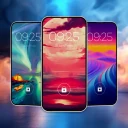
Screenshots
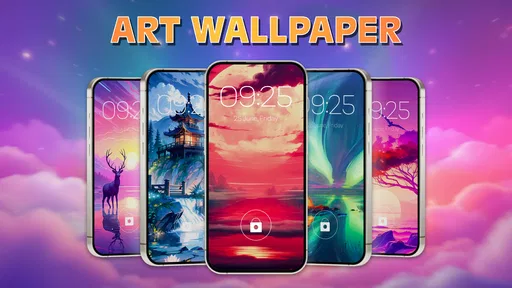
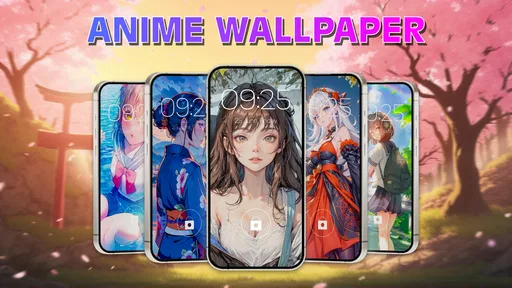
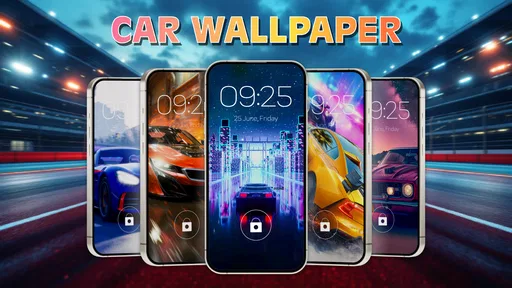
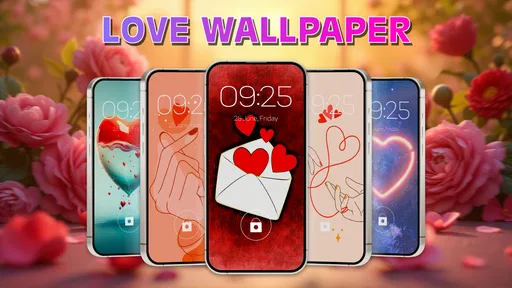
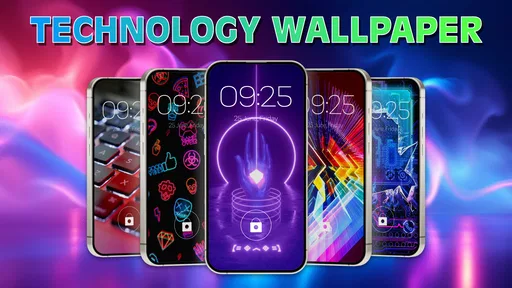
Analysis by Reviewed
A lock screen is one of the few parts of a phone I see many times a day, so changing it can make a small but noticeable difference to how the device feels. Lively Lock Screen Wallpapers is aimed at people who want more movement and visual personality than a plain background offers. I’d look at it if I were in the mood for a striking design, especially an abstract or car-themed one, but I wouldn’t expect a complete phone makeover or a detailed theme-design tool.
The key question is whether a moving image suits the way you use your phone. It can make a quick glance at the screen feel more personal, but a busy animation may also compete with the clock and notifications. I’d choose with everyday readability in mind, not just based on which preview looks most dramatic.
What the app offers today
This is a personalization app from Avn Global Application, with a visual focus that is narrower than a general collection of static backgrounds. Its current version is 1.1.7_19112025, and the app has been available since October 2, 2024. The emphasis on video-to-live-wallpaper use, along with abstract and car imagery, gives it a clear audience: people who want their lock screen to feel animated and expressive.
Its reach is substantial for a newer wallpaper choice: it has over 500,000 installs and an average rating of 3.9 from around 839 ratings. Those figures tell me that people are trying it, but they don’t guarantee that its selection or behavior will suit every phone. I’d treat the rating as a starting point, then judge the look and day-to-day experience for myself.
Choosing motion that works on a real lock screen
The app’s appeal is easiest to understand if you want your lock screen to feel less static without spending time making designs yourself. I’d consider it for a personal phone that I pick up often, especially when a striking car or abstract image suits my taste. If you mainly want a plain background that stays out of the way, though, the wallpaper already built into your phone may be the calmer choice.
When I first downloaded it, I wasn't sure what to expect. After all, there are tons of wallpaper apps out there. But this one stands out with its dynamic and vibrant selection of animated wallpapers that truly bring your lock screen to life. Whether you're into serene nature scenes, bustling cityscapes, or quirky animated characters, this app has got you covered.
The app’s focus is personalization, but its current identity is more specific than a general wallpaper library: its short description points to lively wallpapers, while its broader pitch includes video-to-live-wallpaper use and an emphasis on abstract and car imagery. That makes it most relevant to someone who wants motion and a bold visual mood, rather than a tool for carefully designing every part of a phone’s interface.
More From Our News Desk

 Gmail
GmailGmail in a Busy Inbox: Who Benefits Most?
From first account to crowded workday, Gmail earns its place through dependable search and flexible sorting—but its best fit depends on how much inbox maintenance you can tolerate.

 Prime Video
Switching to Prime Video: What Changes in Your Viewing Routine
Prime Video can make a compelling second home for streaming, but switching means learning a different catalog, rental layer, and route from browsing to playback.

 Universal TV Remote Control
Universal TV Remote Control Works Best as a Reliable Backup
A phone remote earns its place through quick setup and reliable habits. Here is how to get more from Universal TV Remote Control—and where its limits show.

 Weather - By Xiaomi
Weather by Xiaomi Review: Clear at a Glance, Less Clear Up Close
Xiaomi’s weather app makes everyday forecasts quick to scan, but its calm surface can leave useful details and recovery paths harder to find than they should be.

 X
XX Under Pressure: Can It Recover When Posting Goes Wrong?
A resilience-focused review of X, examining setup, mistaken posts, interruptions, weak connections, and the gaps that matter when recovery needs to be dependable.

 Clash of Clans
Clash of Clans Is Won Between the Battles
Its raids are quick; its community is a long-term project of coordination, teaching, rivalry, and shared responsibility—with all the friction that entails.
Latest News



Making a wallpaper practical, not just attractive
One of the things I appreciated about this app is how user-friendly it is. Navigating through the app is a breeze, thanks to its intuitive design. You can easily browse through categories and find the perfect wallpaper that matches your vibe. Plus, the customization options are pretty nifty. You can adjust the animation speed and even choose how often the images change, ensuring your lock screen never gets boring.
For a practical routine, I’d pick a wallpaper with the phone’s lock-screen layout in mind rather than choosing only from its preview. Check whether the time and notifications remain easy to read against the moving image, and try a darker or less busy option if they get lost. A visually dramatic background can look great in a gallery but become distracting when you check the time repeatedly during a workday.
A useful way to narrow down a choice is to test it in the situation where you most often glance at your phone. If you check notifications between tasks, look for motion that doesn’t make the text harder to scan. If you mainly use the lock screen to check the time, a simple composition with clear areas behind the clock may serve you better than a high-contrast scene. This small check can prevent the common disappointment of loving a preview but tiring of it once it sits behind everyday information.
I’d also avoid changing several visual choices at once when testing a new background. Start with one image, leave it in place through a normal day, and notice whether you still enjoy it after the novelty wears off. If you are comparing two options, keep the same lock-screen layout and use each for a while. That makes it easier to tell whether the difference you feel comes from the wallpaper itself rather than from a changed arrangement of icons or notifications.
Battery expectations and device fit
Now, I know what some of you might be thinking: "Animated wallpapers? Won’t that drain my battery?" Well, rest easy. I was pleasantly surprised to find that the app is optimized to be gentle on battery life. The developers seem to have done a stellar job at ensuring that these stunning visuals don’t come at the cost of your phone’s performance.
I would still treat battery impact as something to judge on your own device. Animated backgrounds can behave differently depending on the phone and how you use it, so a simple test is more useful than assuming every setup will feel identical: use one wallpaper through a normal day, then switch to a still image if you notice a change that bothers you. That trade-off matters most for people who already rely on their phone away from a charger.
For example, imagine you leave home in the morning with a busy day ahead and often check your lock screen while travelling. A moving scene may be a welcome personal touch, but if you are already careful about battery use, it makes sense to compare it with a still background before deciding to keep it. I’d make that choice based on my own routine rather than assuming that every animation will have the same effect on every device.
There is also a difference between enjoying motion briefly and wanting it all day. Someone who likes a fresh look but prefers a quieter phone experience may be happier using an animated design for a while and then returning to a static image. That isn’t a failure of the app; it’s a sensible way to balance novelty with comfort, particularly if a moving lock screen becomes distracting during focused work.
Compatibility, cost, and the setup decision
Another aspect worth mentioning is the app’s compatibility. It works seamlessly on both Android and iOS devices, so no one’s left out of the fun. Installation is a quick process, and the app doesn’t require any technical wizardry to set up. This accessibility makes it a great option for anyone looking to enhance their device’s aesthetics without breaking a sweat.
For Android users, the minimum requirement is version 6.0, and the current release is 1.1.7_19112025. The app is free to install, with in-app purchases listed from $4.99 to $38.99 per item; I’d explore the free experience first and only consider a purchase if it clearly adds something I’ll use. It is rated for Everyone, and Avn Global Application is the developer. Its average rating is 3.9 from 839 ratings, with 500K+ installs, which gives a new user a sense of its reach without guaranteeing that every device or taste will match mine.
Because the app is free to install but also offers in-app purchases, I’d decide on a spending limit before browsing if I know I’m tempted by premium-looking choices. First, I’d see whether the available free wallpapers give me a style I actually want to keep. If they do, there is little reason to pay just because an extra option is visible; if a purchase does catch my eye, I’d check its price and whether it solves a specific need before confirming anything.
Compared with a phone’s built-in wallpaper picker, this app is a better fit when motion and a more distinctive visual style are the point; the built-in option is usually simpler if you want a static image and minimal setup. Compared with broad wallpaper collections, Lively’s video and live-wallpaper angle is more focused, but it may not suit someone who wants extensive editing controls or a carefully curated range of quiet, practical backgrounds. I’d also check the final lock-screen result before settling on a choice, since the clock and notification layout can change how a design feels.
If you already have a folder of personal photos, using one of those as a still wallpaper may be the more meaningful option, especially when familiarity matters more than animation. A broad wallpaper app may be a better match if you want lots of unrelated themes in one place, while a built-in picker is a sensible choice when convenience and predictable behavior matter most. This app makes the strongest case when the motion itself is what you want, not simply because you need any background at all.
The app is a particularly natural fit for someone who enjoys changing the look of a personal phone and is happy to spend a little time checking how a moving image works with the lock screen. It is less compelling for anyone who wants a highly restrained screen, detailed control over every design element, or a collection chosen mainly for readability. Knowing which side of that divide you’re on is more useful than expecting a wallpaper app to satisfy every kind of personalization preference.
How the current release fits existing users
The app has been available since October 2, 2024, so the current version number gives existing users a clear reference point when checking what they have installed. I wouldn’t infer specific new features from a version label alone; what matters to me is whether the wallpapers I want remain easy to find and work well on my phone. If you already use it, it’s worth revisiting your chosen background after an update and checking that it still looks right with your lock-screen layout. For someone deciding whether to try it, the sensible expectation is a personalization app centered on lively visuals, not a full theme editor.
For people who have already installed it, a sensible habit is to check the selected wallpaper after updating rather than assuming the lock screen will look exactly as before. Make sure the image still suits the clock placement, notification text, and the way you hold the phone. That quick visual check is useful even when you are happy with the app, because a design that looked balanced at first may become less comfortable after your screen layout or personal preferences change.
What I would watch over time is whether the app continues to make its main use easy: finding a suitable moving background and getting it to look right on the lock screen. A version label by itself doesn’t tell me what changed, so I’d focus on the experience I can actually see rather than expecting a particular feature to appear. For current users, that means noticing whether browsing remains straightforward and whether their chosen image still feels enjoyable in daily use.
It is also worth keeping expectations modest about the difference between a lively wallpaper and a complete personalization system. The latter might involve coordinated icons, widgets, and controls, while this app’s appeal is much more visual. If you want to build a unified interface from many parts, a dedicated theming approach may fit better; if the lock screen is the one part you want to refresh, this narrower focus can be an advantage rather than a drawback.
My overall advice is to start with a free option, test it against the real lock-screen layout, and keep it only if it improves the experience rather than merely looking exciting in a preview. That approach answers the practical questions most people have: whether the style suits them, whether the important screen details remain readable, and whether the moving image feels worthwhile in their routine. It also makes it easier to decide whether paying for an additional choice would add genuine value for you.
In conclusion, if you’re in the market for an app that adds a splash of creativity to your lock screen, Lively Lock Screen Wallpapers is definitely worth checking out. It’s fun, easy to use, and brings a unique touch to your device. Your lock screen is the first thing you see when you pick up your phone, so why not make it something worth looking at? Give it a try, and you might just find yourself spending a little extra time admiring your phone’s new look!
Lively Lock Screen Wallpapers Frequently Asked Questions
Who develops Lively Lock Screen Wallpapers, and what kind of app is it?
Lively Lock Screen Wallpapers is a personalization app from Avn Global Application. It focuses on giving your phone a more distinctive look through lively wallpaper options, including the dope abstract and car-themed designs highlighted in its description. If you enjoy changing your device’s appearance, it offers a straightforward way to explore that style before choosing a wallpaper.
What is Lively Lock Screen Wallpapers?
Lively Lock Screen Wallpapers is a mobile application designed to enhance your phone's lock screen with dynamic and interactive wallpapers. It offers a wide array of animated and live wallpapers that can be customized to suit your personal taste, adding a unique flair to your device every time you unlock it.
How do I customize my lock screen using Lively Lock Screen Wallpapers?
Customizing your lock screen with Lively Lock Screen Wallpapers is easy. After downloading and installing the app, you can browse through various categories of live wallpapers. Simply select a wallpaper you like, adjust any customization options available, and set it as your lock screen to enjoy a fresh new look. The app is aimed at users who want to make that part of their phone feel more personal, so take a moment to preview the options and choose a design that suits your everyday style.
Are the live wallpapers in Lively Lock Screen Wallpapers battery-friendly?
Yes, Lively Lock Screen Wallpapers is designed to be battery-friendly. The app uses optimized animations and graphics to minimize battery consumption, ensuring that your device's performance and battery life are not significantly impacted while enjoying the vibrant wallpapers. As with any animated background, the effect can vary depending on your device and how you use it, so it is sensible to keep an eye on battery use after applying a wallpaper.
Does Lively Lock Screen Wallpapers work on my phone’s operating system?
The app is available for Android devices running version 6.0 or later. Lively Lock Screen Wallpapers is compatible with most Android and iOS devices. However, due to certain hardware requirements for optimal performance, some older devices may not support all features. It's recommended to check the app's compatibility with your device on the app store before downloading.
Pros
- Vibrant HD wallpapers enhance phone aesthetics.
- Extensive library with frequent updates.
- Customizable themes for personalized experience.
- User-friendly interface with easy navigation.
- Low battery consumption despite high-quality visuals.
Cons
- Requires internet for wallpaper updates.
- Ads can be intrusive at times.
- Limited free options without subscription.
- Some wallpapers may not fit all screen sizes.
- Occasional bugs in the app's performance.













