Kumu Livestream Community
- 415.00
- 4.1
- Installs
- 10.00M
- Price
- Free

Screenshots



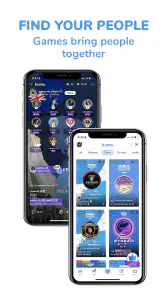

Analysis by Reviewed
I approached Kumu Livestream Community as a social app for people who want more than a quiet feed of posts. Its mix of livestreaming, messaging, games, music, and community teams makes it feel closer to a busy online meeting place than a standard social network. That variety is its biggest appeal, but it also means your experience depends heavily on how you use it, the quality of your connection, and how comfortable you are with a mature, highly interactive environment.
After spending time moving between its social spaces, live content, conversations, and community-oriented areas, I found an app that is easy to understand at a basic level but takes longer to use thoughtfully. You can open it for a quick look and end up staying because several activities sit close together. I would recommend it to someone who enjoys live interaction and meeting people through shared interests. I would be more cautious with anyone looking for a calm, private, or tightly focused social tool.
What Kumu is trying to be
Kumu is published by Kumumedia International Pte Ltd and belongs to the social category. It is free to install, with optional purchases ranging from $0.99 to $99.99 per item. That setup matters because the app is designed around participation rather than simply reading content. You can browse, chat, watch, join communities, and explore entertainment without paying at the door, while some parts of the experience may encourage spending.
The app has been available since January 9, 2018, and its current version is 10.8.2. It supports Android 7.0 and later, which gives it a reasonably broad device reach. Its mature 17+ rating is also important. I would not treat this as a general-purpose family social app, especially when younger users may encounter live conversations or community interactions that require adult judgement.
Its popularity is substantial: Kumu has passed 10 million installs and holds a 4.1 average from around 137 thousand ratings. Those figures suggest that it has found a large audience, but they should not be read as a guarantee that every stream or community will suit you. A live social platform changes from room to room. The quality of the experience depends on the people you encounter as much as on the software itself.
How fast it feels during ordinary use
In normal use, the most important speed factor is not a single screen opening instantly. It is how quickly you can move from discovery to participation. Kumu’s combination of live content, messaging, games, music, and community teams gives you several directions to take, so the app can feel energetic rather than empty. When the connection is good, switching from browsing to a live interaction feels like a natural part of the session.
That convenience comes with a trade-off. A focused messenger usually has a simpler job: open a conversation, send a message, and leave. A traditional social feed is also more predictable because most content is already prepared. Kumu asks your phone and connection to handle a more active mixture of content. If you prefer a quiet app that stays in the background, this may feel busier than necessary.
You May Like

Clash of Clans Is Won Between the Battles

Android Auto Makes the Case for Quieter Car Software

MobiOffice: Transforming Mobile Productivity with Seamless Integration

EA SPORTS FC™ Mobile Soccer: Redefining Mobile Sports Gaming

How Microsoft OneDrive Became a Mobile Productivity Giant

How Google Translate Breaks Language Barriers Effortlessly
I also found that the first few sessions require some patience. The app presents several ways to interact, and it is easy to spend time deciding where to go next. This is not a serious usability problem, but it affects the impression of speed. An app can respond quickly while still feeling slow if the user has to make too many choices before reaching the desired activity.
My practical advice is to begin with one purpose. If you want conversation, start with messaging. If you want live entertainment, focus on livestreams. If you are interested in meeting people around a shared interest, explore community teams instead of trying every area at once. This simple approach makes the interface feel less crowded and helps you judge whether the platform suits you before becoming deeply involved.
What happens during heavier sessions
The demanding moments are the ones you would expect from a social app built around live interaction. Watching a stream for a longer period, moving between active conversations, and exploring several entertainment areas in one sitting can place more pressure on a phone than reading occasional text updates. I would not compare that kind of session with using a basic notes app or a lightweight messaging client.
Older or less capable devices may make the difference more noticeable. The minimum supported Android version is 7.0, but operating-system compatibility does not mean every phone offers the same experience. A device that already struggles with multitasking, storage pressure, or heat may feel less comfortable during extended use. I would keep other demanding apps closed when using Kumu for a long live session, particularly on an older handset.
Connection quality is just as important as hardware. Live content is less forgiving than a normal feed: a weak or unstable connection can interrupt the flow and make conversations difficult to follow. This is one reason I would avoid judging the app after a single poor session in a crowded location. Try it on the connection you normally use, because that will tell you more than an ideal test on fast internet.
There is also a human form of resource demand. Kumu can ask for attention because several activities encourage you to stay involved. A short check-in can become a long session, especially when a live room is active or a community discussion is moving quickly. That is enjoyable if you want social energy, but it is a weakness if you are trying to reduce screen time or avoid apps that constantly invite another interaction.
Livestreaming, messaging, and community teams
Livestreaming is the feature that gives Kumu its strongest identity. Unlike a conventional social feed, where you mainly consume posts at your own pace, live rooms create a sense of being present with other people. That can make the app feel more personal and spontaneous. It is useful for users who enjoy conversation, performance, informal entertainment, or simply seeing what a community is doing right now.
The downside is that live content is unpredictable. A room that looks interesting may not match your expectations once you enter it, and the tone can vary widely between communities. I recommend observing for a moment before joining in. Pay attention to how people speak to one another, whether the conversation stays on topic, and whether the room feels welcoming rather than pressured. Leaving quickly is perfectly reasonable if the atmosphere is not right for you.
Messaging gives the platform a more direct way to continue a connection beyond a live session. I see this as one of Kumu’s practical strengths: a public interaction can lead to a private conversation without requiring a separate app. Still, I would avoid sharing personal details too quickly. The convenience of moving from a public room to direct contact can make new relationships feel more established than they really are.
Community teams are useful for people who want more structure than a random stream. They can help you return to a familiar group and recognize recurring interests. In my experience, the best way to use them is to treat them as interest-based spaces rather than instant friendship machines. Join because you genuinely care about the topic or culture, then let trust develop gradually.
The music and games areas add variety, but they also make Kumu less focused than a dedicated music service or a specialized gaming platform. I would use them as social additions rather than replacements for those services. If your main goal is high-fidelity music discovery, competitive gaming, or a carefully organized media library, a dedicated alternative will probably do that job better.
Stability and recovering from interruptions
For a social app, reliability is not only about whether it opens. It is about whether you can return to an interaction after a brief interruption without feeling lost. Live sessions are naturally sensitive to connection changes, and switching away from the app, entering a poor-signal area, or receiving another notification can disrupt the experience more than it would in a static feed.
I recommend treating Kumu as an app that benefits from deliberate sessions. Before starting a longer livestream, make sure your connection is reasonably stable and your phone has enough breathing room for the task. If the app or a live room needs to recover after an interruption, give it a moment rather than repeatedly tapping through screens. Repeated actions during a slow reconnection can make a temporary delay feel like a larger problem.
A useful habit is to return to a known community or conversation after reopening instead of trying to reconstruct everything through random discovery. This reduces frustration when a live moment has already moved on. It also highlights an important limitation: real-time social experiences cannot always be recovered perfectly. A missed message or moment may simply be gone, unlike an ordinary post that waits for you.
I would also keep expectations realistic when using the app in a crowded network environment. Public Wi-Fi, busy transport routes, and weak mobile coverage can affect any livestreaming service. Kumu’s social design makes those problems more visible because the point is immediate participation. If uninterrupted access is essential, a conventional text-based platform is the safer choice.
Device limits and sensible setup choices
Because Kumu supports Android 7.0 and newer, people with older phones may be able to install it. However, I would separate “can install” from “will feel comfortable.” A phone with limited memory, an aging battery, or a tendency to heat up during extended use may not be the best match for frequent livestream viewing and multitasking.
Before committing to regular use, I would test three situations: opening the app from a clean start, joining a live session, and switching briefly to another app before returning. That small routine reveals more than simply checking whether installation succeeds. It shows whether your own device handles the kind of activity Kumu is built around.
Storage and battery habits also matter, even without assigning invented measurements. Social apps tend to become more demanding when you use them repeatedly, especially if you move between media-heavy areas. I would keep the operating system reasonably current within the device’s limits, close unnecessary background apps, and avoid long sessions while the phone is already hot.
The mature 17+ rating should shape device access as well. If the phone is shared with a teenager or used by a family, I would not assume that the app’s social spaces are suitable simply because the installation is straightforward. Adults should decide whether the live and community environment fits the intended user, rather than relying only on the fact that the app is free.
Who will get the most from it
Kumu is a strong fit for someone who wants a social routine built around live presence. You may enjoy it if you like discovering personalities rather than polished brand pages, joining conversations as they happen, and returning to communities that recognize familiar participants. It is particularly appealing when messaging alone feels too private and a standard feed feels too passive.
Imagine finishing work and wanting a social break without arranging a formal call. You could open Kumu, browse a live room, listen for a while, and decide whether to participate. If the interaction feels comfortable, you might continue through messaging or look for a community team connected to the same interest. That path is more fluid than opening separate apps for a stream, a chat, and a group discussion.
I would skip it if you want a strictly curated experience, minimal interaction, or strong separation between entertainment and personal communication. Users who dislike live content, spontaneous conversations, or the possibility of spending within social apps may find the design distracting. I would also choose a dedicated alternative when the priority is professional messaging, private group coordination, serious music listening, or specialized gaming.
Spending, boundaries, and smarter use
The free entry point makes experimentation easy, but optional purchases deserve attention. Items priced from $0.99 to $99.99 can represent very different levels of commitment, so I would decide in advance whether you are only browsing or willing to spend. Social momentum can make purchases feel emotionally urgent, particularly when you are actively engaged with a live community.
My approach would be to use the app without buying anything at first. Learn how livestreams, messaging, games, music, and teams fit into your routine. If you later choose to purchase, set a personal limit and avoid treating spending as a way to gain acceptance or maintain a relationship. The strongest communities should remain enjoyable without making payment feel like a requirement for belonging.
Privacy and personal boundaries are equally important. Use a separate username if that makes you more comfortable, avoid revealing your location or daily routine, and be selective about moving conversations into more private spaces. These are not reasons to avoid Kumu; they are sensible habits for any platform where live interaction can quickly feel familiar.
My performance verdict
My overall impression is that Kumu feels most convincing when you use it as an active social hub rather than a passive content catalog. Its speed is best judged by how smoothly it takes you into live interaction, while its heavier moments come from the combination of streaming, conversation, music, games, and community activity. On a suitable device and stable connection, that breadth is engaging. On a constrained phone or unreliable network, the same breadth can feel demanding.
The app’s large install base and 4.1 average show that many people find value in its approach, but the rating should not replace your own test. Spend enough time to see whether the communities match your interests and whether the pace feels comfortable. I would also remember that the platform is free to start, not necessarily free from all spending pressure.
My recommendation is simple: choose Kumu for live, people-centered social discovery, not for quiet utility. It offers more variety than a conventional messenger and more direct participation than a normal social feed. Its limitations are the natural cost of that design: unpredictable rooms, connection-sensitive live sessions, a busier experience, and the need for mature judgement. If those trade-offs sound appealing, Kumu can become a lively part of your social routine. If you want calm, precision, or guaranteed consistency, a more focused app will serve you better.
Kumu Livestream Community Frequently Asked Questions
Is Kumu Livestream Community available for both Android and iOS?
Kumu is a social app for connecting with people through livestreams, messaging, games, music, and community teams. It is available on Android and iOS, so you can check the relevant app store on your device before downloading. The app’s features are centered on social interaction, making it useful for people who want to watch broadcasts as well as take part in conversations and communities.
What age rating does Kumu have, and should I consider it before installing?
Kumu is rated Mature 17+, which is important to consider before installing, particularly if the device is used by a younger person. Its livestreams and community features involve user-created content and real-time interaction, so the experience can vary between communities. Parents and guardians should review the rating, discuss safe online behavior, and consider device-level controls for access and purchases.
Can I use Kumu Livestream Community on an older phone?
Kumu is available for Android devices running version 7.0 or later, which makes it accessible on a range of older phones as well as newer ones. Livestreaming and real-time chat can still feel demanding on a device, especially alongside other active apps, so performance may vary. Check your operating system version before downloading, and keep the app updated for the current experience.
What can I do on Kumu besides watch livestreams?
Kumu brings together social features beyond live video, including messaging, games, music, and community teams. You can follow hosts, take part in chats, and connect with people around shared interests. Its focus on Filipino-centered content is part of its identity, while the mix of available activities gives users different ways to participate. The experience is community-oriented, so interaction is a central part of using the app.
What is Kumu Livestream Community?
Kumu Livestream Community is a social livestreaming app where users can watch broadcasts, chat with creators, join interactive shows, and build communities around shared interests. The platform is especially known for entertainment, conversations, music, gaming, and Filipino-centered content, although available broadcasts can vary by region. Users can create an account, personalize their profile, follow hosts, and participate in live discussions.
Pros
- Interactive livestreams make it easy to connect with creators in real time.
- Wide range of communities and topics helps users find relevant content.
- Virtual gifts and fan interactions add engaging ways to support streamers.
- Social features encourage conversations
- friendships
- and community participation.
- Available on mobile devices for convenient viewing and broadcasting on the go.
Cons
- Content quality varies considerably between streamers and communities.
- Frequent notifications can feel overwhelming without careful settings adjustments.
- Virtual gifts may encourage impulse spending on in-app purchases.
- Public chats can sometimes include spam
- offensive comments
- or inappropriate content.
- Livestream performance depends heavily on a stable internet connection.

- Category
- Social
- Version
- 10.8.2











