

Insignia Fire TV Remote
- 170.00
- 3.8
- Installs
- 100.00K
- Price
- Free
Screenshots
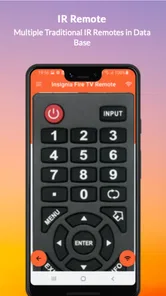
Analysis by Reviewed
I tried Insignia Fire TV Remote as a practical way to control a compatible Fire TV device from a phone, and my first impression was straightforward: it is aimed at replacing the small physical remote when that remote is misplaced, inconvenient, or simply not close at hand. It belongs to the House & Home category, is free to use, and comes from Naba. That simple purpose is also its biggest strength. You are not downloading it for a large entertainment hub or a complicated smart-home system; you are downloading it to regain control of the television with as little fuss as possible.
The app has a 3.8 average from around 1.6 thousand ratings, with over 100 thousand installs. Those figures suggest a useful but not universally effortless experience. In my view, that is the right way to approach it: this is a focused utility that can be handy in a very specific situation, but it should not automatically be treated as a complete replacement for every physical remote or every official control method.
How the remote feels in everyday use
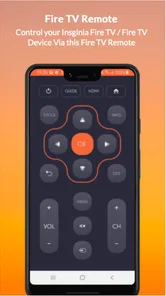
The most important question is not how many buttons a phone remote displays. It is whether I can open it, connect it to the television, and perform ordinary actions without turning a simple task into troubleshooting. For basic viewing, the expected workflow is familiar: launch the remote, select or reach the Fire TV device, and use the on-screen controls for navigation. That makes the app particularly appealing when the original remote is under a sofa cushion, left in another room, or temporarily unavailable.
Perceived speed depends on more than the app itself. The phone, the Fire TV device, and the local connection all have to cooperate. When that relationship is healthy, a remote app can feel quick enough for directional movement, selecting a show, changing screens, and returning to the home area. When there is delay, the problem can feel much worse than it would with a physical remote because a phone screen gives less tactile feedback. I found that the best experience comes from making each tap deliberate rather than rapidly repeating commands before the previous one has visibly registered.
That small change in habit is useful. With a physical remote, I can often press a button several times by feel. With a touchscreen, repeated taps can create uncertainty: did the television miss the command, or is it still processing the earlier one? Waiting briefly between actions avoids accidental overshooting in menus. This is one of the less obvious trade-offs of using a phone as a remote, and it matters more during long menus than during simple playback.
The app is also more convenient when the phone is already in my hand. If I am checking a message or carrying the phone around the house, opening a remote control is easier than searching for a separate accessory. On the other hand, reaching for a phone every time I want to pause a program is not automatically faster than grabbing a physical remote from a nearby table. The value appears when convenience and availability matter more than tactile control.
What happens during a busy viewing session
A short session is the easiest test: open the app, move through a few menus, start something to watch, and pause it. The more revealing situation is a longer evening in which I switch between applications, browse several rows, adjust playback, and return to the home screen repeatedly. That is where a remote utility has to remain understandable and responsive rather than merely functioning once.
More From Our News Desk

 Gmail
GmailGmail in a Busy Inbox: Who Benefits Most?
From first account to crowded workday, Gmail earns its place through dependable search and flexible sorting—but its best fit depends on how much inbox maintenance you can tolerate.

 Prime Video
Switching to Prime Video: What Changes in Your Viewing Routine
Prime Video can make a compelling second home for streaming, but switching means learning a different catalog, rental layer, and route from browsing to playback.

 Universal TV Remote Control
Universal TV Remote Control Works Best as a Reliable Backup
A phone remote earns its place through quick setup and reliable habits. Here is how to get more from Universal TV Remote Control—and where its limits show.

 Weather - By Xiaomi
Weather by Xiaomi Review: Clear at a Glance, Less Clear Up Close
Xiaomi’s weather app makes everyday forecasts quick to scan, but its calm surface can leave useful details and recovery paths harder to find than they should be.

 X
XX Under Pressure: Can It Recover When Posting Goes Wrong?
A resilience-focused review of X, examining setup, mistaken posts, interruptions, weak connections, and the gaps that matter when recovery needs to be dependable.

 Clash of Clans
Clash of Clans Is Won Between the Battles
Its raids are quick; its community is a long-term project of coordination, teaching, rivalry, and shared responsibility—with all the friction that entails.
Latest News



For this kind of heavy use, I would keep the phone awake and nearby instead of locking it after every action. That reduces friction, although it also means the phone becomes part of the viewing setup. If someone else needs the phone for a call or another task, the remote is no longer conveniently available. A dedicated physical controller still wins in a shared living room because it can remain on the armrest without competing with personal devices.
Another realistic scenario is arriving home late and discovering that the physical remote is missing. I can use the phone to navigate to a program without searching the entire room first. That is where this app makes the most sense: it acts as a recovery tool for an ordinary household annoyance. It is less compelling if the household already has a reliable physical remote in a fixed location and nobody wants to use a touchscreen.
Typing is a separate consideration. A phone can potentially be more comfortable than a tiny on-screen keyboard, but the usefulness depends on how the app presents input and how the Fire TV device accepts it. I would not install this solely for fast text entry without testing that part on my own setup. For navigation and basic control, the purpose is clear; for more specialized interactions, expectations should stay measured.
Heavy use also exposes a practical limitation of phone-based control: the remote is tied to the phone’s battery, notifications, and availability. Even if the utility itself is lightweight in ordinary use, the overall experience is not independent of the device running it. A low battery, a locked screen, or someone taking the phone away can interrupt the session in a way that a simple physical remote usually does not.
Stability, connection recovery, and the moments that matter
Reliability is more than whether the app opens. A useful remote must also recover gracefully when the television is waking up, the phone changes position in the home, or the connection is temporarily unavailable. I judge this kind of app by how clearly it helps me understand what is happening. If a tap does nothing, I need to know whether I should wait, try again, reopen the remote, or check the device connection.
Because the app controls a Fire TV device rather than operating as an isolated media player, some failures may come from the relationship between devices. That makes setup and recovery important. I would begin with the phone and television on the same home network, keep the Fire TV device awake during the first connection attempt, and avoid testing from a place where the phone has a weak connection. These steps do not guarantee a perfect session, but they remove common sources of confusion before blaming the app.
If the remote stops responding, my practical recovery order would be simple: wait briefly, return to the remote screen, close and reopen the app if necessary, and then check whether the Fire TV device is still reachable. I would also confirm that the television itself is awake rather than assuming every unresponsive tap is an app failure. This layered approach is more useful than repeatedly pressing the same on-screen button, which can produce a burst of delayed commands once the connection returns.
That recovery process highlights a genuine weakness. A physical remote is usually easier to diagnose because its buttons and infrared behavior are familiar. A phone remote can make a connection problem feel vague, especially for someone who is not comfortable checking household network conditions. The app is therefore a better fit for users who can tolerate a little troubleshooting and a worse fit for someone who wants an appliance-like experience with no setup questions.
The public response around the app also supports a balanced view. A 3.8 average is respectable but not a signal that every household should expect identical results. Around 170 written reviews indicate that people have had enough experience to comment beyond a first glance, yet the rating still leaves room for compatibility differences, connection frustrations, or preferences about the on-screen controls. I would read that rating as “potentially useful, but test it in your own environment,” not as a guarantee of flawless reliability.
Phone and operating-system limits to consider
The app supports devices running Android 5.0 or later, which keeps the entry requirement relatively broad. Its current version is 1.0.11, and it was released on August 15, 2022. Those details matter when deciding whether an older phone can serve as the controller, but they do not remove the need to consider the Fire TV device and the phone’s own condition.
An older compatible phone may open the app successfully yet still feel less comfortable for remote work if it has a small display, an unreliable connection, or limited battery life. A newer phone may offer a smoother general experience, but that does not automatically solve a device-discovery problem. In other words, operating-system compatibility is only the first gate. The quality of the household setup remains just as important.
The Everyone content rating makes the app suitable for a broad household audience. That is helpful if several people may need to use it, although ease of use will still depend on how comfortable each person is with touchscreen controls. A child or older family member who can operate a traditional remote may not immediately prefer a phone interface. I would show them the main navigation once rather than assuming the phone layout will feel self-explanatory.
Resource demands are difficult to separate from normal phone behavior without making unsupported claims, but the app’s focused role is encouraging. It is designed around remote control rather than video playback, social feeds, or a large content library. In practical terms, I would treat it as a utility to open when needed, not something that should remain active all day. Closing it after use also keeps the phone available for its normal tasks and avoids turning a temporary solution into a permanent background habit.
There is another device constraint that is easy to overlook: the phone must remain usable as a phone. If a call arrives, a notification needs attention, or the handset is being charged elsewhere, control becomes less convenient. For a single viewer, that may be a minor interruption. In a family room where multiple people want to browse, pause, and resume independently, the lack of a dedicated shared controller becomes more noticeable.
Who will get the most value from it
I would recommend trying this app first if you own an Insignia Fire TV setup and regularly misplace the physical remote. It is also sensible for a guest room, a temporary viewing area, or a household where the television is used occasionally and buying another accessory feels unnecessary. Since it is free, the main cost is your time spent installing and testing it rather than committing to additional hardware.
It can also help when the remote is physically present but inconvenient. For example, I might be sitting at a desk with my phone beside me while the television plays in the background. Opening a controller on the phone can be easier than standing up to retrieve the remote. That is a modest benefit, but small conveniences are exactly where household utilities earn their place.
I would be more cautious about recommending it as the only controller for a busy family room. If several people share the television, a physical remote is easier to pass around, locate, and operate without interrupting phone use. I would also hesitate to make it the primary choice for someone who dislikes touchscreen controls or becomes frustrated when a command does not respond immediately. In those cases, an official physical replacement or the standard control option already built into the household setup may be a better fit.
The app is not a universal remote for every television in the home simply because it is installed on a phone. Its purpose is tied to Fire TV control, with Insignia Fire TV specifically highlighted in its store description. That makes compatibility checking essential before relying on it. If your television does not belong to the intended Fire TV family, installing it may not solve the problem you have.
Small habits that make the experience better
My first tip is to test the connection before an urgent moment. Do not wait until the physical remote disappears during a live program. Open the app while the television is available, confirm that the intended device can be reached, and learn where the basic controls are. A two-minute trial can save much more frustration later, particularly for another household member who may need the backup without your help.
Second, keep the phone in a predictable place during viewing. A remote app is only useful if I can find the phone quickly. A charging spot near the sofa works better than leaving the handset in a bedroom, and it also reduces the chance that the phone will run out of power during a long session. This is not a feature of the app, but it directly affects whether the app feels dependable in real life.
Third, use single, purposeful taps when the television seems slow. Rapidly tapping a direction or selection can make a delayed connection feel broken and may send more commands than intended. I find it better to tap once, watch for the screen to react, and then continue. This is especially important when moving through rows of content, where an extra command can take me farther from the item I wanted.
Fourth, treat reopening as a normal recovery step rather than a sign that the entire setup has failed. A remote utility may be used intermittently, so returning to it after the phone has been busy with other tasks can be more reliable than leaving it open indefinitely. If the connection still does not return, I would then inspect the television and home network rather than repeatedly reinstalling the app.
Finally, keep a backup plan for guests and emergencies. The app is valuable as a second route to control, but a household should not assume that every visitor will want to use someone else’s phone. Keeping the physical remote in a consistent location, even when the app is working well, gives the home a more dependable handoff between users.
My performance verdict
After looking at the app as a real household tool rather than just a button panel, I see a useful niche. Its performance is best understood as conditional: when the phone, Fire TV device, and local connection cooperate, it can make ordinary control convenient and provide a practical fallback. When any part of that chain is uncertain, the touchscreen format makes delays and recovery more noticeable than they would be with a physical controller.
Naba has kept the product focused enough that I can understand its purpose immediately. The free price and broad age suitability make experimentation easy, and the install base shows that many people are willing to try this kind of solution. Still, the moderate rating reminds me not to promise a universal experience. Connection behavior, device compatibility, phone availability, and personal preference all matter more here than they would in a self-contained app.
My recommendation is to install it as a backup first, then decide whether it deserves to become your everyday remote. If you often lose the Insignia Fire TV controller, that backup role may be enough to justify keeping it. If you demand instant tactile feedback, share one television among several people, or want control that never depends on a phone, a physical alternative remains the better choice. For the right home, this is a convenient safety net; for the wrong one, it is simply another device to manage.
Overall, I would describe the app as a sensible free experiment rather than an automatic replacement. It offers the most value in those small but irritating moments when the television is ready to watch and the remote is not. Try it under normal conditions, learn the recovery routine, and judge it by how reliably it handles your own Fire TV setup. That approach gives you a realistic answer without expecting a phone-based utility to behave exactly like dedicated hardware.
Insignia Fire TV Remote Frequently Asked Questions
Is Insignia Fire TV Remote available for Android and iOS?
Insignia Fire TV Remote is an app, and its minimum Android requirement is version 5.0. Before downloading, check the app store on your device to make sure the version offered is compatible with your phone or tablet. The app is intended to control Insignia Fire TV devices; having a compatible mobile device alone does not guarantee that it will work with every television.
What should I check before installing Insignia Fire TV Remote?
Start by checking that your television uses the Fire TV platform and that your phone or tablet meets the app’s operating-system requirements. You will also need to be able to connect the mobile device and TV to the same Wi-Fi network for the usual pairing process. These checks can help avoid downloading a remote app that cannot find or control your particular television.
What is Insignia Fire TV Remote, and what does it do?
Insignia Fire TV Remote is a remote-control solution designed to operate compatible Insignia Fire TV televisions and Fire TV Edition devices from a smartphone or tablet. After connecting both devices to the same Wi-Fi network, it can typically provide navigation buttons, playback controls, volume adjustment, power functions, and text entry. Its usefulness depends on your TV model, network connection, and the features supported by the specific app version.
How do I connect the remote app to my Insignia Fire TV?
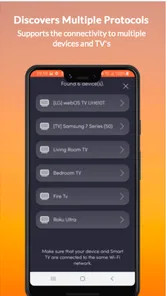
To connect, first make sure your phone and Insignia Fire TV are connected to the same wireless network. Open the remote app, allow any requested network permissions, and select your television from the list of detected devices. Some setups may display a pairing code on the TV that must be entered on the phone. If the TV is not found, check the Wi-Fi connection, restart both devices, and disable mobile data temporarily.
Does Insignia Fire TV Remote work with every Insignia television?
Compatibility is not universal across every Insignia television. The app is generally intended for Insignia Fire TV models or devices using the Fire TV platform, rather than older Insignia smart TVs with a different operating system. Before downloading, check the app listing and your television’s model information. Features such as power, volume, input selection, or voice control may also vary depending on the device and operating system.
Pros
- Simple layout makes essential remote controls easy to find.
- Works conveniently with Insignia Fire TV televisions and compatible devices.
- On-screen keyboard speeds up text entry compared with the physical remote.
- Touch controls provide quick access to navigation and playback functions.
- Useful replacement option when the original remote is misplaced or damaged.
Cons
- Requires the phone and Fire TV device to share the same Wi-Fi network.
- Connection can fail if the television is offline or network discovery is blocked.
- Using a phone as a remote drains battery during extended viewing sessions.
- Typing and navigation may feel less precise than using a physical remote.
- Compatibility may vary across Insignia models and Fire TV software versions.









