HiSense Smart TV Remote
- 743.00
- 4.7
- Installs
- 100.00K
- Price
- Free
Screenshots
Analysis by Reviewed
Have you ever found yourself scrambling for the remote control, only to realize it’s wedged between the couch cushions or lost in some mysterious void? Well, fret no more because the HiSense Smart TV Remote app is here to save the day. This nifty little app promises to turn your smartphone into a universal remote control for your HiSense Smart TV. Let’s dive into the details and see if it lives up to the hype.
Setting Up: Easy as Pie
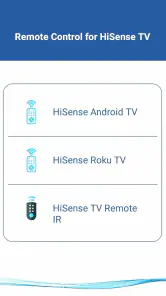
The first thing I noticed about the HiSense Smart TV Remote is how easy it is to set up. All you need is a smartphone, a HiSense Smart TV, and a stable Wi-Fi connection. Once you've downloaded the app, connecting it to your TV is as simple as pie. The app automatically detects your TV model, and before you know it, you're ready to go. No more fiddling with codes and settings!
User Interface: Sleek and Intuitive
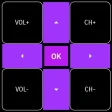
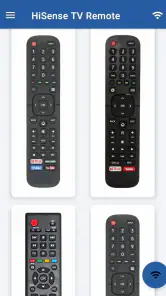
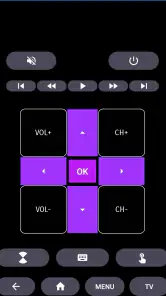
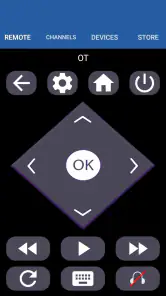
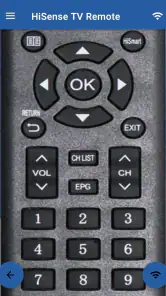
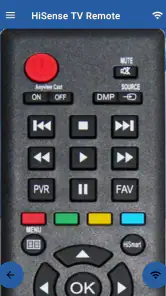
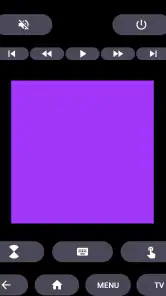
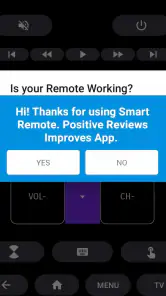
Let’s talk about the user interface. The app boasts a sleek and intuitive design that even the least tech-savvy among us will appreciate. The buttons are large enough to tap without accidentally pressing the wrong one, and the layout mirrors a traditional remote control, making the transition from physical to digital seamless. It's like it reads your mind—everything is where you’d expect it to be!
Features Galore
What makes the HiSense Smart TV Remote stand out in a sea of similar apps are the features it packs. Not only does it allow you to control volume and switch channels, but it also offers voice command features. Just imagine lounging on your couch and commanding your TV to play your favorite show without lifting a finger! The app even lets you use your smartphone's keyboard for easy text input, which is a godsend for searching titles on streaming services.
Another feature worth mentioning is the app’s ability to create custom shortcuts for your favorite channels or apps. If you’re like me and have a few go-to channels, this feature saves a lot of time. No more endless scrolling through menus!
Performance: Smooth Sailing
In terms of performance, the app is smooth as butter. The connection between the phone and the TV is stable, with no noticeable lag when changing channels or adjusting the volume. It’s like waving a magic wand—your TV responds almost instantly. Plus, the app doesn’t drain your phone’s battery as much as I initially feared, which is always a plus.
Final Thoughts
So, is the HiSense Smart TV Remote app worth downloading? In my opinion, absolutely! It’s a handy tool for anyone with a HiSense Smart TV, offering convenience and control right at your fingertips. Say goodbye to the days of hunting for lost remotes and hello to a smarter, more connected home experience. If you're looking to simplify your TV-watching life, this app might just be your new best friend.
Pros
- Easy-to-use interface
- Fast connectivity
- Customizable settings
- Supports multiple devices
- Voice control feature
Cons
- Ads can be intrusive
- Limited support for older models
- Occasional connection drops
- Requires stable Wi-Fi
- Some features need in-app purchases
- Category
- House & Home
- Version
- 7.0