Hoop - Make new friends
- 18.91K
- 4.0
- Installs
- 10.00M
- Price
- Free

Screenshots



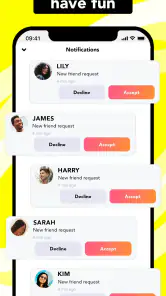
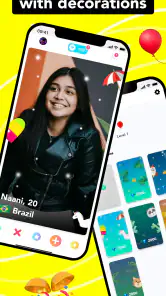
Analysis by Reviewed
Ever felt the need to expand your social circle beyond your immediate surroundings? Well, let me introduce you to Hoop - a nifty app designed to help you make new friends from all around the globe. I’ve had a chance to dive into this app, and here’s what my experience was like.
Getting Started with Hoop
First things first, downloading and setting up Hoop is a breeze. Available on both Android and iOS, the app's interface is simple yet inviting. Once you sign up, you're greeted with a clean design that’s super easy to navigate. The app connects seamlessly with Snapchat, so if you’re already on that platform, linking your account is just a tap away.
The Fun Begins
Now, onto the exciting part - meeting new people! Hoop is like a bridge to the world, giving you the chance to meet folks from diverse cultures and backgrounds. The app uses a swipe feature, similar to what you’d find on dating apps, but with a friendly twist. You can check out profiles, see shared interests, and decide who you’d like to connect with. It’s like having the world at your fingertips, literally!
What I particularly enjoyed was the option to earn "diamonds" which you can use to request new profiles. You earn these diamonds by simply engaging with the app, making the whole experience feel like a fun game. It’s a neat way to motivate users to be active without feeling pressured.
Safety First
In the age of digital interaction, safety is crucial. Hoop takes this seriously by implementing several safety features. You’re in control of who you connect with and can easily block or report any suspicious profiles. Plus, their guidelines are pretty strict, which is reassuring when you’re chatting with someone new. This feature made me feel more at ease while exploring the app.
Is Hoop for You?
So, is Hoop the right app for you? If you're someone who loves meeting new people and exploring different cultures without leaving your couch, then yes! It’s perfect for those wanting to expand their social horizons in a safe and controlled environment. However, if you're looking for deeper connections or professional networking, this might not be the app for you. But hey, it’s all about making new friends, right?
In conclusion, my time with Hoop was quite enjoyable. It’s a refreshing take on social networking that emphasizes fun and safety. Whether you’re a social butterfly or just someone looking to make a few new friends, give Hoop a try. You might just find your next best friend halfway across the world!
You May Like

Clash of Clans Is Won Between the Battles

Android Auto Makes the Case for Quieter Car Software

MobiOffice: Transforming Mobile Productivity with Seamless Integration

EA SPORTS FC™ Mobile Soccer: Redefining Mobile Sports Gaming

How Microsoft OneDrive Became a Mobile Productivity Giant

How Google Translate Breaks Language Barriers Effortlessly
Where the first session can snag
For me, the main adjustment is understanding that browsing people and building a conversation are separate steps. Swiping through profiles can be easy, but it does not guarantee a mutual connection or an engaging chat. I’d treat each request as an invitation, not an expectation, and avoid spending diamonds quickly just to keep the feed moving. A thoughtful profile and a specific opening message give a new contact more to respond to than a bare hello.
Hoop is a social app from Hoop app, aimed at people who want casual introductions rather than a polished professional network. It is free to start, with optional in-app purchases ranging from $0.49 to $54.99 per item. Since diamonds are part of its profile-request loop, I’d first explore how earning and spending them feels before paying. The app is rated Teen, so I would also encourage younger users to involve a trusted adult in decisions about sharing personal details or moving a conversation elsewhere.
Small checks that make setup smoother
If account linking or sign-up does not go as expected, I’d check the basics before assuming the app is broken: confirm the relevant account is accessible, review the details entered, and try again after closing and reopening Hoop. Keep the app updated; the current version is 6.8.9, and it requires Android 7.0 or later. That requirement matters if an older phone refuses to install or update it. On iOS, use the version offered for your device through its app store.
Hoop has a 4.0 average from around 410,000 ratings, with over 10 million installs. Those figures suggest it has found a broad audience, but they do not tell me whether a particular conversation will click. The developer is Hoop app, and the app has been available since May 15, 2019. I’d use its popularity as a reason to expect a varied pool of people, not as a promise that every profile is active or a good match.
A more deliberate way to use it
A realistic use case is a quiet evening when I have a few minutes to meet someone outside my usual circle. I can browse, choose a profile that genuinely interests me, and send a request without treating the session like a race. If a chat starts, I’d keep the first exchange light and avoid sharing identifying details. If someone pressures me, behaves inappropriately, or makes me uncomfortable, I’d stop replying and use the block or report options rather than trying to manage the situation alone.
This is where Hoop differs from a general social network: it puts discovery of new people at the center, rather than asking me to bring an existing circle of friends or follow familiar creators. Compared with dating apps, its stated purpose is friendship, though the swipe-style browsing may feel familiar. A local hobby group or community forum is a better fit if I want to meet people around a shared activity nearby; Hoop makes more sense when I’m open to introductions across different places and backgrounds.
When a problem may be outside the app
If profiles load slowly or a request seems not to go through, I’d first check whether my connection is stable, then reopen the app and try again later. A temporary network or device issue can look like an app failure. If the same problem persists, updating the app and restarting the phone are sensible general checks. I would avoid repeatedly tapping purchase or request controls while a screen is stalled, since that makes it harder to tell what completed.
Hoop is not the right choice if you want guaranteed replies, a carefully curated professional contact list, or a structured way to build long-term local friendships. Its open-ended discovery can be lively, but it also means conversations may fade, and a profile that looks interesting may not lead to much. I’d go in with modest expectations, take breaks when browsing feels repetitive, and spend only on optional items if I’m comfortable with the cost.
My practical verdict
Hoop works best for curious people who enjoy low-pressure introductions and are willing to put care into choosing profiles and starting chats. Its Teen rating, controls for blocking and reporting, and friendship-focused approach make it easier to explore than an unmoderated direct-message exchange, but no social app removes the need for judgment. Hoop is free to try, and its 4.0 average reflects a substantial audience; I’d still judge it by whether the conversations suit me. If that sounds appealing, start slowly, protect your personal information, and see whether its style of meeting people feels natural.
Making a profile easier to approach
The way I present myself matters more here than it might on a network where people already know me. I’d choose a profile image and details that feel recognizably like me, then make clear what kind of friendly conversation I enjoy. That does not mean giving away a school, workplace, precise location, or regular schedule. A little personality creates useful conversation hooks; personal identifiers create risk without making a stranger more trustworthy.
I’d also be selective about what I ask. A question tied to something visible in a person’s profile feels more natural than a string of personal questions, and it gives both people an easy way to see whether the exchange has energy. If replies are brief or stop, I would not keep sending requests just to force momentum. That is a useful boundary in a discovery app: let interest be mutual, and treat silence as a reason to move on rather than a puzzle to solve.
Keeping the experience manageable
Hoop’s swipe-based discovery can make browsing feel quick, but I find it more useful to set a small intention before opening it: explore a few profiles, send a considered request, or reply to an existing conversation. Without that kind of limit, the stream of possible people can turn into repetitive scrolling. This is not a special setting; it is simply a way to keep the app serving the social goal instead of becoming the goal itself.
Diamonds add a decision to that routine because profile requests draw on them. I’d watch how quickly my balance changes during ordinary use before deciding whether paid items have any value for me. Someone who enjoys browsing casually may be content to use the free route and wait, while a person who wants to send many requests may feel more pressure to spend. Neither approach guarantees better conversations, so I would judge value by the quality of interactions, not by the number of profiles I can reach.
Choosing the right kind of connection
For someone who has moved, studies remotely, or simply wants a glimpse of life beyond their familiar circle, Hoop offers a different starting point from a local meetup. It can make cross-cultural introductions feel approachable because the first step is a profile and a request, not showing up alone at an event. The trade-off is that a person on the other side of the screen may remain a brief contact, while in-person groups give shared activities and place more room to build trust over time.
I would skip it if my main need were dependable companionship nearby, a moderated space centered on a specific hobby, or contacts for work. A neighborhood group, club, or professional network has a clearer shared purpose in those cases. Hoop’s appeal is broader and less structured: it lets me explore who I might enjoy talking to, but I have to supply the patience, boundaries, and follow-through that turn an introduction into an actual friendship.
What to expect from a conversation
A request is only the opening move, so I would not install Hoop expecting every interaction to become a chat or every chat to last. That uncertainty is part of the format, not necessarily a sign that I set something up incorrectly. If a conversation feels one-sided, I can leave it there; if it becomes uncomfortable, the block and report tools give me a direct response. I would never move quickly into sharing contact details just because someone seems friendly at first.
For younger users, the Teen rating is a useful reminder to treat online introductions thoughtfully, not a guarantee that every interaction will be suitable. I’d talk through privacy choices with a trusted adult, keep identifying details private, and be cautious if anyone asks for secrecy, money, or a move to another service. Those are practical habits for any social app, and they matter especially when the point is meeting people who begin as strangers.
My practical verdict
Hoop is most appealing when I want casual discovery rather than a carefully organized social plan. Its familiar swipe mechanic lowers the barrier to browsing, while diamonds make me think about how much I want to participate before spending. The app has a 4.0 average and around 19,000 written reviews, but I would still focus on my own experience: whether profiles feel worth approaching, whether chats stay respectful, and whether I enjoy the process enough to return.
I’d recommend giving it a measured try if you’re curious about meeting people outside your usual circles and can accept that some requests will go nowhere. Keep your profile personable but private, write specific openers, and use the safety controls without hesitation when needed. If you want local, activity-based friendships or professional connections, choose a service built around those goals instead. For low-pressure introductions across distance, Hoop can be an enjoyable option—as long as you approach it with realistic expectations and let trust develop slowly.
Hoop - Make new friends Frequently Asked Questions
Is Hoop available for both Android and iOS?
Hoop is a social app for discovering new friends, and its availability depends on the app store and device you use. Before downloading, search for Hoop in your device’s official app store and check that the listed developer is Hoop app. Also review the compatibility details shown for your device, since supported operating-system requirements can vary between platforms.
Does Hoop let me meet people from other countries?
Yes. Hoop is designed to help people make new friends around the world, so its appeal is connecting with users beyond your immediate social circle. As with any service for meeting people online, take time to look at profiles and use sensible boundaries when starting conversations. Be thoughtful about what you share, especially with someone you have only just encountered.
Do I need a Snapchat account to use Hoop’s main features?
Hoop’s social experience is built around discovering people and exchanging Snapchat usernames, so a Snapchat account is central to using it as intended. If you do not use Snapchat, the app may not offer the kind of connection you are looking for. Consider whether you are comfortable linking your friend-finding activity with Snapchat before you install Hoop.
Is Hoop free to download, and are there optional purchases?
Hoop is free to download and use, so you can explore its social features without paying upfront. It also offers optional in-app purchases, including items that may provide extra perks, such as more ways to send requests. These purchases are not required to try the basic experience, but check the available options before buying and make sure any spending feels comfortable.
What is Hoop and how does it work?
Hoop is a social networking app that allows you to make new friends by connecting with people worldwide. The app links with Snapchat, enabling users to exchange Snapchat usernames after mutual interest. You swipe through profiles, and if you find someone interesting, you send a request for their Snapchat username. It's a fun way to meet new people and expand your social circle.
Pros
- Easy to connect with new people
- User-friendly interface
- Real-time chat functionality
- High user engagement
- Fun and interactive features
Cons
- Requires access to location
- In-app purchases can be costly
- Privacy concerns for younger users
- Occasional bugs and crashes
- Limited features in free version

- Category
- Social
- Version
- 6.8.9











