Chatbot AI Assistant - Genie
- 2.41K
- 4.5
- Installs
- 10.00M
- Price
- Free

Screenshots
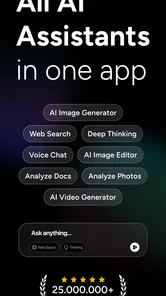

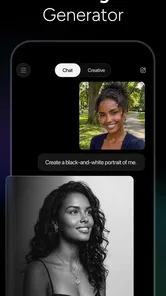
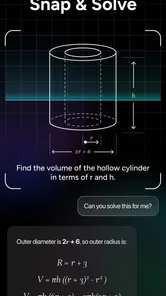
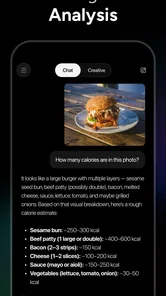

Analysis by Reviewed
I reach for an AI chat app when I need a quick first draft, a plain-language explanation, or a fresh angle on a problem. GPT Chatbot AI - Genie is built for that kind of back-and-forth: it brings several AI models together in one productivity app, so I can use a conversational prompt rather than start with a blank document. The key is to treat its replies as useful working material, not automatic truth.
Where Genie fits into an everyday routine
The strongest reason to try Genie is convenience: you can move from a question to a draft, an explanation, or an image prompt without treating each small task as a major project. I find that most useful when I have an imperfect starting point, such as a rough message or a topic I do not yet understand. It is less useful when I already know exactly what I need and a simple notes app or direct search would get me there faster.
A realistic example is planning a busy afternoon. I might paste a few non-sensitive errands and ask for a sensible order, then request a short checklist I can copy elsewhere. The result is a useful suggestion, not a live itinerary: I would still check opening times, travel details, and any other information that could change. That distinction helps prevent a fluent answer from being mistaken for a current or verified one.
For a work task, I’d start with the outcome rather than a vague command. “Turn these notes into a brief agenda for a team meeting, keep the decisions separate from open questions, and use plain language” gives the assistant more to work with than “organize this.” I’d then review the draft for missing context and ask for one focused adjustment at a time. This makes a multi-turn chat feel more like editing than repeatedly rolling the dice on a fresh answer.
Choosing the right kind of help
Genie brings together models such as GPT-5, Gemini, Grok, Deepseek, Qwen, and Claude, alongside an AI image generator. I wouldn’t assume that simply switching among them guarantees a better response. Instead, I’d compare approaches when the task is open-ended—perhaps asking for alternative outlines or different ways to explain a concept—and keep the version that best fits the audience. For a straightforward rewrite, one clear prompt and a careful read are usually more efficient.
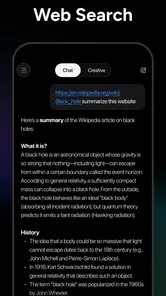
When I want an answer I can rely on, I treat the conversation as a starting point for research rather than the final source. A useful workflow is to ask Genie to identify which parts of a draft are assumptions, then verify important claims through dependable references. That is particularly worthwhile for current events, product details, and anything involving names, dates, or calculations. If the task depends on citations or a traceable source trail, a search tool designed to surface original material is the better first stop.
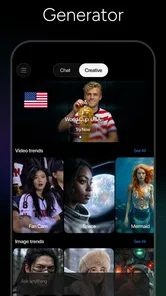
The image generator calls for a different approach from text chat. I’d describe the subject and intended mood, then adjust one visual detail at a time instead of rewriting the entire request after every attempt. This makes it easier to see whether the change helped. It is a practical way to explore a concept, but I would choose a dedicated design tool when precise layout, exact brand details, or production-ready control matters.
More From Our News Desk

Weather by Xiaomi Review: Clear at a Glance, Less Clear Up Close

X Under Pressure: Can It Recover When Posting Goes Wrong?

Clash of Clans Is Won Between the Battles

Android Auto Makes the Case for Quieter Car Software

MobiOffice: Transforming Mobile Productivity with Seamless Integration

EA SPORTS FC™ Mobile Soccer: Redefining Mobile Sports Gaming
Genie is free to install, though in-app purchases range from $4.99 to $129.99 per item. I would check the choices and terms shown in the app before depending on any paid capability for regular work. If my use is occasional, I’d first see whether the free experience covers my needs; if I used it every day, I’d compare the available purchase options with other tools I already pay for. The right value depends on how much time the app actually saves, not on how many models appear in its description.
Getting to Know Genie
The first thing that struck me about GPT Chatbot AI - Genie is how easy it is to set up. Once you’ve downloaded the app, you’re just a few taps away from starting your journey. The interface is sleek and intuitive, making it a breeze to navigate. Whether you’re a tech newbie or a seasoned app user, you’ll find it welcoming and straightforward.
A practical rhythm for everyday questions
What makes this app stand out is its impressive array of features. You can ask Genie anything—literally anything—and it will come up with a well-thought-out response. From trivial facts to deep philosophical queries, Genie’s got your back. It’s like having a mini-library at your disposal, all through a simple chat interface.
Moreover, Genie can assist with daily tasks like setting reminders, providing weather updates, or even telling you a joke when you’re feeling down. These little touches make it more than just a chatbot; it’s a virtual companion.
For a realistic workday example, I’d use a chat to turn a scattered set of notes into a tidy meeting agenda, then ask for a shorter version I could share with colleagues. The useful habit is to provide the audience, purpose, and preferred format up front. If the first answer is too broad, a follow-up such as “keep the same points, but make each action specific” is usually more productive than restarting with a completely different prompt.
I also find it helps to separate tasks that need different kinds of thinking. A brainstorming conversation can stay exploratory, while a second chat for a finished email or checklist keeps the output focused. That distinction is especially helpful when an earlier exchange contains assumptions that no longer apply. Before reusing any answer, I check names, dates, calculations, and claims against a dependable source; fluent wording is not proof that a detail is correct.
Model choice, settings, and sensible habits
The app is associated with a range of AI models, including GPT-5, Gemini, Grok, Deepseek, Qwen, and Claude, as well as an AI image generator. That breadth is appealing if you like trying different approaches instead of relying on one assistant for every task. I’d compare answers only when the decision genuinely benefits from another perspective; switching models for every small question can add friction without improving the result.
Before settling into a routine, I’d look through the available model and app settings rather than assume every option behaves the same way. The right choice depends on the job: a concise rewrite, open-ended ideation, and a visual prompt are different requests. A practical tip is to keep a few reliable prompt patterns in your own notes—such as “summarize for a beginner” or “give me three options and explain the trade-offs”—so you can reuse them without expecting the app to provide a particular shortcut or saved template.
Image generation is a separate kind of task from chat, so I’d describe the intended subject, composition, and mood clearly, then refine one element at a time. That makes it easier to judge what changed between attempts. It is less suitable when you need precise control over a finished design or a dependable, repeatable result without checking the output.
There is also a cost decision to keep in mind. Genie is free to install, but it offers in-app purchases, so I would check the current purchase choices before building a daily workflow around features that may require payment. If all you need is occasional general chat, a free option may be enough; if you use AI regularly, compare the available plans and limits in the app before deciding whether paying makes sense.
Interactive and Personal
One of the things I love is how personalized the experience feels. Genie remembers past interactions, which adds a layer of depth to your conversations. This feature is particularly handy when you’re in the middle of a complex query or discussion, as it saves you the hassle of repeating yourself.
Additionally, the app supports multiple languages, which is a fantastic touch for non-English speakers. It feels inclusive and accessible, allowing a broader audience to enjoy its benefits.
For a longer project, I’d still restate the essential constraints when they matter: the target reader, tone, length, and facts that must remain unchanged. That is a simple safeguard against a conversation drifting as it grows. I wouldn’t put sensitive personal, work, or financial information into an AI chat unless I was comfortable with how that information may be handled; for confidential material, an offline note or an approved workplace tool is a safer choice.
Compared with a conventional notes app, Genie is better at reshaping rough ideas into explanations, drafts, or alternatives, but notes are better for storing information exactly as written. Compared with a search engine, a chat can synthesize a question into a readable response, while direct search is often preferable when I need an original source, current details, or citations I can inspect. I use Genie as a thinking aid between those tools, not as a replacement for either.
Room for Improvement
While I’m genuinely impressed with Genie, there’s always room for improvement. Sometimes, the responses can be a bit off-mark, especially with more nuanced questions. However, this is a small hiccup in an otherwise smooth experience.
I also noticed that the app can be a bit heavy on battery usage, so it’s something to keep in mind if you’re planning to use it extensively throughout the day.
That uncertainty matters most for high-stakes questions, specialized advice, or anything where a small factual error could cause real trouble. I’d use the app to prepare questions for a professional or make a complicated topic easier to understand, but not to make medical, legal, or financial decisions on its answer alone. It can also take a few turns to get a response into the exact shape I want, so people who need predictable formatting every time may prefer a dedicated writing or document tool.
APPNATION AS developed Genie, which is free to download and is rated for Everyone. It has a 4.5 average from around 232,000 ratings, with over 10 million installs; the current version is 9.8.0 and it requires Android 8.0 or later. Those figures suggest a widely used app, but they don’t tell me whether its conversational style will suit you. I’d judge that by trying a few ordinary tasks before making it part of a routine.
If you’re deciding whether to try it, think about how often you want to brainstorm, rewrite, ask follow-up questions, or generate an image from a prompt. Genie is a good fit for curious users and people who want a flexible assistant for low-stakes tasks; it is less compelling if you only need a conventional checklist, dependable factual search, or a tool that never needs its output reviewed.
Making the app earn its place
A small but useful habit is to give Genie a clear stopping point. For example, ask for a draft, choose the strongest version, and then move it into the app where it belongs instead of endlessly polishing it in chat. This keeps a quick helper from becoming another open-ended task. I also like to keep prompts self-contained, because a request that depends on an old detail is harder to reuse and easier to misunderstand later.
For students, language learners, and curious readers, the conversational format can make it easier to ask follow-up questions without feeling that the first question must be perfectly phrased. I’d use it to request a simpler explanation, a contrasting example, or a short quiz to check my understanding. I would still compare course facts and important claims with trusted materials, particularly when accuracy affects an assignment or a decision.
For people who write frequently, Genie can help get past the blank page: generate a few opening options, make a message warmer or more direct, or turn a long explanation into a concise version. The trade-off is that a polished draft can flatten a personal voice. I’d keep distinctive phrases and specific details, then edit the result so it sounds like me rather than sending the first fluent response as-is.
Users who want a private archive, reliable task management, or exact control over documents may be better served by tools built for those jobs. A chat can suggest a checklist, but it is not a substitute for a dedicated system that tracks tasks in the way you need. Likewise, I would not use a conversational answer as my only record of an important instruction. Copy the final result into the appropriate place and verify what matters.
Who will get the most from it?
Genie makes the most sense for someone who enjoys asking follow-up questions and wants a flexible assistant for low-stakes thinking, drafting, and creative exploration. It can suit a busy person who needs a quick starting point between other tasks, or a language learner who benefits from asking for a simpler explanation and then a different example. The app is rated for Everyone, but younger users should still be guided to check answers rather than accept them automatically.
I’d skip it if I rarely use AI, dislike reviewing generated text, or mainly need a stable place to store notes and reminders. I’d also choose a specialist tool when the job calls for precise design control, traceable research, or dependable formatting. Genie’s broad approach is a strength when the request is flexible; it is not automatically the best choice for a task with strict requirements.
Its 2.3K reviews offer another signal that people have shared experiences with the app, but I wouldn’t use popularity alone to decide whether it fits my routine. The better test is practical: try a rewrite, a question with a follow-up, and a prompt that reflects a real task you do. Notice whether the answers save time after you account for checking and editing them.
In conclusion, the GPT Chatbot AI - Genie is a delightful blend of functionality and fun. It’s perfect for those who love to explore new ideas and need a handy tool to assist with everyday tasks. If you haven’t tried it yet, give it a go—you just might find it to be your new favorite app!
Chatbot AI Assistant - Genie Frequently Asked Questions
Does GPT Chatbot AI - Genie offer tools beyond text chat?
Yes. GPT Chatbot AI - Genie brings chatbot features together with an AI image generator. Its store summary also names GPT-5, Gemini, Grok, Deepseek, Qwen, and Claude, giving users several AI options within the app. If you are mainly interested in writing, questions, or image creation, this combination may be useful to explore before deciding whether the app fits your needs.
Can GPT Chatbot AI - Genie help with productivity tasks?
GPT Chatbot AI - Genie is a productivity app built around AI conversations and image generation. You can use a chatbot to explore questions and ideas, and the app’s image tool adds a creative option in the same place. As with any AI assistant, review important answers and generated material yourself, especially when accuracy matters or you plan to use the result for a significant decision.
What should I know about the app’s age rating before downloading?
GPT Chatbot AI - Genie has an Everyone content rating, which can help families assess whether it may suit their household. The app includes open-ended AI conversations and image-generation tools, so a rating alone may not address every family’s preferences. Parents and guardians can consider a child’s maturity and guide them on suitable use before allowing access.
Does GPT Chatbot AI - Genie include an AI image generator?
Yes. GPT Chatbot AI - Genie’s store summary specifically highlights an AI image generator alongside its chatbot options. This means the app is designed to offer both text-based interactions and image creation. If image generation is a main reason for downloading, check the available options and any purchase details in the app so you know what is accessible to you.
Can users choose among different AI models in GPT Chatbot AI - Genie?
The app’s store summary names GPT-5, Gemini, Grok, Deepseek, Qwen, and Claude. That gives the app a multi-model focus rather than presenting it only as a single chatbot. The summary does not describe how model selection works, so explore the app’s interface after installing it and review any in-app purchase information before choosing features that may require payment.
Pros
- Highly conversational interface.
- Supports multi-language interactions.
- Personalized responses enhance engagement.
- Quick and responsive AI.
- Seamless integration with other apps.
Cons
- Occasional AI misunderstandings.
- Limited offline capabilities.
- Subscription needed for premium features.
- Not suitable for complex queries.
- Requires continuous updates for best performance.













