Global Times
- 51.00
- 4.2
- Installs
- 5.00M
- Price
- Free

Screenshots

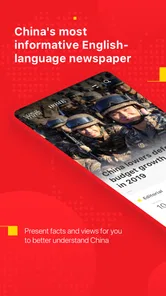


Analysis by Reviewed
I tend to judge a news app by whether it earns a place in an ordinary routine, not by how many headlines it can put on a screen. Global Times is most useful to me as a way to read English-language coverage from a Chinese newspaper and consider a particular editorial perspective. It makes more sense as one source in a broader reading habit than as the only app I rely on for understanding international events.
When a connection changes the experience
News apps depend on a working connection for the basic reason that stories change. A headline that was current earlier can quickly become incomplete, so I’d treat the app as a way to check developing coverage when I have a reliable signal, not as a guaranteed live feed in every situation. If a story matters to you, reopening it later is a sensible habit: it gives you a chance to see whether the reporting has moved on.
That also shapes how I’d use notifications. Alerts can help bring an important development to your attention, but they interrupt whatever else you’re doing, and a notification is only a starting point—not the full context. I’d keep alerts selective if the settings allow it, then open the app when I can give the story a proper read. If you prefer to discover news only when you choose, simply checking the app at set times may suit you better.
Reading in the gaps of the day
For a practical routine, I’d check headlines over breakfast, open one or two stories that connect to my work or interests, and return later only if there’s a clear reason. That keeps a news check from turning into endless scrolling. On a commute, the main trade-off is attention: reading may be convenient while waiting, but it’s not a good choice when you need to watch your surroundings or focus on travel.
Global Times is an English-language news app from 《环球时报》社有限公司, the publisher behind a newspaper under the People’s Daily. That editorial identity is a useful part of deciding whether it belongs in your rotation. I’d read it for the coverage and framing it offers, then compare consequential stories with other reputable outlets when I need a fuller picture. No single publication should be your only lens on a complex international issue.
What to do when news won’t load
If a story stalls, I’d first check whether other apps can connect, then try again when the signal is steadier. That simple check helps distinguish a general network problem from an issue limited to one article or the app. Avoid repeatedly refreshing on a weak connection: it can burn time and data without making the page appear faster. If the story is urgent, use another trusted news source rather than assuming one app will recover immediately.
For data-conscious reading, headlines and short visits are a more predictable habit than leaving a feed open while moving between networks. I’d use Wi-Fi for longer sessions when convenient and avoid opening media-heavy content over a connection I need to conserve. These are general ways to manage mobile data, not a claim that the app has a particular data-saving switch. If you need articles available without service, check the current app options before relying on that workflow.
More From Our News Desk

Weather by Xiaomi Review: Clear at a Glance, Less Clear Up Close

X Under Pressure: Can It Recover When Posting Goes Wrong?

Clash of Clans Is Won Between the Battles

Android Auto Makes the Case for Quieter Car Software

MobiOffice: Transforming Mobile Productivity with Seamless Integration

EA SPORTS FC™ Mobile Soccer: Redefining Mobile Sports Gaming
How the app fits a wider news routine
One practical question is whether this is a good first stop in the morning or a source to open after a headline catches your attention elsewhere. I’d use it both ways, but with different expectations. A quick scan can help me see which subjects the publication is emphasizing; for a major event, I would then read the full report and compare it with coverage from outlets with different editorial backgrounds. That takes longer than a single feed, but it reduces the risk of mistaking one outlet’s selection or framing for the whole story.
For example, imagine checking the news while waiting for a meeting to begin. I’d glance at the headlines, note a developing international story, and wait until I have enough time and a stable connection to read beyond the alert. Later, I’d return to the story and compare the key claims with another publication. This is a more useful workflow than tapping every notification immediately: it separates awareness from understanding and leaves room to assess what has actually changed.
Who is likely to get the most from it
The app is a natural candidate for English-speaking readers who want to follow how a Chinese newspaper covers international affairs. It may also suit students, researchers, or people whose work brings them into contact with China-related news, provided they are willing to read critically and consult other sources. Its value is not that one publication can settle every question; it is that a distinct editorial voice can add another point of comparison to a reading list.
By contrast, I would skip it as a primary choice if my main need were neighborhood updates, urgent local alerts, or a broad dashboard that gathers many publishers’ headlines together. A local news source is usually more directly useful for nearby disruptions, while an aggregator makes side-by-side discovery easier. Someone who wants only one authoritative account of every issue may also be frustrated: international news often benefits from comparing reporting, and this app is best approached as one publication rather than a universal answer.
Making a short session more useful
A small habit that improves my news reading is to open an article with a question in mind: what happened, what is the source of the claim, and what would I need to know before sharing it? With a focused publication, that check matters because a clear editorial identity can help explain why a story is presented a certain way, but it does not remove the reader’s responsibility to evaluate the reporting. If the answer is still unclear after one article, I treat that as a cue to look for another account rather than to keep refreshing the same page.
I also find it helpful to separate a headline check from a reading session. If I only have a minute, I can note a topic and return when I can pay attention; if I have more time, I can follow the story’s details and compare its framing. This prevents a rapid scroll from feeling like a complete briefing. It is especially useful when a notification arrives during work or travel, when opening a story immediately may be less practical than returning to it later.
Compared with a general news aggregator, a single-publication app can make the source of a story clearer, but it gives me less reason to expect a broad mix of newsroom viewpoints in one place. Compared with following a newspaper through a mobile browser, a dedicated app is a more direct way to check that publication’s coverage, though the browser may be preferable if I am trying to keep the number of installed apps down. The right choice depends on whether I value a focused source, breadth across publishers, or fewer apps on my phone.
Connection, recovery, and data choices
When the connection is unreliable, I would not build an important reading plan around a page loading at exactly the right moment. I check whether the network is working elsewhere, give the story another try when service improves, and use another trusted outlet if I need timely information. That approach is useful whether the trouble comes from a weak signal or a temporary loading problem: it avoids treating repeated taps as a solution and keeps one stalled article from becoming a bottleneck.
Readers often want to know whether they can count on a story being ready without a connection. I would check the app’s current options before a flight or another period without service rather than assume an article will remain available. Similarly, if mobile data is limited, I’d keep sessions brief, use Wi-Fi when it is convenient, and avoid loading content I do not need. Those habits are practical safeguards, not claims about a specific download or data-control feature.
Another question is whether alerts are worth enabling. I’d decide based on how often interruptions help me act or learn something important. If alerts pull me away from work without leading to a full read, checking at chosen times is likely a better fit. If I do keep them on, I treat each as a pointer to a story, not as a substitute for reading it; the useful details and later developments are easier to judge in context.
Getting Started with Global Times
When I first downloaded the Global Times app, I was instantly impressed by its sleek and intuitive design. Setting it up was a breeze – a few taps, and I was ready to dive into a world of news. Its user-friendly interface ensures that even the least tech-savvy among us can navigate through it with ease. No more excuses for not staying informed!
Features that Make a Difference
One of the standout features of this app is its personalized news feed. It’s like the app knows me better than I know myself! You can customize it based on your interests, whether you’re a politics junkie, a sports enthusiast, or someone who loves to keep tabs on the latest in tech. This feature ensures that you’re not just bombarded with irrelevant news but get curated content that matters most to you.
Another gem is the offline reading mode. We’ve all been there – stuck on a long flight or in a remote area with no internet access. With Global Times, you can download articles and read them at your leisure, no Wi-Fi needed. It’s a lifesaver for those moments when you need your news fix without a data connection.
Keeping Up with Real-time Updates
The app’s real-time updates are a game-changer. You can literally see news unfolding as it happens. The push notifications are timely and ensure you’re always in the loop. Whether it’s breaking news about international events or the latest developments in your neighborhood, Global Times keeps you informed with lightning speed.
Moreover, the app offers a diverse range of perspectives on any given story. This is crucial in today’s world, where understanding different viewpoints can foster a more rounded worldview. It’s like having a mini debate club in your hand, challenging you to think critically about global issues.
Final Thoughts
For anyone deciding what to install, it helps to know that this is a free news and magazines app for everyone, with an average rating of 4.2 from around 4,200 ratings and over 5 million installs. It first appeared on July 21, 2019, and version 2.12.0 requires Android 6.0 or later. Those figures tell me it has reached a sizeable audience, though popularity alone can’t settle whether its editorial approach fits your needs.
The app is a stronger fit for readers who want an English-language source with a specific China-connected editorial perspective and are comfortable checking developing stories against other coverage. If you mainly want local service alerts, a highly customizable all-purpose news dashboard, or a single neutral-seeming authority, I’d look at alternatives too. A broad news aggregator can make it easier to compare publishers in one place; individual newspaper apps may be better if you already know which newsroom you trust. The trade-off is that a focused publication gives you a clearer editorial voice, while a multi-source feed takes more effort to judge story by story.
One useful approach is to treat the app as a source to consult rather than a complete daily briefing: save your attention for stories where its reporting adds context, and cross-check major claims elsewhere. This is especially worthwhile with international news, where wording and emphasis can influence how an event is understood. If you want to follow a topic over several days, revisiting the same story can also reveal what has changed instead of relying on a headline remembered from a notification.
All in all, the Global Times app is a must-have for anyone who considers themselves a global citizen. It’s not just an app; it’s a gateway to understanding the world around us. Whether you’re sipping your morning coffee or winding down after a long day, it’s your trusty companion in staying informed. So, if you’re on the hunt for a reliable and comprehensive news app, give Global Times a shot. Who knows, it might just become your new favorite way to keep up with the world!
Global Times Frequently Asked Questions
Who publishes Global Times, and what kind of news does it focus on?
Global Times is an English-language newspaper from China, published under the People's Daily, and its app is designed for readers who want news and coverage with an international outlook. It is listed in the News & Magazines category. If you are looking for a general news app rather than a single-topic tool, its broad editorial remit may be a useful fit.
What is Global Times?
Global Times is a comprehensive news application that delivers current events and breaking news from around the world. It covers a wide range of topics, including politics, economics, culture, and more. With a user-friendly interface, the app provides access to high-quality journalism and in-depth analysis, making it an essential tool for staying informed.
Is Global Times available on both Android and iOS platforms?
Yes, Global Times is available for download on both Android and iOS platforms. Users can easily find the application on the Google Play Store for Android devices and the Apple App Store for iOS devices. This ensures that users can stay updated with global news regardless of the device they own.
Does Global Times offer real-time news updates?
Absolutely, Global Times provides real-time news updates to ensure users are always informed about the latest developments. The app sends notifications for breaking news stories, allowing users to receive timely updates on significant events as they happen. This feature makes it an ideal choice for those who want to stay ahead in the fast-paced world of news.
Is Global Times free to download, and what age group is it suitable for?
Global Times is free to download and is rated Everyone, so it is presented as suitable for a broad audience. Its focus is news and magazine content, including current affairs and analysis. As with any news app, readers may encounter serious or sensitive topics, so parents may still want to consider whether its coverage suits younger users.
Pros
- User-friendly interface for easy navigation.
- Real-time news updates keep you informed.
- Wide range of topics covered globally.
- High-quality journalism and reporting.
- Customizable notifications for news alerts.
Cons
- Occasional ads can interrupt reading.
- Requires internet for most features.
- Limited offline content availability.
- Subscription needed for premium features.
- Battery consumption can be high.











