GeForce NOW Cloud Gaming
- 7.25K
- 3.5
- Installs
- 10.00M
- Price
- Free

Screenshots
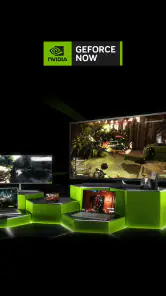

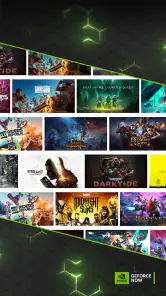
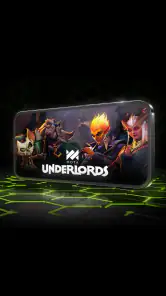
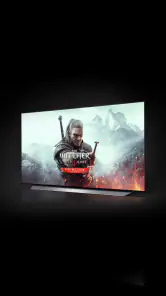
Analysis by Reviewed
I see GeForce NOW Cloud Gaming as a useful way to play demanding games without buying a powerful gaming computer, not as a universal replacement for one. Its appeal is straightforward: NVIDIA streams supported games to your device, while you bring compatible titles from game libraries you already use. That can make a modest laptop or a phone feel much more capable, but the experience depends on your connection and on whether the games you want are available.
Why the device matters less—and the connection matters more
The biggest shift is that the device in your hands is no longer doing the heavy graphics work. That matters if you have a computer that struggles with newer games, or if you want to pick up a game away from your usual desk. It also changes how you plan to play: a cloud session is most comfortable when you can rely on steady internet, so it is less suited to commutes, travel dead zones, or rooms with inconsistent Wi-Fi.
A realistic use case is an evening when the main computer is occupied. I can use a phone or an older laptop to continue a supported game rather than wait for access to a gaming PC. For a longer session, though, I would choose the device and network that give me the steadiest picture and controls. Cloud gaming is convenient, but it does not make a small screen or an unreliable connection disappear.
Who gets the most from it
This is a strong fit for players who already own compatible games and want another way to access them, especially if their current device is not built for demanding graphics. It can also suit someone who plays in more than one place and values convenience over having every part of the experience stored and run locally. NVIDIA’s app is free to install, and the service has a 3.5 average from around 114,000 ratings, so I would treat it as a practical option to try rather than assume it will suit everyone.
I would be more cautious if you mainly play titles that are missing from the streaming selection, need a dependable offline option, or are sensitive to even small control delays. A locally installed game is the safer choice for unreliable internet and can feel more direct because the play does not depend on a live stream. GeForce NOW is an alternative route to games, not a way to make every game in a personal library available everywhere.
What the cloud approach means in practice
Simply put, GeForce NOW Cloud Gaming is a cloud-based game streaming service developed by NVIDIA. It allows you to play games on virtually any device, be it your trusty old laptop, a tablet, or even your smartphone. The magic lies in its ability to stream games from powerful servers, meaning you can enjoy high-quality gaming without the need for a top-tier gaming rig.
Getting started and checking your library
Setting up GeForce NOW was a breeze. I just downloaded the app on my device, logged into my NVIDIA account, and boom, I was ready to game. One cool thing is that it integrates with your existing game libraries from platforms like Steam and Epic Games. So, you don't have to repurchase titles you already own. That's a win in my book!
More From Our News Desk

Weather by Xiaomi Review: Clear at a Glance, Less Clear Up Close

X Under Pressure: Can It Recover When Posting Goes Wrong?

Clash of Clans Is Won Between the Battles

Android Auto Makes the Case for Quieter Car Software

MobiOffice: Transforming Mobile Productivity with Seamless Integration

EA SPORTS FC™ Mobile Soccer: Redefining Mobile Sports Gaming
Performance: impressive, with an important caveat
Now, onto the nitty-gritty – performance. I tested GeForce NOW on my not-so-new laptop and my phone, and I was genuinely surprised by how smooth the experience was. The graphics were crisp, and there was minimal lag, even when playing graphics-intensive games. Of course, a stable internet connection is crucial here, but assuming you have that, it's like playing on a high-end gaming PC.
A library that requires a little homework
While the performance was stellar, the game library was a bit of a mixed bag for me. Don't get me wrong; there are tons of games available, from indie gems to AAA titles. However, not every game in my personal library was available to stream. It’s not a dealbreaker, but it's something to keep in mind if you're hoping to play every single game you own.
How it compares with local and remote play
Compared with remote-play options that rely on your own gaming computer, this service is aimed at people who want the game to run on NVIDIA’s cloud hardware rather than leave a home PC switched on. Compared with installing games directly, it saves local hardware from the graphics workload but makes connection quality part of the experience. I would decide game by game: stream when the title is supported and the network is behaving, and use local play when responsiveness or offline access matters more.
One useful habit is to check whether a specific game is supported before making the service part of your routine. Owning a title through Steam or Epic Games does not automatically mean it can be streamed here. I would also test a short session on the same network and device I expect to use most; a quick trial gives a better sense of control response and image stability than assuming all connections will feel alike.
Small checks that prevent frustration
If a game is missing, first distinguish between owning it and being able to stream it: those are separate questions. If a session feels rough, I would compare another location or network before blaming the game itself, because the stream has to travel both ways while you play. And if I plan to use a phone, I would consider whether the screen and touch controls suit the game; a streamed image can be sharp while the physical controls still feel cramped. These are practical trade-offs, not reasons to dismiss the service, but they shape which games I would choose for it.
Make a short trial useful
I would use an initial session to answer practical questions, not just to admire the graphics. Choose a game you already know well, so it is easier to notice whether aiming, steering, or menu navigation feels different from local play. Try it where you normally expect to play, then repeat on another network if the first result is disappointing. That helps separate a poor fit with a particular connection from a broader preference for games installed on your own device.
It is also worth thinking about the kind of game you are opening. A slower single-player adventure may be comfortable over a connection that makes a precision-heavy competitive match feel less dependable. I would not treat one smooth session as a promise that every title or location will behave identically; instead, I would use the service for games and moments where a little variability is acceptable.
Where it fits among entertainment apps
As an entertainment app, this is quite different from video streaming: you are not simply watching a finished picture, but sending controls back to a game as the stream arrives. That two-way exchange makes network consistency more noticeable than it is when watching a show. It is also different from a game storefront, because the key question is not only where a title is sold but whether that title can be launched through the cloud service.
For someone choosing between cloud play, remote play from a home computer, and a console or PC running games locally, I see the trade-off clearly. GeForce NOW avoids depending on your own gaming hardware being available for the session, while local play offers the more self-contained option. Remote play can make sense when you already have a gaming PC and want to access that machine elsewhere; this service is more appealing when you want to use NVIDIA’s cloud hardware instead. None of those choices wins for every player, so I would start with the games and equipment already in your life.
When it is worth trying
So, the million-dollar question: is GeForce NOW worth your time and money? If you're someone who's always on the go or doesn't want to shell out for a fancy gaming setup, then absolutely. The convenience of being able to game anywhere, anytime is unparalleled. Plus, the free tier is a great way to dip your toes in without any commitment.
As an entertainment app from NVIDIA, it has reached over 10 million installs and is rated Teen, details that help set expectations about its audience and reach without telling me whether a particular game will suit my tastes. It was released on February 4, 2020, and remains most compelling when its supported selection overlaps with games I already own and a reliable connection is available. The key question before committing is not simply whether cloud gaming sounds appealing; it is whether my library, device, and usual network line up.
A good fit is not the same as a fit for everyone
I would recommend giving it a try if you already have games that work with the service and want a second screen or a less powerful computer to become a useful place to play. It is particularly easy to justify when buying a gaming PC is not practical and you are happy to treat cloud play as one option among several. The free entry point lowers the risk of testing that idea, though it does not remove the need to check your titles and connection.
I would skip it as a primary gaming setup if your usual internet is unpredictable, your favorite games are not in the supported selection, or you want the same response and availability whether you are online or not. It is also a weaker match if your preferred games rely on precise, immediate input and you notice even modest delay. In those cases, a local installation or a system designed to run games directly is likely to be the less frustrating choice.
My verdict for the right player
In conclusion, GeForce NOW Cloud Gaming is a fantastic service that delivers on its promises. Whether you're a casual gamer or a hardcore enthusiast, it's a great tool to have in your arsenal. Sure, there are some limitations, but the pros far outweigh the cons in my experience. Give it a shot, and who knows, it might just change the way you game!
My recommendation is more specific: try it if you have supported games and want to play them on hardware that would otherwise struggle, but keep a local option for games that are unavailable or sessions where a network cannot be trusted. With around 7,300 written reviews among its player feedback, there is plenty of discussion to weigh, though your own connection is still the best test. For me, that balance is the honest case for GeForce NOW Cloud Gaming: useful flexibility, with clear limits rather than magic.
GeForce NOW Cloud Gaming Frequently Asked Questions
Do I need a powerful phone or computer to use GeForce NOW?
GeForce NOW streams games from NVIDIA’s cloud service, so your device does not need to do the same heavy work as a gaming PC. You still need a compatible device that can run the app or service and a reliable internet connection. This can make cloud gaming appealing if you want to play without buying high-end hardware, although streaming quality depends on your connection.
Will GeForce NOW use a lot of mobile data?
Cloud gaming sends a live video stream to your device while also responding to your controls, so it can use a noticeable amount of data, particularly during longer sessions. If you plan to play on a mobile connection, check your data allowance and consider using Wi-Fi when practical. A stable connection matters as much as speed for keeping play responsive.
Can I use a controller with GeForce NOW on mobile?
A controller can make many games more comfortable to play on a phone or tablet, especially titles designed around traditional PC controls. The controls available depend on your device and the game you launch, so check compatibility before settling in for a session. Touch controls may suit some games, but they are not necessarily a substitute for a controller in every title.
Is GeForce NOW free to download?
Yes, the app is free to download, and GeForce NOW offers a free tier. Keep in mind that downloading the app is only the first step: you may need an account and access to the games you want to play. The free tier has limitations, while paid membership options are available for users who want different service features.
Can I play GeForce NOW on a phone or tablet?
Yes. GeForce NOW is designed to let you stream games on supported devices, including Android phones, as well as PCs, Macs, and TVs. Playing on a smaller screen can be convenient when you are away from a computer, though the experience depends on having a suitable internet connection and a compatible way to control the games you choose.
Pros
- Access to a large library of games.
- Play games without high-end hardware.
- Cross-platform compatibility.
- Regular updates and new features.
- No lengthy downloads needed.
Cons
- Requires a stable internet connection.
- Subscription needed for full access.
- Limited offline functionality.
- Dependent on server availability.
- Input lag may occur on slow networks.
- Category
- Entertainment
- Version
- Varies with device











