Filter for Selfie
- 54.00
- 4.6
- Installs
- 1.00M
- Price
- Free

Screenshots
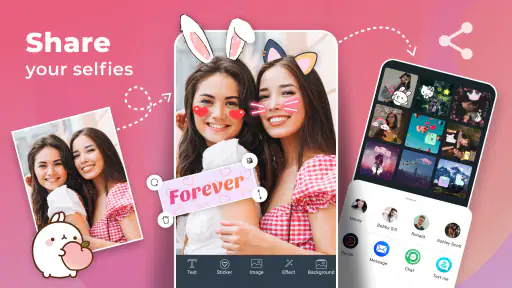
Analysis by Reviewed
On a shared household phone, a selfie app can become an impromptu group activity: one person takes a quick portrait, someone else asks to try a playful effect, and a third wants a more natural edit. Filter for Selfie suits that casual, pass-the-device moment best when everyone understands that the picture on screen is being edited for fun, not treated as a faithful record.
Sharing a device without sharing everything
I’d treat the phone itself as the boundary. Before handing it over, I would close any personal photos or conversations I don’t want others to see, then let the next person work only with the image they intend to edit. That’s a sensible habit with any photo tool, especially in a home where several people use one device. It also avoids the awkward assumption that a shared phone means every saved picture is fair game.
For a quick family snapshot, I’d agree on the original photo first and then make separate versions: one with a light touch for a profile picture and another with a silly look for the group chat. Keeping those purposes distinct helps prevent a joke filter from becoming the version someone later uses in a more serious setting. If you are deciding whether the app fits your household, the key question is less about who can operate it and more about whether everyone is comfortable with how edited portraits are used.
A playful editor, not a complete photo studio
This is a focused beauty app for selfie effects, so I wouldn’t choose it when I need careful control over a larger photo project or a consistent editing workflow across many kinds of images. A phone’s built-in editor is often the quicker choice for simple cropping or exposure fixes, while a broader photo editor may suit someone who wants more deliberate control. Filter for Selfie’s appeal is the lighter, more immediate route from portrait to playful result.
That distinction matters when deciding what to install on a shared device. If people mainly want an easy way to try a look and laugh at the result, a dedicated selfie tool can be less intimidating than a feature-heavy editor. If the household needs one place for organizing pictures, making precise corrections, or preparing polished images for work, this app is probably not the right all-purpose answer.
Who will enjoy it—and who may pass
I can see it working well for anyone who takes occasional selfies and wants quick creative options without learning a complicated editing system. It may also suit friends or family members who enjoy comparing a natural edit with an exaggerated filter. Someone who prefers unedited portraits, rarely takes selfies, or wants fine-grained retouching may find the experience unnecessary or too limited for their taste.
One practical tip is to compare the same photo in a few different treatments before settling on one. A filter that looks fun at full strength can feel heavy once the image is viewed as a small avatar, and a subtle setting is often easier to reuse across different lighting. I’d save the untouched original separately when it matters to keep a genuine version, then share only the edit that fits the moment.
More From Our News Desk

Clash of Clans Is Won Between the Battles

Android Auto Makes the Case for Quieter Car Software

MobiOffice: Transforming Mobile Productivity with Seamless Integration

EA SPORTS FC™ Mobile Soccer: Redefining Mobile Sports Gaming

How Microsoft OneDrive Became a Mobile Productivity Giant

How Google Translate Breaks Language Barriers Effortlessly
Making a shared session feel less chaotic
Passing one phone between people is convenient, but it can make the editing process feel less personal if everyone changes the same image or assumes someone else will save the preferred version. I’d take turns with one portrait at a time and say out loud which result is the keeper. That small bit of coordination is especially useful when one person wants a restrained look and another is trying a comic effect; it keeps playful experimentation from replacing the version someone actually wanted.
It also helps to separate taking the picture from choosing how to edit it. If several people are in the room, I’d ask the person in the photo what they want before trying effects on their face. That is a more respectful routine than treating the phone owner as the only decision-maker, and it avoids a familiar household mix-up: someone sees a funny preview and shares it before the subject has agreed. The app can provide the creative tools, but the group still has to agree on the image and its destination.
Unveiling the Magic of Filters
First things first, when I opened up Filter for Selfie, I was greeted by a super user-friendly interface. This app doesn’t waste your time with complicated menus. It’s all about getting you to that flawless selfie quickly and effortlessly. I mean, who has time to navigate a maze of settings when you’re just trying to snap a quick pic?
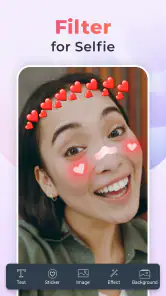
The variety of filters available is what really caught my eye. Whether you're feeling vintage, bold, or natural, there's something for every mood. I played around with a filter that gave my skin a golden glow, perfect for those sunset shots. And for the record, there are some quirky ones too, like the cartoonish effect that’s all the rage on social media right now. Let's just say, your followers are in for a treat!
Customization at Your Fingertips
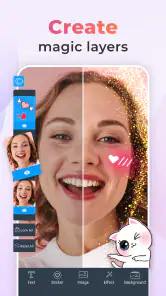
Now, here’s where Filter for Selfie shines even brighter. The customization options are a dream come true. You can adjust the intensity of each filter, tweak the brightness, contrast, and even add some artsy overlays. It’s like having a mini Photoshop right in your pocket. I spent a good chunk of time experimenting with different combinations, and it was surprisingly fun! The app encourages creativity, allowing you to craft a unique look for your photos.
One feature that I found particularly handy was the blemish remover. With a simple tap, it smooths out any imperfections, but not in a way that makes you look like a wax figure. It's subtle and keeps everything looking natural. Trust me, it’s perfect for those last-minute touch-ups before you post your selfie.
Seamless Sharing
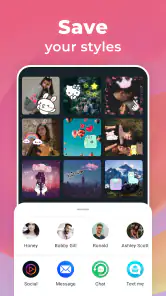
After you've perfected your selfie, sharing it with the world is a breeze. The app has built-in integration with major social media platforms like Instagram, Facebook, and Snapchat. You can post directly from the app, which is a major time-saver. Plus, it maintains the high quality of your photos, so no worries about pixelation ruining your masterpiece!
What to check before making it a household habit
A realistic use case is a rushed morning when someone wants a quick profile photo before heading out. I’d take the picture in decent light, try a gentle filter, and check the result at the size it will actually be seen. That last step is easy to skip: a retouch that looks barely noticeable on a full-screen preview can stand out more in a tiny profile circle. For a family event, I’d also agree on one shared, natural-looking version before anyone adds comic effects, so there’s no confusion about which image is meant to be kept.
People often wonder whether they need to pay before trying a selfie editor. This app is free to install, while optional in-app purchases range from $0.99 to $99.99 per item, so I’d check any purchase prompt carefully before confirming it. It has a 4.6 average from around 8.9 thousand ratings and over a million installs, which suggests it has found a sizable audience, though popularity alone cannot tell you whether its style will suit your own photos.
Age, trust, and expectations
Its Everyone content rating makes the app broadly suitable for a general audience, but I would still set a simple household rule: ask before editing or sharing someone else’s portrait, and don’t use a funny effect to embarrass them. That matters especially with younger users, who may not distinguish a playful smoothing filter from a realistic representation. A quick conversation about what gets posted—and where—does more to set expectations than assuming an app will manage those choices for you.
For a shared-device routine, decide who is responsible for checking the final image and where the household wants it sent. The app is made by GeniusTools Labs, and its current version is 2.1.1.1; it runs on Android 5.0 and later. Those details make it accessible to many older Android devices, but a household should still check that the particular phone has enough room and works comfortably for the people using it. The app is free, although optional purchases mean I would not let a child tap through payment screens without an adult’s guidance.
Where it fits among selfie options
Compared with the camera editor already on a phone, this app is more about trying a distinct selfie look than making a basic correction. Compared with broad photo-editing apps, its quick filter-led approach is easier to dip into, but it is not the tool I’d pick for detailed work or a carefully managed library. The trade-off is straightforward: convenience and playful portrait treatments in exchange for less reason to use it beyond selfies.
To avoid turning a casual edit into a long session, I’d choose the photo first, compare a couple of filter strengths, make any small brightness adjustment, then stop once the face still looks like the person in the original. This simple sequence helps keep edits consistent when several people are taking turns, and it avoids chasing a perfect result through endless combinations. If the household prefers natural photos or needs advanced retouching, the standard camera tools or a more comprehensive editor will be a better fit.
Choosing the right moment to use it
The app makes most sense when the goal is a quick portrait with a visible change in mood, rather than a polished image that needs to match a particular visual style. For example, if a friend asks for a fun picture during a relaxed visit, trying a couple of treatments can be part of the moment instead of a separate editing chore. If the same photo is meant for a formal profile or a work-related use, I’d be more cautious: a natural camera image or a dedicated editor with more deliberate controls is easier to keep consistent and understated.
One useful way to avoid over-editing is to decide the purpose before opening the filter choices. A silly group-chat picture can be pushed further because the joke is the point; a profile image benefits from a lighter hand and a check at the size people will see it. This is a simple distinction, but it prevents a household from arguing about whether an effect is “too much” after the edit is already finished. The best result depends less on finding a universally flattering treatment and more on matching the effect to where the picture will go.
A practical household verdict
For a home that shares a phone and enjoys making casual portraits, I’d consider this a small, purpose-specific tool rather than a central family photo app. Its strongest use is a short, low-pressure editing session: choose a portrait, try a look, check that the person likes it, and then decide together whether to keep or share it. It is less suitable when several people need separate libraries, careful privacy boundaries, or an editor that can handle a wide range of photo tasks. Those needs are better addressed by the household’s existing camera and photo tools, alongside clear habits about who can see and share each image.
Parents considering it for a child should think about more than the Everyone label. I’d use the opportunity to talk about asking permission before editing another person’s photo, treating retouching as a playful effect rather than a standard for appearance, and getting an adult involved if a purchase screen appears. Those are practical boundaries for any shared creative app, not controls I would assume the app provides. In a mixed-age household, that conversation can make the experience more comfortable for everyone without taking the fun out of trying a filter.
Overall, Filter for Selfie is a fantastic tool for anyone looking to up their selfie game. It blends simplicity with powerful editing features, making it accessible for both casual users and selfie enthusiasts. So, if you're like me and love snapping photos but want them to look a tad more polished, give this app a shot. Who knows, your next profile picture might just break the internet!
Filter for Selfie Frequently Asked Questions
Can I use Filter for Selfie without creating an account?
The app is focused on applying selfie filters and effects, so you can consider whether its basic photo-editing experience suits you before downloading. Account requirements can vary by app setup and platform. If you prefer not to register, check the app’s permissions and sign-in prompts during installation, and avoid entering personal details unless you are comfortable doing so.
What features does Filter for Selfie offer?
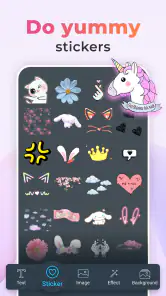
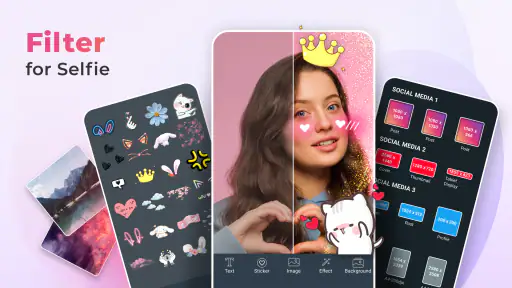
Filter for Selfie offers a variety of features to enhance your selfies, including a wide range of filters, beauty enhancement tools, and real-time editing capabilities. Users can also access advanced features like AR effects, background removal, and animated stickers. The app is designed to make it easy to capture the perfect selfie with just a few taps. Its store summary also highlights funny face filters, making it suitable for playful edits as well as polished portraits.
Is Filter for Selfie free to use?
Yes, Filter for Selfie is free to download and use, but it also offers in-app purchases. These purchases may include premium filters, additional editing tools, and ad-free experiences. Users can enjoy the basic features at no cost, but opting for the premium version can enhance the overall experience. Optional purchases range from $0.99 to $99.99 per item, so review the purchase details before confirming anything.
What are the system requirements for Filter for Selfie?
Filter for Selfie is available for Android devices running version 5.0 or higher. It is a Beauty app developed by GeniusTools Labs, and its content rating is Everyone. Ensure your device has enough storage space and a decent camera for optimal performance. The app’s current version is 2.1.1.1, so checking compatibility on your device before installing can help avoid problems.
Does Filter for Selfie require an internet connection?
While Filter for Selfie can be used offline for taking photos and applying basic filters, an internet connection is recommended for accessing advanced features, downloading new filters, and sharing your selfies on social media platforms. Offline functionality is limited to basic editing features. If you mainly want to try simple edits while away from Wi-Fi, the app may still be useful, but connected access supports a broader experience.
Pros
- Intuitive interface for easy navigation.
- Wide range of filters and effects.
- Enhances photo quality instantly.
- User-friendly editing tools.
- Supports high-resolution images.
Cons
- Limited filters in the free version.
- Occasional in-app ads.
- Some features require in-app purchases.
- May require significant storage space.
- Performance issues on older devices.

- Category
- Beauty
- Version
- 2.1.1.1