

Decibel Meter: Sound Meter App
- 287.00
- 3.8
- Installs
- 1.00M
- Price
- Free

Screenshots
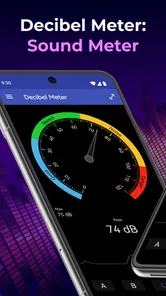
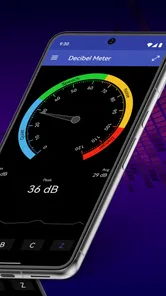
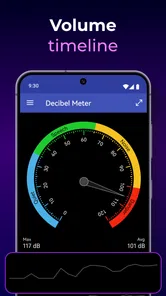
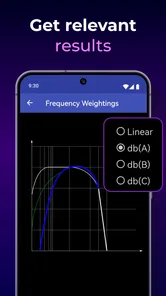
Analysis by Reviewed
I reach for a phone sound meter when I need a quick sense of how noisy a place is, not when I need laboratory-grade evidence. Decibel Meter: Sound Meter App is aimed at that practical first step: turning a vague impression—“this room is loud”—into a reading I can use to compare situations or decide what to do next. For checking a noisy appliance, a rehearsal space, or a busy street, that can be genuinely useful, provided I treat the result as an estimate rather than a formal measurement.
Starting with the sound around you
The app belongs to the music and audio category, and its purpose is easy to understand: it measures sound volume in decibels. Made by GeniusTools Labs, it is free to install, though it includes in-app purchases. Its Everyone age rating makes it suitable for a broad audience. The app has an average rating of 3.7 from around 6,700 ratings and more than a million installs, so it has clearly found an audience, but those figures alone don’t tell me whether it suits a particular job.
A useful everyday test is to check whether a fan, extractor, or washing machine sounds unusually loud. I would open the meter, let it run in the room, and compare the reading with the appliance running and then switched off. The second reading gives context: background traffic or conversation can affect what the phone hears, so a single number taken in the middle of a busy room may tell me more about the room than the appliance.
From a quick reading to a useful decision
Have you ever found yourself in a situation where you just needed to know how loud that neighbor's party really is, or perhaps you've been curious about the noise levels at your favorite concert? Well, I recently stumbled upon an app that does just that and more: the Decibel Meter: Sound Meter app. Let's dive into what this app has to offer and see if it's worth downloading.
Getting to Know the Decibel Meter: Sound Meter App
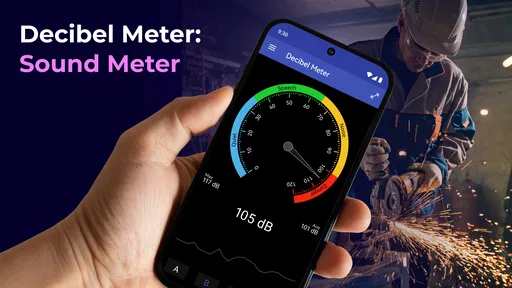
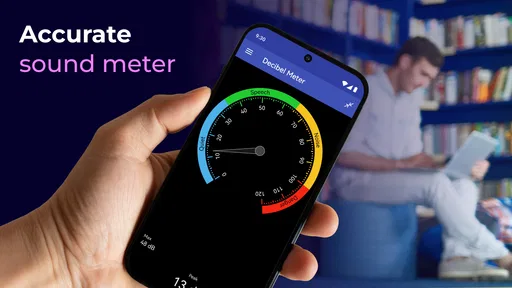
First off, the installation process was a breeze. The app is available on both Android and iOS, so I quickly downloaded it from the app store. Upon opening it, I was greeted with a sleek and intuitive interface. The main screen displays the decibel level in real-time, which is fantastic for those who want immediate feedback.
The current version is 2.1.0, and it runs on Android 8.0 or later. I’d think of the live display as a quick situational check: it helps me see whether sound is rising or settling without needing to interpret a long report. If I’m comparing two places, I’d keep the phone in roughly the same position and hold it the same way each time. That simple consistency makes the comparison more useful than moving around and treating every displayed change as meaningful.
Features That Stand Out
One of the features I found particularly useful is the ability to track and record sound levels over time. This is perfect for anyone conducting research or just wanting to monitor noise pollution in their area. You can even export this data for further analysis, making it a handy tool for professionals and enthusiasts alike.
More From Our News Desk

 Gmail
GmailGmail in a Busy Inbox: Who Benefits Most?
From first account to crowded workday, Gmail earns its place through dependable search and flexible sorting—but its best fit depends on how much inbox maintenance you can tolerate.

 Prime Video
Switching to Prime Video: What Changes in Your Viewing Routine
Prime Video can make a compelling second home for streaming, but switching means learning a different catalog, rental layer, and route from browsing to playback.

 Universal TV Remote Control
Universal TV Remote Control Works Best as a Reliable Backup
A phone remote earns its place through quick setup and reliable habits. Here is how to get more from Universal TV Remote Control—and where its limits show.

 Weather - By Xiaomi
Weather by Xiaomi Review: Clear at a Glance, Less Clear Up Close
Xiaomi’s weather app makes everyday forecasts quick to scan, but its calm surface can leave useful details and recovery paths harder to find than they should be.

 X
XX Under Pressure: Can It Recover When Posting Goes Wrong?
A resilience-focused review of X, examining setup, mistaken posts, interruptions, weak connections, and the gaps that matter when recovery needs to be dependable.

 Clash of Clans
Clash of Clans Is Won Between the Battles
Its raids are quick; its community is a long-term project of coordination, teaching, rivalry, and shared responsibility—with all the friction that entails.
Latest News



That recording workflow is most helpful when the sound changes over a period rather than staying constant. For example, I could monitor a room during a work call or note whether street noise is worse at one part of the day than another. Before relying on a recording, I’d check that the phone stays in one place and that the same source is being compared; otherwise, people passing nearby or a door opening can distort the pattern. Exporting is a useful handoff when I want to inspect readings elsewhere, but it does not turn a phone measurement into certified acoustic evidence.
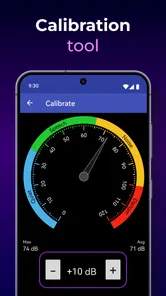
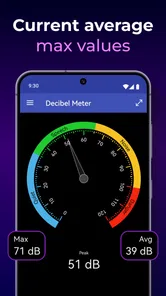
Another cool feature is the app's ability to show you peak, average, and minimum decibel levels. This gives you a comprehensive view of the sound environment around you. Plus, the app also includes a calibration feature to ensure your readings are as accurate as possible. I found this to be quite handy, especially when trying to get precise measurements.
Those summaries answer different questions: a peak can flag a sudden burst, while an average gives a better sense of a sustained environment and a minimum can reveal quieter intervals. I would not judge a whole venue by its loudest moment alone. Calibration can help make readings more consistent, especially if I’m comparing checks made on the same phone, but it cannot remove the limitations of the phone’s microphone. For workplace compliance, hearing-risk decisions, or a dispute that needs defensible proof, a dedicated sound-level meter and a qualified assessment are the better choice.
Usability and Design
The Decibel Meter: Sound Meter app sports a user-friendly design. It's not cluttered with unnecessary features, which I really appreciate. The buttons are large and clearly labeled, making it simple to navigate even for those who aren't tech-savvy. Additionally, there's a helpful tutorial for first-time users, which I found to be a nice touch.
In a practical check, I’d start the measurement before the noisy moment begins, rather than opening the app after a sound has already peaked. I’d also avoid covering the phone’s microphone with a hand, case, or soft surface. These small habits matter because the phone is the sensor; its position and surroundings can change what reaches the microphone. If I need to share a result with someone else, I’d explain where and when I took it, not just pass along a number without context.
The app's design is both functional and aesthetically pleasing. The use of color and graphics doesn't overwhelm the user, and everything is laid out in a way that makes sense. It's clear that the developers put a lot of thought into making this app as accessible as possible.
Making a reading useful to someone else
A measurement becomes more useful when I can explain what it represents. If I’m tracking a recurring noise at home, I’d note the room, whether a window was open, what was running nearby, and roughly when I checked. That simple record gives a landlord, housemate, or technician something more informative than an isolated figure. The app’s ability to export data can help with that handoff, while the surrounding notes keep the numbers from being mistaken for a complete acoustic assessment.
For a shared workspace, I might take readings at the same desk before and after moving a noisy device or closing a door. I would not compare a reading from one corner with a later one beside the source and call the difference a reliable improvement. Keeping distance and phone orientation similar makes the check fairer. The point is not to create a scientific report; it is to see whether a practical change seems to have made the room quieter.
Where a phone meter fits—and where it doesn’t
Compared with a dedicated sound-level meter, a phone app is much easier to carry and better suited to casual checks, quick comparisons, and learning how sound changes around you. Compared with simply guessing by ear, it gives me a repeatable reference. But phone microphones and their processing vary, so I wouldn’t expect readings from different phones to match closely, or use this app as a substitute for calibrated equipment when accuracy has consequences.
It is a good fit for curious listeners, renters documenting a recurring disturbance for their own notes, or anyone checking whether a room gets quieter after closing a window. It is less suitable for someone who needs a formal noise report, precise testing across devices, or a guaranteed assessment of hearing safety. A reading can inform a decision to investigate further; it should not be the sole basis for a health or legal conclusion.
Against other phone-based meters, the useful distinction is not that one screen can settle every question; it is whether the tool offers enough detail for the task. Here, a live reading, summaries of peak, average, and minimum levels, and the option to record and export make it more helpful than a bare, momentary display when I want to follow a changing sound. A dedicated handheld meter is a better alternative when repeatability and accuracy matter more than convenience. For a quick check, carrying an extra instrument would be needless friction.
Where the workflow can break
The main friction is not complicated navigation but interpretation. A lively room can produce changing readings because several sounds overlap, and a phone held near one source may report something different from a phone placed across the room. I’d keep the setup steady, take a few checks at comparable times, and use the average as a practical guide rather than treating one moment as the whole story.
Concerts and parties are tempting places to try a meter because the sound changes so noticeably, but they are also poor settings for a precise conclusion. The phone may be moved, people and sound sources shift, and a brief loud peak can dominate your impression of the event. I’d use the app there to satisfy curiosity or compare broad changes, not to decide that a venue is safe or unsafe. If hearing comfort is the concern, stepping away from the speakers or using suitable hearing protection is more useful than watching a display.
Another point worth keeping in mind is that a low reading at one spot does not mean the whole home or venue is quiet. Walls, doors, and distance can change what reaches the phone, while a sound that bothers me may be intermittent and easy to miss during a short check. For a recurring issue, I would take readings at relevant times and locations, then look for a pattern. If the issue has safety, health, or legal consequences, I’d use the app only as a prompt to seek a more dependable assessment.
The app is free to download, with optional in-app purchases ranging from $0.99 to $99.99 per item. I would look at what is included before buying anything and first decide whether the free experience covers my occasional checks. That matters for a simple utility: if all I need is a quick reading now and then, I shouldn’t assume paid extras are necessary.
Who will get the most from it
I’d recommend this to someone who wants a convenient first check and is willing to interpret the result cautiously. It suits a renter keeping informal notes, a musician checking whether a practice room’s sound changes after rearranging equipment, or a homeowner trying to locate a noisy appliance before arranging a repair. In each case, the useful outcome is a clearer comparison and a better question to ask next, not a certified answer.
I’d skip it if the job requires proof that will stand up in a formal complaint, measurements that must match across several devices, or a reliable hearing-safety judgement. It is also not the best choice for someone who wants to set up a complex acoustic study: a phone app is built around accessible checks, and its convenience does not make the microphone a calibrated instrument. When the stakes rise, hiring a qualified professional or using suitable dedicated equipment is the sensible handoff.
Final Thoughts
In conclusion, the Decibel Meter: Sound Meter app is a fantastic tool for anyone interested in measuring sound levels. Whether you're a professional needing precise data or just a curious individual, this app has something to offer. It's easy to use, packed with useful features, and available on both major mobile platforms. So, if you're in the market for a reliable sound meter app, I'd definitely recommend giving this one a try.
My recommendation is more specific: I’d try it for everyday awareness and repeatable, informal checks, especially when I want to compare a sound before and after making a change. I would not choose it as my final authority for technical work or serious complaints. Used with that boundary in mind, it offers a convenient way to turn “too loud” into a more useful observation and decide what to do next.
Decibel Meter: Sound Meter App Frequently Asked Questions
Is Decibel Meter: Sound Meter App free, and are there in-app purchases?
Decibel Meter: Sound Meter App is free to download, so you can try it without paying upfront. It also offers in-app purchases, with items ranging from $0.99 to $99.99. If you prefer not to spend money inside apps, check the purchase options before using any paid features and make sure purchase controls on your device are set the way you want.
Will Decibel Meter: Sound Meter App work on my phone?
The app is available for Android devices running version 8.0 or later. Before downloading, check your device’s operating system version in its settings to make sure it meets that requirement. The app uses your device’s microphone to measure sound, so you will also need to allow microphone access when prompted for readings to work.
How popular is Decibel Meter: Sound Meter App, and what version is available?
Decibel Meter: Sound Meter App has more than one million installs and an average rating of 3.7 from around 6,700 ratings, with 189 written reviews. Its current version is 2.1.0, and it was released on July 18, 2020. These details can help you gauge its general reach and see which version you are considering before you download.
What is the Decibel Meter: Sound Meter App used for?
The Decibel Meter: Sound Meter App is designed to measure the sound level in your environment using your device's microphone. It provides real-time decibel readings, helping you monitor noise levels in various settings, such as concerts, workplaces, or even at home. This app is particularly useful for ensuring compliance with sound regulations or for personal awareness of noise pollution.
How accurate is the Decibel Meter: Sound Meter App?
The accuracy of the Decibel Meter: Sound Meter App depends on the quality of your device's microphone. While it provides a good estimate of sound levels, it may not be as precise as professional sound level meters. For critical measurements, especially in professional settings, it's recommended to use a dedicated sound level meter. However, for casual use, this app offers a convenient and fairly accurate alternative.
Pros
- Accurate sound level readings.
- User-friendly interface.
- Real-time noise monitoring.
- Customizable alert settings.
- No intrusive ads.
Cons
- Limited free features.
- In-app purchases required.
- Requires microphone access.
- Drains battery quickly.
- Not suitable for professional use.













