

CarSole: Car Dashboard
- 29.00
- 4.4
- Installs
- 50.00K
- Price
- Free

Screenshots
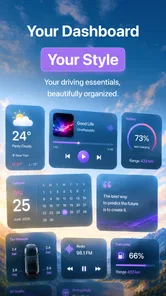
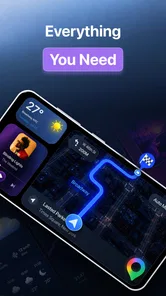
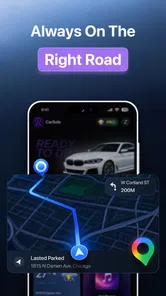
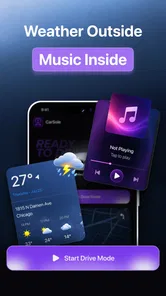
Analysis by Reviewed
I spent time with CarSole as a driving-focused personalization app, and my first impression was that its value depends less on decoration than on how comfortably it fits into a real car routine. The idea is simple: bring media playback and audio controls into a dashboard-oriented experience so I can manage listening without treating my phone like a general-purpose screen. That focus makes sense for short commutes, longer road trips, and anyone who wants a more deliberate in-car interface.
What I like about this kind of app is that it addresses a small but persistent problem. A normal phone is built for everything at once, while a dashboard should make a few important actions easier to reach. CarSole, developed by Mor Tosbaa Mobile, sits in the personalization category, but I found it more useful to think of it as a driving companion rather than an ordinary wallpaper or theme tool. Its store summary points to seamless media playback and audio controls designed for driving, and that description matches the central experience without making the app sound more complicated than it is.
The app is free to install and suitable for Everyone, which lowers the barrier for trying it in a household car or on an older spare phone. It supports Android 7.0 and later, so compatibility is broader than with many newer dashboard projects. The current release is version 18, and the app has passed the early-experiment stage in the eyes of its user base: it has more than fifty thousand installs and an average score of 4.5 from roughly five and a half thousand ratings.
How CarSole fits into a trustworthy dashboard setup
Trust matters more in a driving app than it does in a casual personalization download. A dashboard tool may be used while I am moving, connected to a car stereo, or handling audio in situations where I do not want surprises. I therefore judge CarSole less by visual novelty and more by whether its purpose is easy to understand, whether its controls feel predictable, and whether I remain in charge of what happens on the phone.
The first positive sign is its narrow purpose. CarSole is not presented as a social network, a shopping service, or a replacement for every phone function. Its identity is centered on media playback and audio controls. That narrower role makes it easier for me to decide whether it belongs on a particular device. If I want a dedicated phone for the car, an app with a clearly defined dashboard job is more appealing than a crowded utility that asks me to reorganize my entire digital life.
At the same time, I would not treat a focused description as proof of a complete privacy picture. A responsible installation still begins with the Android permission screen and the app’s own visible choices. I check what access is requested, whether each permission appears relevant to playback or dashboard behavior, and whether I can decline anything I do not need. I also look at Android’s permission manager after installation instead of assuming that the first setup screen tells me everything I need to know.
This is especially important for a car app because the phone may already be connected to Bluetooth devices, a vehicle display, headphones, or a family member’s audio system. CarSole can be useful in that environment, but I want to know which connections are actually necessary for my setup. If I am only testing the interface at home, I do not grant access simply because I might use a car later. I prefer to begin with the smallest workable configuration and add access only when a specific function requires it.
More From Our News Desk

 Weather - By Xiaomi
Weather by Xiaomi Review: Clear at a Glance, Less Clear Up Close
Xiaomi’s weather app makes everyday forecasts quick to scan, but its calm surface can leave useful details and recovery paths harder to find than they should be.

 X
XX Under Pressure: Can It Recover When Posting Goes Wrong?
A resilience-focused review of X, examining setup, mistaken posts, interruptions, weak connections, and the gaps that matter when recovery needs to be dependable.

 Clash of Clans
Clash of Clans Is Won Between the Battles
Its raids are quick; its community is a long-term project of coordination, teaching, rivalry, and shared responsibility—with all the friction that entails.

 Android Auto
Android Auto Makes the Case for Quieter Car Software
The car interface is no longer judged by how much it can do, but by how quietly it helps. Android Auto shows what drivers now expect—and what still gets in the way.

 MobiOffice: Word, Sheets, PDF
MobiOffice: Transforming Mobile Productivity with Seamless Integration
MobiOffice: Word, Sheets, PDF is redefining mobile productivity with a surprising blend of functionality and innovation.

 EA SPORTS FC Soccer Mobile 26
EA SPORTS FC™ Mobile Soccer: Redefining Mobile Sports Gaming
Dive into EA SPORTS FC™ Mobile Soccer, where immersive gameplay and strategic depth transform mobile sports gaming.
Latest News



What I check before using it on the road
My first test is always stationary. I install the app, inspect its initial screens, and try the main playback controls while the phone is on a desk. This lets me notice whether the layout is readable, whether buttons respond as expected, and whether the app tries to pull me into unrelated settings. Only after that do I connect the phone to the intended car system.
I also test the transition between home use and driving use. A good dashboard workflow should not require repeated digging through menus every time I start the car. I want to know whether the app returns to a sensible state, whether audio resumes in a way I understand, and whether another audio app takes priority. These are practical questions that a short store summary cannot answer, so I treat the first few sessions as a controlled trial rather than immediately relying on it for a long trip.
One useful habit is to keep the phone unlocked and positioned before moving, then avoid changing the setup while driving. CarSole may make audio controls more convenient, but convenience does not remove the need for safe driving behavior. I use the app to prepare playback before departure and make only essential adjustments later. If I need to browse a large library, change several settings, or troubleshoot a connection, I pull over.
Permissions, accounts, and visible choices
I pay close attention to whether an app gives me a clear route through its settings without forcing an account for a basic local task. With CarSole, I would make the same practical check I make with any dashboard utility: is an account requested, what can be used without one, and can I remove the app’s access through Android if I change my mind? These controls are not decorative details. They determine how easy it is to leave the app behind cleanly.
I also review system-level controls for notifications, battery use, Bluetooth access, and any display-related behavior that Android exposes. I do not assume that a feature needs every available permission. If a setting is optional, I leave it off until I see a direct benefit. This approach is particularly helpful on a shared vehicle phone, where reducing unnecessary alerts and background activity can make the device calmer and easier to manage.
Another trust check is the payment path. CarSole is free to use as a download, while optional in-app purchases range from under a dollar to around forty dollars per item. That range is wide enough that I would inspect each purchase screen carefully before confirming anything. I look for the exact item, the billing account being used, and whether the purchase is genuinely useful for my driving routine. I would not unlock extras merely because the app is already installed or because a prompt appears during setup.
For families, I recommend enabling purchase authentication on the relevant Google account and keeping the phone’s store controls protected. The Everyone age rating makes the app broadly approachable, but it does not mean every optional purchase is appropriate for every user. A child using a family tablet or a shared car phone should not be able to approve a costly item accidentally.
Where data sensitivity becomes practical
Driving apps create sensitive moments even when their main function is audio. A phone in a car may reveal when I travel, which devices I connect, what media I play, and which notifications appear while I am on the road. I do not infer that CarSole collects any particular category of information unless the app or Android explicitly shows it. Instead, I treat those possibilities as reasons to inspect the permission and privacy screens myself.
My most cautious moment is the first connection to a vehicle. I check the Bluetooth device name, confirm that it is my car, and avoid pairing in a public place where several nearby devices might appear. If the phone is shared, I consider whether previously connected accessories or media controls could expose another person’s listening activity. A dashboard interface should simplify playback, not make it unclear which device is receiving the command.
Notifications deserve similar attention. A large dashboard-style display can make incoming information more visible, which is convenient but not always private. I review Android notification settings and disable previews when the phone is used by more than one person. I also avoid placing a personal phone where passengers can easily read messages. CarSole’s audio purpose does not change the privacy behavior of the rest of the phone.
Battery and background behavior are another practical trade-off. A phone dedicated to the car can tolerate more persistent use than my everyday handset, but I still want to know whether the app remains active when I am not driving. I check battery settings after several normal sessions. If the app provides no benefit while I am away from the car, I prefer to stop it, restrict background activity where Android allows, or use a separate device.
That separate-device approach is one of my strongest recommendations. On an older Android phone that would otherwise sit unused, CarSole can have a clear role without mixing driving controls with banking, work messages, or private photographs. The trade-off is that the spare phone needs its own charging routine and may need a reliable connection for the media I want to play. Still, separating roles can improve both privacy and reliability.
A realistic commute workflow
Imagine a weekday commute where I leave home with a phone that has already been paired with the car. Before starting the engine, I open CarSole, choose the audio I want, confirm the volume, and place the phone in its mount. The dashboard-oriented layout is most valuable here because it reduces the number of unrelated phone elements competing for attention. Once moving, I use only the control I need, such as pausing or adjusting playback, and leave library browsing for a stop.
On the way home, the useful question is not whether the app looks impressive but whether it reduces friction. If I can return to audio without searching through several apps, that is a meaningful advantage. If the car changes to another source, the phone disconnects, or the app requires repeated setup, the benefit becomes smaller. I would test these transitions over several commutes because one successful connection does not prove that the daily workflow will remain comfortable.
For a road trip, I prepare differently. I check charging, download or queue the media I expect to use through the relevant service, and test the controls with the car parked. I also keep a backup method available, such as the vehicle’s own controls or another familiar playback app. CarSole can be the convenient front end, but I would not make any single app the only plan for navigation, communication, and entertainment on a long journey.
Where it beats ordinary alternatives
The usual alternative is to use the phone’s standard media notification, the car’s built-in stereo interface, or the individual app that provides the audio. Those options can be perfectly adequate. A car’s native controls may be safer for volume and track changes, while a dedicated streaming app may offer better library discovery. If I already have a smooth factory system, CarSole has to earn its place by making the overall arrangement easier rather than simply adding another layer.
Its strongest case is for someone whose current setup feels scattered. If playback starts in one app, controls appear in another area, and the phone is difficult to use from a mount, a dashboard-focused interface can bring the important actions closer together. That is a workflow advantage, not necessarily a feature-count advantage. I would choose it for organization and access, not because I expect it to replace every capability of a vehicle infotainment system.
There is also a useful distinction between a dashboard app and a launcher. A launcher changes how the phone is organized across many tasks, while CarSole is more narrowly tied to the driving and audio context. That narrower scope may be a benefit for a dedicated car phone, but it can feel limited if I want navigation, contacts, messages, and vehicle diagnostics all in one place. In that situation, a full Android Auto-style solution or the car’s native interface may be a better fit.
I would also skip it if I rarely use a phone for in-car media or if my vehicle already handles playback cleanly through physical controls. Installing another layer can create confusion when two systems compete for audio focus. The app is most persuasive when it solves a visible problem in my current setup, not when I am collecting dashboard utilities without a specific need.
Small decisions that improve the experience
My first tip is to separate setup from operation. I do all personalization, permission review, pairing, and purchase decisions while parked. During a journey, the app should be treated as a limited control surface, not a place to explore. This simple boundary makes the dashboard concept more useful and avoids turning a convenience app into a distraction.
My second tip is to use a dedicated audio queue instead of depending on last-minute searching. Preparing a playlist or album before leaving reduces the need to interact with the phone and gives CarSole a clearer job: controlling playback rather than helping me decide what to listen to at speed. This is especially helpful when connectivity is inconsistent or when several passengers have different media apps installed.
My third tip is to review the phone after a week, not only during installation. I check which notifications appeared, whether the battery behavior changed, whether the car connects to the expected device, and whether I actually use the dashboard controls. If the app has become part of my routine, I keep it. If I still return to the car’s native controls every time, removing it may be the cleaner choice.
A fourth useful check concerns shared vehicles. I create a simple handoff routine: stop playback, disconnect if appropriate, and review what remains visible before another driver uses the car. This matters because an audio interface can expose personal queues or recently used content even when no sensitive account information is displayed. A few seconds of cleanup can prevent awkward sharing on a family vehicle.
Finally, I keep purchases conservative. The free installation is enough to evaluate whether the basic dashboard idea works for me. I only consider an optional item after identifying the exact problem it solves and confirming the purchase controls. Since individual items can range from less than a dollar to about forty dollars, I would never treat an in-app prompt as a minor automatic upgrade.
My cautious verdict
CarSole is worth trying when I want a more focused way to handle media and audio controls in the car, especially on an Android phone that feels too busy in its normal form. Its broad Android compatibility, free entry point, and clear driving-oriented purpose make testing straightforward. The strong average rating and substantial install base also suggest that the concept resonates with many users, although I still rely on my own setup rather than assuming it will behave identically in every vehicle.
My recommendation comes with boundaries. I would install it on a spare or dedicated car phone when possible, review every permission and account choice myself, test it while parked, and watch its battery and notification behavior during the first week. I would also keep the car’s built-in controls available as a fallback. The right measure of CarSole is whether it gives me fewer distractions and more control, not whether it adds more screens.
For drivers with a messy audio workflow, that focused improvement can be meaningful. For drivers already satisfied with a factory infotainment system or a familiar standard media interface, it may be unnecessary. After weighing both sides, I see CarSole as a practical personalization app with a specific use case: it can make a phone feel more suitable for driving, provided I remain deliberate about permissions, purchases, privacy, and safe operation.
If that is the problem I am trying to solve, I would give it a careful trial. I would not install it simply because it is free, and I would not grant access or buy extras without understanding the visible choices in front of me. Used that way, CarSole is a sensible experiment for a cleaner in-car audio routine rather than a replacement for every dashboard system.
CarSole: Car Dashboard Frequently Asked Questions
Is CarSole: Car Dashboard free to download, and are there in-app purchases?
CarSole: Car Dashboard is free to download, so you can try its dashboard experience without paying an upfront price. The app also offers optional in-app purchases, with items ranging from $0.99 to $39.99. Check the purchase details in the store before confirming anything, and review your device’s purchase settings if other people can access your account.
Which devices and operating systems can run CarSole: Car Dashboard?
CarSole: Car Dashboard is a mobile personalization app from Mor Tosbaa Mobile. Its minimum operating-system requirement is version 7.0, so check your device’s software version before installing. It has an Everyone content rating, making it suitable for a broad audience. Keeping your operating system and app updated can also help you get the best experience available on your device.
What is CarSole: Car Dashboard, and what does it do?
CarSole: Car Dashboard is designed to turn an Android or iOS device into a simplified in-car dashboard. It can provide quick access to driving-related tools such as navigation, music, phone shortcuts, and vehicle information, depending on the features supported by your device and app version. Its main purpose is to make commonly used functions easier to reach while driving, rather than replace your vehicle’s built-in dashboard or safety systems.
Does CarSole: Car Dashboard work with every car?
The app can generally be used in most cars because it runs on your smartphone or tablet, but the available features may vary considerably. Basic dashboard-style shortcuts and screen functions usually do not require a specific vehicle model. However, features involving vehicle data, Bluetooth connections, steering-wheel controls, or an OBD adapter may depend on your car, phone, operating system, and compatible hardware. Check the app’s requirements before downloading.
Can I use CarSole: Car Dashboard for navigation and music while driving?
CarSole: Car Dashboard may make navigation, music, and communication apps easier to access from one driving-focused interface. However, it does not necessarily include its own map or music service, so you may need to connect it with supported third-party applications. Set your destination, playlist, and connections before starting your journey, and avoid typing or changing settings while moving. Always follow local traffic laws and use hands-free controls whenever possible.
Pros
- Clean dashboard layout keeps key driving information easy to scan.
- Supports quick access to essential vehicle statistics while driving.
- Useful for turning an Android device into a dedicated car display.
- Customizable interface helps match different driving preferences.
- Can be practical on older vehicles without a built-in infotainment system.
Cons
- Requires a secure phone mount for safe and comfortable everyday use.
- Phone battery may drain quickly during extended trips.
- Accuracy depends on the device’s GPS and available sensor data.
- Some features may require extra setup or compatible car hardware.
- A phone dashboard cannot fully replace advanced built-in vehicle systems.













