Blur Video and Photo Editor
- 341.00
- 4.2
- Installs
- 5.00M
- Price
- Free

Screenshots
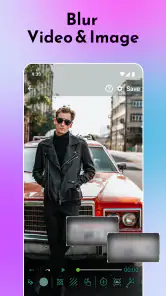
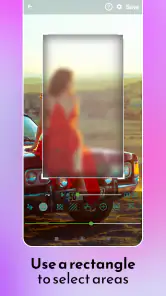
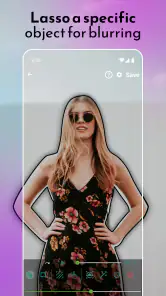
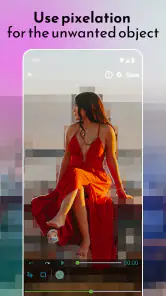
Analysis by Reviewed
My first reaction to Blur Video and Photo Editor was that it gives a very specific job a low-friction starting point: soften or obscure parts of a photo or video without first learning a full editing suite. That kind of tool can feel exciting in the first few minutes, but the more useful question is whether it solves enough everyday problems to stay on my phone. For quick visual fixes, I think it can; for broad creative editing, I would look elsewhere.
A quick first-week win, with a practical purpose
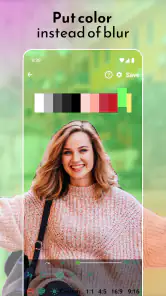
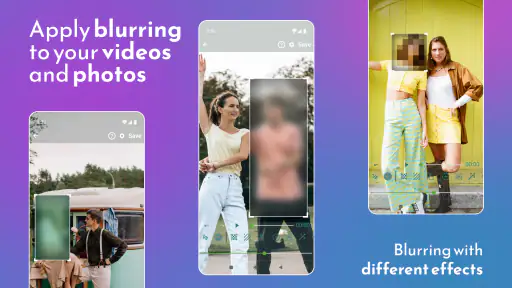
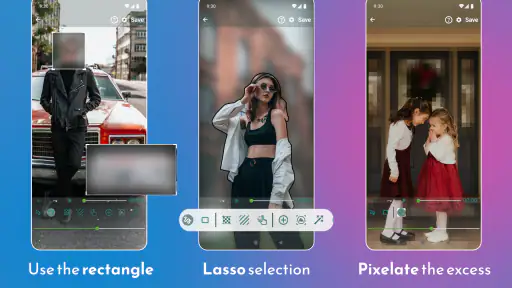
In its first week, the appeal is easy to understand. You can choose a photo or video and work with blur, pixelation, or color effects in different shapes and aspect ratios. That makes it useful for more than a dreamy background: a shaped blur can draw attention away from a distracting area, while pixelation can make a visible detail less readable. I would still inspect the result carefully before sharing it, especially when the goal is privacy rather than style.
A realistic example is a short clip recorded at home where a delivery label or a family photo appears in the background. Rather than discard a moment I like, I can use a targeted effect to reduce the distraction and keep the main action. The trade-off is that this is a focused correction, not a substitute for checking the whole frame. Objects can move, and an effect that looks well placed at one moment may miss its target later. I would scrub through the edited clip before exporting or posting it.
The controls are approachable enough for a casual user, and the variety of shapes and aspect ratios gives you room to fit the treatment to the image instead of applying one blunt rectangle everywhere. My practical tip is to start with a restrained effect and review the full image at normal size. A heavy treatment can call more attention to the edit than to the subject, while a softer or more carefully shaped one can preserve the scene’s natural feel.
What it is good for—and where another editor wins
This is most appealing if you often make small, specific corrections to photos and clips: obscuring a background detail, reducing visual clutter, or adding a localized effect before sharing. It is also a sensible choice if opening a feature-packed editor feels like too much work for a one-minute fix. Firehawk’s app sits in the video- and photo-editing space, but its appeal is narrower than an all-purpose editor’s: I would choose it for targeted effects, not for building a polished video with a sequence, titles, music, and many layers.
Compared with the usual alternatives, the distinction is mainly workflow. A full video editor is better when you need to assemble scenes, adjust timing, or combine several kinds of edits; a photo editor with broad retouching tools is more versatile for an image that needs cropping, color correction, and cleanup together. A dedicated blur tool can be quicker when the only job is to soften or pixelate an area. That convenience matters, but it does not make this a replacement for the broader apps. If I needed a complete finishing process, I would use a general editor and treat this as a specialist option.
One non-obvious trade-off is that an effect can be visually tidy yet fail at its purpose. A small blur may look elegant, for example, but it may not obscure a detail well enough to protect privacy. Conversely, a strong pixelated patch can be conspicuous and disrupt the composition. I would decide first whether I am aiming for appearance or concealment, then choose an effect and shape accordingly. If privacy matters, I would check every frame or image area where the detail appears instead of assuming one placement covers it throughout a clip.
More From Our News Desk

Weather by Xiaomi Review: Clear at a Glance, Less Clear Up Close

X Under Pressure: Can It Recover When Posting Goes Wrong?

Clash of Clans Is Won Between the Battles

Android Auto Makes the Case for Quieter Car Software

MobiOffice: Transforming Mobile Productivity with Seamless Integration

EA SPORTS FC™ Mobile Soccer: Redefining Mobile Sports Gaming
Making it useful after the novelty fades
Whether it earns lasting space depends on how often this particular task comes up. Someone who regularly shares clips from busy places, or takes photos where an unwanted detail competes with the subject, may return to it as a handy finishing step. If you only experiment with effects once in a while, the app may be easy to forget after the first burst of curiosity. Its recurring value is practical rather than expansive: it earns a place through small corrections, not through a deep set of reasons to edit every day.
There is also a maintenance habit worth adopting: keep an untouched original until you have checked the edited result. That gives you a safe fallback if the effect covers too much, misses a moving detail, or makes the image less useful than the unedited version. I would also decide on the intended crop before placing a shaped effect. A change in aspect ratio can alter what remains in the frame, so checking the final composition helps avoid an awkward edge or a patch that no longer sits where you intended.
Blur Video and Photo Editor is free to download, with in-app purchases listed from $0.99 to $99.99 per item. It has a 4.2 average from around 24,000 ratings, and over 5 million installs. It is developed by Firehawk, is rated for Everyone, and its current version is 4.9.7; Android requires version 5.0 or later. The app first appeared on November 27, 2018, so it is not a brand-new experiment, though I would still judge it by how well it fits my own editing routine rather than by its age or popularity.
If you are wondering whether it handles both kinds of media, its focus includes photos as well as videos, which is useful if you want one place for quick localized effects. If your main concern is editing a moving subject, the important question is not just whether you can place an effect, but whether it remains appropriately positioned through the clip; careful playback review is part of the job. And if you want a broad creative toolkit, I would not choose it as my only editor. It makes more sense as a specialist companion for people who value a direct route to blur, pixelation, and color treatment.
If you've ever wanted to give your videos and photos that extra touch of artistic flair, then Blur Video and Photo Editor might just be your new best friend. This app is like having a mini Photoshop right in your pocket, and it’s surprisingly easy to use. Let me dive into the details and share my experience with you.
Getting Started with the App
The first thing I noticed upon launching the Blur Video and Photo Editor is its clean and intuitive interface. No clutter, no unnecessary buttons – just what you need to get started on your creative journey. The app welcomes you with a simple menu that offers options to edit either photos or videos, giving you the freedom to choose your canvas.
Features That Stand Out
Now, let’s talk about the features. This app isn’t just about adding a blur effect. Oh no, it’s much more than that! You’ve got your basic blur tools, sure, but the variety is what makes it truly special. From Gaussian to motion blur, each effect is designed to bring out the best in your media. And the best part? You can control the intensity of these effects with a simple slider, allowing for subtle nuances or dramatic transformations.
Another feature that caught my attention is the ability to focus on specific parts of an image or video. Imagine being able to highlight your subject while gently blurring out the background. This feature makes your subject pop and adds a professional touch to your media. It’s like turning your phone into a DSLR camera with just a few taps!
Usability and Performance
Let’s talk usability. I’m not the most tech-savvy person, but using this app felt like a breeze. The developers have done a fantastic job in ensuring that the learning curve is minimal. Whether you’re a beginner or a seasoned editor, you’ll find the controls intuitive and responsive.
Performance-wise, the app runs smoothly on both Android and iOS devices. I didn’t experience any lags or crashes, which is a huge plus for anyone who hates waiting around for their edits to process. The speed is commendable, and it doesn’t compromise on the quality of the output. The edited videos and photos retain their original resolution, which is a huge win in my book!
End Thoughts
Wrapping up my experience with Blur Video and Photo Editor, I can confidently say that it’s a must-have app for anyone looking to enhance their media with professional-grade effects. Whether you’re a social media enthusiast wanting to up your game or a casual user just experimenting with fun effects, this app has something for everyone.
The combination of user-friendly design, powerful features, and excellent performance makes it a standout choice among editing apps. So go ahead, give it a try, and let your creativity flow!
Blur Video and Photo Editor Frequently Asked Questions
Can I edit both photos and videos in the same app?
Yes. Blur Video and Photo Editor is designed for both photos and videos, letting you apply blur, pixelation, or color effects with different shapes and options. You can also adjust the aspect ratio to suit the format you are preparing. This makes it a practical choice if you want one editing app for shaping the appearance of both kinds of media.
Can I control which part of an image or video gets an effect?
The app provides different shapes and options for applying blur, pixelation, or color effects, so you can target the treatment to the area you want to change. This can help soften or obscure a selected part while leaving the rest of the media more visible. The available aspect-ratio adjustment also helps you prepare the overall composition for different formats.
What kinds of effects can I apply to my photos and videos?
The app lets you apply blur, pixelation, or color effects, using different shapes and options to target the look you want. You can also adjust the aspect ratio, which is useful when preparing content for different formats. These tools make it possible to soften or obscure selected areas, or give your media a more distinctive visual treatment.
Does Blur Video and Photo Editor work on older Android phones?
The Android version requires Android 5.0 or later, so it can run on devices using that operating system version or a newer one. Before downloading, check your phone’s Android version in its settings and make sure you have enough available storage for the app and your editing work. This helps avoid compatibility surprises.
What is Blur Video and Photo Editor and what can I use it for?
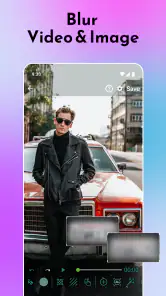
Blur Video and Photo Editor is a versatile app designed to enhance your videos and photos by adding a blur effect to specific areas. This feature is particularly useful for obscuring sensitive information or focusing attention on a particular subject. Ideal for both casual users and professionals, it offers easy-to-use tools that can help make your content stand out on social media or in personal albums.
Pros
- User-friendly interface
- High-quality blur effects
- Supports various formats
- Fast processing speed
- No watermark on outputs
Cons
- Limited free features
- In-app ads can be intrusive
- Requires internet for premium features
- No advanced editing tools
- Occasional crashes
- Category
- Video Players & Editors
- Version
- 4.9.7













