Apps 4 Chromecast & Android TV
- 4.43K
- 4.5
- Installs
- 10.00M
- Price
- Free

Screenshots
Analysis by Reviewed
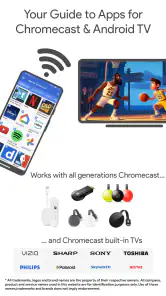
If you're anything like me, you've probably spent more time than you care to admit scrolling through endless menus on your TV, trying to find something worth watching. That's where Apps 4 Chromecast & Android TV comes in handy. This nifty app is like having a personal assistant for your Google Chromecast or Android TV, helping you discover a world of content you might not have known existed.
A useful place to begin
I find this app most useful before I have decided exactly what to watch. If I already know the service or title I want, going straight to that service is quicker. But when I have a little time to explore, a directory focused on Chromecast and Android TV can offer a different starting point from the familiar row of apps on the television itself.
That difference is worth keeping in mind: Apps 4 Chromecast & Android TV helps me discover options, rather than supplying films, music, or games itself. A listing is a lead, not a guarantee that the content will play inside the directory. The destination app may need to be installed, and its own availability and access rules still apply.
Discovering New Content
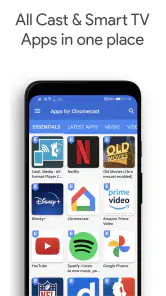
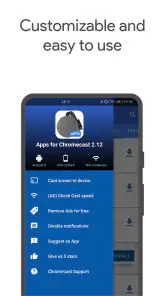
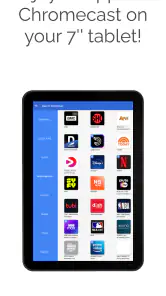
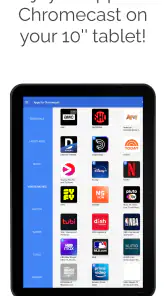
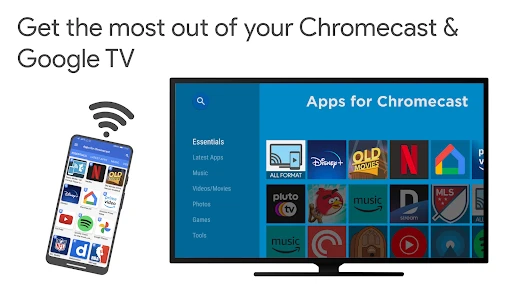
The first thing that struck me about Apps 4 Chromecast & Android TV is its sheer breadth of offerings. Once you've installed it, you're greeted with a user-friendly interface that breaks down content into easy-to-navigate categories. Whether you're into movies, TV shows, music, or even games, this app has got you covered. It's like having a treasure map to all the entertainment you could want.
Useful as a discovery layer
I think of this as a guide to finding apps for a television setup, rather than a service that supplies films or music itself. That distinction matters: discovering an option here does not necessarily mean you can play it inside this app. The destination app or service may still need to be installed, and its own access rules apply. I would use this to broaden my shortlist, then check the individual service before settling in for a movie night.
That workflow is especially handy when friends are over and nobody can agree on what to watch. Instead of searching one familiar streaming app, I can browse by the kind of entertainment we want, note a promising destination, and then open it on the TV. It makes exploration easier, though it cannot remove the separate steps involved in switching apps or checking whether a particular title is available where I live.
The Interface
Let's talk about the interface for a second. It's clean, intuitive, and just downright pleasant to use. You won't find yourself lost in a sea of buttons or obscure menus. Everything is laid out logically, making it easy to find exactly what you're looking for. Plus, the app is regularly updated, so it stays fresh with new content and features.
More From Our News Desk

Weather by Xiaomi Review: Clear at a Glance, Less Clear Up Close

X Under Pressure: Can It Recover When Posting Goes Wrong?

Clash of Clans Is Won Between the Battles

Android Auto Makes the Case for Quieter Car Software

MobiOffice: Transforming Mobile Productivity with Seamless Integration

EA SPORTS FC™ Mobile Soccer: Redefining Mobile Sports Gaming
What to check before you cast
A practical tip is to treat each result as a lead, not a promise that a particular video will cast from every device. Chromecast, Google Cast, and Android TV are related ways to watch on a bigger screen, but the exact route can depend on the app you choose and the equipment you own. I would confirm that the destination service works with my setup before relying on it for a planned screening, especially if guests are waiting.
It also helps to browse with a purpose. If I want background music, I can look for music-focused options instead of opening a succession of video apps; if I want a casual game, I can explore that category separately. This keeps the app useful as a directory without mistaking it for a universal remote, player, or replacement for the services it points toward.
Content Galore
One of the things I love most about this app is how it aggregates content from various sources. It's not just limited to mainstream platforms but also includes a wide array of niche services. This means you get access to a broader spectrum of content, from indie films to lesser-known music tracks. It's like having the world at your fingertips, ready to stream directly to your screen.
Trust, choices, and sensible caution
Apps 4 Chromecast & Android TV is a free app in the News & Magazines category, made by i-Art Cast - Apps for Chromecast & Android TV. It has a 4.5 average from around 65,000 ratings and more than 10 million installs, which suggests that many people use it as a discovery tool. That popularity is useful context, but I would not treat it as a substitute for checking the choices shown on my own device.
When an app helps me find other services, the important privacy moment often comes after I leave it: opening a destination, signing in there, or deciding what to watch. I make those choices separately and read the prompts on the screen instead of assuming that a directory app controls the destination's account or data practices. That is a more cautious way to use any catalogue of entertainment apps.
The app is rated for Everyone, and its current version is 2.23.09, with Android 6.0 as the minimum requirement. Before installing, I would check that the phone or tablet meets that requirement and that my TV setup is the one I intend to use. If I am comparing services, I also keep track of which one I opened, so I do not confuse a listing or recommendation with an account I have created elsewhere.
Making a careful choice in the moment
A useful habit is to separate discovery from commitment. I might browse a few possible services while I have time, then check the destination on the television before creating an account or entering details. That way, I can first see whether the option fits the screen and the evening, rather than signing up simply because an interesting result caught my eye.
This matters most in a shared home. Someone searching for a film may be using a different profile or device from the person who will eventually watch, and a directory result does not settle those account questions. I would treat the app as the first step in finding an option, then make the final choice in the service that will actually play it.
Performance and Compatibility
Performance-wise, the app runs smoothly on both Chromecast and Android TV devices. I didn't experience any lag or buffering issues, which is a huge plus in my book. It's also compatible with a wide range of devices, so you don't have to worry about it not working with your setup. Just download, install, and you're good to go.
Who will get the most from it
I would recommend trying it if you already use Chromecast or Android TV and feel stuck cycling through the same few services. It suits curious viewers, households with different tastes, and people who want to discover music or games as well as films. By contrast, if you already know exactly which streaming service you want, opening that service directly is quicker. It is also not the right choice if you expect one app to play every title, manage subscriptions, or guarantee that each suggestion works on your particular television.
Compared with searching each TV app one by one, a directory gives you a wider starting point. Compared with a dedicated streaming service, it is less direct: you may need to leave the guide and complete the search or playback in another app. I see that as the main trade-off. Its value is variety and discovery, not replacing the apps that actually deliver the entertainment.
A practical evening workflow
Imagine I have a quiet evening, but nobody in the household has picked a film. I can use the catalogue earlier in the day to explore a few directions, perhaps looking beyond the services we open automatically. When it is time to watch, I can choose one promising destination, check it on the TV, and move on quickly if it does not suit the group. The point is not to make every decision inside one app; it is to make the first search less repetitive.
For a household that shares a television, I would avoid treating a recommendation as a final answer. One person might be looking for a film, while another wants music or a game, and the categories make those different intentions easier to approach separately. Still, the person who will use the destination service should make the final choice, especially if it involves an account or a service-specific prompt.
Personal Experience
Now, I have to share a little personal anecdote. The other night, I was in the mood for some classic cinema but wasn't sure where to start. Thanks to Apps 4 Chromecast & Android TV, I stumbled upon a hidden gem from the 60s that I had never heard of before. It was a delightful experience that I wouldn't have had without this app. It really does feel like a personal curator for your entertainment needs.
For an everyday routine, I would browse when I have a few spare minutes, save a couple of ideas in my mind, and then open the relevant service later when I am ready to watch. That small separation is useful: browsing can happen before everyone is seated, while the final choice and any sign-in happen on the device where I plan to play it. If a result leads somewhere inconvenient, I can simply return to the catalogue and try another direction.
Where another option makes more sense
If my main goal is to resume a series, manage a watchlist, or search titles in a service I already pay for, I would use that service directly. It is built around playback and account features, while this app’s strength is pointing me toward possibilities. Likewise, someone who rarely explores beyond a single familiar source may find the extra browsing step unnecessary.
I would also be cautious about using a discovery directory as the only plan for a time-sensitive occasion. Before guests arrive, I would check that the destination app is available on the intended device and that the programme I want is accessible there. That small bit of preparation avoids confusing an appealing suggestion with a confirmed viewing option.
A measured recommendation
My recommendation is cautious but positive. This is a free way to explore options around Chromecast and Android TV, not a magic shortcut around separate apps, compatibility checks, or service-specific decisions. Its usefulness depends on whether you enjoy browsing and are comfortable following a discovery trail. If that sounds like you, it can make your TV setup feel less repetitive; if you prefer a single, familiar place to watch, your usual streaming app may be the better fit.
In conclusion, if you're looking to enhance your Chromecast or Android TV experience, this app is a must-have. It's like having a personal concierge for your entertainment choices, making sure you never run out of things to watch or listen to. So go ahead, give it a try, and prepare to be amazed by the endless possibilities it brings to your living room.
Apps 4 Chromecast & Android TV Frequently Asked Questions
Can I browse Apps 4 Chromecast & Android TV before deciding what to install?
Yes. Apps 4 Chromecast & Android TV is a free app for discovering movies, music, games, and other apps for Chromecast, Google Cast, and Android TV. You can use it to explore options that may suit your TV setup, then decide which apps to install separately. The app is listed for everyone, making it suitable for general audiences.
Does Apps 4 Chromecast & Android TV work with both Chromecast and Android TV?
Yes. Apps 4 Chromecast & Android TV is intended to help users discover apps for Chromecast, Google Cast, and Android TV. It brings compatible options together in one place, so you can browse for something suited to your TV setup. The app helps with discovery; the apps you choose are installed separately and used according to their own features.
What Android version do I need to install Apps 4 Chromecast & Android TV?
The current version of Apps 4 Chromecast & Android TV requires Android 6.0 or later. Before downloading, check the Android version on your device to make sure it meets that requirement. The app is listed as suitable for everyone, and its purpose is to help users find movies, music, games, and other apps for Chromecast and Android TV.
What is Apps 4 Chromecast & Android TV and how does it work?
Apps 4 Chromecast & Android TV is a utility app designed to enhance your Chromecast and Android TV experience by providing a curated list of apps that are fully compatible with these devices. It works by scanning available apps and categorizing them based on their functionality, making it easier for users to find and install apps that can be casted or run smoothly on their TV screens.
Is Apps 4 Chromecast & Android TV free to use?
Yes, Apps 4 Chromecast & Android TV is free to download and use. However, it may contain ads, which help support the developers. Some features might require in-app purchases to unlock premium functionalities, such as ad-free browsing or access to exclusive app recommendations. Users can enjoy the basic features without any cost.
Pros
- Seamless Chromecast integration
- User-friendly interface
- Supports multiple video formats
- Regular updates
- Wide app compatibility
Cons
- Requires stable internet
- Limited free features
- Ads in free version
- Occasional bugs
- No offline mode
- Category
- News & Magazines
- Version
- 2.23.09











