Addons for Minecraft
- 11.93K
- 3.8
- Installs
- 50.00M
- Price
- Free

Screenshots

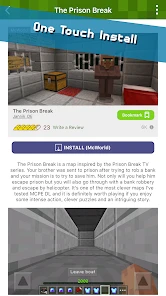
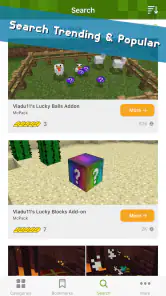

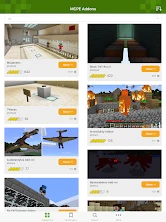
Analysis by Reviewed
I find Addons for Minecraft most useful when I want a quick way to browse community-made extras rather than hunt through scattered recommendations. It is a free entertainment app from Kayen Works, and its focus is on finding add-ons, maps, and minigames for Minecraft. The app itself is a catalog, not a replacement for the game: the value is in discovering something that suits the world I want to play next.
What the app is like to use
For a casual player, the appeal is straightforward. I can look for an idea—such as a new look for a build, a different survival challenge, or a map to explore—and then decide whether it fits my play style. That is a better starting point than downloading random files from unrelated sources, though I still treat each item as something to check before using. A listing can catch my eye, but it does not guarantee that an add-on will work with every Minecraft edition or version.
A practical routine is to choose one add-on at a time, read its description carefully, and try it in a separate test world before adding it to a favorite save. That small precaution matters most for content that changes gameplay: if an unfamiliar mechanic clashes with the way I play, I can walk away without affecting a long-running build. For maps, I first look for the kind of experience I actually want—exploration, a compact challenge, or somewhere new to build—rather than choosing only by an appealing image.
Who will get the most from it
This is a good fit for Minecraft players who enjoy tinkering but do not want to begin with complicated modding workflows. It can also help families find fresh ideas for a shared session, provided an adult checks the content and any installation steps first. The app is rated for Everyone, and its overall audience is broad, but that does not mean every individual add-on will suit every player or every device.
If you mostly want the official Minecraft experience, play on a platform with limited support for external content, or dislike checking compatibility, you may be happier leaving add-ons alone. Players who need a very specific technical mod setup may also prefer a dedicated source designed for their edition. This catalog is most appealing when discovery and variety matter more than fine-grained control over a complex mod collection.
Revamping Your Minecraft Experience
First off, let me just say that Addons for Minecraft are like a breath of fresh air for your gaming sessions. They act as mini-mods, allowing you to tweak and enhance the game without diving into the complexities of full-blown modifications. From adding new creatures to transforming the landscapes, these addons offer a plethora of possibilities.
The Variety is Impressive
The beauty of these addons lies in their diversity. Whether you're looking to introduce mythical beasts into your world or simply want to change the texture of your blocks for a more realistic feel, there's an addon for that. I recently stumbled upon one that added flying dragons, and let me tell you, seeing those majestic creatures soar through the pixelated skies was nothing short of epic.
More From Our News Desk

Weather by Xiaomi Review: Clear at a Glance, Less Clear Up Close

X Under Pressure: Can It Recover When Posting Goes Wrong?

Clash of Clans Is Won Between the Battles

Android Auto Makes the Case for Quieter Car Software

MobiOffice: Transforming Mobile Productivity with Seamless Integration

EA SPORTS FC™ Mobile Soccer: Redefining Mobile Sports Gaming
But it's not just about aesthetics. Some addons are designed to boost gameplay mechanics, making your survival tactics more challenging or your architectural endeavors more rewarding. For instance, there's an addon that revamps the villager trading system, adding more depth and strategy to your interactions. It's these little tweaks that keep the game feeling fresh and exciting.
Installation and Compatibility
Now, you might be wondering about the installation process. Fear not, my friends, because installing addons is a breeze. Most of them come with simple instructions, and within minutes, you can have your game transformed. However, do keep in mind that compatibility can sometimes be an issue. It's always a good idea to double-check if the addon is suitable for your version of Minecraft to avoid any hiccups. Trust me, a quick glance at the compatibility notes can save you from potential headaches.
Moreover, the community around these addons is vibrant and supportive. There are forums and discussion boards where fellow players share tips, troubleshoot issues, and even collaborate on new addon ideas. It's a fantastic way to connect with other Minecraft aficionados and expand your gaming horizons.
Final Thoughts
In conclusion, Addons for Minecraft are a game-changer. They offer a level of customization and creativity that keeps the game endlessly entertaining. Whether you're a seasoned builder or a newbie explorer, there's something for everyone in the addon universe. So, if you haven't tried them yet, what are you waiting for? Dive in, experiment, and let your imagination run wild!
Remember, in the world of Minecraft, the only limit is your creativity. Happy crafting!
A mature catalog, with practical caveats
The app first appeared on November 4, 2016, and its current version is 1.22.14. That history gives it the feel of an established place to browse, but a version number alone does not tell me which specific features changed over time. I would judge it by what I can find today and by whether an individual item’s instructions match my Minecraft setup. Existing users can keep using their usual browsing habits, while newcomers should approach each download as a separate choice rather than assuming the entire catalog works as one package.
Its reach is substantial: it has passed 50 million installs, with an average rating of 3.8 from around 380,000 ratings and roughly 12,000 written reviews. I take that as evidence that many players use it, not as a guarantee that every listing is equally useful or that every installation will be effortless. The app is free to start, with optional in-app purchases ranging from $0.99 to $8.99 per item. I would browse first and spend only if a paid item clearly matches what I want.
Make each download a small experiment
One useful habit is to keep a short note of the add-on’s name and the Minecraft version you tested it with. If something behaves unexpectedly after you install another item, that makes it easier to identify what changed instead of removing everything at once. I also avoid stacking several gameplay-changing add-ons on a world I care about; testing them separately helps reveal whether a conflict comes from one item or from the combination.
For an everyday example, imagine having a little free time after school or work and wanting to play with friends that evening. I would browse for a map or minigame that fits the group’s mood, check its setup details, and test it before inviting everyone into the session. That is more reliable than choosing a dramatic-looking add-on at the last minute and discovering that the world or installation process does not match the group’s setup.
Choosing it over other ways to find content
Compared with searching the web one result at a time, a dedicated catalog can make browsing feel more organized and keep the discovery process centered on Minecraft content. Compared with a specialist mod platform, though, it may be less suitable for players who need detailed version management or a carefully coordinated collection. I see this app as a convenient discovery route, not a universal compatibility checker or a substitute for reading item-specific instructions.
For younger players, the Everyone rating makes the app broadly accessible, but I would still review the particular content and purchase choices with them. Android 7.0 is the minimum operating-system requirement, which makes it relevant to a range of Android devices; whether a specific Minecraft item works remains a separate question. Those small checks help set sensible expectations and make the app easier to enjoy without turning every download into guesswork.
What I would keep an eye on
Kayen Works has built an app with a clear purpose, and its large audience suggests that browsing Minecraft extras is useful to many players. My main reservation is the gap between finding something appealing and knowing it will fit a particular edition, version, device, and world. I would like to see clear, easy-to-compare compatibility guidance remain central to the experience, because that is what helps a discovery app become practical rather than merely tempting.
Overall, I would recommend it to players who enjoy trying new maps and small changes without wanting a technical project. I would skip it if I only play vanilla Minecraft, or if I need tightly managed modpacks and guaranteed compatibility. Used selectively—with a test world, careful reading, and a little patience—this catalog can provide a handy source of fresh ideas while leaving the final decision in the player’s hands.
Fit the browsing session to the time you have
I get the best results when I decide what I want before opening the catalog. If I have only a short session, I look for one self-contained map or minigame rather than a sweeping change to an ongoing survival world. If I am planning a longer weekend build, a visual add-on may be worth considering because it can influence the whole project. This simple distinction keeps browsing from turning into a pile of downloads I never actually try.
It also helps to separate “interesting” from “right for this world.” An add-on that sounds fun in a fresh survival run may be a poor match for a carefully built creative world. I treat a new item like a change to the rules of a particular save: first ask what it will add, then whether that addition matters in the world where I plan to use it. For maps, I consider whether I want a solo activity or something suitable to share, and I check the setup details before making plans around it.
Small checks that prevent avoidable frustration
Before installing, I make sure I can identify the item again and understand its stated requirements. I keep a copy of the original world untouched, and I avoid making several changes between tests. That way, if the result is different from what I expected, I have a straightforward way to return to the previous setup. These habits are more useful than assuming that a popular-looking listing will be trouble-free.
Another practical trade-off is time: browsing is part of the fun, but comparing lots of options can take longer than playing. I set a limit for myself—one clear goal, a small shortlist, then a decision. That works especially well for families or groups, where everyone may have a different idea of what sounds entertaining. Agreeing on a map or minigame before the session avoids spending the shared time scrolling through choices.
What to expect from a catalog, not a mod manager
The distinction matters if you are choosing between this app and a more technical tool. A catalog is useful for inspiration and approachable discovery; a mod manager is generally the better fit when you need to organize a coordinated setup and control versions closely. I would not choose this app expecting it to solve every compatibility question or manage a complicated collection on my behalf. Its strongest role is helping me find a promising direction, after which I still need to make a careful choice.
That also answers a common practical concern: finding an item here does not make it automatically suitable for every Minecraft installation. I check the item’s own instructions and compare them with the edition and version I use. If that information is unclear, I would rather skip it than risk disrupting a world I value. The catalog is most useful when I am comfortable doing that last bit of checking myself.
Who should pass, and what may change the decision
I would pass if I rarely tire of standard Minecraft, if I cannot test content separately, or if my main goal is a tightly curated technical modpack. I would also be cautious about using it as a last-minute fix for a group session: external content can involve setup steps, and everyone needs a compatible way to join. For a player who enjoys browsing, experimenting, and accepting that some choices will not be a perfect fit, the trade-off is much more reasonable.
The app has been around since November 4, 2016, and version 1.22.14 is the current release identified here. That gives existing users a concrete point of reference, but it does not by itself prove which changes arrived between versions. When considering an update or a newly found item, I focus on what is currently described and on whether its instructions suit my setup, rather than assuming a release number means a specific improvement.
For me, the main thing to watch is whether compatibility information stays easy to spot and specific enough to act on. That is the detail that turns an entertaining browse into a dependable plan. If the catalog helps me discover a map or add-on and I can verify its fit before committing, it earns a place in my routine; if I need precise version control or guaranteed consistency, I would choose a more specialized route instead.
Addons for Minecraft Frequently Asked Questions
Can I browse add-ons before deciding what to download?
Yes. Addons for Minecraft is an entertainment app for discovering Minecraft add-ons, maps, and minigames, so you can explore the available content before choosing something to use. Take a moment to read each item’s description and compatibility notes, since the content is intended for use with Minecraft rather than as a separate game. That can help you find something that suits the way you like to play.
Will Addons for Minecraft work on my device?
The app supports Android devices running version 7.0 or later. Before downloading, check that your device meets this requirement and that you have Minecraft available to use any content you select. Individual add-ons may have their own compatibility requirements, so it is worth checking an item’s details as well. The app is free to download, with some optional purchases available inside it.
Do I need Minecraft installed to use Addons for Minecraft?
Yes. Addons for Minecraft is a companion app for finding content to use in Minecraft, rather than a standalone game. You’ll need access to Minecraft to make use of downloaded add-ons, maps, skins, or textures. Before choosing an item, check its details and follow the installation guidance shown in the app so you know how it is intended to work with your game.
What is Addons for Minecraft and how does it work?
Addons for Minecraft is an app designed to enhance and modify your Minecraft gameplay experience by providing a variety of add-ons, including skins, maps, and textures. Users can easily download and install these modifications directly into their game, allowing for a customized and unique playing experience. This app simplifies the process of finding and adding new content to your game without any programming knowledge.
Is Addons for Minecraft free to use?
Addons for Minecraft offers both free and premium content. While users can access a wide range of add-ons without any cost, there are certain premium options available for purchase within the app. These premium add-ons typically offer exclusive content or enhanced features that are not available in the free versions. Users should check the app for specific pricing and availability. In-app purchases range from $0.99 to $8.99 per item, so review the price shown before buying.
Pros
- Enhances gameplay with unique features.
- Regularly updated with new content.
- Supports multiple Minecraft versions.
- User-friendly interface for easy navigation.
- High-quality graphics and textures.
Cons
- Some addons may cause game lag.
- Requires frequent updates to function.
- Not all addons are free to use.
- Compatibility issues on certain devices.
- Can be resource-intensive.
- Category
- Entertainment
- Version
- 1.22.14











