Spades
- 15.22K
- 4.7
- Installs
- 1.00M
- Price
- Free

Screenshots





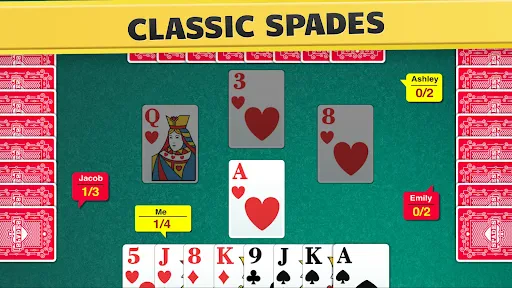
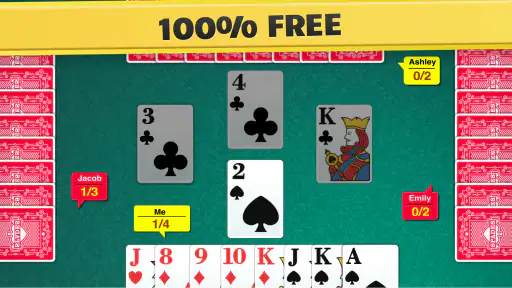
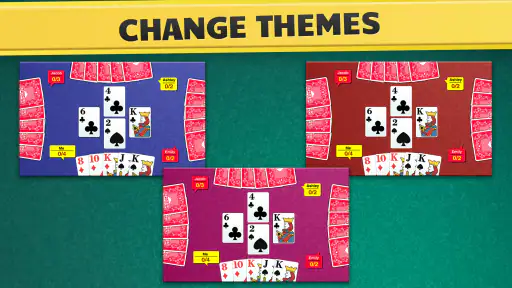
Analysis by Reviewed
Hey there, card game enthusiasts! If you're a fan of traditional card games and are looking for a way to enjoy them on your mobile device, then you might want to check out Spades. Yep, the classic card game we all know and love is now available in app form, bringing all the fun and strategy right to your fingertips.
For a first visit, I’d treat it as a chance to settle into the familiar rhythm of trick-taking rather than expect a long tutorial to do the work for you. If you already know the basics, you can focus on reading the table; if you’re new, take each hand slowly and notice how your choices affect what you can play later. The most useful early goal is not to win every trick, but to understand how the round develops.
Getting Started with Spades
The Spades app is available on both Android and iOS platforms, making it super accessible no matter what device you’re using. Once you’ve downloaded and installed the app, you’re greeted with a clean and intuitive interface that makes it easy to jump right into the action. Whether you’re a seasoned Spades player or a newcomer to the game, the app provides a seamless experience that’s easy to navigate.
This is a free card game from FIOGONIA LIMITED, with optional in-app purchases priced from $4.99 to $49.99 per item. It is rated for Everyone, and the current version is 1.5.3, with Android 7.0 as the minimum OS. Its 4.7 average from around 44,000 ratings and over 1 million installs suggest that it has found a substantial audience, though popularity alone won’t tell you whether its play style suits you.
Before your first match, give yourself a moment to look over the controls and the available choices rather than tapping through quickly. That small pause makes it easier to spot how the game is arranged and decide whether you want a relaxed solo session or a more social one. If you are playing on a phone during a short break, keep the screen comfortable to read and avoid rushing decisions just to finish a hand.
Making the First Hand Count
If you are new to Spades, the first useful question is not “How do I win this hand?” but “What am I promising with my bid?” A bid gives you a target for the tricks you expect to take, so it helps to make a considered estimate rather than treat bidding as a guess. Look at the strength and shape of your hand, and remember that a card that seems powerful in isolation may be less useful if the rest of your hand does not support it.
Once play begins, pay attention to which suits have already appeared and whether a player can follow the suit led. This is a practical way to begin reading the table without trying to memorize every card. I find it especially helpful to track one suit at a time: it reduces the mental load and can make your next choice clearer. If you lose a trick you expected to take, treat that as information about the hand rather than proof that your whole plan was wrong.
More From Our News Desk

Weather by Xiaomi Review: Clear at a Glance, Less Clear Up Close

X Under Pressure: Can It Recover When Posting Goes Wrong?

Clash of Clans Is Won Between the Battles

Android Auto Makes the Case for Quieter Car Software

MobiOffice: Transforming Mobile Productivity with Seamless Integration

EA SPORTS FC™ Mobile Soccer: Redefining Mobile Sports Gaming
A good first success can be modest: make a thoughtful bid, follow the plays carefully, and finish the round understanding why the result differed from your expectation. That habit transfers better than chasing a quick win. Spades rewards attention to timing as well as card strength, and the app’s digital format lets you focus on those decisions without managing a physical deck.
Game Modes and Features
One of the coolest things about this app is the variety of game modes it offers. You can play solo against AI opponents, or if you’re feeling competitive, you can dive into multiplayer matches against players from around the world. The app even supports custom game settings, allowing you to tweak rules and scoring to your liking.
Solo play is a sensible place to get your bearings because it lets you concentrate on the cards without also worrying about keeping up a conversation. A practical first success is to make one deliberate bid, then watch how the hand unfolds and compare the result with what you expected. I find that approach more useful than changing several settings at once: when a round surprises you, you can identify which decision mattered.
Custom settings can be helpful when you are bringing a familiar house preference to the table, but they also create a trade-off. A match with adjusted rules may feel comfortable to your group while being less comparable to a standard game, so I’d keep the settings simple when learning and experiment only after you understand the default flow. If you are playing with friends, agree on the rules before starting rather than assuming everyone means the same thing by a familiar variation.
The multiplayer mode is where the app truly shines. It’s a thrill to pit your skills against other players, and the matchmaking system does a decent job of pairing you with opponents of similar skill levels. There’s also a chat feature, so you can engage in some friendly banter or strategize with your partner if you’re playing in teams.
Online play suits someone who enjoys adapting to different people, but it is not the best first step if you are still unsure about bidding or card order. I’d use solo rounds to build confidence, then move to multiplayer when you can make decisions without stopping to rethink every play. Chat can add personality, yet it can also distract from the hand; if your priority is concentration, keep your attention on the cards and treat conversation as optional rather than essential.
Choosing Between Solo and Online Play
The choice between solo and multiplayer is less about which mode is universally better and more about what you want from a particular session. If you have only a brief pause and want to practice without social pressure, playing against the AI gives you room to think through a bid and follow the hand. If the challenge of reacting to people appeals to you, online play brings more variety in how opponents approach their cards.
For a first online match, I’d keep the goal simple: make decisions at a steady pace and notice how other players handle the same kind of situation. Don’t judge your ability from one result, since an individual hand can turn on cards you cannot control. If the pace or chat makes it harder to concentrate, return to solo play for a while; moving between modes is useful precisely because practice and competition ask for different kinds of attention.
One small but worthwhile habit is to pause before a consequential play and ask what information you have actually seen. It is easy to assume an opponent is holding a particular card when the hand has not established that. Sticking to visible clues—what has been led, followed, or played—keeps your reasoning grounded and makes it easier to learn from each round.
Visuals and User Experience
The visuals in the Spades app are crisp and vibrant, with a user-friendly design that makes it easy to focus on the game. The cards are easy to read, and the animations are smooth, which keeps the gameplay experience enjoyable and frustration-free. Plus, the app doesn’t bombard you with ads, which is always a huge plus in my book!
For a realistic everyday use, this works well as a short commute or waiting-room game: play a hand when you have a few spare minutes, or choose a longer session when you have time to settle in. The game is built around individual rounds, so it is easy to return to the central challenge of following the play rather than needing a complicated setup. Still, if you want a purely offline pastime, check the play option you choose before relying on it; the game offers online and offline play, but multiplayer naturally depends on playing with other people.
Compared with a physical deck, the app removes the effort of finding players and handling cards, and it can provide a quick solo option. A tabletop game is still better when you want face-to-face conversation, complete control over house rules, or the feel of playing around a real table. Compared with other mobile card games, the main reason to choose this one is specifically wanting Spades; if you want a broad collection of unrelated card games, a multi-game app may suit you better.
Where the Mobile Format Helps—and Where It Doesn’t
The biggest convenience is that a phone can turn a few spare minutes into a chance to play without arranging a table or finding a deck. That makes this a natural fit for someone who already likes Spades but does not always have a partner nearby. Offline play can also be useful when you want to keep a session self-contained, while multiplayer is the option to choose when interaction is part of the appeal.
There is a trade-off in that convenience. A digital opponent or online table cannot replace the relaxed back-and-forth of friends sitting together, and the app cannot reproduce the small social rituals of dealing and discussing house rules. If your main reason for playing is spending time with people in person, a physical deck is the better choice. If your main reason is getting a hand of Spades whenever you have a moment, the app is more practical.
It is also worth separating “offline” from “social.” Offline play is useful for private practice and situations where you would rather not depend on an online opponent, but it will not give you the same unpredictable human decisions as multiplayer. I’d choose the mode to match the purpose of the session instead of expecting one option to provide both uninterrupted practice and a live social game.
Who Will Enjoy It, and Where It Can Frustrate
I’d recommend it to people who already enjoy Spades, want a convenient way to practice, or are curious about learning a classic partnership card game. It is also a reasonable choice for someone who wants to move between solitary practice and online opponents. I would skip it if you dislike trick-taking, prefer games with little decision-making, or mainly want a social experience that happens in person.
One limitation of digital play is that the app handles the table for you, so you do not get the same practice reading physical gestures, dealing cards, or negotiating house rules with friends. Online opponents can also play differently from the people you know, which makes flexibility valuable. To improve without turning every session into homework, focus on one habit at a time: notice what has already been played, then use that information when making your next choice.
The game is free to download, but optional purchases mean it is worth checking the purchase prompt carefully if you are trying to avoid spending. You can enjoy the basic appeal of a card game without treating an in-app offer as part of the first setup. I also wouldn’t choose it on the assumption that every session will feel equally calm: a solo round is easier to control than a competitive online match.
How to Keep a Session Comfortable
Spades asks for more thought than a quick matching game, so it is best enjoyed when you can spare enough attention to follow the cards. On a noisy commute or while juggling other tasks, a complicated hand may be harder to enjoy; a quieter break is a better time to practice bidding or try a competitive match. For a short session, focus on one round and one learning goal rather than trying to improve every part of your play at once.
If you are playing with a friend, decide whether you want a casual game or a chance to compare strategy before choosing settings. That simple conversation can prevent confusion when familiar players expect different rules. When you are playing alone, leave settings near the default until the flow feels natural. After that, adjusting a rule at a time makes it easier to understand what changed and whether you actually prefer it.
For anyone concerned about spending, the important distinction is that the game is free to download while optional purchases are available. I’d treat any purchase prompt as a separate decision, not as something required to learn the card game. That makes it easier to try a few sessions first and decide whether the app fits your routine before paying for anything.
Final Thoughts
All in all, the Spades app is a fantastic way to enjoy a classic card game on the go. With its range of game modes, sleek visuals, and engaging multiplayer experience, it’s definitely worth a download for any card game enthusiast. So, if you’re ready to test your strategic skills and have some fun, give this app a try—you won’t be disappointed!
My clearest advice for a newcomer is to begin with a simple solo session, learn the pace of a hand, and then try online play once you feel ready to make decisions more confidently. With a release dating back to September 17, 2018, it has had time to establish itself as a familiar mobile option for Spades fans. I’d choose it for accessible practice and quick games, while keeping a physical deck or a broader card collection in mind if those better match what I’m looking for.
For a first meaningful session, I’d start by learning the basic flow, place a considered bid, and follow what has already been played rather than aiming for a perfect result. If the interface feels comfortable and you enjoy the decisions each hand creates, keep practicing solo before testing yourself against online players. That path gives a new player a manageable way in without pretending that a single round will teach everything the game has to offer.
My recommendation is strongest for people who specifically want Spades on a phone: it offers a way to practice alone, then switch to human opponents when they want a livelier challenge. Someone looking for a large library of different card games, a quiet game with almost no strategic choices, or the warmth of a group around a table should choose something else. For everyone else, this is an approachable place to pick up the rhythm, make a few mistakes, and get better one hand at a time.
Spades Frequently Asked Questions
Is Spades suitable for beginners, and what kind of game is it?
Spades is a classic card game centered on bidding and winning tricks, so it may take a little practice if you are new to trick-taking games. The app is listed for Everyone and is described as a way to play the classic game online or offline. Learning the bidding and how spades work as trump cards is a good place to start.
Who makes Spades, and is my device compatible?
Spades is made by FIOGONIA LIMITED. It is a card game for Android devices running version 7.0 or later, and it is also available for iOS. The current version is 1.5.3, and the game was released on September 17, 2018. Before downloading, check that your device meets the minimum operating-system requirement so the game can run properly.
What is the main objective of the Spades game?
The primary goal in Spades is to accurately predict the number of tricks you can win in a hand. Players partner up and bid on how many tricks they believe they can take. The team must win at least the number of tricks they bid to avoid penalties, with the spade suit acting as the trump card.
Can I play Spades solo or do I need a partner?
Spades is traditionally played with four players in fixed partnerships, but many apps offer solo play against AI or online multiplayer options. Look for apps that provide flexibility in gaming modes, allowing you to enjoy the game whether you have partners available or prefer playing alone.
Does the Spades app require an internet connection to play?
While some Spades apps offer offline modes where you can play against AI opponents, others may require an internet connection for multiplayer features. It's important to check the app's specifications to ensure it meets your connectivity needs, especially if you plan on playing while traveling or without access to Wi-Fi.
Pros
- Intuitive user interface
- Smooth gameplay experience
- Low data consumption
- Multiplayer mode available
- Customizable game settings
Cons
- Occasional in-game ads
- Requires internet connection
- Limited offline features
- No tutorial for beginners
- In-app purchases necessary for extras
- Category
- Card
- Version
- 1.5.3