Rummy 500 - Card Game
- 1.96K
- 4.6
- Installs
- 1.00M
- Price
- Free

Screenshots

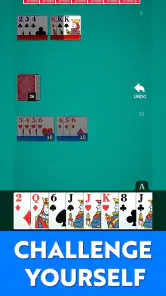
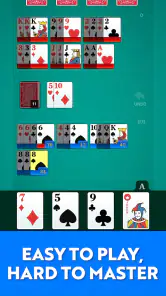


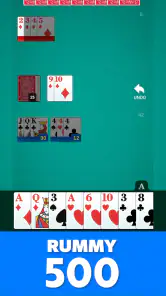


Analysis by Reviewed
What I would check first with Rummy 500 is whether I want a thoughtful card game or something I can play without paying attention. The familiar format is easy to recognize, and the large cards make it comfortable to read, but a hand still asks me to remember what I have seen and think about what a discard could mean. That mix makes it a pleasant fit for a quiet break, not an ideal choice when I expect to be interrupted every few seconds.
That distinction matters when deciding whether to install it. A newcomer can learn by taking a few hands at an unhurried pace, while someone who already enjoys Rummy 500 can settle into the decisions quickly. If I want a live opponent, a changing set of game modes, or action that barely requires concentration, I would look elsewhere. Here, the appeal is a focused card game played against smart AI, with a clean presentation rather than a lot of surrounding activity.
I like card games that make it easy to settle into a hand without turning every spare moment into a project. Rummy 500 is a straightforward mobile take on the familiar card game, and its large cards and uncluttered presentation suit relaxed play. The main appeal is not a pile of extras; it is being able to focus on the cards, remember what has been played, and decide whether to draw or take a discard.
That simplicity has a practical catch: Rummy 500 rewards attention. A move that looks convenient can leave a useful card available to your opponent, while holding too many cards can make it harder to keep track of your plan. I would recommend it to someone who already enjoys rummy or wants a calm, turn-based card game to learn. If you mainly want fast action, competitive online play, or lots of modes to explore, this may feel too focused.
Getting comfortable with a familiar card game
I find the best way to settle into a familiar card game is to give myself a few turns to learn its rhythm, rather than trying to make every move perfectly. In this section, I’ll look at the small choices that make a hand easier to follow and the kinds of moments when this focused format works well. That also helps clarify what to check before making it part of a regular routine.
Where a first game can feel confusing
Rummy 500 is a card game rather than a reflex challenge, so the early friction is usually about understanding the choices in front of you. You draw, work toward useful combinations, and pay attention to the discard pile. If you are new to this style of rummy, it can take a few hands to see why taking a particular discard matters or why a card you do not need may still be worth keeping briefly.
The large cards help with the basic task of reading your hand, especially on a smaller phone screen. That matters more than it sounds: when suits and ranks are easy to distinguish, I can spend attention on planning rather than repeatedly checking what I am holding. The clean layout also makes the game less visually demanding than card apps that surround the table with extra decoration or competing panels.
More From Our News Desk

Weather by Xiaomi Review: Clear at a Glance, Less Clear Up Close

X Under Pressure: Can It Recover When Posting Goes Wrong?

Clash of Clans Is Won Between the Battles

Android Auto Makes the Case for Quieter Car Software

MobiOffice: Transforming Mobile Productivity with Seamless Integration

EA SPORTS FC™ Mobile Soccer: Redefining Mobile Sports Gaming
Still, a clear screen cannot teach every strategic idea at once. My practical advice is to play a few hands without trying to optimize every decision. Notice which cards are being discarded, and consider whether picking one up gives you a useful combination or simply adds another card to manage. That small habit makes the game easier to follow and helps explain why a seemingly harmless discard can matter.
Setup checks before you settle in
The game is free to download, and it is published by FIOGONIA LIMITED. It is listed for Everyone and requires Android 7.0 or later. Before installing, I would check the Android version on the device you plan to use; an older phone may be the reason the install option is unavailable, rather than a problem with the game itself.
The current version is 1.1.4. If you already have it installed and something seems off, first check whether an update is available through the store you used. Keeping the app current is a sensible first step for general stability, though it does not guarantee that every issue will disappear. I would also make sure the device has enough free storage for an app update and can complete downloads normally.
There are optional in-app purchases, with items priced from $4.99 to $29.99. That does not change the fact that the game is free to start, but it is useful to know before handing a device to a child or approving purchases on a shared account. If you want to avoid accidental spending, review the purchase controls on the device before playing. The age classification is Everyone, but purchase settings are still worth treating separately.
How I would approach the first few hands
I would begin by learning the pace of the game rather than chasing a perfect score. Keep the hand visible, pause before taking a discard, and ask whether the card advances a combination you can actually use. This is a simple way to avoid collecting cards just because they look promising in isolation. It also gives you a better feel for the balance between building your own hand and noticing what may help the other player.
A useful everyday scenario is a short break between errands. You can play a hand while waiting, but it is better to start when you have enough time to follow the turns rather than while distracted by messages or a queue moving around you. Rummy asks for a little memory: if you stop paying attention to the discard pile, you may miss a useful clue about what to hold or avoid. The game is relaxed, but it is not quite a background activity.
For a new player, I would focus on one question each turn: does this draw improve my options enough to justify keeping the card? That keeps decisions manageable. As you become more comfortable, you can pay closer attention to what is being discarded and how quickly your own hand is growing. The trade-off is that careful play can make a hand feel slower, especially if you prefer games where every turn is an immediate, obvious move.
Recovering when a session goes sideways
If a hand starts to feel messy, I would not try to rescue every card at once. Recheck the combinations you are actually building, then let go of cards that no longer support them. This is not a hidden feature or a shortcut; it is a practical way to reduce the mental clutter that comes from changing plans repeatedly. Large cards make that review easier because you can scan the hand without squinting.
If the app appears unresponsive, use ordinary troubleshooting before assuming the game is at fault: give the current action a moment to complete, close and reopen the app if needed, and check whether the device itself is responding normally. If the problem returns, confirm that the app and operating system are up to date and that the device is not running critically low on storage. These checks are useful for many mobile apps, but they should not be mistaken for a guarantee about a particular fault.
When you lose track of a hand after being interrupted, take a moment to inspect your current cards and the visible discards before making the next move. Rushing to continue from memory is more likely to produce a poor decision than taking a few seconds to reorient yourself. I find this especially helpful on a phone, where a notification can pull attention away at exactly the wrong point in a turn.
When the app may not be the cause
Not every inconvenience points to a defect in the game. A device that is slow across several apps, an unstable connection affecting other services, or an operating system below the stated minimum can all make an install or session feel unreliable. Checking whether other apps behave normally is a quick way to separate a general device issue from something specific to this card game.
Likewise, if the cards are hard to read, the first question is whether the screen brightness, display size, or device accessibility settings are making the whole phone difficult to use. The game’s large-card presentation is helpful, but it cannot compensate for every display condition. If you regularly struggle to distinguish cards on your device, a tablet or a game with a layout better suited to your screen may be a more comfortable choice.
It is also worth distinguishing a strategic loss from a technical problem. Rummy involves uncertain draws and choices that can help or hinder your hand; a run of awkward cards does not by itself mean the game has malfunctioned. I would judge the app by whether the controls and card information remain clear, not by whether every hand goes my way.
How it compares with other card-game choices
Against solitaire-style games, Rummy 500 asks for more attention to combinations and discards, so it feels less like a quiet sorting exercise. Compared with broad card-game collections, its narrower focus is a benefit if you came specifically for this kind of rummy, but a limitation if you want to jump between different games in one app. It is also a different fit from fast multiplayer card titles: this version’s appeal is a clean, considered game rather than a busy social or competitive experience.
The smart AI is part of the game’s appeal for someone who wants a playable opponent without needing to arrange a game with another person. It makes the app useful when you have a few minutes alone, though players who want live human opponents should look for an option that clearly centers on online multiplayer. I would not choose this solely for social interaction; I would choose it for accessible solo card play and the chance to improve at reading a hand.
Its audience is fairly easy to identify. Existing Rummy 500 fans can get to the familiar decisions without learning an unrelated game, while newcomers have a straightforward place to practice. On the other hand, someone who wants elaborate progression, a large variety of modes, or constant visual stimulation may find the focused format plain. That is a matter of preference, but it is worth deciding before you install.
What the audience numbers suggest—and what they do not
The game has a 4.6 average from around 10,000 ratings, with roughly 2,000 written reviews and over 1 million installs. That points to a sizable audience for this particular style of mobile rummy, but popularity is not a substitute for fit. The useful question is whether you want a clear, focused card table or a more feature-packed game.
For me, the strongest reason to try it is the combination of readable cards and a familiar format that does not demand quick reactions. Its main weakness is the same focus that keeps the screen simple: if you want a wider range of activities or a social multiplayer routine, you may soon want another app alongside it. The purchase options are another reason to check device controls in advance if you prefer a completely spend-free experience.
A practical verdict for everyday play
I would install Rummy 500 if I wanted a free card game for short solo sessions, especially if I already knew the rules or was willing to learn through a few hands. It is best when I can give the discard pile and my own hand steady attention, rather than tapping through turns while distracted. The clean presentation and large cards make the core decisions approachable without removing the need to think.
My recommendation is to try it for the focused Rummy 500 experience, not for features it is not built around. It suits casual players, returning fans, and anyone who wants a measured game against smart AI. I would skip it in favor of a broader collection or a social card app if variety and live interaction are the priority. With that expectation set, this is an easy game to pick up for a quiet break—and one that rewards noticing what is happening on the table.
Rummy 500 - Card Game Frequently Asked Questions
What is Rummy 500 – Card Game?
Rummy 500 is a digital version of the classic card game in which players form sets and runs, then lay them down to score points. Unlike some rummy variations, cards can often be added to combinations already on the table, and the game may end when a player reaches the target score or the deck runs out. Rules and scoring can vary by app, so check the in-game instructions before your first match.
How do you play Rummy 500?
On each turn, you generally draw a card from the stock or discard pile, optionally lay down valid combinations or add cards to existing ones, and then discard a card. Sets usually contain cards of the same rank, while runs contain consecutive cards of the same suit. The goal is to score points from cards you play and avoid being left with high-value cards when a hand ends. The app’s tutorial or rules screen should clarify its specific scoring and turn rules.
Can I play Rummy 500 offline, or do I need an internet connection?
That depends on the particular Rummy 500 app and the mode you choose. A version with computer-controlled opponents may offer offline play, while online multiplayer, account features, rankings, or social functions typically require a connection. Some apps also need internet access to display ads or synchronize progress. Before downloading, review the store listing and the game’s settings, and try a practice match to see which features remain available offline.
Is Rummy 500 free to download, and does it include ads or in-app purchases?
Many mobile Rummy 500 games are free to install, but the exact business model varies between developers. A free version may show advertisements, offer optional purchases, or sell coins and other items used within the game. These extras are not necessarily required to learn or play, though some apps may limit certain modes or provide an ad-free option for a fee. Check the app-store listing for current pricing and purchase details before installing.
Is Rummy 500 suitable for beginners, and what should I check before downloading?
Rummy 500 is approachable once you understand how sets, runs, drawing, discarding, and scoring work, and a computer-opponent mode can provide a low-pressure way to practice. However, the app may use different house rules, so read its instructions rather than assuming every version plays identically. Before downloading, check device compatibility, recent reviews, privacy information, required permissions, available languages, and whether the game includes online features or optional purchases.
Pros
- Easy-to-learn rules make it approachable for casual card-game fans.
- Helpful hints can guide players through tricky turns.
- Adjustable difficulty offers a challenge for different skill levels.
- Quick rounds fit well into short breaks.
- Offline play is useful when you don't have an internet connection.
Cons
- Computer opponents may feel predictable after repeated games.
- Ads can interrupt the flow of play.
- The interface may take time to navigate on smaller screens.
- Scoring rules can differ from the version some players know.
- Limited multiplayer options may disappoint those seeking online matches.
- Category
- Card
- Version
- 1.1.4