Sago Mini World: Kids Games
- 3.28K
- 3.8
- Installs
- 10.00M
- Price
- Free

Screenshots
Analysis by Reviewed
Choosing an app for a young child is partly about play and partly about knowing what you’re agreeing to. Sago Mini World: Kids Games is a free educational game from Play Piknik for children aged 2–6, with an Everyone content rating. It has a 3.7 average from around 43,000 ratings and more than 10 million installs, so it has reached many families, though those figures alone can’t tell you whether its style will suit your child. I’d think of it as a collection of playful digital activities rather than a traditional game with a single goal.
Start with the purchase choice
The practical question for a parent is not just whether the app can be installed for free, but what kind of access you want after trying it. In-app purchases range from $0.99 to $99.99 per item, so I’d review the current purchase options on the device before a child starts exploring. Set purchase protections first, and make a decision about spending when you are not in the middle of a busy moment. The game is at version 8.1 and was released on September 10, 2018.
That range makes it especially useful to separate “free to try” from “free to keep using in the way we want.” I wouldn’t treat an initial download as proof that every activity is included at no cost. If you are comfortable considering purchases, the free install can help you judge whether the style suits your household before you decide. If you want a children’s app with a firm, one-time price and no further purchase choices to review, a paid app with a clearly defined purchase model may be less work.
Exploring the Mini Universe
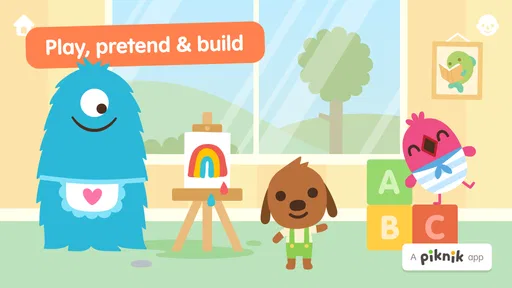
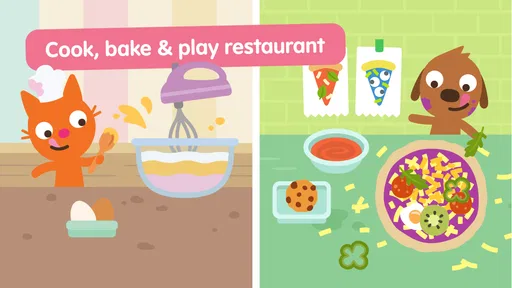
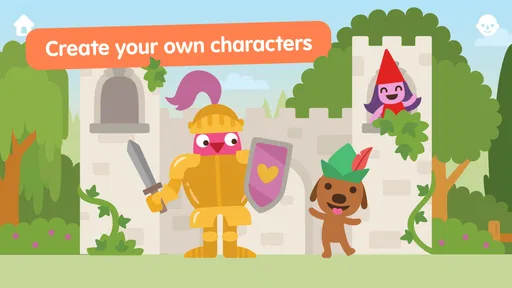
From the moment we downloaded Sago Mini World: Kids Games, it was like opening a treasure chest packed with vibrant worlds and adorable characters. The app features over 30 mini-games ranging from space exploration to building your dream house. Each game is designed to stimulate young minds, encouraging them to think, create, and imagine. I was particularly impressed with how each game has a unique educational twist, subtly integrating learning into playtime.
Why Kids Love It
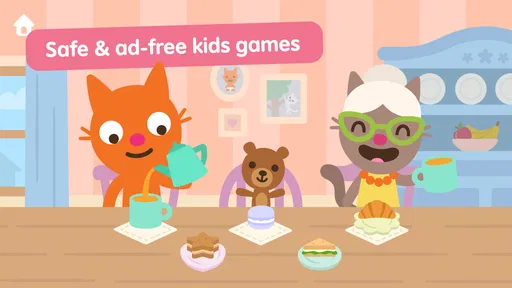
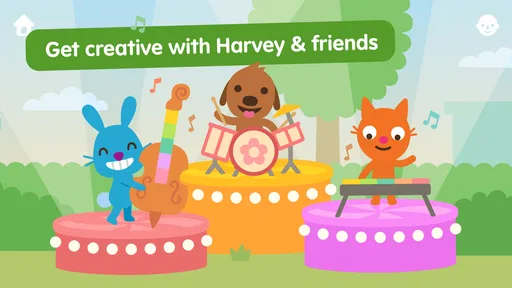
First off, the characters are absolutely charming. I mean, who wouldn’t enjoy hanging out with Harvey the dog or Jinja the cat? These friendly faces guide children through each game, making the experience feel personal and engaging. The graphics are colorful and inviting, keeping kids glued to the screen in the best way possible. Plus, the games are intuitive enough for kids to navigate on their own, which gives parents a much-needed break.
For a practical routine, I’d offer it as a short activity while dinner is being prepared or during a quiet stretch at home, then let the child choose where to explore rather than steering every tap. That small choice can make the play feel like theirs. It’s also worth trying the app together first: a grown-up can see which activities hold a child’s attention and help them move between play ideas without turning the session into a lesson.
What a session can look like
One realistic use is a short wait at an appointment: I’d open the app before the child gets restless, let them choose an activity, and stay close enough to help if they need it. The point is not to keep a child occupied for a long stretch, but to offer a contained chance to play while plans are on hold. At home, the same approach can work after a tiring day when a child wants to make choices but may not have the energy for a complicated craft or a new physical game.
More From Our News Desk

Weather by Xiaomi Review: Clear at a Glance, Less Clear Up Close

X Under Pressure: Can It Recover When Posting Goes Wrong?

Clash of Clans Is Won Between the Battles

Android Auto Makes the Case for Quieter Car Software

MobiOffice: Transforming Mobile Productivity with Seamless Integration

EA SPORTS FC™ Mobile Soccer: Redefining Mobile Sports Gaming
I’d also use the first session as a quiet observation rather than a test. Notice whether your child enjoys revisiting a familiar activity, moving between different play ideas, or having you join in. That tells you more about fit than simply asking whether they liked the app. If they repeatedly want an adult to explain what to do, that is useful information: this game may work best as shared play for them, even if another child the same age can explore more independently.
Parental Peace of Mind
Now, let's talk about the stuff that matters to us parents. Sago Mini World is ad-free, which means no nasty surprises or inappropriate content popping up. This is huge because, honestly, who needs the added stress? The app also offers a subscription model that unlocks all the games, and the best part is, it’s affordable. You pay once, and voila, your kids have access to an expansive library of creativity-boosting games.
That subscription wording deserves a careful look alongside the confirmed purchase range: I wouldn’t assume every family gets the same access for the same total cost. Before subscribing or approving an item, check the current in-app purchase terms and confirm what the payment covers. If you prefer apps with a single, clearly bounded upfront cost, a one-time-purchase game may be a better fit. If you are comfortable reviewing the purchase options, the free install gives you a way to assess the general feel before deciding whether to spend.
For a household with more than one child, I’d make the purchase decision with the family’s actual use in mind rather than assuming that a large collection automatically means better value. One child might return to a handful of activities, while another may enjoy exploring more widely. A few supervised sessions can help you see whether the variety is genuinely useful to your family. I’d also keep the device’s purchase controls in place even when an adult has already made a decision, since young children can tap quickly and do not necessarily understand what a payment prompt means.
Offline play and everyday trade-offs
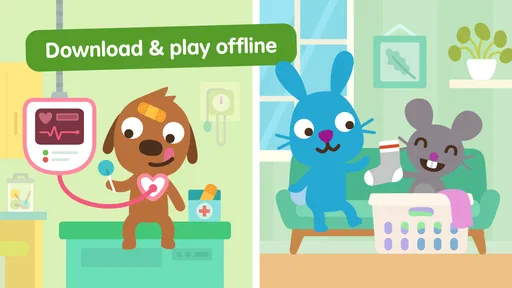
Another highlight for me is the offline capability. We all know the struggle of keeping kids entertained during long car rides or when Wi-Fi is spotty, right? With Sago Mini World, you can download the games, ensuring fun is always a tap away.
For travel, I’d prepare before leaving rather than count on setting things up in the car: open the activities you expect to use while you have a connection, and check that they’re ready before going offline. This is a useful distinction from many quick, browser-based children’s activities, which depend on a live connection. On the other hand, if your priority is a structured learning path with explicit lessons and measurable progress, a dedicated early-learning app may be more suitable than a collection built around imaginative play.
A small practical trade-off is that a parent should not wait until a connection has already dropped to find out whether the intended activity is ready. I’d check before a flight, a long drive, or a visit somewhere with unreliable service. That quick preparation matters more than it does with a simple offline toy or a book, which is available without loading anything. If you want screen-free entertainment for travel, this obviously cannot replace a colouring pad, story, or toy; I see it as one option in a mix, not a complete travel plan.
Progress without a scoreboard
I see the appeal here as open-ended exploration, not racing through levels or competing for a score. That makes it a gentler choice for a child who enjoys inventing little scenarios and revisiting familiar characters. It may be less satisfying for kids who want clear challenges, rewards, or a visible sense of advancement; parents looking for a more goal-driven educational game should compare options before settling on this one.
A good way to judge fit is to watch what happens after the first few minutes. Does your child move between activities with curiosity, or do they seem to want more direction? If they enjoy choosing and pretending, the format can make a brief wait at an appointment feel less tedious. If they become frustrated without instructions or a definite finish line, playing together may help, but it won’t change the app’s basic emphasis on exploration.
That lack of a scoreboard also changes how I’d describe its educational value. I would not use it as evidence that a child has mastered a particular school skill, because its appeal is imaginative play rather than a visible sequence of lessons. For a child who learns through pretend scenarios and enjoys making their own choices, that can be a strength. If you need practice with a specific skill or want progress that is easy to track, a purpose-built learning tool is the more direct choice.
Age fit, device checks, and trust
The intended audience is young children, from babies and toddlers through age six, but that span covers very different abilities. I’d expect a toddler to benefit more from a caregiver nearby, while an older preschooler may be more comfortable exploring independently; every child is different. The minimum operating system is Android 5.1, so it’s worth checking that an older device meets that requirement before installing. The Everyone rating is reassuring as a broad content classification, but I’d still preview the app with your child and use the device’s purchase protections.
That age range is broad enough that the same app can feel very different in two homes. A younger child may mainly enjoy the characters and simple choices, while an older preschooler may bring more elaborate pretend ideas to the play. I’d avoid assuming that the age label means every child will be ready to use it alone. A caregiver can help a younger player understand how to move around, set a stopping point, and keep the device from becoming the default answer whenever there is a quiet moment.
For comparison, many children’s apps lean heavily on drills, matching tasks, or a fixed sequence of lessons. This one’s stronger appeal is variety and make-believe, so it can complement learning practice rather than replace it. It is not the choice I’d make for a child who needs a tightly guided activity, nor for a parent who wants to avoid in-app spending options altogether without checking them first. The 2.9 thousand written reviews offer another source of family perspectives, but I’d weigh those against your child’s age, play style, and your own comfort with the purchase setup.
There are also a few details I would verify on the device rather than guess about from a general description: what a purchase currently unlocks, how access is presented after installation, and whether the activities you intend to use are ready when you need them. Those are the details that shape the day-to-day experience and the spending decision. I would not infer a specific billing arrangement or offline setup from the purchase range alone; checking the current on-screen terms is the sensible way to avoid surprises.
Who it suits, and when I’d choose something else
I’d recommend giving it a look if your child likes familiar characters, pretend scenarios, and the freedom to decide what to do next. It can be especially handy when you want a low-preparation activity for a short pause at home, or a digital option to rotate with toys and books. The collection-style approach also gives a parent a chance to follow the child’s interest instead of asking them to complete the same type of task every time.
I’d be more cautious if your child finds open-ended choices overwhelming, if you want a clear lesson plan, or if your household avoids apps that present in-app purchase options. In those situations, a simple single-purpose game, a guided early-learning activity, or a non-screen activity may be a better match. That is not a criticism of this game so much as a reminder that “educational” can mean very different things: here, I’d put imagination and exploration ahead of measurable practice.
Final Thoughts
All in all, Sago Mini World: Kids Games has been a fantastic addition to our digital library. It’s fun, educational, and a great way for kids to explore different scenarios while staying safe online. It’s like having a pocket-sized playground that nurtures creativity and imagination, which is exactly what every parent wants for their child. So, if you’re on the hunt for an app that blends learning with fun, this is your go-to. Happy playing!
My overall verdict is positive, with a practical caveat: I’d choose it for playful variety, not as a substitute for a structured learning program, and I’d make the purchase decision deliberately. Try it alongside your child, see whether the open-ended style suits them, and check the current purchase terms before approving anything. If those conditions work for your family, it can be a pleasant way to give a young child room to explore on a device.
Sago Mini World: Kids Games Frequently Asked Questions
Is Sago Mini World free to download?
Yes. Sago Mini World is free to download, so families can install it and explore the game before deciding whether to spend money. It also offers in-app purchases, so it is a good idea for parents to check the purchase settings and discuss them with their child before play. The free download does not mean every available option is included at no cost.
Will Sago Mini World work on my child’s device?
Sago Mini World is available on Android and iOS devices. For Android, the game requires version 5.1 or later, so check the device’s operating system before downloading. Parents may find it helpful to install the game themselves first, confirm that it runs as expected, and then let their child explore its activities.
What age group is Sago Mini World: Kids Games intended for?
Sago Mini World is aimed at babies, toddlers, and children aged 2–6, making it an educational game for young players. Its activities encourage children to explore and play at their own pace. Parents can consider whether the themes and interactive style suit their child, while keeping in mind that every child develops different interests and abilities.
What is Sago Mini World: Kids Games?
Sago Mini World: Kids Games is an engaging educational app designed for children aged 2-5. It offers a safe and interactive environment where kids can explore over 35 fun-filled games and activities. These activities help develop creativity, problem-solving skills, and foster imaginative play. The app is available on both Android and iOS platforms.
Is Sago Mini World safe for my child to use?
Yes, Sago Mini World is designed with child safety in mind. The app is ad-free and does not require an internet connection, ensuring a safe and secure environment for kids. Parental controls are in place to manage playtime, and the content is educational, promoting learning through play. It’s a trusted choice for parents.
Pros
- Engaging educational content
- Colorful
- child-friendly graphics
- Wide variety of mini-games
- Encourages creativity and exploration
- Regular content updates
Cons
- Requires subscription for full access
- May be too simple for older kids
- In-app purchases can be tempting
- Needs internet for some features
- Takes up considerable storage space













