Gabbys Dollhouse: Cat Games
- 1.28K
- 3.8
- Installs
- 10.00M
- Price
- Free
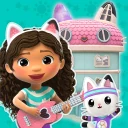
Screenshots
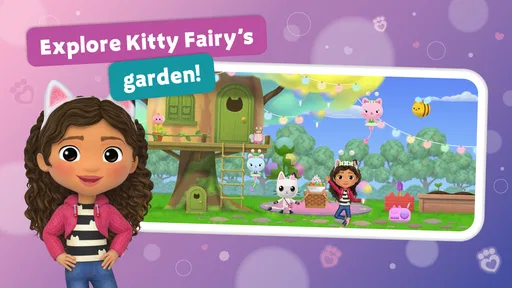
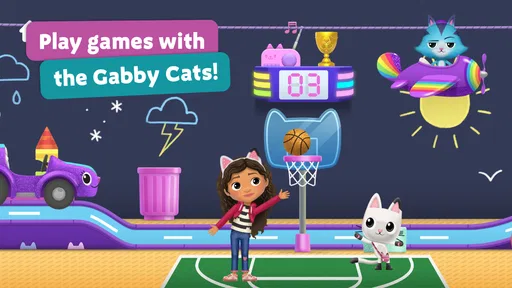
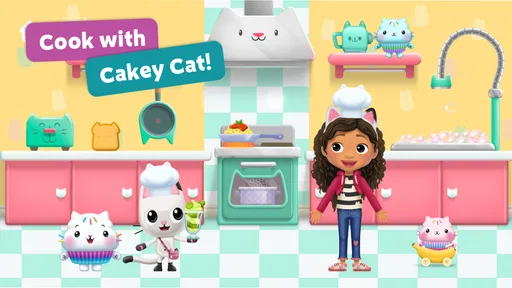
Analysis by Reviewed
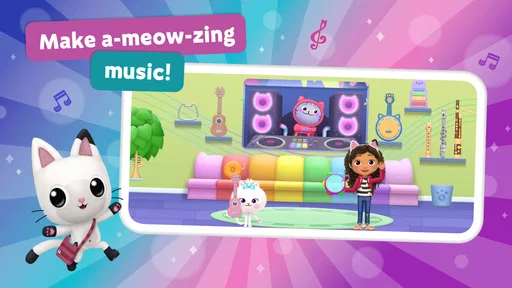
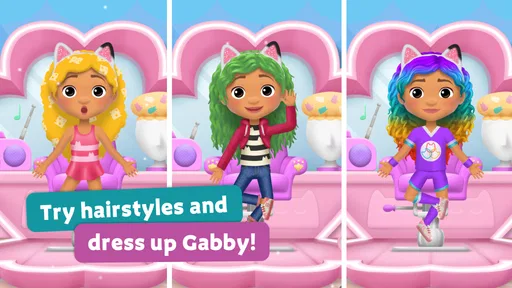
I look at Gabby’s Dollhouse: Games & Cats as a playful digital activity box for children who already enjoy Gabby and her feline friends. Rather than centering on one long challenge, it brings together short forms of play—games, music, crafts and coloring—so a child can dip in for a little while without needing to follow a complicated story. That makes it an easy candidate for a quiet moment at home, though it is worth matching its style to what your child actually likes.
What to consider before choosing it
This is an educational game from Spin Master, Ltd., and its appeal rests on familiar characters and varied creative activities, not on deep strategy or a demanding learning course. The game is free to download, with optional in-app purchases priced from $0.99 to $12.99 per item. I would treat that as a reason to check the purchase settings before handing over a device, especially if a child can tap around independently. The age rating is Everyone, but a grown-up may still want to help a younger player understand any purchase prompts.
It has a 4.0 average from around 27,000 ratings, and has passed 10 million installs. Those figures suggest a broad audience, but they do not tell me whether a particular child will enjoy the activities. I would make the decision based on whether they like switching between small creative tasks and familiar characters, rather than expecting a traditional lesson plan or a single game with a clear finish.
For a family deciding between this and another children’s app, I would start with the child’s reason for reaching for a screen. A Gabby fan who wants a familiar setting may be drawn in immediately; a child who is mainly asking to draw, solve puzzles, or practise a school skill may be better served by an app built around that one goal. This title’s value is in bringing several kinds of low-pressure play together, rather than doing one of them in exceptional depth.
Unboxing the Fun
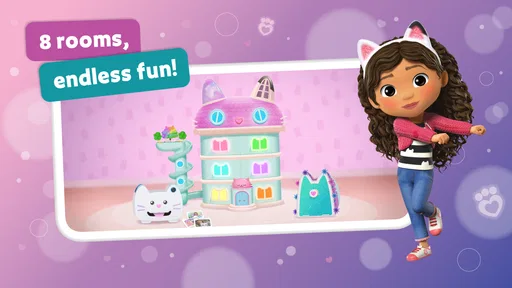
Right from the get-go, Gabby’s Dollhouse: Games & Cats feels like stepping into a vibrant, animated universe where every corner holds a new surprise. The app is primarily geared towards kids, but trust me, it's got enough charm to capture the hearts of grown-ups too. You start by exploring different rooms of Gabby's dollhouse, each with its own unique theme and set of activities. It's like having a digital playhouse that encourages creativity and discovery.
The Magic of Mini-Games
One of the standout features of this app is its array of mini-games. Each game is not only entertaining but also crafted to spark learning and development. From solving puzzles to engaging in art and craft activities, kids are subtly honing their skills while having a blast. Plus, the app is packed with adorable cat characters that add an extra layer of fun. Who doesn’t love a cute kitty companion?
The variety is particularly useful when a child’s attention shifts quickly. Rather than insisting that they keep working at a single activity after interest has faded, an adult can help them choose another kind of play. I would still encourage finishing one small task before switching, though: that gives the session a natural endpoint and makes it easier to put the device down without turning every change of mood into a new round of browsing.
More From Our News Desk

Weather by Xiaomi Review: Clear at a Glance, Less Clear Up Close

X Under Pressure: Can It Recover When Posting Goes Wrong?

Clash of Clans Is Won Between the Battles

Android Auto Makes the Case for Quieter Car Software

MobiOffice: Transforming Mobile Productivity with Seamless Integration

EA SPORTS FC™ Mobile Soccer: Redefining Mobile Sports Gaming
Interactive and Educational
What I really appreciate about Gabby’s Dollhouse: Games & Cats is how it seamlessly blends play with education. The activities are designed to enhance cognitive skills and encourage problem-solving without feeling like a chore. For parents, it's comforting to know that while your child is immersed in this virtual dollhouse, they're also picking up valuable skills.
Moreover, the app's interface is super intuitive. It’s easy enough for kids to navigate on their own, but also engaging enough that you might find yourself peeking over their shoulder to join in on the fun. The graphics are colorful and lively, capturing the essence of the TV series perfectly. And let's not forget the catchy tunes that accompany the gameplay - they're bound to get stuck in your head!
I would think of its educational side as informal rather than as a replacement for guided practice. Creative activities can invite choices, experimentation and attention, while mini-games may ask a child to work something out; that is different from following a structured course with a clear sequence of lessons. If you are choosing an app to support a particular school subject, I would look for one that states and organizes that purpose more directly. Here, the appeal is that learning sits inside familiar play.
Where it fits—and where it doesn’t
For a realistic use case, I’d keep it ready for a short wait at home or a calm stretch before dinner: a child can choose a small activity, make something or color, then hand the device back without needing to remember a complicated quest. I’d sit nearby the first time, not because the controls seem complicated, but to see which activities hold their attention and to set a clear stopping point. A simple routine—choose one activity, finish it, then put the tablet away—can make a collection of mini-games easier to manage than an open-ended screen session.
Compared with a single-purpose coloring app, the dollhouse has more variety because play isn’t limited to drawing. Compared with a structured educational app, however, it is less suited to families looking for a progressive curriculum or measurable practice in one subject. And compared with a broad, unbranded collection of children’s games, its main advantage is the recognizable Gabby setting; that same focus may be a drawback for a child who doesn’t care about the show or cat characters. If open-ended art is the priority, a dedicated drawing tool may be a better fit.
A useful way to judge it is to watch how a child moves between activities. If they enjoy choosing a new room or task and experimenting without a score being the main attraction, the format is working as intended. If they keep asking for harder levels, longer goals or a clear sense of progress, I’d choose a more focused puzzle or learning game instead. That distinction matters: variety can prevent boredom, but it can also make the experience feel less substantial to a child who wants one challenge to master.
It also suits different moments better than others. During a brief pause when an adult is close by, a small creative activity can be an agreeable distraction. On a longer journey, a child who needs a continuing goal may tire of dipping between short activities, so I would not assume the app can hold attention for an extended stretch. For that situation, a book, offline craft supplies, or a game with a longer progression may be the more dependable choice.
For siblings or friends sharing a device, the choice-based format can make it easy to take turns selecting what to try. I would agree on turns before opening it, since a child who is enjoying a particular activity may not welcome an unexpected handover. This is less about the game itself than about making shared screen time predictable: one person chooses, the other watches or joins in, and then they swap at a natural stopping point.
Practical details and trade-offs
The current version is 3.0.0, and it runs on Android 6.0 or later. Before installing, I’d check that the device has enough free space and that the operating system meets that requirement; this is a straightforward check that can prevent a frustrating setup moment. The game is free to start, but the optional purchases mean I would review the device’s purchase controls with a child before letting them explore alone. That is a practical consideration, not a reason to avoid it outright.
Switching from another children’s app is easy in one sense: there is no long campaign or complicated routine to learn. The more important adjustment is expectation. A child used to earning progress through a sequence of levels may not find the same sense of direction here, while a child who likes choosing between music, crafts and coloring may settle in quickly. I’d introduce it as a choice for creative play rather than promise a lesson or a specific reward.
Before a child uses it independently, I would take a short look together at how the activities are reached and what choices appear along the way. That first browse helps a parent see whether the child can find preferred activities without repeated help, and gives the child a chance to learn where to stop. It also makes a useful distinction between enjoying the game and simply tapping around to see what happens. A brief guided start is a small investment that can make later use calmer.
Parents may also wonder whether it suits shared play. I think it can work well as a starting point for a short activity together: ask a child what they want to try, let them make the choices, and chat about what they create. That keeps the adult involved without turning the game into a test. For independent use, I’d first explore the menus together and agree on a time limit, particularly if the child tends to move rapidly from one activity to another.
Because the purchase range runs from under a dollar to just under thirteen dollars per item, I would not treat “free” as meaning there is nothing to manage after installation. I would set purchase protections on the device, explain that paid choices need an adult’s permission, and avoid leaving a child to interpret a payment prompt alone. This gives the family a clear rule without making optional purchases the centre of the experience.
Endless Exploration
Another feature worth mentioning is the constant updates and new content. The developers seem committed to keeping the experience fresh and exciting. This means that every time your little one opens up the app, there's a chance they'll find something new to explore. Whether it’s a new mini-game or a special event, there's always something to look forward to.
In day-to-day use, I would avoid making a child’s interest depend on expecting something new each time. The steadier reason to return is the choice of activities and the familiar dollhouse atmosphere; that is a more reliable expectation than promising a particular addition or event. If a child has enjoyed one activity, you can let them return to it, or invite them to choose a different one when they are ready. That keeps the experience comfortable rather than turning each visit into a search for novelty.
My recommendation
My bottom line: I’d recommend it for a young Gabby fan who enjoys light, varied play and benefits from having creative options in one place. I’d skip it for a child who wants a serious puzzle challenge, a clear learning sequence, or a screen activity centered on making art without other distractions. The strongest reason to try it is the combination of dollhouse exploration and short activities; the main trade-off is that the variety may not provide the depth every child wants. If that balance sounds right for your family, it is a friendly free starting point, with purchases worth keeping in mind.
For a first try, I would install it when there is time to explore together rather than introduce it in the middle of a rushed moment. Let the child choose an activity, notice whether they can navigate comfortably, and see whether the characters or the creative choices are what hold their attention. That small test gives a better answer than popularity alone. If they ask to return to a particular activity, it is likely to fit their interests; if they quickly lose direction, a more focused app may be a better match.
Overall, I see it as a character-led alternative to a generic children’s game collection, not as an all-purpose learning tool. Its best use is a short, supervised or clearly bounded play break for a child who already likes Gabby’s world. Families seeking a curriculum, advanced puzzles, or an art-only workspace should look elsewhere, while those wanting several gentle activities in one familiar setting have a sensible reason to give it a try.
In conclusion, Gabby’s Dollhouse: Games & Cats is a fantastic app for young adventurers eager to explore a world filled with creativity and fun. It's an engaging, educational escape that parents can feel good about. So, if you're looking for an app that offers both entertainment and learning, this might just be the perfect fit for your family.
Gabbys Dollhouse: Cat Games Frequently Asked Questions
Does Gabby's Dollhouse: Games & Cats need much storage space?
Before downloading, it is sensible to check that your device has enough free storage for the game and its updates. The amount needed can vary by device and over time, so make room through your device’s storage settings if installation does not proceed smoothly. Once installed, the game offers a mix of games, music, crafts, and coloring with cats.
Is Gabby's Dollhouse: Games & Cats free to play, or does it require a subscription?
The game is free to download, so you can try its activities without paying upfront. It also offers optional in-app purchases, which are separate from the initial download. There is no need to buy something simply to install it, but it is a good idea to set purchase restrictions on a child’s device before handing it over.
What kind of activities can children do in Gabby's Dollhouse: Games & Cats?
The game brings together activities inspired by its cats and dollhouse setting, including games, music, crafts, and coloring. This mix gives children different ways to engage rather than focusing on only one kind of play. Its educational category and playful presentation may appeal to kids who enjoy creative activities and familiar characters.
What devices can run Gabby's Dollhouse: Games & Cats?
Gabby's Dollhouse: Games & Cats is available for Android devices running Android 6.0 or later, so it is worth checking your device’s operating system before downloading. The game is free to download, though it offers optional in-app purchases. It is also available on iOS, and you can check the relevant app store to see whether your particular device is compatible.
What is Gabby's Dollhouse: Games & Cats?
Gabby's Dollhouse: Games & Cats is an interactive app designed for children, inspired by the popular Netflix series, Gabby's Dollhouse. The app features a variety of mini-games, puzzles, and charming cat characters. It allows kids to explore Gabby's whimsical dollhouse, fostering creativity and problem-solving skills in a safe, fun environment. Its store summary also describes games, music, crafts, and coloring with cats.
Pros
- Engaging interactive gameplay
- High-quality graphics
- Educational content for kids
- Frequent updates and new content
- Safe for children
Cons
- Limited free content
- In-app purchases can add up
- Requires stable internet
- Large app size
- May not engage older kids













