Checkers - Online & Offline
- 1.20K
- 4.5
- Installs
- 10.00M
- Price
- Free

Screenshots
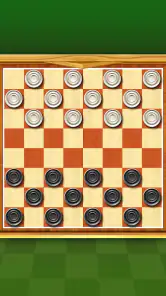
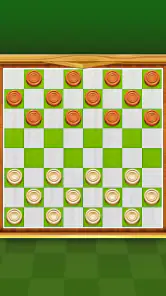
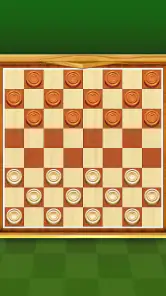
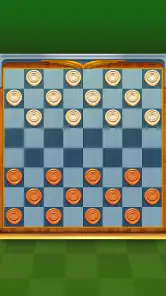
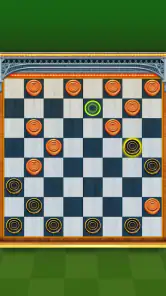
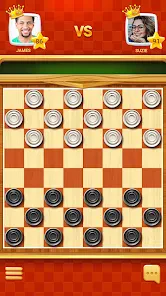
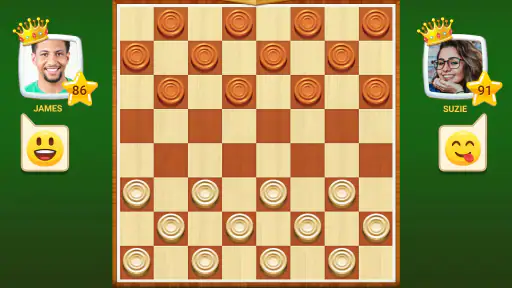
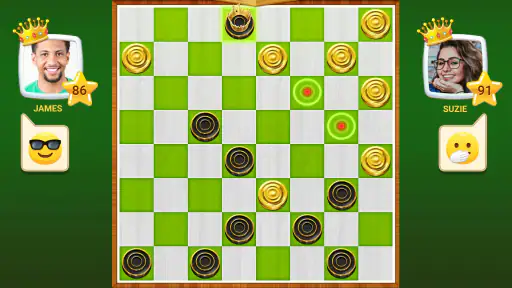
Analysis by Reviewed
Whenever I want a quick board-game break, checkers is an easy choice: familiar rules, plenty of room for thought, and no long setup. Checkers - Online & Offline brings that simple appeal to a phone, with options for solo play, a nearby opponent, or an online match. I find the best reason to keep it installed is flexibility: it can suit a spare few minutes or a more focused game, provided the available mode fits the moment.
Where players can get stuck
The game itself is familiar, but deciding how to play can still cause a little friction. If you want an opponent beside you, choose the offline multiplayer option; if you want to play alone, use the AI; and if you are looking for a remote opponent, online play is the relevant route. That distinction matters when you open the game with a specific plan, especially if you are handing your phone to a friend and expect a shared match rather than a solo one.
Online play also depends on being able to connect, so I would not treat it as the dependable choice for every commute or waiting room. If a match is slow to start, switching to a solo game is a practical way to keep playing rather than repeatedly trying to connect. For a planned game with someone nearby, the offline option is the more sensible first choice.
Jump into the Game
First off, let’s talk about accessibility. As soon as you download Checkers - Online & Offline, you’re greeted with a user-friendly interface. The app doesn’t waste time trying to wow you with unnecessary graphics. Instead, it focuses on being straightforward and to the point. A quick tap and you’re already setting up your first game. It’s the kind of simplicity I appreciate, especially when I just want to dive into action without fumbling through menus.
Game Modes Galore
Variety is the spice of life, and this app delivers just that. You’ve got your classic one-on-one matches, but what really tickles my fancy are the different modes available. Want to challenge a friend nearby? Go for the offline multiplayer mode. Feeling competitive? The online mode connects you with players from around the globe. It’s like having a checkers tournament in your pocket 24/7. Plus, the matchmaking system is surprisingly quick. I barely had time to sip my coffee before I was playing with someone from halfway across the world!
Perfect for All Skill Levels
Another gem in this app is its adaptability to different skill levels. If you’re a newbie, no worries! The AI opponents offer a range of difficulties, so you can gradually work your way up. And for the experts out there, the app provides a real challenge, pushing your strategic thinking to the limits. It’s this balance that keeps the game fresh and engaging, ensuring you’re always improving. There’s something incredibly satisfying about watching your skills sharpen with each match.
Setup checks before a match
If a move does not register as expected, I would first check whether I selected the piece and destination in the way the board accepts input. On a small screen, a finger can cover nearby squares, so taking a beat to confirm the highlighted piece and target is more reliable than tapping rapidly. If the controls feel awkward, try a slower sequence of taps before assuming the game has frozen; board games reward deliberate moves anyway.
More From Our News Desk

Weather by Xiaomi Review: Clear at a Glance, Less Clear Up Close

X Under Pressure: Can It Recover When Posting Goes Wrong?

Clash of Clans Is Won Between the Battles

Android Auto Makes the Case for Quieter Car Software

MobiOffice: Transforming Mobile Productivity with Seamless Integration

EA SPORTS FC™ Mobile Soccer: Redefining Mobile Sports Gaming
For an online session, I would check the device’s connection and give matchmaking a moment before restarting the app. For an offline game, I would make sure the intended mode is selected before passing the phone over. These are basic checks, but they help separate a setup mix-up from a problem that needs a broader fix.
Smooth Sailing with Intuitive Controls
I can’t stress enough how important good controls are in a mobile game, and Checkers - Online & Offline nails it. The controls are intuitive and responsive, making each move seamless. Whether you’re dragging and dropping pieces or tapping them into place, the experience is fluid. It’s these little things that make a huge difference in gameplay, and this app gets it just right.
Recovering your rhythm
A useful way to play more thoughtfully is to pause after each capture and scan the whole board before moving again. It is easy to focus on the piece that just moved and miss a new threat elsewhere. I also like treating a short solo match as practice rather than a test: try to notice which moves leave another piece exposed, then carry that awareness into an online game.
If a session is interrupted, returning to a fresh match may be simpler than trying to reconstruct the exact position from memory. That is a trade-off with quick mobile play: it is convenient to begin a game on impulse, but an interruption can break concentration. I would avoid starting a serious match when I know I will soon need to put the phone away.
Stay Connected or Go Solo
The flexibility this app offers is a dream. Whether you want to play with friends or prefer a solo session against AI, the choice is yours. The offline mode is perfect for those moments when you’re without internet, like on a long flight or a road trip. Meanwhile, the online mode is your gateway to a vibrant community of checkers enthusiasts. It’s like being part of a club where the only requirement is a love for the game.
Who will enjoy this version?
I’d recommend it to people who already enjoy checkers, beginners who want to learn through repeated games, and anyone who likes keeping a familiar board game on hand. A realistic use is a short solo round while waiting for an appointment, followed by an offline match with a friend during a break. The different ways to play make it more adaptable than a physical board when there is no table or second person immediately available.
Compared with a traditional board, this is easier to carry and can provide an opponent when you are alone, but it cannot replace the face-to-face feel of moving real pieces. Compared with a single-purpose checkers game, having both online and offline options is a practical advantage; the trade-off is that online play is only useful when a connection is available. If you mainly want a quiet, uninterrupted game with no interest in online opponents, a simpler offline-only alternative may suit you better.
When the app may not be the cause
If play becomes unreliable, I would not immediately blame the board. A weak or interrupted connection can affect online matchmaking, while accidental taps or a crowded screen can make a move feel unresponsive. I would test a solo match to see whether the board input works there, then try online play again when the connection is steadier. Keeping the game updated is also a reasonable first check if something behaves unexpectedly.
There is a broader limitation worth considering: mobile checkers is still a focused, two-player board game, not a collection of unrelated activities. If you want constant variety or a story-driven game, this is unlikely to hold your attention. Its strength is the opposite—returning quickly to the same strategic contest—so whether that feels satisfying depends on how much you enjoy thinking several moves ahead.
A familiar game with a few practical trade-offs
GamoVation’s board game is free to download, rated for Everyone, and has a 4.5 average from around 223,000 ratings, with over 10 million installs. It first appeared on April 6, 2020; version 2.8.6 supports Android 6.0 and later. Optional in-app purchases range from $0.99 to $99.99 per item, so I would check purchase prompts carefully if I were setting it up for a child. Those purchases do not change the basic appeal of a straightforward checkers match, but the range is worth knowing before handing over the device.
One small habit makes the game more useful: decide before opening it whether you want practice, a local opponent, or an online match. That keeps the first few taps purposeful and avoids beginning in the wrong mode. I would also reserve online play for times when I can focus on the match, and use AI or offline multiplayer for quick, interruption-prone breaks.
Choosing the right kind of checkers session
One thing I like about this setup is that the same board game can fill two quite different needs. Playing against the AI is useful when I want to take my time and test an idea without coordinating with anyone. A local game makes more sense when another person is already beside me, while online play is the obvious option when I want an opponent who is not in the room. Thinking about that before opening a mode saves time and helps set realistic expectations for the session.
For example, if I have ten minutes before an appointment, I would choose a solo match rather than start an online game that I may have to leave halfway through. During a lunch break with a friend, I would pass the phone over and use the local option. The practical trade-off is that one screen has to be shared, so a physical board may be more comfortable for a longer face-to-face game where both players want space and a less screen-centered experience.
Small habits that improve a match
When I am learning, I try to name the purpose of a move before I make it: am I protecting a piece, creating a capture, or limiting the opponent’s next choice? That simple pause turns a quick game into more useful practice. After a match, I can also recall the point where the board started to go wrong and watch for the same pattern next time. It is a low-effort way to learn without needing a separate lesson or a long study session.
I would not assume that a stronger AI setting automatically makes every game better. If I am new to checkers or returning after a long break, a more manageable opponent gives me room to think through the board instead of reacting to a string of mistakes. Once I can explain why my moves work, increasing the challenge becomes more useful. The best difficulty is the one that makes me consider my choices while still letting me enjoy the match.
What to expect from online and offline play
A common question is whether this can be a dependable offline time-killer. The offline options are the better fit when the connection is unavailable, so they make the game useful in places where online matchmaking is impractical. If I want to play against someone remotely, though, I need a working connection and should be prepared for that mode to depend on network conditions. Keeping both choices in mind is more helpful than treating online access as a requirement for every game.
Another reasonable question is whether the game suits children or a household device. Its Everyone age rating makes the basic game accessible to a broad audience, but I would still supervise purchase prompts, particularly on a device used by a child. The in-app purchase range is something I would review before handing over the phone, and I would make sure the player understands that a checkers match itself does not need to become a purchase decision.
When a different option is better
If your main goal is to enjoy checkers with someone across a table, a physical board has a warmer, more social feel and avoids taking turns with one phone. If you want remote play, this app’s online option is more convenient than arranging a board in person, but it is not the choice I would rely on when a connection is unstable. And if you are searching for a broad collection of board games, a multi-game app may be a better fit than a focused checkers experience.
I would also skip it if I rarely enjoy repeating the same rules or if I want a game built around a narrative, levels, or a changing set of activities. This is a familiar strategic contest in a portable form, and that focus is both its appeal and its limit. Players who enjoy reading the board, anticipating captures, and learning from mistakes will get more out of it than someone looking for constant novelty.
A familiar game with a few practical trade-offs
GamoVation’s board game is free to download, rated for Everyone, and has a 4.5 average from around 223,000 ratings, with over 10 million installs. It first appeared on April 6, 2020; version 2.8.6 supports Android 6.0 and later. Optional in-app purchases range from $0.99 to $99.99 per item, so I would check purchase prompts carefully if I were setting it up for a child. Those purchases do not change the basic appeal of a straightforward checkers match, but the range is worth knowing before handing over the device.
One small habit makes the game more useful: decide before opening it whether you want practice, a local opponent, or an online match. That keeps the first few taps purposeful and avoids beginning in the wrong mode. I would also reserve online play for times when I can focus on the match, and use AI or offline multiplayer for quick, interruption-prone breaks.
My practical verdict
In conclusion, Checkers - Online & Offline is more than just a game; it’s an experience that caters to both casual players and die-hard fans of the classic board game. With its seamless interface, variety of modes, and adaptive challenges, it’s a no-brainer addition to your app collection. So, what are you waiting for? Dive in and let the checkers battles begin!
My more measured recommendation is to keep it in mind as a handy checkers option rather than expect it to replace every kind of board-game experience. It is most useful when I want a quick solo game, a nearby person is willing to share the phone, or I have a stable connection for a remote opponent. If that matches how you play, its combination of familiar rules and flexible ways to start is a genuine convenience. If it does not, a physical board, an offline-only option, or a broader board-game collection may suit your habits better.
Checkers - Online & Offline Frequently Asked Questions
Does Checkers - Online & Offline need much storage space?
Checkers - Online & Offline is a mobile board game, so it may appeal to players looking for a straightforward game to keep on their device. Before downloading, check the available storage shown for the app on your device’s store page and make sure you have enough room for installation. Keeping some free space available can also help avoid problems when installing or updating apps.
Can I play Checkers - Online & Offline with friends?
Yes. The game includes online multiplayer, so you can challenge friends as well as play against other opponents. Online games require an internet connection, which is worth keeping in mind if you plan to play while traveling or away from reliable Wi-Fi. If you would rather play alone, the offline mode offers a way to enjoy checkers without connecting to another player.
Is Checkers - Online & Offline easy to learn if I have never played checkers?
The game is based on checkers, a familiar board game centered on moving pieces and planning ahead, so beginners can approach it one move at a time. It also includes tutorials and guides that cover the basic rules, strategic tips, and the app interface. These resources make it easier to get started before moving on to matches against other players.
Does the game offer different board appearances?
Yes. Checkers - Online & Offline includes customizable board themes and pieces, giving players ways to change the game’s appearance. These options can make a familiar board feel more personal without changing the basic focus on checkers. If you prefer a particular look, the customization features are worth exploring after installing the game.
How often is Checkers - Online & Offline updated?
The current version is 2.8.6, and the game was released on April 6, 2020. App updates can bring changes or fixes, so it is sensible to check the version available for your device before installing or updating. The game is developed by GamoVation and is free to download, though in-app purchases are available.
Pros
- Engaging online multiplayer mode.
- Variety of difficulty levels.
- Supports offline play.
- User-friendly interface.
- Quick game matchmaking.
Cons
- Ads can be intrusive.
- Limited customization options.
- Occasional server connectivity issues.
- No tutorial for beginners.
- In-app purchases can be costly.
- Category
- Board
- Version
- 2.8.6













