

Zipper Lock Wallpapers Screen
- 215.00
- 4.2
- Installs
- 10.00M
- Price
- Free

Screenshots
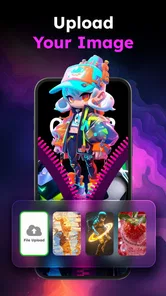
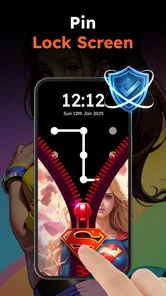
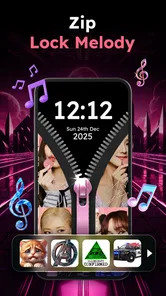
Analysis by Reviewed
I think the appeal of Zipper Lock Wallpapers Screen is easy to understand: it turns a routine lock-screen moment into a small visual flourish. Rather than changing how I use my phone in a major way, it gives the unlock gesture a playful zipper theme. That makes it best suited to people who enjoy personalizing familiar details, not anyone looking for a complete phone makeover or a new security tool.
Readability and choosing a look
The main decision is visual: pick a wallpaper and zipper style that feels right for your screen. I’d favor a design with a clear contrast between the zipper and its background, especially if I often check the phone outdoors or at a glance. A busy image may look striking while making the zipper harder to notice, so a calmer wallpaper can be the more practical choice.
The app is in the personalization category and is developed by FunGear inc. It is free to install, with in-app purchases ranging from $4.99 to $25.99 per item. That makes it reasonable to try before spending, but I’d first explore the available choices and decide whether the free experience is enough for me. Its Everyone age rating also makes the playful presentation broadly approachable, though that does not tell me whether the visual style will suit every person.
Motor and sensory considerations
A zipper effect gives unlocking a more deliberate, animated feel than a standard static wallpaper. That can be enjoyable when I have a moment to spare, but it may be less comfortable if I prefer a quick, plain interaction or find extra visual motion distracting. The sound control is a useful option in shared spaces: I’d silence the effect before a quiet meeting, then choose whether to use sound again later.
For someone who finds small targets or precise gestures difficult, the key question is whether the zipper interaction feels manageable on their own device. I would test it during setup rather than assume the novelty makes it easier. If it adds effort to a task I repeat throughout the day, a simple wallpaper or the phone’s usual lock screen is likely a better fit.
What's the Buzz About?
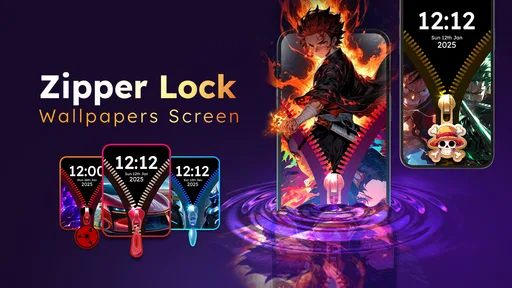
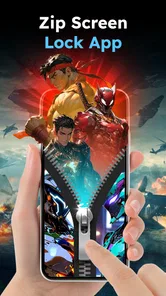
So, what exactly is Zipper Lock Wallpapers Screen all about? Imagine sliding your finger down the screen to unzip your lock screen. Sounds cool, right? This app transforms the mundane task of unlocking your phone into a fun experience. It's like having a little game every time you check your phone. The app offers a variety of themes and wallpapers to choose from, so you can mix and match according to your mood or style.
Features That Stand Out
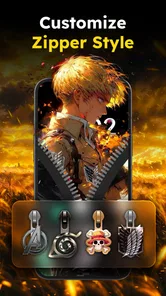
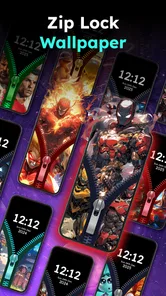
One of the standout features of this app is its customization. You can choose from a myriad of zipper styles and colors, making your phone truly yours. Whether you prefer a classic metallic zipper or a funky neon one, there's something for everyone. Plus, the variety of wallpapers is impressive, ranging from serene landscapes to edgy abstract art.
More From Our News Desk

 Gmail
GmailGmail in a Busy Inbox: Who Benefits Most?
From first account to crowded workday, Gmail earns its place through dependable search and flexible sorting—but its best fit depends on how much inbox maintenance you can tolerate.

 Prime Video
Switching to Prime Video: What Changes in Your Viewing Routine
Prime Video can make a compelling second home for streaming, but switching means learning a different catalog, rental layer, and route from browsing to playback.

 Universal TV Remote Control
Universal TV Remote Control Works Best as a Reliable Backup
A phone remote earns its place through quick setup and reliable habits. Here is how to get more from Universal TV Remote Control—and where its limits show.

 Weather - By Xiaomi
Weather by Xiaomi Review: Clear at a Glance, Less Clear Up Close
Xiaomi’s weather app makes everyday forecasts quick to scan, but its calm surface can leave useful details and recovery paths harder to find than they should be.

 X
XX Under Pressure: Can It Recover When Posting Goes Wrong?
A resilience-focused review of X, examining setup, mistaken posts, interruptions, weak connections, and the gaps that matter when recovery needs to be dependable.

 Clash of Clans
Clash of Clans Is Won Between the Battles
Its raids are quick; its community is a long-term project of coordination, teaching, rivalry, and shared responsibility—with all the friction that entails.
Latest News



Another cool feature is the ability to control the zipper sound. You can choose from different sound effects, or if you're in a quiet place, just turn it off. It's all about giving you control over how you want your phone to behave.
Matching the effect to a daily routine
I’d choose the zipper style with the way I actually use my phone in mind, rather than picking the most dramatic design on first sight. If I check notifications in short bursts, a restrained wallpaper and a clearly visible zipper are easier to live with than a crowded image that takes a moment to parse. For a phone I mostly use at home, I might be more willing to favor a bolder look. The useful question is not simply which design is prettiest, but which remains legible after repeated, quick glances.
There is also a small but important trade-off between novelty and consistency. A themed lock screen can make a familiar device feel more personal, but a changing mood or wallpaper choice may make the interface less predictable to someone who relies on visual familiarity. I’d settle on one clear design and keep it for a while before swapping styles. That gives me a fair sense of whether the zipper remains comfortable as part of a routine, rather than judging it only as a fresh decoration.
Performance and Usability
Now, let's talk about performance. I've been using the app for a week, and so far, it's been smooth sailing. The app doesn't hog your phone's resources, which is a huge plus. It runs efficiently without causing any noticeable lag or battery drain. The user interface is intuitive, making navigation a breeze even for first-time users.
The version currently available is 2.2.8, and it requires Android 7.0 or later. The app has reached over 5 million installs and holds a 4.4 average from around 11,000 ratings, with 211 written reviews. Those figures suggest plenty of people have tried it, but I’d still judge it by how comfortable its central swipe feels on my own phone rather than by popularity alone.
Situational access and alternatives
A realistic use case is a quick check while waiting for a bus: the zipper can make the screen feel more personal, but if I’m juggling a bag or using the phone one-handed, the extra gesture may be less convenient than a familiar unlock method. I’d try the interaction with the hand I use most often and choose a high-contrast design before settling on a wallpaper. That small test can reveal whether the effect is charming in daily use or just looks good in a preview.
Compared with ordinary wallpaper apps, this one makes the lock-screen interaction part of the decoration rather than stopping at a background image. Compared with leaving the phone’s standard lock screen alone, it prioritizes a playful visual moment over the most straightforward routine. I’d choose a conventional wallpaper if I mainly want a clear, quiet display; I’d choose this app if I enjoy the zipper idea enough to see it repeatedly throughout the day.
When the playful unlock is worth it
I can see this working well for someone who likes small touches of personality but does not want to reorganize icons, add widgets, or redesign an entire home screen. The zipper is the point: it puts the decoration at the moment of access, so even a phone kept visually simple elsewhere can have one distinctive detail. It may also appeal to people who enjoy showing friends a quirky lock-screen effect, provided they are comfortable demonstrating the gesture in everyday settings.
It is a weaker match for anyone who reaches for the phone constantly while working, carrying things, or moving between tasks. In those situations, a decorative pause can become an interruption, even if it is brief. Someone who mainly wants a new background without changing how unlocking feels should stick with a standard wallpaper option. Likewise, if a phone is shared or its owner depends on a familiar screen layout, consistency may matter more than adding a novelty interaction.
Performance and setup in context
Installation is straightforward. Just head to your app store, download, and within minutes, you're ready to zip away! The app also provides a helpful tutorial for those who might need a little guidance setting things up.
Because a lock screen is something I encounter often, I’d treat setup as a small usability decision rather than rush through it: test the chosen wallpaper in bright and dim surroundings, try the swipe a few times, and turn off sound when it would be disruptive. If a design makes the zipper difficult to pick out, changing the background is a more useful fix than simply choosing a louder effect. These checks help balance decoration with a screen that remains comfortable to use.
Small checks that make the choice easier
Before settling on a look, I’d check it in the conditions where I most often unlock my phone: outside in daylight, in a dim room, and while glancing quickly rather than studying the screen. This is a practical way to catch a contrast problem that may not stand out while browsing wallpapers. I’d also try the swipe with one hand and with the phone resting securely in the other, especially if one-handed use is part of my normal routine.
Sound deserves its own quick test. A zipper effect that feels amusing at home can be out of place in a library, at work, or beside someone who is asleep. Since the sound can be controlled, I’d choose a quiet default for shared or public situations and only turn it on when it suits the setting. That keeps the visual customization without making every unlock an announcement.
Remaining barriers and my verdict
The main trade-off is that the zipper effect adds a step and visual motion to an action most people want to complete quickly. It may not suit someone who needs the simplest possible access, dislikes animated effects, or prefers a lock screen that stays visually restrained. I also wouldn’t treat a decorative zipper as a reason to change how I think about phone security; its appeal is customization, not a replacement for the device’s normal protections.
For a reader wondering whether it changes the phone’s basic security, I’d keep the distinction clear: I see this as a personalization choice, not a reason to rely on a decorative effect in place of the device’s usual protections. I’d also avoid assuming that a particular design will be equally easy for everyone. Contrast, motion comfort, hand strength, and familiarity all affect whether the gesture feels natural. Trying the interaction before committing to a favorite look is the most useful way to make that call.
Final Thoughts
Wrapping it up, Zipper Lock Wallpapers Screen is a fun and stylish way to spice up your phone. It's perfect for those who love customization and want their phone to reflect their personality. While it's not packed with high-tech features, the charm lies in its simplicity and uniqueness. So, if you're looking to add a little flair to your daily routine, give this app a try. You might just find yourself looking forward to unlocking your phone!
My inclusive verdict is that it is worth trying for people who enjoy a decorative unlock and can comfortably use the gesture, especially since installation is free. I’d skip it if speed, minimal visual stimulation, or the most familiar access routine matters more than style. The best choice is the one that feels clear and easy each time I reach for my phone.
Zipper Lock Wallpapers Screen Frequently Asked Questions
Is Zipper Lock Wallpapers Screen compatible with my Android device?
Zipper Lock Wallpapers Screen is a personalization app for Android devices running Android 7.0 or later. Check your phone’s Android version before downloading to make sure it meets that requirement. Once installed, the app’s zipper effect and wallpaper options are intended to add a decorative, interactive touch to the lock screen. Compatibility can also depend on how your device handles lock-screen customization.
Who makes Zipper Lock Wallpapers Screen, and is it suitable for all ages?
Zipper Lock Wallpapers Screen is developed by FunGear inc and has an Everyone content rating, making it suitable for a general audience. It focuses on lock-screen appearance, wallpapers, and zipper-style unlocking effects rather than age-specific content. If you are choosing apps for a child or managing a family device, you can still review the app’s permissions and settings as part of your usual download checks.
What is Zipper Lock Wallpapers Screen, and how does it work?
Zipper Lock Wallpapers Screen is a unique app that transforms your device's lock screen into a fun and interactive experience. By simulating a zipper effect, users can swipe down to 'unzip' their lock screen, revealing the home screen beneath. It offers a variety of customizable wallpapers and zipper styles, enhancing personalization. This app not only adds a layer of security but also a playful aesthetic to your phone. Users can select from numerous designs, making each unlocking experience visually engaging.
Is Zipper Lock Wallpapers Screen free to download and use?
Yes, Zipper Lock Wallpapers Screen is free to download from both the Android and iOS app stores. While the basic features of the app are available at no cost, it may offer in-app purchases for premium wallpapers, zipper designs, or to remove ads. These optional purchases enhance user experience and personalization options, but are not necessary for the core functionality of the app. Users can fully enjoy the app without spending any money. Optional in-app purchases range from $4.99 to $25.99 per item, so check the purchase details before confirming anything.
Does Zipper Lock Wallpapers Screen affect my phone’s performance or battery life?
Zipper Lock Wallpapers Screen is designed to be lightweight and optimized for minimal impact on device performance or battery life. It uses efficient coding techniques to ensure that the zipper animation and wallpaper features do not drain your battery excessively. However, as with any app, excessive use of animations or high-resolution wallpapers could potentially consume more battery. Users are encouraged to monitor their device’s performance when first using the app.
Pros
- Unique screen unlock style
- Fun and interactive design
- Variety of wallpaper options
- Easy to use interface
- Enhances phone personalization
Cons
- May drain battery quickly
- Limited customization options
- Ads can be intrusive
- Not suitable for all users
- Might slow down older devices













