

Find my Phone - Clap, Whistle
- 919.00
- 4.4
- Installs
- 10.00M
- Price
- Free

Screenshots
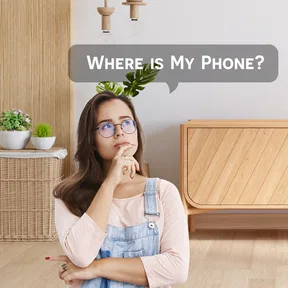
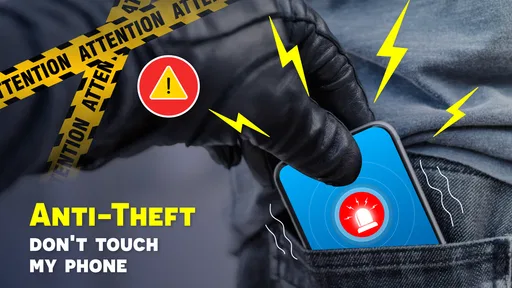
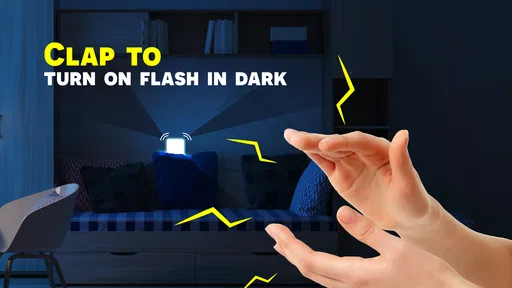

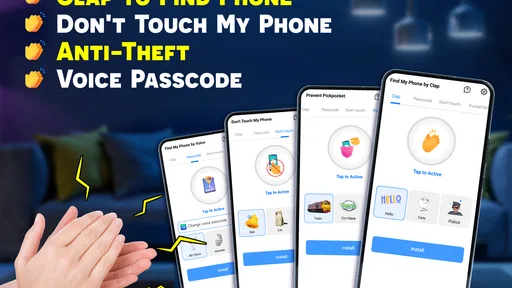
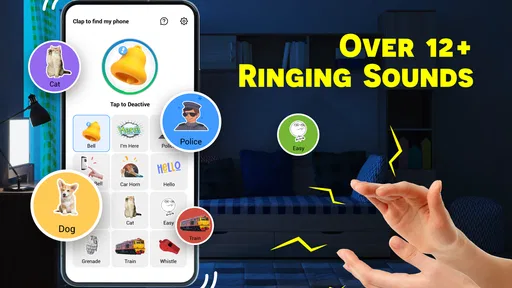
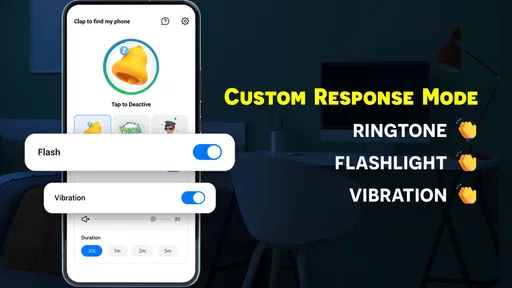
Analysis by Reviewed
I judge a phone-finder app less by the first amusing test than by whether I still remember to use it weeks later. Find my Phone - Clap, Whistle has an appealingly simple idea: when the phone is nearby but out of sight, a clap or whistle can prompt it to make an alert. That is most useful in ordinary, low-stakes moments—before leaving home, while getting ready, or when the handset slips beneath something—rather than as a replacement for tools that locate a missing phone elsewhere.
The first-week appeal is real, but depends on setup
The first time the alert answers a clap, the convenience is easy to appreciate. FunGear inc makes this free personalization app for an everyday annoyance, and its premise takes little explaining. It has a 4.4 average from around 53,000 ratings, with over 10 million installs, which gives a sense of how familiar this kind of small utility has become. It is rated for Everyone, and version 1.5.5 supports Android 7.0 and later.
For the best chance of a useful response, I’d test it in the places where I tend to misplace my phone, not only in a quiet room during setup. A sound that works at home may be harder for the app to pick out in a busy kitchen or a room with a television on. If the app offers sensitivity adjustment, as described in the original experience below, I’d treat that as a balance: too sensitive can mean nuisance alerts, while a setting that is too cautious may miss a signal. The right choice depends on the background noise where the phone usually goes missing.
A practical habit is to leave the phone in a predictable area while doing a short test, then try the signal from another room. That helps reveal whether the sound is easy for you to make consistently and whether the response is audible where you need it. It also avoids discovering a setup problem during a rushed search.
How It Works
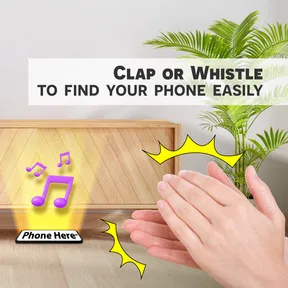
So, here's the deal. Once you've installed Find my Phone - Clap, Whistle, the setup is a breeze. You simply open the app and calibrate it to recognize your specific clap or whistle sound. The app then takes over, waiting patiently for your signal. The next time your phone goes rogue, clap or whistle, and your phone will respond with a pre-set alert tone. It's like having a little personal assistant in your pocket!
Features That Stand Out
One of the standout features is the customizability. You can adjust the sensitivity of the app, which means it won't go off with every random noise in the background. Plus, you can choose from a variety of alert sounds, so you can pick one that is easy for you to recognize. The original experience also describes a battery-saving mode. I’d test any such setting over normal daily use rather than assume it makes listening cost-free; a phone that is regularly misplaced may need to stay ready, and conserving charge can involve a trade-off in responsiveness.
It is worth deciding what counts as a successful test before settling on a setup. I would try the same clap or whistle at a few distances and from more than one angle, then listen for the alert from the spots where I actually search. If I can trigger the response only when standing right beside the phone, that may still help with a sofa or bedside-table search, but it will be less useful across a larger home. Testing this way gives a realistic sense of the app’s role without turning calibration into a one-time ritual that may not match daily conditions.
More From Our News Desk

 Gmail
GmailGmail in a Busy Inbox: Who Benefits Most?
From first account to crowded workday, Gmail earns its place through dependable search and flexible sorting—but its best fit depends on how much inbox maintenance you can tolerate.

 Prime Video
Switching to Prime Video: What Changes in Your Viewing Routine
Prime Video can make a compelling second home for streaming, but switching means learning a different catalog, rental layer, and route from browsing to playback.

 Universal TV Remote Control
Universal TV Remote Control Works Best as a Reliable Backup
A phone remote earns its place through quick setup and reliable habits. Here is how to get more from Universal TV Remote Control—and where its limits show.

 Weather - By Xiaomi
Weather by Xiaomi Review: Clear at a Glance, Less Clear Up Close
Xiaomi’s weather app makes everyday forecasts quick to scan, but its calm surface can leave useful details and recovery paths harder to find than they should be.

 X
XX Under Pressure: Can It Recover When Posting Goes Wrong?
A resilience-focused review of X, examining setup, mistaken posts, interruptions, weak connections, and the gaps that matter when recovery needs to be dependable.

 Clash of Clans
Clash of Clans Is Won Between the Battles
Its raids are quick; its community is a long-term project of coordination, teaching, rivalry, and shared responsibility—with all the friction that entails.
Latest News



Another useful adjustment is to choose a signal you can reproduce naturally. A sharp clap may be easy indoors, while a short whistle may feel more comfortable when your hands are full; the better option is personal, not necessarily the loudest one. I would avoid changing between signals casually, since a consistent habit is easier to remember when I am in a hurry. The app is most practical when finding the phone does not require me to pause and think through a special procedure.
Value that lasts beyond the novelty
Clap detection earns its place when losing track of a nearby phone is a recurring habit. Imagine getting home with shopping, setting the handset down while carrying bags, then needing it to check a message before heading out again. A quick signal can be less disruptive than unloading everything to search, especially if the phone is tucked into a coat or between cushions. In a shared home, though, it is worth choosing a distinctive alert and agreeing that the sound is a finder cue, not a general notification; otherwise, someone else’s clapping or a noisy room can make the trick less dependable.
This is also a better fit for predictable routines than for every kind of lost-phone problem. If I tend to put the phone down in the same few rooms, I can learn where the audible cue helps most and make a quick search part of getting ready. If it disappears in a bag, a pile of laundry, or a different room each day, the alert may still narrow the search, but it will not tell me where to look visually. I would treat the sound as a way to shorten a nearby hunt, not as a guarantee that the phone will announce itself in every situation.
This is where the app differs from the usual alternatives. Calling your own number works if another phone is handy, but it depends on access to that second device and may not help if the ringer is muted. A clap-triggered alert can be more convenient for a phone somewhere nearby. By contrast, a platform’s built-in device-finding service is the better choice when the handset may be outside the home, lost in public, or needs to be located remotely. I see these as different tools, not competitors: this app addresses a nearby search, while remote-finding services cover a broader and more serious loss.
Month-to-month value and maintenance
To keep the feature useful, I’d make a small routine of checking that the app remains ready after changing how I use the phone, and testing it occasionally in the room where I most often misplace it. That is a modest maintenance burden, but it matters: a finder that has slipped out of your routine is no help when you are late. I would also avoid relying on it as the only plan for a phone left in a public place. Its appeal is strongest when you know the handset is close and simply cannot see it.
A sensible routine does not need to turn into another phone chore. I would pair a quick test with an existing habit, such as tidying the nightstand or checking that I have my keys before leaving. If the alert still responds in the places where I regularly set the phone down, there is little reason to keep retuning it every day. If it stops being dependable, that is the moment to check the setup rather than assume the app will work just because it did during the first try.
For someone deciding whether the free download deserves space, I’d think about frequency rather than the amusement of the first demonstration. A person who misplaces a phone several times in a typical week has more reason to keep a nearby sound trigger ready than someone who almost always leaves it in one spot. The value is small but repeatable: a few saved minutes can make a simple utility worthwhile, while a feature used only once in a while may not justify remembering another app at all.
Who will get the most from it
I’d recommend trying it if you spend time at home, share space with others, and often set your phone down while doing something else. It can suit a busy parent moving between rooms, someone who cooks with their hands occupied, or a person who puts the phone away while unpacking groceries. In those cases, making a sound is easier than stopping to borrow a handset or retracing every step. It is less compelling if you rarely lose track of your phone or need help locating it mainly during commutes and errands.
There are people I would steer toward a different solution. If you often lose your phone while away from home, want a map-based location, or need a dependable way to recover a stolen device, use the built-in finding tools for your phone platform instead. If your surroundings are consistently loud, repeated clapping may also be irritating or impractical. And if you rarely misplace your phone, the novelty may wear off before the app becomes part of your routine.
Where the novelty can fade
The main limitation is that a sound-based trigger relies on the phone being close enough for the alert to help and on the app recognizing your signal amid everyday noise. It can also feel awkward to clap or whistle in a quiet office, public place, or around people who do not know what you are doing. For private spaces, that is a minor trade-off; in shared or public settings, calling from another device or using a visual location service may be more discreet.
There is a difference between a phone being nearby and a phone being easy to hear. A handset buried under bedding, muffled by a bag, or surrounded by household noise may produce an alert that is less obvious than expected. I would not count on the app to solve that by itself; it is still worth checking the most likely hiding places while listening. The sound is a clue, not a precise locator, so a quiet moment and a distinctive alert can make the search easier.
Another source of fatigue is social rather than technical. Repeatedly clapping in a workplace or public room may draw attention, and a whistle can be uncomfortable or inappropriate in some settings. I would use the app where the gesture feels natural and keep another option in mind for places where it does not. That distinction makes it easier to enjoy the convenience at home without expecting the same workflow to suit every day and every environment.
Before depending on it, I’d answer three practical questions for myself: Can I make the trigger sound consistently? Is the alert noticeable where I usually search? And will I remember the app is there when I’m in a hurry? A quick test after setup and an occasional check are more useful than installing it and assuming it will always be ready. Those small steps turn a novelty into a tool, while also making its limits clear.
Real-Life Scenarios
Picture this: you're at a friend's house, and your phone is buried somewhere under a pile of cushions or maybe slipped into the abyss between the car seats. Instead of turning the house upside down, just clap or whistle, and voilà, your phone announces its location like a good little gadget. No more frantic searches or having to borrow someone else's phone to call yours.
A more ordinary version happens while getting ready to leave: I put the phone down to tie my shoes, pick up a bag, and then cannot remember whether I left it near the door or in the bedroom. If I know it is somewhere inside, a quick signal can direct my attention before I start searching every surface. I would still check the likely spots, especially if the alert is muffled, but the cue can keep a small delay from becoming a full house-wide hunt.
For a shared household, I would explain the alert to the people around me before relying on it. If someone else claps while the phone is nearby, the trigger might be confusing or distracting, and the sound itself could be mistaken for an ordinary alert. A distinctive tone and a simple explanation help make the feature useful without turning it into a recurring interruption. This is a small social detail, but it can decide whether the app feels helpful or annoying after the initial novelty.
Why You Need It
Seriously, in a world where we're all perpetually losing our phones, this app is a lifesaver. It's simple, effective, and saves a ton of time. Plus, it's a fun party trick to impress your friends. Who knew finding your phone could be so much fun?
I would soften that enthusiasm for anyone expecting a complete recovery system. The appeal is practical, but narrow: it can help when the phone is close, the trigger is recognized, and an audible response is suitable. It does not replace remembering where you left the handset, asking someone nearby to call it, or using the phone platform’s location tools when it is missing farther away. That narrower job is still worthwhile if it matches the way you actually lose your phone.
My long-term verdict
In conclusion, Find my Phone - Clap, Whistle is a must-have app for anyone who finds themselves frequently misplacing their phone. With its user-friendly interface and practical functionality, it's a no-brainer download. Give it a try, and you might just find yourself wondering how you ever lived without it.
My own recommendation is a little more conditional: try it if your phone regularly goes missing somewhere nearby and a hands-free audible cue suits your home routine. Keep a remote-finding option for situations where the phone is truly lost, and judge this app by whether it still saves time after the novelty fades. That is the difference between a clever first-week trick and a small utility that earns a lasting place.
Find my Phone - Clap, Whistle Frequently Asked Questions
Can I use Find My Phone - Clap, Whistle to find a phone that is switched off?
The app is intended to help you locate a misplaced phone by reacting to claps or whistles. That approach depends on the phone being powered on and able to detect the sound, so it is best suited to finding a device that is nearby and active rather than one that has been switched off. For everyday misplacements around home or work, the sound-triggered alert may be a convenient option.
Will the app still work if my phone is in a bag or under a cushion?
It may help in those situations, but detection depends on how clearly the phone can hear the clap or whistle through its surroundings. A bag, cushion, or noisy room can affect how well the sound reaches the microphone. If the phone does not respond right away, try moving closer or making the sound more clearly, then listen for the alert or vibration.
Can Find My Phone - Clap, Whistle help me locate someone else’s phone?
The app is designed to respond to sounds near the phone on which it is installed and activated. It is not a remote phone-tracking service: the sound-based feature is intended to help you find that device when it is within hearing range. If you are considering installing it on another person’s phone, make sure they understand how it works and agree to its microphone use.
Does Find My Phone - Clap, Whistle work in a noisy place?
Claps and whistles can be harder for the app to recognize when there is substantial background noise, and microphone performance can vary between phones. In a quieter space, a clear clap or whistle is more likely to stand out and trigger the phone’s alert. If you often misplace your phone in a noisy setting, test the feature there and adjust any available sound sensitivity options.
Can I use Find My Phone - Clap, Whistle without an internet connection?
The app’s described sound-based locating approach does not rely on GPS or an internet connection to detect a clap or whistle and trigger an alert. That makes it useful for finding a nearby phone without depending on a network connection. The phone still needs to be switched on and able to listen for the sound, so keep that practical limitation in mind when using it.
Pros
- Easy setup process
- Works without internet
- Recognizes multiple sounds
- Customizable settings
- Battery efficient
Cons
- Requires microphone access
- May trigger accidentally
- Limited to phone location
- Ads in free version
- Not 100% accurate













