Wallet - Digital Wallet Card
- 258.00
- 4.4
- Installs
- 1.00M
- Price
- Free

Screenshots
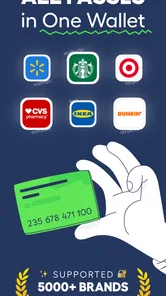
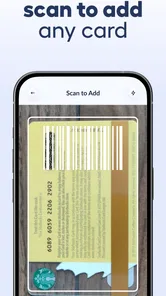
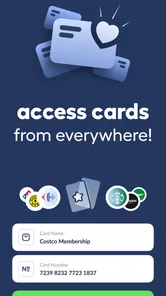
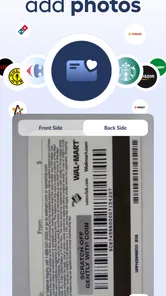
Analysis by Reviewed
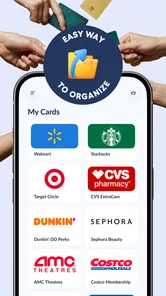
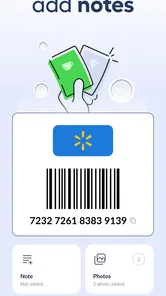
I like the idea behind Wallet - Digital Wallet Card because it tackles a small but surprisingly persistent phone problem: loyalty cards, barcodes, and passes scattered between a physical wallet, screenshots, emails, and separate retailer apps. This free productivity app from SUNMARE DIGITAL TEKNOLOJI YAZILIM SANAYI TICARET is built around keeping those cards together, with offline storage presented as a central part of the experience. After using it as a focused card holder rather than treating it like a complete payment wallet, I found its appeal quite clear: it reduces clutter and makes a card easier to find at the exact moment a cashier asks for it.
The app is available to everyone and has reached over a million installs, with a 4.4 average from around twenty thousand ratings. Those figures suggest that the basic concept is easy for many people to understand. The current release is version 1.1.2, and it runs on Android eight or newer. It is free to start, although in-app purchases range from $9.99 to $99.99 per item, so anyone who plans to use it heavily should pay attention to what is included before committing to a purchase.
Where connectivity changes the everyday experience
I find connectivity matters most before the checkout rush: a saved card can be useful offline, but the smoothest experience starts with adding and checking it while there is time. I also keep in mind that a stored barcode and a live retailer account serve different purposes; that distinction helps me choose the right tool when a pass needs current information. The next section looks at what I would do when convenience meets a more serious recovery or privacy concern.
The useful moment is usually at the counter
The most convincing use case is not browsing cards at home; it is standing in a shop with one hand occupied, a queue behind you, and a loyalty barcode buried somewhere in your phone. A dedicated card wallet gives that barcode a predictable home. Instead of opening a retailer’s app, waiting for its opening screen, signing in, and hoping the store has a reliable connection, I can go directly to the card collection and look for the saved entry.
That difference matters most in places where mobile service is inconsistent. Shopping centres, underground stations, large supermarkets, and busy event venues can all produce moments when a network request takes longer than expected. Because this app is designed to store cards and passes offline, its strongest promise is reducing dependence on a live connection when the thing I need is already saved on the device. I would still prepare important cards before leaving home, rather than assuming every part of setup can happen at the checkout.
There is also a useful distinction between retrieving a saved barcode and refreshing information from a service. A locally stored card can be available when a connection is poor, but that does not automatically make every digital pass dynamic or guarantee that a retailer will accept every format. I treat the app as a reliable display case for cards I have already organized, not as a replacement for every retailer account, ticketing service, or payment system.
Preparing before the signal disappears
My practical advice is to add cards while you have time and a decent connection. Give each one a recognizable name, check that the barcode is readable, and open it once before heading out. This simple routine avoids the most frustrating version of a connectivity problem: trying to identify, capture, and organize a card while someone is waiting for you.
More From Our News Desk

Weather by Xiaomi Review: Clear at a Glance, Less Clear Up Close

X Under Pressure: Can It Recover When Posting Goes Wrong?

Clash of Clans Is Won Between the Battles

Android Auto Makes the Case for Quieter Car Software

MobiOffice: Transforming Mobile Productivity with Seamless Integration

EA SPORTS FC™ Mobile Soccer: Redefining Mobile Sports Gaming
This preparation also exposes a trade-off. A card wallet is only as useful as the information you put into it. If a card is missing, badly cropped, or saved under an unclear label, offline access will not rescue the situation. I found that short names based on the shop or purpose work better than leaving several entries with similar generic titles. That small bit of housekeeping becomes more valuable as the collection grows.
When the usual retailer app is still better
The usual store app can be the better choice when the card is connected to changing account information, digital receipts, personalized offers, order tracking, or a membership balance that needs to update. Those services normally depend on the retailer’s own system, while a card wallet’s strength is quick access to the card image or barcode itself.
For example, if I only need to scan a loyalty card, a compact wallet is less distracting than a full shopping app. If I need to redeem a changing coupon, check points, or manage an account, I would open the retailer’s app instead. This is not a weakness unique to this product; it is the boundary between a stored card organizer and a live service. Understanding that boundary prevents disappointment.
Keeping the phone useful in mobile situations
The app makes the most sense for people who move between many places during the day. A commuter may carry transport passes and store cards, a parent may keep several supermarket cards together, and a traveller may want hotel, event, or membership passes separated from ordinary photos and messages. In each case, the value comes from reducing the number of places to search.
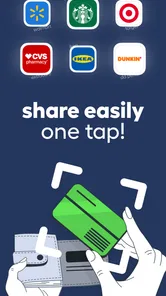
I especially like the idea for people who do not want a separate retailer app for every shop. Installing a dozen shopping apps can consume attention even when each individual app is reasonable. A single card-focused tool offers a calmer workflow: open one place, choose the card, show the barcode, and close it. That is a modest improvement, but it is repeated often enough to become meaningful.
Screen visibility is another practical consideration. A barcode may be stored correctly yet remain awkward to scan if the phone is dim, covered by glare, or held at an angle. Before relying on a card for a busy trip, I would test how quickly the display opens and whether the code is easy to present. The app can organize the card; it cannot control the scanner, the lighting, or the cashier’s equipment.
A travel workflow that avoids last-minute searching
For a weekend trip, I would create a small travel group in my own mind rather than mixing every card together. I might add the hotel or event pass, the cards likely to be used on the route, and any membership barcode needed at the destination. Then I would remove nothing from the everyday collection; I would simply make the relevant entries easy to recognize.
The non-obvious benefit here is not just storage. It is reducing decision time. When travelling, I am often switching between maps, messages, boarding information, and a camera. A clearly named card wallet entry means I do not have to remember which screenshot belongs to which place. The trade-off is that I must organize before departure. This is a preparation tool, not a magic solution for a disordered phone.
Recovery, privacy, and the limits of convenience
I treat a card wallet as a handy copy, not the only place to keep anything important. A phone can be lost, a code can become outdated, and a barcode still identifies an account when scanned, so I keep the original source available for time-sensitive passes and avoid saving credentials I do not need. Those habits make the convenience more dependable, while clarifying where this app’s role should end.
What happens when the phone or connection misbehaves
Connectivity problems are only one kind of failure. A weak signal may prevent a retailer app from loading, but a low battery, accidental deletion, unreadable barcode, or phone replacement can be just as disruptive. Since the app’s appeal is quick local access, I would not treat it as the only possible copy of a critical travel pass or high-value membership credential. For important items, keeping the original email, account access, or another legitimate backup is sensible.
This is also where I would be careful with passes that change over time. A static barcode saved in a wallet may be perfectly suitable for a loyalty card, while a time-sensitive ticket or security credential may require the issuing service’s current version. Before travelling, I would open the original source for anything with a date, changing code, or identity check. The wallet is convenient, but convenience should not replace checking the rules of the issuer.
If a card stops scanning, I would first increase screen brightness, clean the display, and try a little more distance from the reader. Then I would compare the saved image with the original card or source. If the problem is a damaged or outdated code, reopening the wallet repeatedly will not fix it. The sensible recovery path is to use the issuer’s app or website, or ask the retailer to look up the membership another way.
Replacing screenshots without creating a new mess
Many people already use screenshots as an improvised card wallet. They work, but they mix important codes with photos, chat attachments, and unrelated images. Searching by visual memory is slow, and screenshots may not carry a useful name. Moving those cards into a dedicated collection can be worthwhile, but I would do it gradually rather than importing everything at once.
A good cleanup session starts with the cards used most often. Add those first, verify them at home, and then deal with occasional cards. This approach gives an immediate benefit while limiting the chance of saving duplicates or obsolete images. It also makes it easier to notice which cards are no longer worth keeping. The app is most effective when it becomes a curated wallet, not another archive of digital clutter.
Using it thoughtfully when data matters
The offline focus is attractive to anyone who wants fewer network-dependent moments, but offline availability should not be confused with complete privacy. A card barcode can identify a loyalty account when scanned by a retailer, regardless of which app displays it. I would therefore avoid adding cards I do not recognize, and I would think carefully before storing sensitive credentials simply because the app can hold passes.
My data-conscious routine would be simple: keep only cards I use, remove expired passes, avoid duplicate entries, and review the collection occasionally. I would also remember that the app itself is not the retailer. If I am concerned about a particular membership, I would check that company’s own terms and account controls rather than assuming that placing the barcode in a wallet changes how the membership is handled.
The free entry point makes experimenting easy, but the in-app purchase range deserves attention. A person with a handful of cards may never need more than the basic experience, while someone trying to turn the app into a long-term archive may encounter paid options. Since individual purchases can range from $9.99 to $99.99, I would inspect the purchase screen carefully and ask whether the added capacity or functionality is genuinely useful for my routine. The price range is significant enough that casual curiosity should not become an accidental commitment.
Who should use this app, and who should skip it?
I would recommend it to Android users who carry many loyalty cards, dislike installing a separate app for every retailer, and often need a barcode in places where mobile service is unreliable. It is also a good fit for people who prefer a focused tool over a general payment wallet, especially when their main goal is organization rather than transactions.
I would be more cautious if you mainly need contactless payments, live account balances, rotating tickets, or deep integration with a particular retailer. In those situations, the official service may provide information that a stored card organizer cannot. I would also skip it if you rarely use loyalty cards; adding another app may create more maintenance than convenience.
Compared with screenshots, this app offers a more deliberate home for cards. Compared with retailer apps, it should be quicker and less fragmented for simple barcode presentation. Compared with a full payment wallet, its role is narrower: it is about cards, barcodes, and passes rather than being the central place for every financial transaction. That narrower purpose is exactly why it can feel cleaner, but it also explains why it will not replace every alternative.
My connectivity verdict
After looking at the way network conditions shape the experience, I see Wallet - Digital Wallet Card as a practical organizer with a clear strength: it helps me reach saved cards without making every checkout depend on a retailer app loading at the right time. Its best moments happen before the network problem appears, when I have already added, named, and checked the cards I expect to use.
The app is not a universal pass manager, a payment replacement, or a guarantee that every stored code will remain valid forever. It asks for a little organization and sensible backups for important credentials. It also deserves careful attention around paid options, particularly for users who only need a few entries. Even with those limitations, the focused design makes sense for everyday loyalty cards and simple barcodes.
For me, the deciding question is straightforward: do I regularly waste time looking for cards, or do I need live features from each issuing company? If the first answer is yes, this free productivity app is worth trying. If the second answer is yes, I would keep the official apps close at hand and use this wallet only for the static cards it handles best. With that expectation, it becomes a useful, data-conscious layer between a physical wallet and a crowded phone.
Wallet - Digital Wallet Card Frequently Asked Questions
Who develops Wallet - Digital Wallet Card, and what kind of app is it?
Wallet - Digital Wallet Card is a productivity app developed by SUNMARE DIGITAL TEKNOLOJI YAZILIM SANAYI TICARET. Its focus is keeping digital wallet items together, with an emphasis on loyalty cards, barcodes, and passes that can be stored for offline use. If you want a simple place to keep those items accessible, that focus is worth considering before you install it.
Is Wallet - Digital Wallet Card available for iPhone and Android?
The app’s compatibility depends on the platform and device you use. For Android, it requires version 8.0 or later, so check your phone’s operating-system version before downloading. If you use another platform, check the app’s availability and compatibility in its relevant store. Confirming this first can help you avoid installing an app that your device cannot run.
Does Wallet - Digital Wallet Card support offline access to stored cards?
The app is described as a digital wallet for storing loyalty cards, barcodes, and passes offline. That can be useful when you need to show a saved card somewhere with weak or no reception. Keep in mind that the offline feature relates to stored items; other services may work differently. Add the cards you expect to use before heading somewhere you may be without an internet connection.
What is Wallet - Digital Wallet Card, and what can I use it for?
Wallet - Digital Wallet Card is designed to help you keep digital versions of cards and important wallet items in one place. Depending on the supported features and your device, you may be able to organize loyalty cards, membership cards, tickets, coupons, or other digital credentials. It is especially useful for reducing the number of physical cards you carry, although supported card types and functions can vary by region and platform.
Is Wallet - Digital Wallet Card safe to use for storing my cards?
The app may provide a convenient way to organize digital card information, but users should still review its privacy policy, requested permissions, and security practices before adding sensitive details. Avoid storing confidential banking information unless the app clearly supports it through secure, official integrations. Use a strong device passcode, keep your operating system updated, and do not share screenshots or wallet data publicly.
Pros
- Stores multiple payment cards in one convenient digital wallet.
- Quick access to card details when making purchases.
- Reduces the need to carry a physical wallet every day.
- Useful for organizing loyalty
- membership
- and gift cards.
- Simple interface makes adding and viewing cards easy.
Cons
- Some cards or banks may not be supported in every region.
- Phone loss could expose stored information without strong protection.
- Certain features may require an internet connection or app permissions.
- Digital cards may not work with all terminals or merchants.
- Battery failure can leave you without access to important cards.












