Ultimate IPTV Loader PRO
- 67.00
- 4.6
- Installs
- 10.00K
- Price
- $3.99

Screenshots
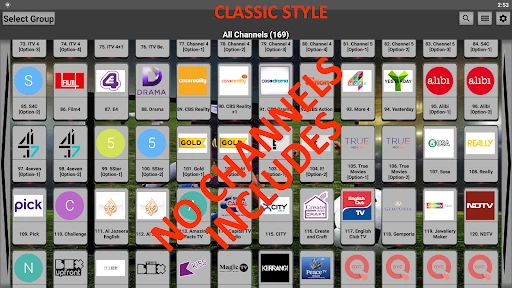

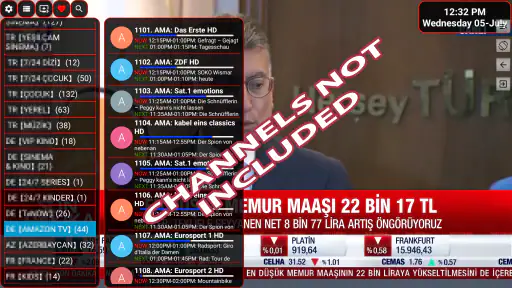
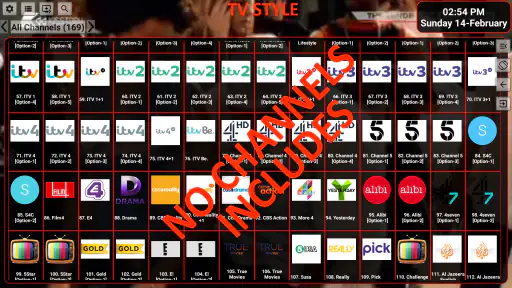
Analysis by Reviewed
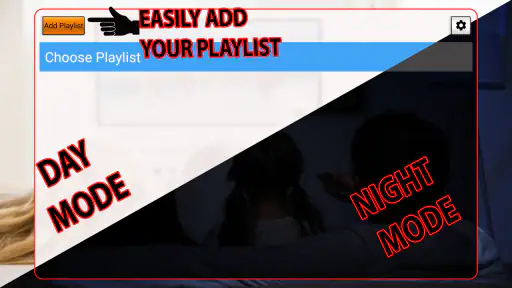
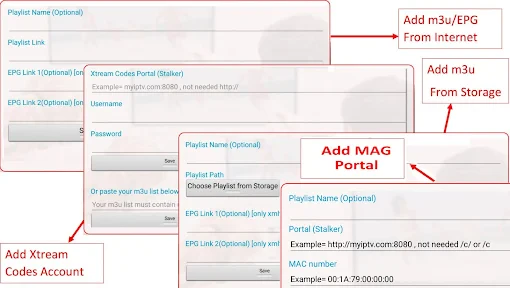
When I consider Ultimate IPTV Loader PRO, I see a player for people who already have a legitimate IPTV playlist and want to use it on an Android device. That distinction matters: the app does not supply channels or a ready-made TV package. You bring the playlist, so the experience depends heavily on its source and upkeep. If you expect to install an app and immediately browse live channels, this is the wrong starting point; if you already manage your own playlist, a dedicated loader may fit your routine better than a general video player.
Plan the playlist before you pay
Before paying, make sure you understand how your playlist is delivered and that you can access it on the device where you plan to watch. A playlist that works in another player is a useful starting point, but it does not guarantee every stream or guide entry will behave identically here. I’d keep the playlist details somewhere secure and confirm that your provider permits use in a third-party player. This small bit of preparation avoids confusing a source problem with an app problem.
The app is a paid Android option from developer Antonio Dimitri, priced at $3.99. It has a 4.6 average from around 1.8K ratings, with 67 written reviews and over 10K installs. It is rated for Everyone, runs on Android 5.0 or later, and its current version is 2.153_4. Those figures give a sense of its place in the market, but they don’t tell me whether your particular playlist will load quickly or stay dependable; that depends on the playlist and connection as well as the player.
Using a playlist-based live TV player
One of the standout features of Ultimate IPTV Loader PRO is its ability to provide a seamless live TV experience. Imagine having access to hundreds, if not thousands, of TV channels from different countries, all at your fingertips. The app supports multiple IPTV formats, including M3U and XSPF, which means you can easily load your playlists and start watching without a hitch.
How the browsing experience feels
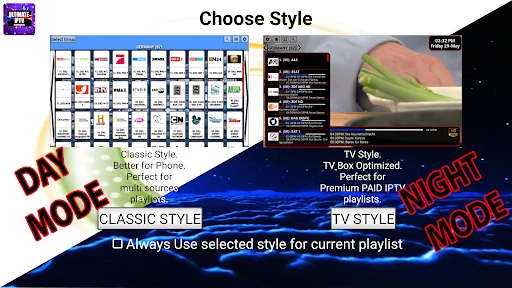
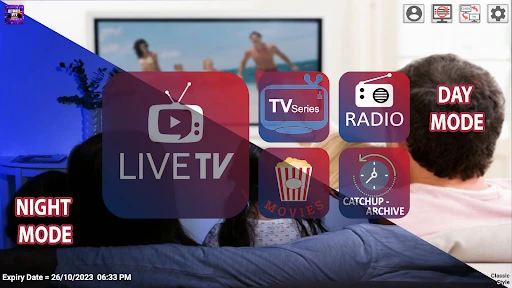
When it comes to apps like these, usability is key. Luckily, Ultimate IPTV PRO doesn’t disappoint. The user interface is straightforward and intuitive, which makes navigating through the app a breeze. Whether you're a tech-savvy user or someone who's just getting started with IPTV, you'll find this app easy to use.
What I particularly love about this app is the ability to organize channels into categories. You can create your own channel groups, making it super convenient to jump straight to your favorite channels without scrolling through endless lists. It's these little touches that enhance the overall user experience.
Performance and reliability in context
Performance-wise, the app runs smoothly and streaming quality is top-notch. I’ve tested it over various networks, and it holds up well even on slower connections, which is a huge plus. There’s nothing worse than buffering issues when you’re in the middle of an intense sports game or engrossing movie scene, right? Thankfully, those are few and far between with this app.
More From Our News Desk

Weather by Xiaomi Review: Clear at a Glance, Less Clear Up Close

X Under Pressure: Can It Recover When Posting Goes Wrong?

Clash of Clans Is Won Between the Battles

Android Auto Makes the Case for Quieter Car Software

MobiOffice: Transforming Mobile Productivity with Seamless Integration

EA SPORTS FC™ Mobile Soccer: Redefining Mobile Sports Gaming
Plus, the app supports Electronic Program Guide (EPG) which is a game-changer. You can check out what's on the schedule and never miss your favorite shows again. This feature adds a layer of convenience that I didn't even know I needed until I had it.
Settings and household boundaries
One of the things that sets Ultimate IPTV Loader PRO apart from the rest is the level of customization it offers. You can tweak settings to match your preferences, such as changing the language, adjusting the time zone, or even modifying the video player options. It’s all about making the app work for you, and I appreciate that level of thoughtfulness from the developers.
Another cool feature is the parental control options. If you have kids around, you can set up restrictions to ensure they only have access to age-appropriate content. It's a small feature but one that makes a big difference for families.
Make a long playlist easier to live with
A useful way to judge a playlist-based player is to try it with the way you actually watch TV, not just with a quick launch test. For example, if you mainly follow a few news channels, grouping those together can make a long playlist less tiring to browse. If your household switches between languages or time zones, check the guide against a program you already know; guide data and stream availability come from the playlist, so mismatches may originate upstream rather than from the player.
For a realistic evening routine, I’d load the playlist before a live event, check that the relevant channel opens, and use the guide to confirm the schedule rather than waiting until kickoff. If the stream stalls, try another channel from the same playlist and then test the connection in a different app. That simple comparison helps separate a source or network issue from a player-specific problem. It also prevents blaming the loader for a stream that is unavailable at its source.
Speed, stability, and device limits
“Fast” can mean two different things here: how quickly a playlist becomes usable and how reliably a live stream continues. The first can be affected by playlist size and structure; the second is strongly tied to the stream source and network. I wouldn’t treat a brief buffering spell as proof that the player is slow. On an older or heavily loaded phone, closing other demanding apps and using a stable connection are sensible first checks, though they cannot repair a weak stream.
The practical trade-off is that a loader gives you more control over your own channel collection than a conventional on-demand video app, but it asks you to maintain that collection yourself. A mainstream streaming service is easier if you want a curated catalog, account-based recommendations, and minimal setup. A basic media player may be enough for someone who only opens a single file or stream occasionally. This app makes more sense when you regularly use a playlist and value channel organization and guide access.
Who is likely to get value from it?
I’d consider it for someone who already has a dependable playlist, wants live channels in one place, and is willing to do a little setup. Families may appreciate having viewing restrictions available, while frequent viewers can benefit from arranging channels into groups instead of repeatedly searching a sprawling list. The paid price is easier to justify if you expect to use those conveniences often; for a one-off test or a person without a playlist, paying for a loader is unlikely to solve the main problem.
I would also keep expectations grounded around resource use and recovery. A large playlist can take more effort to browse than a short one, and playback interruptions may require checking the connection, the playlist, and the channel source in turn. If you rely on television for an important live event, test the exact channel in advance and have another legitimate viewing option ready. That is a practical precaution, not a claim that the app is inherently unreliable.
Small checks that prevent wasted troubleshooting
If a channel fails, I’d avoid immediately deleting and reloading the entire playlist. First, see whether another channel opens; then check the same channel in a different player if one is already installed. This gives you a quick way to narrow down whether the trouble is isolated to one stream, the playlist as a whole, or this app’s playback path. It also helps preserve a working setup while you investigate, rather than turning a single channel problem into a full restart.
For guide discrepancies, compare the schedule with a channel you recognize and check whether the time-zone setting matches your viewing location. A guide that looks shifted may be a settings mismatch or a playlist issue, rather than evidence that live playback itself is broken. Likewise, when a playlist changes over time, keeping a known-good copy of its access details makes it easier to restore your setup without guessing. These are modest habits, but they matter more in a loader than in a service that supplies and maintains its own catalog.
Where it sits among alternatives
The usual alternatives solve different problems. A subscription streaming app generally offers a managed library and a simpler start, but it is not a substitute for organizing a playlist you already control. A general-purpose media player can be more convenient for occasional playback, while a dedicated IPTV loader is the more natural fit for someone who returns to live channels and wants a browsable collection. I’d choose based on who is responsible for maintaining the content: if you want the app to provide a finished viewing catalog, this is not the right category of tool.
It is also worth deciding where you will watch before committing to this setup. This is an Android app with a minimum OS requirement of 5.0, so it suits a compatible Android device rather than someone looking for a single account-based experience across unrelated platforms. For living-room viewing, check that your intended Android device is comfortable to navigate and that the playlist can be accessed there. The bigger practical question is not simply whether the app installs, but whether your playlist, device, and usual viewing position work together without extra hassle.
Overall performance verdict
All in all, Ultimate IPTV Loader PRO is a focused choice for Android viewers who want to load and manage their own IPTV playlists rather than receive channels from the app. Its appeal lies in playlist-based viewing, organization, guide support, and adjustable settings; its main limitation is equally clear: you need a suitable playlist, and playback quality is not controlled by the player alone. I’d recommend it to someone who understands that trade-off and watches live TV regularly. If you want instant, ready-made programming or a simple on-demand catalog, a conventional streaming app will be a better fit.
Ultimate IPTV Loader PRO Frequently Asked Questions
What should I check before downloading Ultimate IPTV Loader PRO?
Check that your device runs Android 5.0 or later and that you have an IPTV playlist of your own to load. Ultimate IPTV Loader PRO is a playlist loader, not a source of channels, so downloading it alone will not provide programmes to watch. It is an app in the Video Players & Editors category, and its content rating is Everyone.
How much does Ultimate IPTV Loader PRO cost, and what does the price cover?
Ultimate IPTV Loader PRO costs $3.99. That price is for the app; it does not include an IPTV playlist or channel access. You need to bring your own playlist, and any service arrangements connected to it are separate from the app. Keep that distinction in mind before purchasing, especially if you expect a player download to come with ready-to-watch content.
What is Ultimate IPTV Loader PRO and how does it work?
Ultimate IPTV Loader PRO is an advanced application designed to stream IPTV channels seamlessly on your device. It allows users to load IPTV playlists and watch a myriad of TV shows, movies, and live sports. The app supports various playlist formats like M3U and XSPF, making it versatile and user-friendly. After downloading, simply upload your playlist into the app, and start streaming instantly. The app itself does not contain any lists or channels, so you need to supply a playlist to use it.
Is Ultimate IPTV Loader PRO compatible with all devices?
Ultimate IPTV Loader PRO is designed to be compatible with a wide range of Android devices. It requires Android 5.0 or later, so check your device’s operating system before downloading. The app may not be available for iOS devices directly, so users should check the app store for compatibility or look for alternative methods to run Android apps on iOS devices.
Are there any subscription fees associated with using Ultimate IPTV Loader PRO?
Ultimate IPTV Loader PRO costs $3.99, and that purchase does not include IPTV channels or a playlist. Users are responsible for acquiring their own IPTV service subscriptions, which can vary in cost depending on the provider. The app is a loader for your own playlist, not a bundled TV service, so verify the arrangements for your playlist before purchasing.
Pros
- Supports multiple IPTV formats
- User-friendly interface
- Fast channel loading
- Customizable playlists
- Regular updates
Cons
- Limited EPG support
- No Chromecast support
- Ads in free version
- Occasional crashes
- No parental controls
- Category
- Video Players & Editors
- Version
- 2.153_4