TV Cast Pro for Samsung TV
- 160.00
- 4.1
- Installs
- 50.00K
- Price
- $6.99

Screenshots
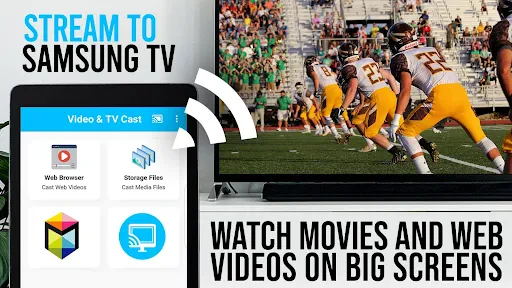

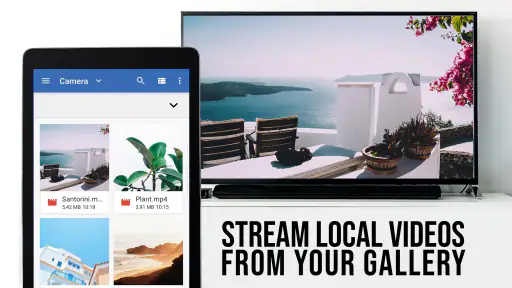
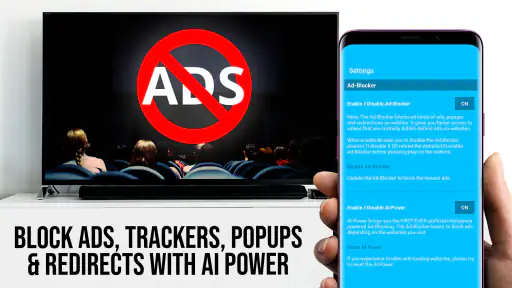
Analysis by Reviewed
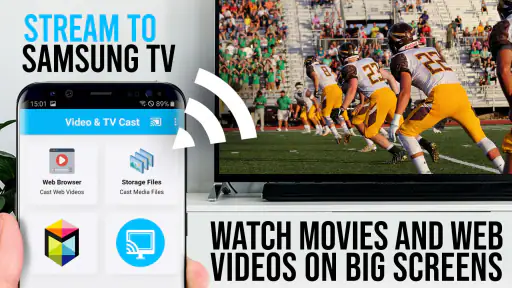
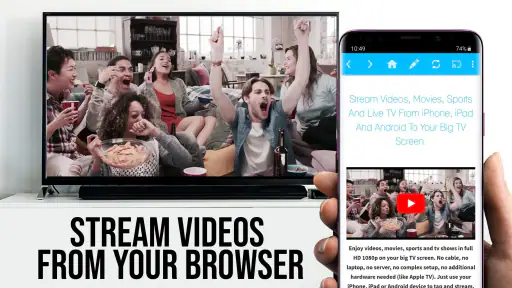
Before choosing a casting tool, I’d start with the kind of content I want to watch and where I usually find it. TV Cast Pro for Samsung TV is built for a particular handoff: browse for a video on your phone, then watch it on a Samsung television. That focus can be useful when a clip or stream lives on a website rather than in a TV app. It is less of an all-purpose solution for mirroring a phone or managing every kind of media on a television.
Start with the source, not the screen
The key distinction is that this is a browser-based casting approach. That makes it most useful when the video begins on a website or in an online stream you can reach through the app. It is less compelling if nearly everything you watch already lives in a dedicated service app with its own built-in casting option. In that case, using the service’s own controls may be simpler, and you avoid switching between apps just to start playback.
A practical routine is to find the video on your phone first, then send it to the television once you know it is the right one. For a live stream, I would check that the page actually loads and plays on the phone before settling in; a TV cast cannot make an unavailable or troublesome web source behave better. That small check can save the frustration of troubleshooting after everyone has taken a seat.
Setting Up Your Streaming Experience
Getting started with TV Cast Pro for Samsung TV is as easy as pie. All you need is your smartphone and a Samsung TV, and you're good to go. The app is available for both Android and iOS, so no matter your device preference, you’re covered. Once installed, simply connect your phone and TV to the same Wi-Fi network, and voila! You’re ready to cast away.
User-Friendly Interface
One of the things I absolutely love about this app is its user-friendly interface. I’m not exactly a tech wizard, but the app’s layout is intuitive enough that even my grandma could use it. The main screen offers clear options to connect and start streaming, making the whole process a breeze. Plus, the app provides a detailed guide to help you through any hiccups you might encounter along the way.
Streaming Quality
Now, let’s talk about what really matters: streaming quality. With TV Cast Pro for Samsung TV, I’ve enjoyed crisp and clear media directly on my TV screen with minimal lag. Whether it’s a movie night with friends or just catching up on my favorite shows, the app delivers a viewing experience that’s hard to beat. Just make sure your internet connection is stable, and you’re all set for some high-quality entertainment.
Additional Features
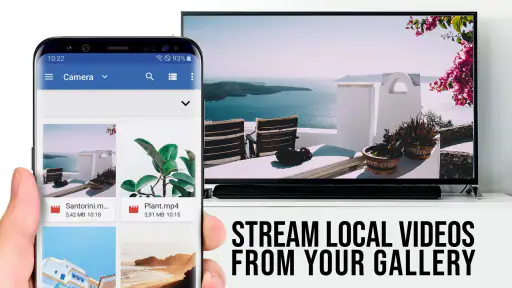
What sets this app apart is its range of additional features that enhance your streaming experience. You can bookmark your favorite websites, stream from cloud storage, and even play videos from your personal library. It’s like having a mini cinema at your fingertips! And if you’re someone who likes options, you’ll appreciate the ability to customize your viewing experience with different settings and controls.
More From Our News Desk

Clash of Clans Is Won Between the Battles

Android Auto Makes the Case for Quieter Car Software

MobiOffice: Transforming Mobile Productivity with Seamless Integration

EA SPORTS FC™ Mobile Soccer: Redefining Mobile Sports Gaming

How Microsoft OneDrive Became a Mobile Productivity Giant

How Google Translate Breaks Language Barriers Effortlessly
Small habits that make casting easier
Bookmarks are more than a convenience if you regularly revisit the same video sites: they can make the phone a quick launch point instead of a device you browse on throughout a viewing session. I’d keep a short set of reliable pages rather than save every destination, because a bookmark is only useful when the site still presents videos in a way the browser can play and cast.
Cloud storage and a personal video library serve a different purpose from web browsing. They can be handy when you already have a clip you want to share with family, or a personal recording that is easier to find in storage than on a website. A useful trade-off is to test a representative file before planning a whole evening around it; formats and sources can behave differently, and a successful web stream does not guarantee every personal video will be equally straightforward.
Where another option may be better
For an evening routine, imagine finding a cooking video on a website while preparing dinner and wanting the recipe demonstration visible across the room. A browser-and-cast workflow can be more direct than copying the video elsewhere, especially if you expect to revisit the same site. By contrast, if your main goal is mirroring a phone screen, displaying photos, or watching content already inside a streaming service, a built-in TV feature or that service’s own casting control may be the cleaner choice.
The same distinction matters for live viewing. A web stream can be convenient when it is available in a browser, but if the page is cluttered, requires extra interaction, or does not play reliably on the phone, the cast route inherits that friction. I would keep the phone nearby for selecting a new video or returning to the browser, rather than assume the TV alone will replace every part of the browsing experience.
Price, fit, and the handoff to the TV
The app costs $6.99, so I would treat it as a focused tool rather than an automatic purchase for every Samsung TV owner. Its 4.1 average from around 1.6 thousand ratings suggests a generally positive reception, while the app’s 50 thousand-plus installs show that it serves a defined audience rather than being something everyone needs. It is rated for Everyone, and the current version is 2.64, with Android 7.0 as the minimum OS.
Before paying, I’d make sure the intended setup matches the app’s purpose: a Samsung TV, a phone, and web-based videos you actually want to cast. The same Wi-Fi connection is the sensible starting point when establishing the link. If the phone and TV do not see each other, I’d first check that they are on the same network and that the video itself plays on the phone, then follow the app’s guide rather than repeatedly restarting playback at random.
What to check before settling on it
The choice is not simply “does my television connect?” but “does this solve the part of watching that currently annoys me?” If I often find useful clips through a mobile browser and then wish they were larger, this dedicated route addresses that specific habit. If my viewing starts and ends inside familiar streaming apps, adding another step may not improve anything. I’d list the two or three websites I actually use and try those first, rather than judging the app by an abstract promise of casting anything.
There is also a useful distinction between sending a video and duplicating everything on a phone. Casting a web video is a focused viewing handoff; it does not mean the television becomes a copy of the handset for photos, presentations, games, or every screen action. People who want that broader flexibility should compare it with screen mirroring or the TV’s own sharing tools. Those alternatives can be better for showing a whole phone interface, while a browser-oriented app makes more sense when the target is a playable web video.
A realistic evening test
Imagine I find a long repair demonstration while looking up how to fix a household item. I would open the page on the phone, confirm that playback starts, connect to the TV, and then watch from across the room while keeping the handset available for pauses or another search. That workflow avoids crowding around a small display and does not require me to move the video into a separate library. If the page instead demands several pop-ups or fails to play smoothly on the phone, I would stop there and try the publisher’s own app or another legitimate viewing route rather than assuming the television connection is the problem.
For a household, this can also be a quick way to put a short tutorial or family video in front of everyone without asking each person to gather around one phone. The trade-off is that the person operating the browser remains part of the experience: choosing another clip or navigating a site may still mean reaching for the handset. I’d set expectations accordingly, especially for guests who expect the TV remote alone to control browsing.
Browser casting versus familiar alternatives
Compared with a service’s built-in cast button, a separate browser-based option has its strongest case when the content is on a website that does not already offer a convenient route to the TV. The built-in button is usually the first thing I would try for a service I already subscribe to or use regularly; it keeps discovery and playback within one familiar app. Conversely, when a video is only easy to reach through a web page, this app can make that browser-first habit more practical on a large screen.
Compared with general screen mirroring, the advantage is a narrower job rather than broader coverage. Mirroring is a more natural pick for a presentation, a photo gallery, or an app that has no casting control, but it can keep the phone’s entire display involved. A video-focused handoff is a better fit when I want to browse on the phone and watch the selected clip on the television. Neither method is universally superior; the right one depends on whether I need the video or the whole handset on screen.
Small checks that prevent wasted time
I would troubleshoot in a fixed order: verify the phone and TV are on the same Wi-Fi network, open the intended page on the phone, and make sure the video can play before trying the handoff again. This separates a connection issue from a source-page issue and avoids randomly changing settings. If one website behaves poorly, test a different video source before deciding the whole setup is unreliable; a browser-based workflow depends on the individual page as well as the link to the television.
For a planned group viewing, I’d also choose the page and confirm playback before people sit down. That is a small preparation step, but it matters more for a live stream or a time-sensitive clip than for casual browsing. Bookmarks can make repeat visits quicker, yet I would periodically open them on the phone before relying on them, since saved destinations are only shortcuts to pages and do not guarantee that a particular video will still be available or playable.
Who should pay, and who should pass
At $6.99, the purchase is easiest to justify when web videos are a regular part of how I watch and the Samsung TV is where I want to watch them. The app sits in the video-player and editor category, but its practical appeal is casting rather than editing footage. 2kit consulting develops it, and its 4.1 average across around 1.6 thousand ratings gives prospective users a useful broad signal without telling them whether their own favorite sites will work well. I would base the decision on that personal test, not on popularity alone.
The app has more than 50 thousand installs, is rated for Everyone, and runs from Android 7.0; version 2.64 is the current release. It first appeared on November 3, 2016. Those details help establish compatibility and context, but the key question remains whether the browser-based route fits your viewing routine. If your phone runs an older system, check compatibility before buying; if your viewing is mostly app-based or you need full-screen mirroring, I’d look at the TV’s built-in options first.
Who I’d recommend it to
Released on November 3, 2016, and developed by 2kit consulting, this is best suited to someone who often discovers videos in a mobile browser and wants a straightforward path to a Samsung TV. It is a weaker fit for people who mainly use dedicated TV apps, want broad screen mirroring, or expect every website to cast identically. Those differences are more useful to consider than the promise of a single casting method working for every kind of media.
Overall, TV Cast Pro for Samsung TV is a must-have app for anyone looking to elevate their home entertainment setup. It’s not just about streaming content; it’s about doing so effortlessly and enjoying every bit of it. So, if you’re tired of squinting at your phone screen, give this app a try and transform your TV into a smart entertainment hub. Happy streaming!
TV Cast Pro for Samsung TV Frequently Asked Questions
Does TV Cast Pro for Samsung TV require a separate device or cables?
The app is designed to stream web videos, online movies, and livestreams from a mobile device to a Samsung TV over Wi-Fi, so its basic casting purpose does not require an extra streaming box or a cable connection. Both devices need to be on the same network for casting to work. This can be a convenient option when you want to watch supported web content on a larger screen.
What is TV Cast Pro for Samsung TV, and how does it work?
TV Cast Pro for Samsung TV is an application that enables users to stream videos, photos, and music from their smartphone or tablet directly to their Samsung Smart TV. The app works by connecting your mobile device and TV to the same Wi-Fi network, allowing seamless casting without the need for additional hardware or cables. It supports various media formats and is designed to provide an enhanced viewing experience on a larger screen.
Is TV Cast Pro for Samsung TV compatible with all Samsung Smart TVs?
TV Cast Pro for Samsung TV is compatible with most Samsung Smart TVs, particularly models released from 2012 onwards that support DLNA. However, it is recommended to check the app's compatibility with your specific TV model before downloading, as some older models may not support all features. Ensure your TV firmware is up to date for optimal performance.
What are the main features of TV Cast Pro for Samsung TV?
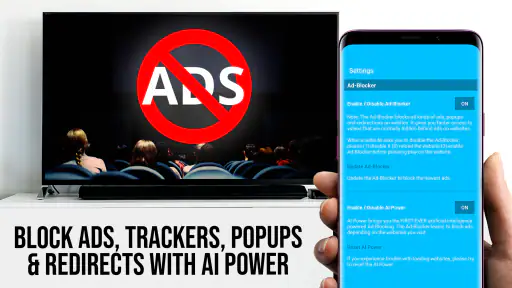
TV Cast Pro offers an array of features to enhance your media streaming experience. Key features include ad-free streaming, unlimited casting of web videos, no time limits, and the ability to bookmark websites for quick access. It also supports high-definition video quality and offers a user-friendly interface for easy navigation. These features make it a convenient tool for enjoying media content on a larger screen.
Are there any additional costs or in-app purchases in TV Cast Pro for Samsung TV?
TV Cast Pro is a paid app priced at $6.99, offering a premium casting experience. The main purchase provides access to the app, while users should review the purchase details in the app store before downloading to understand any additional options that may be available. Its stated focus is streaming web videos, online movies, and livestreams in HD to a Samsung TV.
Pros
- Supports high-quality video streaming.
- User-friendly interface.
- No intrusive ads.
- Wide compatibility with file formats.
- Quick connection setup.
Cons
- Requires a stable Wi-Fi connection.
- Limited free features.
- May experience occasional lag.
- Not compatible with all TV models.
- Subscription required for full features.
- Category
- Video Players & Editors
- Version
- 2.64













