Tinybeans Private Family Album
- 2.02K
- 3.7
- Installs
- 500.00K
- Price
- Free

Screenshots

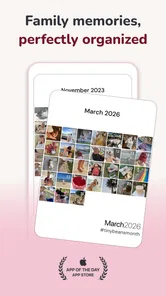






Analysis by Reviewed
When a child does something funny at breakfast, the person who saw it is not always the one who remembers to tell everyone else. I like the idea behind Tinybeans Private Family Album: it gives a household a place to collect photos and videos for relatives without making every family moment a public social post. In practice, its value is less about producing a polished scrapbook and more about making everyday sharing feel contained and easy to return to.
A family album that fits a shared routine
Picture one parent taking a photo before school, then adding a quick note later when the child says something worth saving. Another relative can catch up when convenient rather than relying on a busy group chat to keep the story intact. That is a useful distinction: messages are good for immediate coordination, but photos and little memories can quickly disappear under newer conversation. Tinybeans gives those moments a more lasting home.
I would find it especially helpful for families spread across different schedules or locations, and for grandparents who want to see ordinary updates without joining a social network. It can also suit a household where one person usually takes the photos but wants others to share in the record. The trade-off is that the album only becomes a shared family habit if someone contributes regularly; installing it alone will not magically organize everyone’s camera roll.
Set expectations before inviting relatives
For a smoother start, I’d agree on who is helping maintain the album and what kinds of moments belong there. A few everyday photos, a short caption, and an occasional milestone can be easier to keep up with than trying to upload everything. That small choice also helps relatives understand whether they are joining a quiet record of family life or expecting a constant stream of updates.
It is worth being deliberate about the audience, too. A private family space can feel more comfortable than a public feed, but privacy still depends on the choices people make when sharing. Before adding relatives, I’d talk through which photos are suitable for the group and whether everyone is comfortable with the child’s images being shared there. That is a sensible household boundary, not a substitute for checking the app’s current sharing settings.
Capturing Precious Moments
Let’s dive into what makes the Tinybeans Private Family Album such a gem. Right off the bat, this app offers a super easy way to chronicle your little one’s journey from their first tooth to their first day of school. I mean, who doesn’t love those "aww" moments? With its intuitive interface, you can quickly upload photos and videos, jot down notes, or even record those hilarious quotes your kids come up with. It’s like a one-stop-shop for all your cherished memories, minus the clutter.
A Safe Haven for Your Memories
One of the standout features of Tinybeans is its commitment to privacy. Unlike other social media platforms, this app ensures that your family’s moments stay within a trusted circle. You can choose who gets to see what, and it’s all ad-free. That’s right, no more random ads popping up while you’re reminiscing about your toddler’s first steps. It’s a breath of fresh air for those of us who value our family’s privacy.
More From Our News Desk

 Gmail
Gmail in a Busy Inbox: Who Benefits Most?
From first account to crowded workday, Gmail earns its place through dependable search and flexible sorting—but its best fit depends on how much inbox maintenance you can tolerate.

 Prime Video
Switching to Prime Video: What Changes in Your Viewing Routine
Prime Video can make a compelling second home for streaming, but switching means learning a different catalog, rental layer, and route from browsing to playback.

 Universal TV Remote Control
 Works Best as a Reliable Backup
A phone remote earns its place through quick setup and reliable habits. Here is how to get more from Universal TV Remote Control—and where its limits show.

 Weather - By Xiaomi
Weather by Xiaomi Review: Clear at a Glance, Less Clear Up Close
Xiaomi’s weather app makes everyday forecasts quick to scan, but its calm surface can leave useful details and recovery paths harder to find than they should be.

 X
X Under Pressure: Can It Recover When Posting Goes Wrong?
A resilience-focused review of X, examining setup, mistaken posts, interruptions, weak connections, and the gaps that matter when recovery needs to be dependable.

 Clash of Clans
 Is Won Between the Battles
Its raids are quick; its community is a long-term project of coordination, teaching, rivalry, and shared responsibility—with all the friction that entails.
Latest News



Even so, I would not treat “private” as a reason to upload without thinking. A useful routine is to pause before posting and ask whether the photo would still feel appropriate if a child saw it years later. That simple check keeps a family album focused on memories the family is happy to preserve, rather than turning every candid moment into permanent content.
Sharing Made Easy
Now, I know what you’re thinking – "But I still want to share these moments with my family and friends!" Don’t worry, Tinybeans has got you covered. You can invite family members to view your album, and they don’t even need to download the app. They can simply enjoy the updates through email. It’s a smooth and hassle-free way to keep everyone in the loop, whether they’re tech-savvy or not.
That email option can make the difference for relatives who prefer a familiar inbox to another app account. I would still set a realistic expectation about how often updates will arrive: a family album is not a live chat, and it is better suited to sharing a considered snapshot than coordinating an urgent pickup or last-minute change of plans. For those, a direct message or call remains the clearer tool.
Why You’ll Love It
Aside from its privacy features, Tinybeans also offers a range of tools to personalize your album. You can add filters to your photos, create slideshows, and even track developmental milestones. Plus, the app offers insights and tips tailored to your child’s age, which is a nice touch for those of us navigating parenthood.
Those extras work best when they support a routine rather than create another task. For example, I’d use a milestone entry as a prompt to save a photo and a short note while the detail is fresh, not as pressure to document every stage on schedule. If you mainly want a searchable backup of every image on a phone, a standard cloud photo library may be more practical. If you want a shared, child-centered record with captions and family viewing in mind, Tinybeans has a more focused purpose.
There is also a practical account-boundary question in a shared-device home. If more than one adult uses the same phone or tablet, I’d make sure the person adding a photo knows which family album they are posting to before tapping upload. This is less about complicated setup and more about avoiding a mistaken audience when devices and accounts are used casually around the house. Agreeing on who posts, who invites relatives, and who handles the occasional update can prevent the album from becoming one person’s invisible chore.
Age, trust, and the right fit
Tinybeans is a parenting app from Tinybeans, and its age rating is Everyone. That broad rating makes it approachable as a family tool, but I would still think of the child’s age as a reason for adults to make thoughtful sharing choices, not as a cue to let a young child manage the album independently. The app is free to start, with in-app purchases ranging from $4.49 to $74.99 per item, so I’d check what an optional purchase offers before deciding whether it belongs in the household budget.
The app has a 4.0 average from around 4.9K ratings, with roughly 2K written reviews and over 500K installs. It first appeared on October 16, 2013, and version 5.9.4-prod lists Android 8.0 as the minimum operating system. Those details suggest an established product, though they do not tell me whether its particular sharing style suits every family. I’d choose it for relatives who want occasional, private-feeling updates and skip it if my priority were broad public reach, rapid back-and-forth messaging, or automatic management of a large photo library.
Compared with a family group chat, Tinybeans is better suited to keeping photos and their context together; compared with a general photo-storage app, it puts family viewing and child milestones closer to the center. Neither comparison makes it the best tool for every job. A chat is still more natural for questions and plans, while a regular photo library may be preferable when storage, sorting, or access across many kinds of pictures matters more than a child-focused timeline.
My practical verdict is that Tinybeans makes sense when the household wants a calmer way to share selected childhood moments with relatives, especially those who would rather receive email than learn another social platform. It is less compelling if nobody wants to maintain a separate album, if the family already has a routine that works, or if “private” needs to mean no sharing beyond a device. I’d start with a modest rhythm, agree on who can see the posts, and see whether relatives actually enjoy receiving them before building the family’s memory-keeping around it.
A small routine that keeps the album useful
One low-effort approach is to treat the album as a weekly family note rather than a second camera roll. I’d choose one or two moments worth keeping, add a sentence that explains what is happening, then leave the rest of the day’s photos where they already live. A caption can do useful work here: years later, “first day at school” may be less helpful than a detail about the backpack the child insisted on carrying or the joke they made on the way out.
This also gives relatives something to respond to without turning the album into a conversation channel. If a grandparent replies by email or calls after seeing an update, the family gets the connection without needing every person to comment in the same place. If the household wants fast replies, shared planning, or a reliable way to confirm who is picking a child up, I would keep those tasks in a dedicated messaging or calendar tool instead.
Think through access on household devices
When a tablet sits in a shared room, convenience can blur whose account is open and who is choosing the audience. I’d make a simple house rule: before uploading, check the album and recipient context, especially if the device has been handed between adults. That pause matters more than a complicated posting schedule, because an otherwise thoughtful photo can be shared with the wrong circle if someone assumes the previous user’s session is still theirs.
For families with more than one caregiver, it is also worth deciding whether both adults will contribute or whether one person will curate the stream. Shared responsibility can make the album feel like a family record; a single curator can make it more consistent. Either arrangement can work, but naming it in advance helps avoid the quiet expectation that one parent will do all the documenting and keep everyone else informed.
What the alternatives do better
The usual alternatives each solve a different problem. A group chat is familiar and quick, but it is easy for pictures, context, and old updates to get buried. A general photo library is usually a better fit for broad storage and sorting across a household’s entire collection. Tinybeans sits between those habits: it is more intentional than forwarding every image and more centered on family memories than a general gallery, but it asks someone to maintain a separate place for selected posts.
That extra step is worthwhile only if the people receiving updates will actually use them. Before moving a family’s sharing routine, I’d try a short trial period with a small circle of relatives and a manageable posting rhythm. If they enjoy the updates and the person posting finds the routine easy, the album has earned its place. If everyone keeps returning to the existing chat or photo library, adding another destination may create friction rather than preserve more memories.
Who will appreciate it most
I’d recommend it to parents who want a child-centered record, relatives who enjoy occasional photos but do not want to join a public social platform, and families whose members live apart or keep different schedules. It is also a reasonable choice when one caregiver wants to share context with the wider family without sending the same files individually. The app’s free starting point makes it possible to see whether that pattern suits the household before considering any optional purchase.
I would skip it if the family is uncomfortable sharing a child’s photos outside a device, if nobody wants to curate a separate album, or if the main need is complete photo backup and storage management. It is not a substitute for a messaging app, a family calendar, or a private offline archive. Being clear about that distinction keeps expectations fair: Tinybeans is useful for selected memories and family viewing, not for every kind of coordination or record-keeping.
In a realistic week, one parent might post a picture from a school morning with a short note, while a relative who lives elsewhere sees it later in an email and brings it up during a weekend call. The benefit is not a dramatic new way to communicate; it is having a small, considered record that makes those ordinary details easier to share and revisit. If that sounds like something your family would return to, I think Tinybeans is worth trying with clear boundaries and a light touch.
In a nutshell, Tinybeans is more than just an app; it’s a digital keepsake box that grows with your family. Whether you’re capturing the first smile or the hundredth tantrum, it’s all there, neatly organized for whenever you want to take a trip down memory lane.
So, if you’re on the hunt for a private, user-friendly app to document your family’s adventures, give Tinybeans a whirl. Trust me, it’s like having a personal family album curator right in your pocket!
Tinybeans Private Family Album Frequently Asked Questions
Can I invite relatives who live far away to follow family updates?
Tinybeans is designed to update the entire family through privately shared photos and videos, so it can help relatives stay connected even when they are not nearby. You can share family moments with invited members rather than posting them publicly. That makes the app a practical option for families who want loved ones to follow along with photos, videos, and milestones.
Is Tinybeans suitable for families with children?
Yes. Tinybeans is a parenting app built around sharing family photos, videos, and milestones, including moments from a child’s growth. Its content rating is Everyone, and its private-sharing approach is intended to give families a place to keep relatives updated. Parents looking for a shared family album may find its focus more relevant than a general-purpose public social network.
What should I know about the app before installing it?
Tinybeans is a free app from Tinybeans, with optional in-app purchases for users who want paid features. It is available for devices running Android 8.0 or later, and its current version is 5.9.4-prod. The app has an average rating of 4.0 from around 4,900 ratings, giving prospective users a quick snapshot of its store reception before they decide whether it suits their family.
What is Tinybeans Private Family Album and how does it work?
Tinybeans Private Family Album is a secure and private platform designed for families to share photos, videos, and milestones. It allows users to create a personal family album that can be accessed anytime. The app ensures privacy by allowing only invited family members to view the content, making it a safe space for sharing precious family moments without the worry of public exposure.
Is Tinybeans a free app, or does it require a subscription?
Tinybeans offers a free version with basic features, allowing users to upload photos and videos, and track milestones. However, for an enhanced experience with additional features such as unlimited photo storage and video uploads, ad-free browsing, and advanced sharing options, users can opt for the premium subscription, which requires a monthly or annual payment. Optional in-app purchases range from $4.49 to $74.99 per item, so check the available choices in the app before purchasing.
Pros
- User-friendly interface for all ages
- Secure platform for private photo sharing
- Easy collaboration with family members
- Multiple photo upload options available
- Customizable memory milestones and dates
Cons
- Limited storage without subscription
- No video upload in free version
- Notification settings can be overwhelming
- Occasional app crashes reported
- Some features locked behind paywall