Texture Maker for Minecraft PE
- 432.00
- 4.1
- Installs
- 1.00M
- Price
- Free
Screenshots
Analysis by Reviewed
When I’m choosing a texture tool for Minecraft PE, my first question is how much creative control I actually want. Some players just want a new visual style without touching individual details; others would rather shape a look of their own. Texture Maker for Minecraft PE is aimed at the second kind of player: it gives texture customization a place in the mobile workflow, so changing the appearance of a world can become part of playing rather than a separate desktop project.
That distinction matters if you mostly play in short sessions. A texture change is more satisfying when you have a clear idea of what you want to adjust, then can check whether the result suits the world you are building. I’d treat this as a creative companion, not a replacement for Minecraft itself. It makes the most sense for players who enjoy visual experimentation, and less so for anyone who is happy with the default look and does not want another step between an idea and a game session.
Choosing a first project that is easy to judge
Before installing any texture-making tool, I’d ask whether I want to create, browse, or simply apply a different look. Those are separate needs. If I’m after a ready-made style with almost no decisions, a collection or pack browser is likely the quicker route. If I want to understand how a small visual change affects my own build, a maker-oriented app is a better match. This distinction saves time because it prevents expecting a creation tool to behave like a one-tap catalogue.
I’d also think about how much of my world I’m willing to alter. A texture experiment can affect the feel of familiar spaces, so it helps to choose a contained test area rather than judging a new look across an entire world at once. A compact build with a few contrasting materials can reveal whether a style is coherent, while a huge redesign makes it harder to identify which change is helping or distracting.
A useful way to judge the workflow
Before starting, I’d pick a small visual goal: make a particular build feel warmer, give a familiar area a different mood, or make a set of blocks look more coherent together. Working toward one clear result is easier than trying to redesign everything at once. It also makes the preview more useful: you can judge whether a change supports the scene instead of simply asking whether an individual texture looks attractive on its own.
For a practical everyday example, imagine you have a few minutes before joining friends and want a village build to feel less ordinary. You can focus on a small set of visual changes, inspect them, and decide whether the new appearance fits the place. That is a more manageable first experiment than changing the whole world, and it gives you a clear point to return to if the broader style starts to feel inconsistent.
Small tests reveal more than a dramatic makeover
One useful habit is to compare a change against nearby materials, not just against the original texture. A block may look appealing by itself but feel out of place beside the roof, path, or walls around it. I’d test a few connected surfaces together and pay attention to their shared palette and visual weight. This is especially helpful for builds with repeated patterns: even a good-looking detail can become tiring when it appears everywhere.
More From Our News Desk

Clash of Clans Is Won Between the Battles

Android Auto Makes the Case for Quieter Car Software

MobiOffice: Transforming Mobile Productivity with Seamless Integration

EA SPORTS FC™ Mobile Soccer: Redefining Mobile Sports Gaming

How Microsoft OneDrive Became a Mobile Productivity Giant

How Google Translate Breaks Language Barriers Effortlessly
Another practical trade-off is contrast. A strong texture can make an important feature easier to notice, but if every surface is equally bold, the build can lose a clear focal point. I’d reserve the most noticeable treatment for the parts I want people to see first, then keep supporting surfaces calmer. This approach makes a custom style feel intentional without requiring a full redesign.
Crafting Your World with Texture Maker
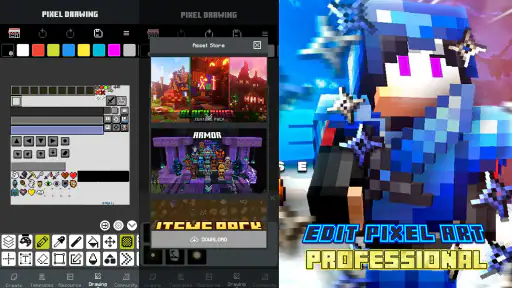
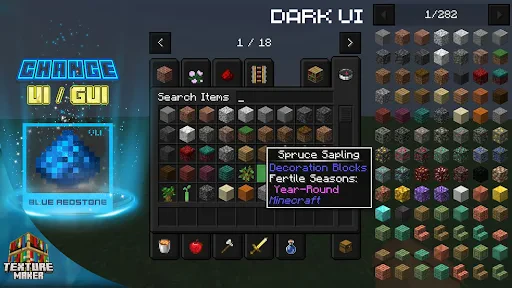
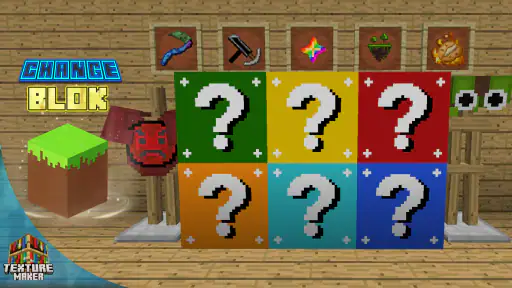
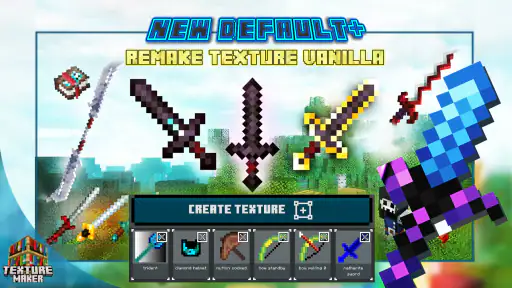
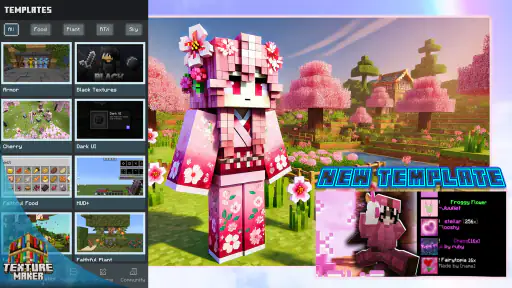
First things first, what exactly is the Texture Maker for Minecraft PE? Well, in the simplest terms, it’s a nifty little tool that allows you to customize the textures in your Minecraft PE game. This means you can take the default textures and give them a personal twist, creating a world that feels uniquely yours. It’s like having your own digital art studio right at your fingertips!
Getting Started: Easy Peasy
Now, I know what you’re thinking—customizing textures sounds super complicated, right? But fear not! The app is incredibly user-friendly. As soon as you fire it up, you’re greeted with a simple interface that even a beginner can navigate with ease. Whether you want to change the texture of a single block or overhaul the entire landscape, the app makes the process straightforward and fun.
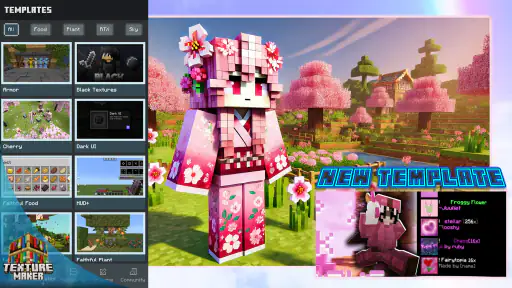
One of the coolest features is the real-time preview. You can see your changes as you make them, which is a huge help in ensuring the final product looks just right. Plus, there’s a whole community out there sharing their creations, so you can draw inspiration from others or even upload your own masterpieces for the world to see.
Making changes without losing your bearings
I recommend judging a texture in the context where you plan to use it, rather than only by how it looks in isolation. A block that seems appealing on its own may not sit comfortably beside the materials around it. Previewing changes as you work can help you catch that mismatch early, before you spend time extending the same style across more of your world.
There is also a useful trade-off between a dramatic overhaul and a restrained edit. A broad change can make a familiar world feel strikingly different, but it may also alter the visual character of builds you already like. If you care about keeping a particular area recognizable, start with a limited experiment and assess the overall effect before committing to a larger redesign.
Making the preview work for you
I’d use the preview as a decision-making tool rather than as a final verdict. Check a texture at the scale where it will matter: a close view can make fine detail seem more important than it feels across a whole wall or landscape. Then step back and consider whether the overall surface reads clearly. That simple change in perspective helps avoid spending time on detail that disappears in normal play.
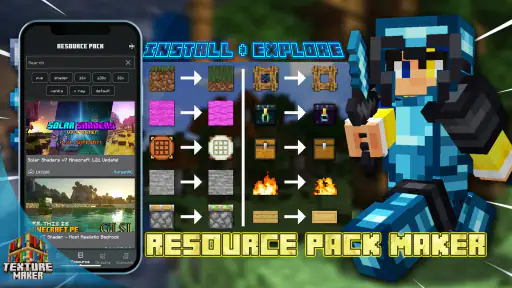
If you are exploring community creations, treat them as references rather than automatic answers. A design made for someone else’s world may rely on colors or neighboring textures that your build does not use. I’d borrow the part that solves a specific problem, then check how it sits with the rest of my palette. That is often more useful than trying to reproduce another player’s complete style.
Why Texture Customization Rocks
So why bother with texture customization at all? Well, for starters, it breathes new life into the game. After playing for a while, you might find your world starting to feel a bit stale. With custom textures, every session feels fresh and exciting. It’s a fantastic way to express your creativity and make your Minecraft experience truly personal. Whether you want a dreamy pastel world or a gritty post-apocalyptic wasteland, the choice is yours!
Another great thing about customization is that it can make the game more visually appealing, especially on mobile devices where graphics can sometimes feel a bit lacking. By adjusting the textures, you can enhance the visual fidelity of your game, making it more immersive and enjoyable.
When a texture maker is not the right tool
This app is less compelling if your main goal is to start playing immediately with a finished visual style. A maker invites experimentation, and that means making choices and checking results. A ready-made pack collection is the more natural alternative when browsing and selecting matter more to you than shaping details. Likewise, if your project depends on precise drawing controls or a broader art workflow, a general-purpose editor on a larger screen may be more comfortable.
I would also skip texture customization if I’m already happy with the game’s familiar appearance or if visual changes would make it harder for me to recognize the materials I use most. New textures are not automatically improvements; readability and consistency matter more than novelty. For a shared world, it is sensible to make sure the people you play with are comfortable with the change before building a whole session around a new look.
Where other options may be a better fit
Texture Maker is an app in the Art & Design category from PA Mobile Studio. Its focus on making and previewing visual changes is the main reason I’d consider it over a general image-editing app: an ordinary drawing tool may help create artwork, but it is not centered on the specific task of shaping Minecraft PE textures. On the other hand, if your goal is simply to browse ready-made looks and pick one with minimal tinkering, a texture-pack browser or a community collection may suit you better than a maker.
The choice also depends on where you want to do the work. Players who enjoy experimenting directly on a phone or tablet are the natural audience here. If you prefer a larger screen, more elaborate art controls, or a tightly controlled workflow for a big project, a desktop editor may be more comfortable. I would not choose this app expecting it to replace every other creative tool; I’d choose it when the appeal is hands-on texture work connected to Minecraft PE.
Keeping a project manageable
For a longer project, I’d keep a simple note of the visual goal and the changes I’m testing. It need not be a detailed design document: a few reminders about the mood, the materials that should stand out, and the areas I want to leave alone are enough to keep experiments on track. This is useful when returning to a project after a break, because it helps me avoid making changes that solve a different problem from the one I started with.
I’d also make one kind of change at a time when possible. If I alter several parts of a look together and dislike the result, it becomes harder to tell what caused the problem. Narrow tests make it easier to keep a successful adjustment and rethink a weaker one. That careful pace may feel slower at first, but it is usually quicker than undoing an ambitious redesign that never had a clear direction.
What to know before installing
The app is free to download, with in-app purchases listed at $2.99 per item. It has a Teen content rating, a 4.1 average from around 20,000 ratings, and over a million installs. It was released on January 14, 2022; version 1.6.6 is the current version, and it requires Android 7.0 or later. Those details make it easier to judge whether it fits your device and whether you are comfortable with optional purchases, but I would still approach the creative side with a small test project first.
The free starting point makes it reasonable to explore whether the workflow suits you, while the listed optional purchases are worth keeping in mind if you prefer to avoid in-app spending. I’d decide whether I’m enjoying the actual process before considering any paid item. The app’s value depends less on collecting possibilities and more on whether making and previewing a few thoughtful changes improves the way I want my world to look.
A practical tip is to decide what you want from the app before opening it: a new mood, a more consistent look for one build, or a chance to explore other creators’ ideas. That gives you a way to judge the result and keeps experimentation focused. If you are trying a shared creation, take a moment to inspect how it looks in your own world before making it the basis of a larger design. A style that works in someone else’s build may not match the blocks and atmosphere you already use.
Questions worth settling before a bigger redesign
Can I use it without paying? The app is free to download, and optional in-app purchases are listed, so I’d begin with a small trial and decide whether the available creative workflow is useful before spending. Is it only for experienced artists? The app is presented as approachable, and I’d start with a modest goal rather than assuming I need advanced art skills. The more important question is whether I enjoy making visual decisions at all.
Will a custom look suit every world? Not necessarily. A style that works for a compact build may clash with a larger landscape or with structures designed around the default appearance. I’d test it in the place I care about most, and keep the scope small until I’m confident. Is a maker better than a pack browser? Only if I want to shape or inspect changes rather than simply choose a finished look. That is the key difference to consider before installing.
Final Thoughts: A Must-Try for Any Minecraft Fan
In conclusion, Texture Maker for Minecraft PE is a brilliant tool that every Minecraft PE player should have in their arsenal. It’s easy to use, offers endless customization options, and completely transforms the way you interact with the game. If you’re looking to spice up your Minecraft world and showcase your creativity, this app is a must-try.
So go ahead, give it a whirl, and let your imagination run wild! Trust me, once you start, you’ll wonder how you ever played without it. Happy crafting!
My recommendation
I’d recommend giving it a try if you enjoy shaping the look of Minecraft PE and want a mobile-friendly place to experiment, especially if seeing changes as you work is important to you. It is a weaker fit if you want a no-effort pack picker, prefer creating art on a larger screen, or have no interest in changing the game’s visual style. For a first session, keep the goal narrow, preview the result in context, and decide whether the extra creative step makes your world more enjoyable. That is the clearest way to tell whether this particular tool belongs in your routine.
Texture Maker for Minecraft PE Frequently Asked Questions
Can Texture Maker for Minecraft PE be used on iOS devices?
Texture Maker for Minecraft PE is intended for compatible Android devices, with Android 7.0 or later required. If you use an iPhone or iPad, check the app store available on your device for a version that supports it before proceeding. Compatibility matters because this is a creative companion app for Minecraft visuals, rather than the Minecraft game itself.
Do I need Minecraft PE installed to use Texture Maker for Minecraft PE?
The app is designed to complement Minecraft PE by helping users customize the way Minecraft content looks. You can explore its creative purpose without treating it as a replacement for the game, but you will want Minecraft PE installed if your goal is to apply the visuals to a world. Check that both apps are available and ready on the device you plan to use.
What devices can run Texture Maker for Minecraft PE?
Texture Maker for Minecraft PE requires Android 7.0 or later, so check your device’s operating system before downloading. It is an Art & Design app from PA Mobile Studio, intended for people who want to work on Minecraft-inspired visuals. The app is free to download, with optional in-app purchases, so you can consider those costs separately from the initial installation.
Is Texture Maker for Minecraft PE suitable for younger users?
The app has a Teen content rating, which is worth checking if you are choosing it for a younger player. Its focus is creating and customizing visual content for Minecraft, rather than playing the game itself. Parents and guardians can review the rating and the app’s purchase options before allowing a download, especially if the device is used by a child.
What is Texture Maker for Minecraft PE?
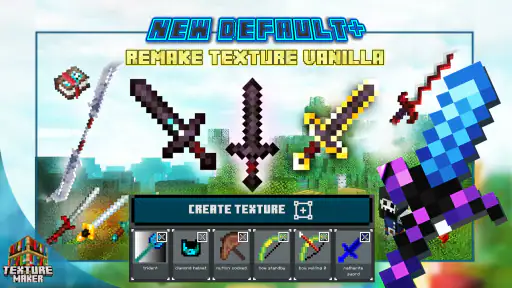
Texture Maker for Minecraft PE is an app designed to allow users to create and customize their own textures for Minecraft Pocket Edition. With this app, players can enhance their Minecraft worlds by modifying the appearance of blocks, items, and even characters. The app provides a user-friendly interface that makes it easy for both beginners and experienced players to design unique textures. Its focus is on giving your Minecraft visuals a more personal style.
Pros
- Easy to use interface for beginners
- Wide range of textures available
- Supports high-resolution textures
- Regular updates with new features
- Allows custom texture creation
Cons
- Limited free version features
- Occasional app crashes reported
- Requires in-app purchases for premium
- Ads can be intrusive
- May not support older device models
- Category
- Art & Design
- Version
- 1.6.6












