Shopkick: Gift Cards & Rewards
- 75.47K
- 3.8
- Installs
- 10.00M
- Price
- Free

Screenshots
Analysis by Reviewed
I think of Shopkick: Gift Cards & Rewards as a small bonus for errands I already have to run, rather than a reason to shop. That distinction matters: the app is most appealing when earning rewards fits naturally into a trip, not when I have to change my plans or buy things I don’t need. It’s a free shopping app from Shopkick, and its central idea is simple—collect rewards through selected in-store and shopping activities, then exchange them for gift cards.
What the current version is like
The app is now at version 8.0.1, and its long presence in the shopping category suggests a product that has had time to evolve. It has been available since November 14, 2010, and its broad audience is reflected in more than 10 million installs. I’d treat those figures as context, not a promise that every nearby store or offer will suit my routine. Its 3.8 average from around 234,000 ratings also points to a mixed experience: plenty of people find a use for it, while rewards apps naturally demand patience and attention to conditions.
Shopkick is rated for Everyone, and I can see the appeal for households that want a simple way to make ordinary shopping feel a little more rewarding. The key is to think of kicks as a gradual perk, not cash back that will meaningfully lower every bill. If I’m already visiting a participating retailer, checking the app may be worthwhile; making an extra trip just to collect a small reward is a different calculation.
Turning routine shopping into rewards
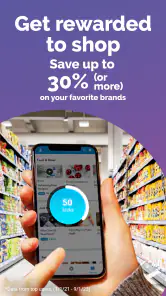
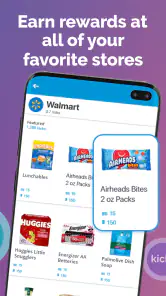
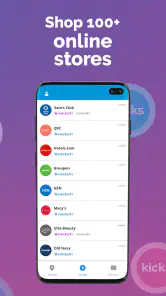
So, what exactly is Shopkick: Gift Cards & Rewards? In a nutshell, it's a rewards app that lets you earn points, or "kicks," just for walking into stores, scanning items, and making purchases. You can even earn kicks from shopping online. And these kicks? They can be redeemed for gift cards to some of your favorite retailers. It's like getting a little extra bonus for doing something you were already planning to do.
Getting Started with Shopkick
Setting up the app is a breeze. I downloaded it from the app store, signed up, and I was ready to start earning kicks within minutes. The interface is user-friendly and intuitive. The home screen greets you with various options to earn kicks, and it's easy to navigate through different sections like in-store, online, and discover deals.
One of the things I appreciate about Shopkick is its seamless integration with my shopping routine. Whether I'm out running errands or browsing online, I can earn kicks without going out of my way. Plus, the app sends gentle reminders about nearby stores where I can score some extra kicks, which is super handy when I'm out and about.
Making the most of a store visit
A practical way to use the app is to check the available opportunities before leaving home, then decide whether any fit a trip I already planned. For example, if I’m heading to a shopping center for groceries and a few household items, I can see whether a participating store on my route has an activity worth doing. I’d avoid detouring across town for a small reward: travel time and impulse purchases can easily outweigh the benefit.
More From Our News Desk

Weather by Xiaomi Review: Clear at a Glance, Less Clear Up Close

X Under Pressure: Can It Recover When Posting Goes Wrong?

Clash of Clans Is Won Between the Battles

Android Auto Makes the Case for Quieter Car Software

MobiOffice: Transforming Mobile Productivity with Seamless Integration

EA SPORTS FC™ Mobile Soccer: Redefining Mobile Sports Gaming
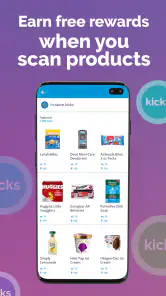
For product scans, I’d treat the app as a checklist rather than a scavenger hunt. Look at the listed items before you walk the aisles, and scan only what matches the offer. That makes the task quicker and helps avoid buying a product simply because it appears in the app. A useful trade-off is that this can make shopping more engaging, but it also asks you to pay attention while you shop instead of moving through your list on autopilot.
The Fun Part: Earning and Redeeming Kicks
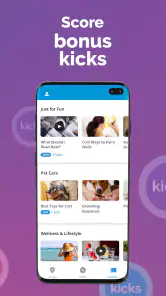
Now, this is where the fun really begins. Earning kicks is straightforward. You can earn them by simply walking into partner stores, scanning select products, and making purchases. They even throw in bonus kicks for linking your credit card and making purchases that way. It's like a modern-day treasure hunt, just without the pirates.
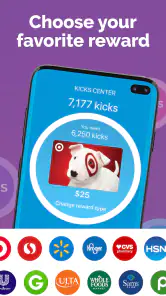
Redeeming the kicks is just as satisfying. With a wide range of gift card options, from Amazon to Starbucks, there's something for everyone. I personally love treating myself to a little Starbucks indulgence with my kicks. It feels like a reward for my shopping efforts.
Where it fits among shopping rewards apps
Compared with a retailer’s own loyalty program, Shopkick can be more useful when my errands involve different stores, because its appeal is built around collecting rewards across shopping activities rather than staying loyal to just one chain. A store-specific program may be the better choice if I mostly shop at one retailer and want benefits tied directly to that store. Traditional cash-back tools can also suit people who prefer a clear monetary return; Shopkick’s gift-card approach feels more like saving toward a treat.
That difference shapes who I’d recommend it to. It suits people who enjoy checking offers, don’t mind scanning selected products, and can fit participating stores into existing plans. I’d skip it if I want rewards to happen entirely in the background, dislike sharing purchase details through a rewards workflow, or find that promotional prompts encourage unnecessary spending. The best result comes from staying in control of the shopping list and treating any kicks as an extra, not a reason to spend.
Small habits that make the experience smoother
One everyday scenario is a planned weekend grocery run. Before leaving, I’d check for relevant in-store opportunities, note any eligible scans, and keep my normal list separate from promotional items. If I make a qualifying purchase, I’d hold on to the receipt until I’ve followed the app’s steps for that activity. This simple order—check first, shop normally, then complete the required task—reduces the chance of forgetting an offer or buying something just for points.
It’s also worth deciding in advance what a reward is for. I find gift cards more satisfying when they go toward a planned coffee, household purchase, or present, rather than becoming an excuse to spend more. If an offer requires extra effort that doesn’t fit the day, I’d leave it alone. The app’s strongest use case is convenience, so a complicated detour defeats the point.
Limits worth keeping in mind
Shopkick is not the same as an automatic discount at checkout. Earning depends on the activities available and on following their requirements, so the experience can vary from one shopping trip to another. A scan or store visit may be engaging, but it takes time; purchase-based rewards also make sense only when the item was already on your list. I’d check the details in the app rather than assume every visit or receipt qualifies.
There’s a similar trade-off with reminders and nearby-store suggestions. They can bring a relevant opportunity to my attention when I’m already out, but I wouldn’t let them decide where I shop. If I value speed, privacy, or a straightforward price comparison more than small rewards, a retailer’s own discount or a cash-back option may be a better fit. Shopkick works best as an optional layer on top of a sensible shopping routine.
What the long-running app means for users
Shopkick’s history gives me a sense of continuity, but an established app is not automatically a perfect match for every shopper. The current version is 8.0.1, while the app’s release dates back to 2010. Those facts show that the product has persisted and changed over time; they don’t tell me exactly which past updates changed a particular feature. I’d judge it by what I can use today: the activities shown in my area, the steps required to earn, and whether redeeming feels worthwhile.
For someone who already uses it, the practical approach is to review the current offers rather than rely on old habits or advice. A reward method that once fitted a weekly routine may not be the most useful option on a different trip. I’d also keep the app updated through the usual app-store process, since the version number is a useful reference when checking that I’m using the current release, not a guarantee that every offer works identically everywhere.
Questions I would settle before relying on it
Can I earn without buying anything? Some activities are based on visiting a store or scanning a selected product, while others involve purchases, so I wouldn’t assume every route requires spending—or that every route is available on every visit. I’d open the offer and read its conditions before making plans. That keeps a no-purchase opportunity distinct from an offer that only rewards a qualifying transaction.
What should I do if a scan or receipt activity doesn’t seem to count? I’d first compare what I did with the instructions shown for that specific activity, including the item or purchase details, and keep the receipt until the app has processed the task. I wouldn’t repeat a purchase just to test it. If the steps appear to have been followed and the reward still does not show, the sensible next move is to use the app’s available support route rather than guess at the cause.
How long will it take to earn a gift card? I wouldn’t plan around a fixed timeline. It depends on which opportunities suit my routine and how often I complete them, so occasional shoppers may progress slowly. The app makes more sense as a small, ongoing perk than as a quick way to fund a specific purchase. Anyone who needs predictable savings should compare an immediate discount or cash-back offer instead.
Is it worth using for online shopping? It can be another route to kicks, but I’d compare the offer with the price and terms I’d get by shopping normally. I’d start from the opportunity inside the app, check that the intended purchase fits its conditions, and avoid adding extras merely to qualify. A reward is only a real benefit if the overall purchase still makes sense.
Who is likely to get the most from it
I’d recommend Shopkick to a patient deal-checker who visits several participating stores, enjoys small tasks, and is comfortable trading a little attention for gift-card rewards. It can also suit families who already split errands across different shops, because the app may give them another reason to notice offers along a route they already take. The best candidates are not necessarily big spenders; they’re people who can keep promotional choices separate from what they genuinely need.
I’d steer away from it if I wanted a completely passive reward, disliked scanning or checking conditions, or had a strict preference for instant savings at checkout. It is also a poor fit if using reward prompts makes it harder to stick to a budget. A store loyalty card is more direct for someone committed to one chain, while a straightforward cash-back service is easier to evaluate for someone who wants a monetary return rather than a gift card. The right choice depends on whether the extra steps feel like a light game or a chore.
Why I Keep Coming Back
What keeps me hooked on Shopkick is the sense of accomplishment it provides. It's not just about shopping; it's about turning everyday activities into opportunities to earn rewards. The app has a way of making the mundane feel exciting, and that’s something I truly appreciate.
My advice is to give it a fair trial during errands you would make anyway, then judge whether the activities feel worth the time. Keep an eye on which earning options actually suit your routine, and don’t chase every offer just because it is visible. That approach gives the app a chance to be useful without letting rewards dictate your spending.
Looking ahead, I’d watch whether the activities that matter to me remain easy to find and whether the available gift-card choices make the effort feel worthwhile. Those are more useful measures than simply seeing a new version number. For existing users, the key question is whether the app still fits their habits; for newcomers, a low-pressure trial on an ordinary errand is a sensible test. If it adds a little value without changing what I buy, I see a reason to keep it.
In conclusion, if you're looking for a fun, rewarding shopping companion, Shopkick: Gift Cards & Rewards might just be the app for you. It's easy to use, rewarding, and integrates smoothly into your shopping habits. Give it a try, and you might find yourself looking forward to your next shopping trip a little more eagerly. Happy shopping!
Shopkick: Gift Cards & Rewards Frequently Asked Questions
Can I use Shopkick without making purchases?
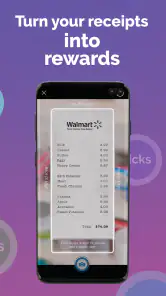
Yes, some Shopkick activities do not require a purchase. The app’s summary highlights rewards for activities such as watching videos, scanning receipts, and referring friends, while other opportunities may involve shopping. If you want to avoid spending, look through the available tasks in the app and focus on those that suit you; rewards depend on the current offers and eligible activities.
Does Shopkick work at every store?
Shopkick is designed around participating retailers and eligible activities, rather than every store being part of the program. Whether a visit, product scan, receipt, or purchase qualifies can depend on the offer shown in the app. Before making a special trip or buying something to earn rewards, check the current details and participating locations in Shopkick.
Do I need to shop in person to use Shopkick?
Not necessarily. Shopkick offers several ways to earn, including activities in the app, so you may be able to participate without visiting a store for every reward. The app’s options can include watching videos, scanning receipts, and referring friends, as well as in-store activities. Check the current opportunities in the app and choose the ones that fit how you shop.
What is Shopkick and how does it work?
Shopkick is a mobile shopping app that rewards users with 'kicks' or points for performing various shopping-related activities. These activities include walking into partner stores, scanning product barcodes, making purchases with linked credit cards, and watching in-app videos. Users can then redeem these kicks for gift cards from popular retailers. The app is designed to enhance your shopping experience by offering incentives for both online and in-store shopping.
Is Shopkick free to use?
Yes, Shopkick is free to download and use. There are no hidden fees or subscription charges. Users earn kicks without any initial investment, which they can later redeem for gift cards. However, to maximize your earnings, you might need to make purchases or engage with specific offers within the app.
Pros
- Earn points for walking into stores.
- Variety of gift cards available.
- User-friendly interface.
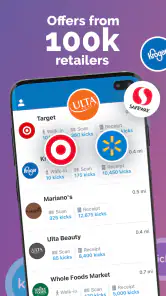
- Integration with major retail stores.
- Option to earn points online.
Cons
- Limited to specific countries.
- Requires location services for some features.
- Sometimes slow to update points.
- Limited rewards for certain users.
- Ads can be intrusive.
- Category
- Shopping
- Version
- 8.0.1











