Shell Box
- 213.00
- 4.7
- Installs
- 10.00M
- Price
- Free

Screenshots




Analysis by Reviewed
I find a fuel-payment app most useful when it removes small hassles without making the stop itself more complicated. Shell Box is built around that practical idea: use a phone to pay for fuel and collect points through Shell Box Club. It is a free shopping app from Raízen Combustíveis, and its 4.7 average rating across around 590,000 ratings suggests many people find the routine worthwhile. For me, the main appeal is not novelty; it is having payment and rewards together when I’m already stopping to refuel.
Before the pump: prepare the routine
The easiest way to use Shell Box is to get the account and payment method ready before pulling into a station. That lets the visit stay focused: open the app, follow its payment flow, and keep the phone available until the transaction is complete. I would not treat it as a reason to handle a phone while driving. It is a tool for a parked car and a deliberate stop, not a shortcut around paying attention.
Picture a weekday commute: I notice the fuel gauge is low, stop at a Shell station, and use the app rather than searching for a card or cash at the pump. The useful habit is to check the payment screen before beginning, then confirm the result before leaving. That final pause matters because an app-based payment should be treated like any other transaction: make sure it has gone through rather than assuming that tapping once finished the job.
There is a practical reason to set things up before the first time you need fuel. An account or payment detail that needs attention is much easier to deal with while you are at home than while you are parked at a busy station. I would install the app, sign in, and inspect the payment setup when I have time to concentrate, then make the first app-based stop a low-pressure one rather than a rushed detour on a tight schedule.
That preparation also helps answer a common question: does using the app mean I can forget about payment entirely? No. I still treat the phone as the payment tool and verify the transaction at the end. If the app does not work as expected, the sensible response is to use another accepted way to pay, not to assume that fuel has been paid for just because I opened the app.
Making a fuel stop simpler without relying on luck
The Shell Box app is all about making your life easier, and honestly, who doesn’t want that? Once you’ve installed it, setting up your account is a breeze. You just need to add your preferred payment method and you’re good to go. What’s really cool is that you can pay for your fuel directly through the app, which means no more standing in line or scrambling for cash. It’s all about that seamless experience.
Settings and rewards worth checking
Before relying on the app for a regular fill-up, I would review the payment method saved to the account and make sure it is still the one I intend to use. That small check is especially helpful if a card has changed or if someone else shares the phone. I would also look over the Shell Box Club points balance after refuelling, so I know the visit has been recorded as expected. These are simple habits, not hidden tricks, but they make digital payment feel more predictable.
More From Our News Desk

Weather by Xiaomi Review: Clear at a Glance, Less Clear Up Close

X Under Pressure: Can It Recover When Posting Goes Wrong?

Clash of Clans Is Won Between the Battles

Android Auto Makes the Case for Quieter Car Software

MobiOffice: Transforming Mobile Productivity with Seamless Integration

EA SPORTS FC™ Mobile Soccer: Redefining Mobile Sports Gaming
For a shared device, I would be particularly deliberate about who is signed in and which payment method is selected. That is less about changing settings constantly and more about avoiding an unpleasant surprise at the pump. If the phone belongs to someone else in the household, it is worth agreeing in advance whose account and payment details will be used. The app can make a stop quicker, but it cannot make an unclear household arrangement any safer.
I would also build in a small post-refuelling check instead of trying to remember every transaction later. Looking at the account after the stop helps me notice whether the payment and points activity appear as expected while the visit is still fresh in my mind. If I use the app only occasionally, that quick review is more reliable than assuming I will recall the details after several errands.
Rewards That Actually Matter
We all love a good reward system, right? Well, Shell Box doesn’t disappoint. Every time you refuel, you earn points that can be redeemed for discounts on future purchases. It’s like getting a pat on the back every time you fill up your tank. Plus, the app keeps track of all your transactions, so you can easily see how much you’ve saved over time. It’s a great way to make sure you’re getting the most bang for your buck.
I see the points as a useful extra rather than a reason to make an unnecessary detour. If a Shell station already fits my route, the rewards make that stop more appealing; if another option is plainly more convenient, I would compare the whole trip rather than chase points alone. The practical question is whether the benefits matter to your normal refuelling pattern. Occasional drivers may value the convenience more than the rewards, while regular Shell customers have more reason to keep the points balance in view.
A useful way to judge the Club is to compare what happens on trips you already make, rather than treating a points balance as money you have saved automatically. I would check how the points can be used when I am deciding whether the program is worthwhile, then weigh that against the extra distance or time of choosing a particular station. That keeps the reward in perspective: it can improve a convenient stop, but it is not a reason by itself to change a journey that already works.
This is where Shell Box differs from a regular bank card or cash. Those options are more flexible across fuel stations and do not ask me to think about a brand-specific points balance, but they also do not bring this particular payment-and-rewards routine together. A station’s own loyalty scheme may suit someone who already uses another brand. I would choose based on where I normally fill up, not on the assumption that one rewards app is best for every driver.
Finding a repeatable rhythm
The design of the app is super intuitive. Even if you’re not the most tech-savvy person out there, you’ll find navigating through the app a walk in the park. Everything is laid out clearly, with bright, engaging colors that make the process enjoyable rather than a chore. You can find the nearest Shell station, check your points balance, and manage your account settings all from one place. It’s straightforward and efficient.
For frequent use, I would make checking the app part of the same routine as checking the fuel gauge, rather than waiting until I am already at the pump to explore its screens. That gives me a chance to confirm I can access my account and see the station information calmly. It also avoids the awkward moment of discovering a login or payment issue while other people are waiting. The interface can simplify a stop, but it cannot remove the need to have a working phone and a usable payment setup.
Experienced users can make the process feel more consistent without relying on a special shortcut: decide on a simple sequence and repeat it. I would check the destination station before setting out, open the app only once the car is parked, follow the payment steps, and then confirm both the transaction and points activity before leaving. Keeping that order in mind reduces last-minute screen searching and makes it easier to spot when something has not gone as expected.
On a day with several errands, I would not open the app at every stop just to check the balance. Instead, I would use it when I am actually refuelling, then review the account afterward if I want to keep track. That distinction helps prevent a useful tool from becoming another distraction. It also makes the app easier to recommend to someone who wants a straightforward routine rather than a reason to spend more time on their phone.
But what really sets Shell Box apart is its reliability. The app is constantly updated to ensure the best user experience. I’ve been using it for a few months now, and I’ve never encountered a single glitch. It’s this consistency that makes it a trustworthy companion for your daily commutes.
What the app can and cannot solve
Paying through a phone is not automatically the best choice for every stop. If I am uncomfortable entering payment details in an app, prefer to pay in person, or do not want another account to maintain, a regular card or cash transaction may be simpler. The same goes for a trip where I cannot pause to check the phone carefully. I would keep a familiar backup payment option available rather than make the app the only way I can refuel.
It is also worth thinking about phone readiness as part of the payment plan. A low battery, a phone left at home, or trouble signing in can turn a convenient process into an unnecessary delay. I would not make Shell Box my sole payment option on a long drive or on a day when I know I may be relying on my phone for several other things. A physical card or another familiar method is a sensible fallback, not a sign that the app has failed.
Shell Box is also most relevant when a Shell station suits the journey. A general fuel-price comparison or a different station’s own payment option may be a better fit if location, price, or an established routine matters more than collecting Shell Box Club points. I would compare the overall convenience of the stop, not just the reward balance. The app’s advantage is combining fuel payment and points in one place; it does not make every alternative irrelevant.
For someone who drives only occasionally, the extra account may not earn its place on the home screen. If I rarely visit Shell, the points and app payment may matter less than the habit I already have with a card. By contrast, a driver who regularly stops at Shell and likes to keep payment activity and loyalty points in one place has a clearer reason to try it. The best fit depends on an existing route and routine, not simply on whether digital payment sounds modern.
A sensible role in everyday driving
In today’s fast-paced world, convenience is key, and Shell Box delivers on that promise. It’s designed to fit seamlessly into your lifestyle, saving you time and effort. No more digging for change or dealing with receipts – it’s all handled within the app, leaving you free to focus on more important things.
Shell Box has been available since February 19, 2016, and the current version is 9.26.3.0. It is rated for Everyone and supports Android 7.0 or later. With more than 10 million installs, it is an established option for people who want a phone-based way to handle Shell refuelling. Those details make it easy to judge whether it fits your device and comfort level, but the real test is still whether the payment flow suits your usual stops.
It is free to install, which makes trying it a low-commitment choice, but I would still judge it by whether it improves the stops I already make. The app is for shopping, yet its value is very specific: it brings a Shell fuel payment routine and Shell Box Club points together. It is not a general-purpose way to pay at every station, so I would not install it expecting the same reach as a wallet app or a bank card.
A question many drivers will have is whether the app is useful even if they do not refuel often. I think it can be, provided they already choose Shell and want to use the phone for payment; the rewards are simply less central when visits are infrequent. If the main goal is to find whichever station best fits a changing route, a broader fuel comparison and ordinary payment may be more practical than organizing stops around one brand.
My verdict is that Shell Box makes the most sense for drivers who already visit Shell stations and appreciate keeping payment and loyalty points together. I would recommend trying it if you are comfortable setting up a payment method and checking transactions as you go. If you rarely refuel at Shell, prefer face-to-face payment, or want the flexibility of choosing any station without a loyalty tie-in, the usual card or cash routine may serve you better. For the right driver, it is a useful convenience rather than something every motorist needs.
Shell Box Frequently Asked Questions
What phones can run Shell Box, and what should I check before installing it?
Shell Box is available for Android and iOS devices, making it an option for many smartphone users. On Android, the minimum operating system requirement is version 7.0, so check your device’s software version before downloading. Keeping your phone’s operating system up to date can also help you get a smoother experience with the app.
Who develops Shell Box, and what is its overall reputation among users?
Shell Box is developed by Raízen Combustíveis and has an average rating of 4.7 from around 590,000 ratings. That strong rating suggests many users find value in its refueling, payment, and Shell Box Club features, although individual experiences can differ. As with any app, it is worth reading recent user feedback to see whether its current experience fits your needs.
Is Shell Box free to download, and who is it designed for?
Shell Box is a free shopping app from Raízen Combustíveis, designed for people who want to manage fuel payments and benefits through their phone. Its content rating is Everyone, so it is suitable for a broad audience. The app’s main appeal is bringing refueling, payment, and Shell Box Club points together in one place.
What is Shell Box and how does it work?
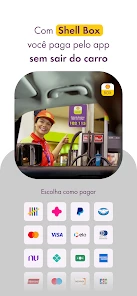
Shell Box is an innovative app designed to enhance your fueling experience by allowing you to pay for fuel directly from your smartphone. After downloading the app, you can register your vehicle and payment details to start using the service at participating Shell stations. This app streamlines the refueling process, offering a convenient and touch-free option to pay for your fuel without having to step out of your car.
Is Shell Box available for both Android and iOS devices?
Yes, Shell Box is available for download on both Android and iOS platforms. You can find it on the Google Play Store for Android devices and the Apple App Store for iOS devices. Ensure that your device meets the minimum operating system requirements to enjoy a seamless experience with the app. On Android, the listed minimum requirement is version 7.0.
Pros
- User-friendly interface for quick navigation
- Offers discounts and promotions on fuel
- Easy integration with loyalty programs
- Secure payment options for users
- Real-time updates on fuel prices
Cons
- Limited availability in certain regions
- Requires stable internet connection
- Occasional app crashes reported
- Some features hidden behind paywall
- Customer support response can be slow
- Category
- Shopping
- Version
- 9.26.3.0











