

Wireless Reverse Charging
- 59.00
- 4.5
- Installs
- 50.00K
- Price
- Free

Screenshots
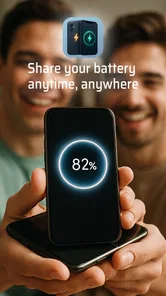
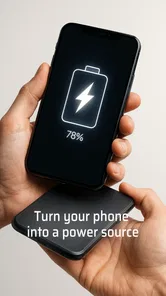
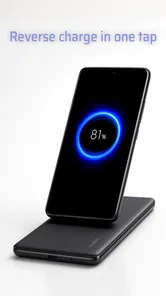
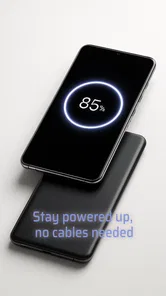
Analysis by Reviewed
Ever found yourself in a situation where your phone’s battery is about to hit rock bottom and there’s no power outlet in sight? Well, let me introduce you to a game-changer: Reverse Charging Wireless. This nifty app is here to save the day, turning your phone into a wireless charging hub for other devices. Let’s dive into what makes this app a must-have for all tech enthusiasts.
When a quick top-up is enough
The best time to try wireless power sharing is when an accessory needs just enough charge for one more call, commute, or errand, and your phone has plenty to spare. I would not treat it as a way to rescue a completely drained device in a hurry. If I were about to leave and needed a dependable amount of power, I’d choose a wall charger or power bank instead.
That distinction is easy to overlook because the idea sounds simple: put one device on another and let the power flow. In practice, the result depends on the phone’s built-in hardware, the receiving accessory, and how steadily they stay aligned. The app’s usefulness is therefore less about promising speed and more about making an occasional power-sharing option accessible when the conditions are right.
What to check before relying on it
Before planning around wireless power sharing, I’d first check whether the phone itself supports reverse wireless charging. An app cannot add a charging coil or change a device’s hardware, so the phone’s built-in capability is the key constraint. The same goes for the accessory: it needs to be designed for wireless charging, and its size and placement can affect whether the two devices line up properly.
That makes this more of a useful extra than a replacement for a charger. If I’m heading out for a long day, I’d still bring a cable or power bank when staying connected matters. Reverse charging is most appealing as a short-term rescue option, not as a way to refill several devices from an already low phone battery.
How Does Reverse Charging Work?
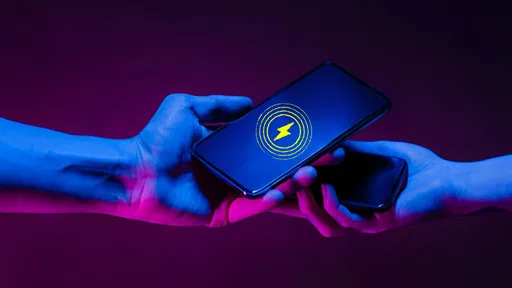
First off, let’s talk about the genius behind this technology. Imagine your phone acting as a power bank. Reverse Charging Wireless utilizes your phone’s hardware capabilities to share its juice with other wireless-compatible devices. It’s like sharing a sandwich, but with power! You just need to enable the feature, place the device you want to charge on top of your phone, and voila! The charging begins.
The practical expectation I’d set is modest: wireless power sharing is a convenience, not a speed-focused charging method. If an accessory needs a quick top-up before you leave, a wired charger is usually the more sensible option. With this kind of setup, careful alignment and keeping the two devices still matter more than repeatedly changing settings or shifting them around.
More From Our News Desk

 Gmail
GmailGmail in a Busy Inbox: Who Benefits Most?
From first account to crowded workday, Gmail earns its place through dependable search and flexible sorting—but its best fit depends on how much inbox maintenance you can tolerate.

 Prime Video
Switching to Prime Video: What Changes in Your Viewing Routine
Prime Video can make a compelling second home for streaming, but switching means learning a different catalog, rental layer, and route from browsing to playback.

 Universal TV Remote Control
Universal TV Remote Control Works Best as a Reliable Backup
A phone remote earns its place through quick setup and reliable habits. Here is how to get more from Universal TV Remote Control—and where its limits show.

 Weather - By Xiaomi
Weather by Xiaomi Review: Clear at a Glance, Less Clear Up Close
Xiaomi’s weather app makes everyday forecasts quick to scan, but its calm surface can leave useful details and recovery paths harder to find than they should be.

 X
XX Under Pressure: Can It Recover When Posting Goes Wrong?
A resilience-focused review of X, examining setup, mistaken posts, interruptions, weak connections, and the gaps that matter when recovery needs to be dependable.

 Clash of Clans
Clash of Clans Is Won Between the Battles
Its raids are quick; its community is a long-term project of coordination, teaching, rivalry, and shared responsibility—with all the friction that entails.
Latest News



Easy Peasy Setup
Setting up the app is as easy as pie. Once installed, you’re greeted with a user-friendly interface that guides you through the process. Trust me, you won’t need a degree in rocket science to figure this one out. The app provides clear instructions on how to position your devices for optimal charging. Plus, it supports a range of devices, from smartwatches to wireless earphones. Talk about versatility!
For a first attempt, I’d test it at home with a compatible accessory rather than waiting until I’m already out of battery. Set the phone on a stable surface, place the receiver carefully, and give the connection a moment before assuming it has failed. If charging doesn’t start, I’d check compatibility and positioning first; those are more useful checks than expecting an app setting to overcome a hardware limitation.
A useful test is to start with one accessory, not several. That makes it easier to tell whether the issue is the phone’s capability, the receiver’s charging support, or simply a poor placement. I’d also remove bulky cases for the first try if they make it difficult to position the devices closely; that is a practical troubleshooting step, not a substitute for compatible hardware. Once I know the combination works on a steady surface, I can decide whether it is worth using away from home.
When Convenience Meets Innovation
One of the standout features of Reverse Charging Wireless is its ability to charge multiple devices simultaneously. Yes, you heard that right! You can charge your smartwatch and earbuds at the same time. This is perfect for those moments when you’re on the go and need to keep all your gadgets powered up. The app also includes a battery management tool, ensuring your phone doesn’t run out of juice while being the Good Samaritan for other devices.
In a heavy-use moment, such as getting ready to leave with earbuds and a watch both low, that shared-power idea sounds handy, but I’d treat it as a backup rather than assume both will charge quickly. Keeping the phone available for calls, maps, or messages also matters: if its battery is the priority, sharing power may be the wrong trade-off. A sensible habit is to use it only when the phone has enough charge to spare, then stop once the accessory has enough for the immediate need.
There is a practical trade-off when several devices need attention at once: the more power I ask the phone to share, the less I can reserve for my own day. I would decide which accessory has the most immediate need rather than placing every compatible item on the phone and hoping for a fast result. For example, earbuds needed for an upcoming call may matter more than topping up a watch that can wait until I’m near a charger.
Resource demands are best judged through the phone’s own battery state and normal use, rather than assuming an app can create extra power. I’d avoid starting a sharing session when I need the phone for navigation, hotspot use, or a long stretch away from an outlet. If the phone becomes more important than the accessory, stopping the session is the sensible choice; no convenience is worth arriving with both devices short of charge.
Reliability in everyday use
Reliability here depends on more than the app’s interface. Wireless charging can be interrupted by movement or poor alignment, so I would avoid placing the phone and accessory somewhere they might be bumped. A quiet desk or bedside table is a better setting than a crowded bag or a moving vehicle. If charging stops, repositioning the devices and checking that the receiving accessory supports wireless charging are practical first steps.
A realistic use would be reaching a friend’s place with earbuds nearly empty before a call. If both devices are compatible, I could try sharing power while getting ready, but I would not count on it as a guaranteed last-minute fix. For travel, a cable remains more predictable; for an occasional top-up at home or work, the app’s purpose is easier to appreciate.
For a steadier routine, I’d set the phone and accessory on a flat surface and avoid handling them while they are charging. If the connection drops, I would first restore their position instead of repeatedly toggling options or blaming the app. This is a small but meaningful difference from wired charging: a cable holds the connection in place, while wireless sharing asks me to keep the devices lined up and undisturbed.
Recovery is similarly straightforward in principle: if a session is interrupted, check whether the devices have shifted, confirm the receiver is still positioned over the phone’s charging area, and try again when both are stable. I would not assume that a failed first attempt means the phone is incompatible, but I also would not spend a long time troubleshooting if I need power urgently. A cable or power bank is the more dependable fallback when the timing matters.
Who will get the most from it?
I’d recommend trying it if your phone already supports reverse wireless charging and you regularly carry small wireless accessories. It may also suit someone who wants to help a friend with a compatible device when a conventional charger is out of reach. On the other hand, if your phone lacks the required hardware, or you need fast and dependable charging every day, a standard wall adapter, cable, or power bank is the better choice.
Compared with those usual alternatives, this app’s appeal is that it makes a phone’s power-sharing capability easier to approach rather than asking you to carry another charging device. The trade-off is that the phone itself becomes the source, so using it can reduce the charge available for your own needs. I would think of it as an occasional tool, not a replacement for a charging routine.
That makes it a better match for someone who already owns compatible devices and wants a backup option than for someone shopping for their main charging solution. A person who mostly charges at a desk may get more predictable results from a standard cable, while someone who carries earbuds and sometimes needs a modest top-up could value the flexibility. Before installing, I’d check the phone model’s own power-sharing support so I don’t mistake an unsupported hardware setup for an app problem.
It is also worth thinking about where the app fits into an actual day. If I’m heading to a meeting and notice my earbuds are low while my phone is well charged, a brief session at home could be useful. If I’m already outside, moving around, and depending on my phone for directions, the same trade-off is less attractive. The app is most convincing when I can pause, position the devices carefully, and spare some battery without compromising the phone’s main job.
Why You’ll Love It
There’s something incredibly satisfying about being able to help out a friend in need. Whether it’s saving someone’s phone from dying during an important call or keeping your own devices alive during a long day, Reverse Charging Wireless offers a level of convenience that’s hard to beat. It’s like having an extra superpower in your pocket!
As an app in the libraries and demo category, it is aimed at making a particular phone capability easier to use rather than replacing a physical power source. Shadow soft is the developer, and the free app has an Everyone content rating. Its current version is 17.0, with Android 7.0 as the minimum operating-system requirement. Those details make it straightforward to consider, but the decisive question remains whether your specific phone can share power wirelessly.
The app has a 4.5 average from around 1.1 thousand ratings, with over 50 thousand installs. I’d take that as a sign that people are finding the idea useful, while remembering that a rating cannot tell me whether my own phone and accessories will work well together. A quick compatibility check before depending on it is the most valuable preparation.
A realistic performance verdict
For speed, I would set expectations around convenience rather than rapid charging. The most believable benefit is getting a small accessory through an immediate need when no better option is close by; it is not the tool I’d pick for a full recharge or a rushed departure. That distinction helps prevent disappointment and makes it easier to decide when the feature is genuinely worth using.
On reliability, the key is a compatible phone, a suitable receiver, and steady placement. The app can make the capability easier to approach, but it cannot remove those conditions. For a calm top-up at home or work, that is a reasonable arrangement. For a bumpy commute, a packed bag, or a time-sensitive charge, a wired connection is less fussy and more predictable.
My practical advice is to try it once before you need it, with the phone comfortably charged and one accessory you know supports wireless charging. That simple trial answers the questions that matter most: whether your phone can share power, where the devices need to sit, and whether the result is useful for your routine. If that test works, keep the app in mind as a backup; if it does not, carrying a cable is a better plan than counting on a last-minute fix.
In conclusion, if you’re someone who’s always on the lookout for innovative ways to enhance your smartphone’s functionality, this app is definitely worth checking out. It’s straightforward, efficient, and adds a whole new layer of utility to your everyday tech experience. Give it a try and enjoy the perks of having a power-sharing device right at your fingertips.
Wireless Reverse Charging Frequently Asked Questions
What do I need to check before installing Reverse Charging Wireless?
Reverse Charging Wireless is a free app in the Libraries & Demo category, with an Everyone content rating. It runs on Android 7.0 or later, so check your phone’s operating system before downloading. The app’s purpose is to help users charge a phone wirelessly, but the phone itself must support wireless power sharing for that function to be useful.
Is Reverse Charging Wireless an app or a physical wireless charger?
Reverse Charging Wireless is an app, not a charging pad or other physical accessory. Its purpose is to let users charge a phone wirelessly, but wireless power transfer also depends on the phone’s hardware and supported features. Installing the app alone does not turn a phone without wireless power-sharing capability into a wireless charger; check your device’s specifications before relying on it.
What is Reverse Charging Wireless and how does it work?
Reverse Charging Wireless is a feature that allows a device, such as a smartphone or tablet, to act as a wireless power source for other devices. This function enables users to charge compatible devices without the need for cables, simply by placing them back-to-back. It's a convenient way to share battery power between devices, especially in situations where traditional charging methods are unavailable.
Which devices are compatible with Reverse Charging Wireless?
Most modern smartphones and tablets that support wireless charging can be used with Reverse Charging Wireless. However, compatibility depends on the specific models and brands. It's essential to check if your device supports this feature by consulting the manufacturer's specifications or the user manual. Additionally, the device you wish to charge should also support wireless charging capabilities.
Does using Reverse Charging Wireless affect my device's battery life?
Using Reverse Charging Wireless can have an impact on your device's battery life, as it essentially uses the host device's battery to charge another. Frequent use may lead to faster battery depletion and could potentially reduce the overall lifespan of the battery over time. It's advisable to use this feature judiciously and keep an eye on your device's battery health.
Pros
- Convenient for charging on-the-go
- Eliminates need for multiple charging cables
- Compatible with most wireless devices
- Eco-friendly with reduced cable waste
- Sleek and portable design
Cons
- Slower charging than wired methods
- Limited range for device placement
- Not all devices are compatible
- Heat generation during charging
- Can deplete battery faster if not monitored










