

Endoscope Camera / USB OTG
- 33.00
- 3.5
- Installs
- 100.00K
- Price
- Free
Screenshots
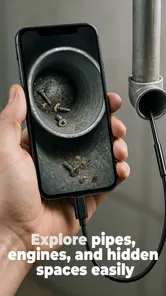
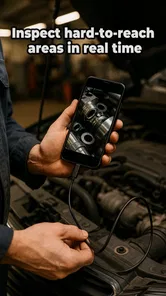
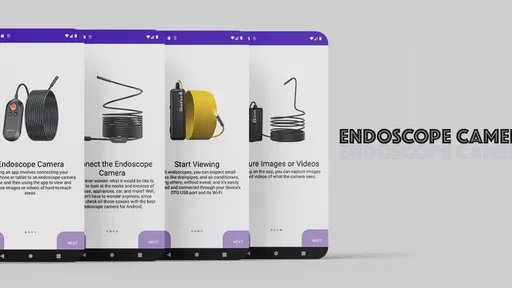
Analysis by Reviewed
I judge a USB endoscope app less by its promises than by how well it helps with a job a phone camera cannot do: showing what is tucked behind a panel, inside a pipe, or beneath an appliance. Endoscope Camera is built for that practical purpose, connecting an Android phone to a compatible endoscope, USB camera, or borescope. In my view, it is most appealing when you already own the right camera and want to make a phone part of your inspection kit, rather than buy a specialised monitor.
What you get without paying upfront
I’d start this section by separating the app’s free installation from the cost of the equipment it connects to. That makes the first decision straightforward: if you already have a compatible camera, you can test the setup before considering any in-app purchase. The next question is whether that connection solves a real, recurring problem for you.
A free starting point, with a paid element to consider
The app is free to install, so trying it with compatible equipment does not require an upfront app purchase. It also includes in-app purchases listed at $14.99 per item. I would treat those as a separate decision from the free starting point: the existence of a paid item does not tell you what it unlocks or whether you need it, so check the purchase details in the app before spending. The sensible approach is to first establish whether the app connects to your camera and suits your intended task.
That distinction matters because the hardware is central to the experience. If you already have a USB endoscope, the free app may be a useful way to put it to work. If you have neither a camera nor a clear inspection task, the app alone is unlikely to deliver much value. It is a connector and viewing companion, not a replacement for the camera that reaches into tight spaces.
Who is behind it, and how established it is
Shadow soft develops the app. It sits in the libraries and demo area of the app world, which makes sense for a utility focused on connecting a phone to camera equipment rather than serving as a general photography tool. The app has a 3.5 average from around 486 ratings, with 33 written reviews, and has passed 100,000 installs. Those figures suggest that people have tried it, but I would not read them as a guarantee that it will work with every camera. USB equipment varies, so compatibility with your specific model remains the practical question.
The app is rated for Everyone and requires Android 7.0 or later. Its current version is 20.0, and it was released on March 25, 2024. Those details help set expectations for whether an older phone can be considered, but an operating-system requirement is not the same as a promise that every device port, adapter, or camera will connect successfully.
Where the app can earn its place
For me, the app earns its place when it helps answer a practical question without immediately taking apart a fixture or appliance. The useful measure is not how impressive a close-up looks, but whether the view helps you decide what to inspect next. That benefit comes with a few trade-offs worth understanding before relying on it.
More From Our News Desk

 Gmail
GmailGmail in a Busy Inbox: Who Benefits Most?
From first account to crowded workday, Gmail earns its place through dependable search and flexible sorting—but its best fit depends on how much inbox maintenance you can tolerate.

 Prime Video
Switching to Prime Video: What Changes in Your Viewing Routine
Prime Video can make a compelling second home for streaming, but switching means learning a different catalog, rental layer, and route from browsing to playback.

 Universal TV Remote Control
Universal TV Remote Control Works Best as a Reliable Backup
A phone remote earns its place through quick setup and reliable habits. Here is how to get more from Universal TV Remote Control—and where its limits show.

 Weather - By Xiaomi
Weather by Xiaomi Review: Clear at a Glance, Less Clear Up Close
Xiaomi’s weather app makes everyday forecasts quick to scan, but its calm surface can leave useful details and recovery paths harder to find than they should be.

 X
XX Under Pressure: Can It Recover When Posting Goes Wrong?
A resilience-focused review of X, examining setup, mistaken posts, interruptions, weak connections, and the gaps that matter when recovery needs to be dependable.

 Clash of Clans
Clash of Clans Is Won Between the Battles
Its raids are quick; its community is a long-term project of coordination, teaching, rivalry, and shared responsibility—with all the friction that entails.
Latest News



Useful work in awkward spaces
The most convincing reason to use this app is to inspect somewhere that is difficult to see directly. Imagine a small leak suspicion under a sink: rather than dismantling everything immediately, you could guide a compatible endoscope into the cabinet’s narrow space and use the phone as the viewing screen. That may help you decide whether a closer look or a repair is needed. It is an aid to observation, not a diagnosis, so I would still verify anything important with a direct inspection or a qualified repairer.
The same basic workflow can help when checking behind a desktop computer, looking into a vent, or examining a hard-to-reach corner of a vehicle. In each case, the value comes from pairing a flexible camera with a screen you already carry. The phone makes the view convenient to inspect, while the camera does the difficult work of reaching the space. For occasional household checks, that can be more practical than keeping a dedicated viewing unit around.
Small workflow choices make a difference
One useful habit is to test the complete setup before beginning a job. Connect the camera and any adapter you plan to use while the work area is still accessible, then confirm that the phone recognises the equipment and that the picture is usable. Finding a connection issue before you have threaded a probe behind a panel is far less frustrating than discovering it halfway through an inspection. This is especially worthwhile when the camera is borrowed or has not been used recently.
Another practical tip is to move the probe slowly and in short increments. A live view from a narrow camera can be disorienting: a small twist may change the direction of the image more than expected, and rushing makes it harder to tell where the camera is pointing. I would use a simple reference point, such as the opening where the probe entered, and keep track of how far it has been guided. That is not a special app feature; it is a way to get more reliable observations from this phone-and-camera setup.
Lighting and access also deserve attention. An endoscope can show a close-up view, but a dark, reflective, dusty, or wet surface may still be hard to interpret. Before relying on what appears on the screen, adjust the probe position and compare several angles where possible. The app can bring the camera’s view to the phone, but it cannot make an unclear scene informative. For safety-critical work, I would not use a phone image as the sole basis for a decision.
How it compares with familiar alternatives
Compared with a regular phone camera, this arrangement is useful precisely where a phone cannot fit or point. A standard camera is simpler for open, well-lit subjects and avoids the extra equipment and connection steps. For a cramped cavity, however, the endoscope approach can reveal a view that a phone lens cannot reach at all.
Compared with a dedicated endoscope monitor, using an app can reduce the amount of gear you need to carry if you already own a compatible camera and phone. The trade-off is that a purpose-built screen may be a more straightforward choice for someone who wants a self-contained inspection kit, especially if they do not want to troubleshoot phone connections. I would choose this app when reusing existing equipment matters more than having a separate, ready-to-go display.
Trade-offs worth understanding before you rely on it
I’d treat this as a hands-on viewing aid, not a guarantee that every phone and camera will connect or that every image will be easy to interpret. A quick setup test and a cautious reading of what the camera shows can prevent wasted effort. Those limits also make it easier to tell whether this tool suits your kind of work.
The camera connection is the make-or-break step
The central limitation is not complicated: the app is only useful if your camera and phone can work together. The broad promise of connecting endoscope, USB, or borescope cameras should not be mistaken for universal compatibility. USB connectors, adapters, phone hardware, and camera designs can differ. If you are choosing a camera specifically for this app, check that its connection method matches your phone and test it as soon as you can, rather than assuming that a plug fitting physically means the setup will work.
That dependency also affects who should skip it. If you need a tool that works immediately with no accessory research, a standard phone camera or a dedicated inspection device may be less hassle. And if the intended job needs dependable documentation or a clear record for professional work, do not assume that a simple viewing app will meet those needs without checking the actual workflow first.
Not a substitute for specialist inspection
A phone screen can make a close-up easier to view, but it does not turn a visual check into an expert assessment. A pipe image may show an obstruction without explaining its cause; a view inside a machine may reveal residue without showing whether a component is safe. I would use the setup to narrow down where to look or decide whether professional help is warranted, not to make a high-stakes repair decision from a single view.
There is also a patience cost. Guiding a camera into a tight space takes practice, and the displayed image may be confusing until you learn how camera movement maps to what you see. If you only need to inspect an open surface, that learning curve and extra hardware are unnecessary. In those cases, a flashlight and direct view—or an ordinary phone camera—are usually the more sensible option.
How I would approach the paid purchase question
Because the app has a free entry point and paid in-app items, I would separate two questions: does the basic connection solve your task, and does a paid option provide something you personally need? I would not pay simply because a purchase is offered. First, test the camera with the free app, identify any limitation that actually affects your work, and then review the specific purchase description. That keeps the decision tied to practical value rather than a vague hope that paying will improve compatibility.
The app’s free status makes experimentation easier, but it does not make the whole setup cost-free if you need to buy a camera or adapters. For someone who already owns compatible hardware, that distinction favours giving it a try. For someone starting from scratch, the total value depends more on the equipment they choose and how often they expect to inspect hard-to-reach spaces than on the app’s download price alone.
Who will get the most from it
The strongest fit is someone who already owns compatible endoscope hardware and occasionally needs to see into a confined space using an Android phone. If you mainly photograph accessible objects, or need a self-contained inspection system for dependable professional routines, another approach may be more convenient. With that distinction in mind, the final verdict comes down to the value of reusing equipment you have.
A good fit for occasional, hands-on checks
I would recommend trying Endoscope Camera if you already have a compatible USB endoscope and want to use your Android phone as its viewing screen. DIY-minded users, people who maintain equipment at home, and anyone who occasionally needs to look into a cramped space are the most natural audience. The app may also suit someone who would rather reuse a phone than add another display to a tool bag.
For a better first session, choose a low-pressure task with easy access, test the connection beforehand, and practise moving the probe while watching the screen. Once you understand how the image responds, a later inspection is less likely to become a frustrating guessing game. Keep the first use observational: confirm what you can see, then decide whether you need a closer look or a different tool.
When I would choose something else
I would skip it if you do not own an endoscope camera and only need occasional photos of visible objects. A normal camera app is simpler for that. I would also favour a dedicated inspection system if my work depended on a consistent, self-contained setup, or if I needed a particular recording and reporting process that I had already confirmed the app could not provide.
It is likewise a poor choice for anyone expecting the app itself to inspect an object automatically. Its purpose is to connect a phone to camera hardware; the user still has to position the camera, interpret the view, and decide what to do next. That distinction keeps expectations realistic and helps prevent a basic visual aid from being treated as a specialist instrument.
My verdict on value
Endoscope Camera makes the most sense as a practical companion to equipment you already own. Its free installation offers a low-cost way to test whether your phone can serve as the screen for a compatible camera, while the paid items call for a closer look at what each one actually adds. I like the idea most for occasional household or equipment checks where seeing into a narrow space can save time, but I would verify the connection before relying on it for an important job.
Overall, I would give it a try if you have the right camera, an Android phone that meets the system requirement, and a specific inspection problem in mind. I would not buy hardware or pay for an in-app item on assumption alone. Test the setup, judge the image for your task, and spend only if the result genuinely helps. For the right owner, that is a sensible way to turn a phone into a useful viewing tool; for everyone else, a normal camera or a dedicated inspection device may be the better fit.
Endoscope Camera / USB OTG Frequently Asked Questions
What is Endoscope Camera / USB OTG used for?
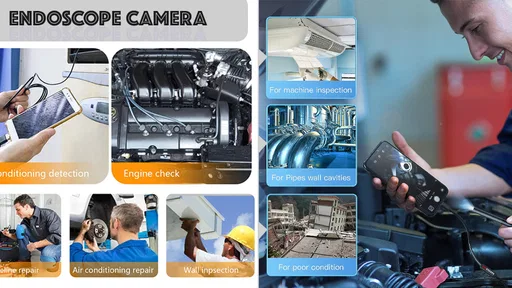
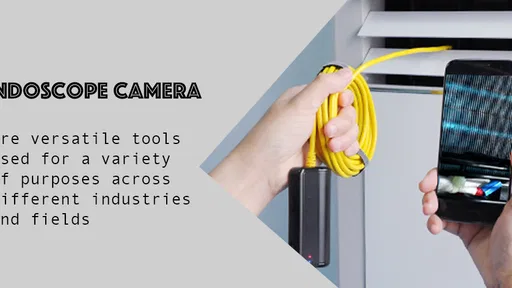
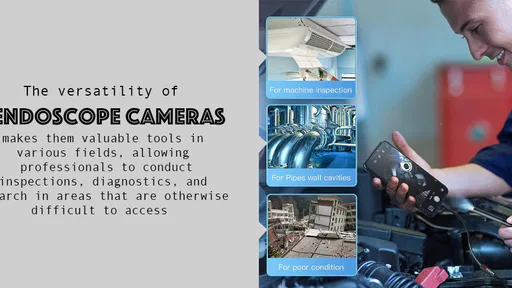
Endoscope Camera / USB OTG is designed to display images from a compatible inspection camera on an Android device. It can be useful for looking into narrow or hard-to-reach spaces, such as pipes, engine areas, or behind furniture. The app is not an endoscope by itself: you need suitable camera hardware, and the image quality and available features depend largely on that camera.
What equipment and connections are required to use the app?
You generally need an Android phone or tablet that supports USB OTG, plus a compatible USB inspection camera or endoscope. Depending on your device and camera, you may also need an OTG adapter or a different connector. Check your device’s USB-host support and the camera’s compatibility before downloading or buying accessories. A USB-C or Micro-USB port alone does not guarantee that the connection will work.
Does Endoscope Camera / USB OTG work on iPhone or iPad?
The app’s USB OTG functionality is intended for compatible Android devices, so you should not assume it will connect to an iPhone or iPad. Apple devices use different accessory and connection requirements, and support can vary by camera model and companion app. If you plan to use an iOS device, check the camera manufacturer’s instructions and the app’s current store listing for explicit iPhone or iPad compatibility.
Why might the camera fail to connect or show an image?
A blank screen or connection error can result from unsupported USB OTG, an incompatible camera, a loose or unsuitable adapter, or a device that is not receiving enough power. Try reconnecting the camera, confirming that your phone supports USB-host mode, and following any permission prompts. Also check the camera manufacturer’s compatibility guidance. Troubleshooting cannot make unsupported hardware compatible, so verify the setup before relying on it.
Does the app record video or save photos, and is it free?
Recording, snapshots, pricing, advertising, and other features can differ between app versions and may change over time. Before installing, review the current Google Play listing and the permissions requested by the app to see what is offered on your device. If you plan to save inspection images, check where files are stored and whether the app asks for access to photos, media, or device storage.
Pros
- Works with compatible USB endoscope cameras for viewing hard-to-reach areas.
- Can help inspect pipes
- engine bays
- and other confined spaces.
- USB connection avoids relying on a separate wireless camera link.
- Useful for quick visual checks around the home or workshop.
- A compact setup can be easier to carry than larger inspection equipment.
Cons
- Requires an endoscope camera and a device with compatible USB OTG support.
- Camera compatibility and image quality can vary by model.
- A wired connection limits movement and may be awkward in tight spaces.
- Some phones may need OTG enabled or additional setup before use.
- Not a substitute for professional inspection or diagnostic equipment.










