QuickEdit Text Editor Pro
- 470.00
- 4.2
- Installs
- 100.00K
- Price
- $2.79

Screenshots
Analysis by Reviewed
Let me tell you about my recent experience with QuickEdit Text Editor Pro. If you’re hunting for an efficient text editor for your mobile device, this might just be your next favorite tool. It’s not every day you find an app that combines simplicity with a powerhouse of features, but this one does just that.
A practical place for mobile editing
What makes a phone-based editor useful to me is not replacing every desktop tool, but making small, precise changes possible when I’m away from a computer. I can use an editor like this to correct a note, adjust a line in a code file, or check a text document before sharing it. QuickEdit is a productivity app from Rhythm Software, and its focus on editing plain text and code gives it a more hands-on feel than a general notes app.
For example, if I notice a typo in a configuration file while commuting, I can open the document, find the relevant text, make the change, and save it rather than waiting until I get home. That kind of task is where a mobile editor earns its place. I’d still leave broad rewrites and complicated project work for a larger screen; a phone is better for targeted edits than for hours of careful typing.
First Impressions
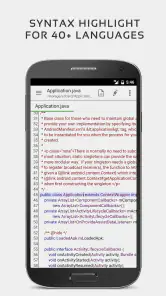
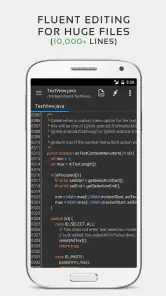
When I first launched the app, I was immediately struck by its clean and intuitive interface. No unnecessary bells and whistles, just a straightforward and easy-to-navigate design. You know how some apps make you jump through hoops just to perform a simple task? Not this one. QuickEdit Text Editor Pro is all about productivity. It supports syntax highlighting for over 50 programming languages, which is a godsend if you’re into coding on the go. The app loads quickly and handles large files with ease, so you won’t find yourself staring at a loading screen for ages.
Features That Make a Difference
One of the standout features for me is its seamless integration with cloud storage services like Google Drive, Dropbox, and OneDrive. This means I can start editing a document on my phone and finish it on my desktop without breaking a sweat. Plus, the app’s autosave feature is a lifesaver, especially for someone as scatterbrained as I am. I can’t tell you how many times it has saved me from losing important edits.
For a safer handoff between devices, I’d make sure I’m editing the copy I intend to change, then reopen the saved file after switching devices to check that the edit is there. Cloud-based work can involve more than one copy of a document, so a quick check helps avoid continuing in an older version. Autosave is useful, but I still treat it as protection against forgotten saves, not as a substitute for knowing where a file is stored.
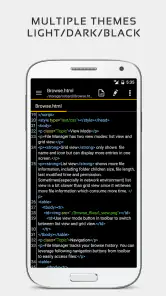
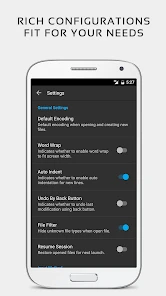
The customizable interface is another aspect worth mentioning. You can tweak the appearance to suit your style, from changing the theme to adjusting the font size. It’s always nice to have an app that feels like it’s truly yours, right?
More From Our News Desk

Clash of Clans Is Won Between the Battles

Android Auto Makes the Case for Quieter Car Software

MobiOffice: Transforming Mobile Productivity with Seamless Integration

EA SPORTS FC™ Mobile Soccer: Redefining Mobile Sports Gaming

How Microsoft OneDrive Became a Mobile Productivity Giant

How Google Translate Breaks Language Barriers Effortlessly
Performance and Usability
Performance-wise, QuickEdit Text Editor Pro doesn’t disappoint. It’s snappy and responsive, and I’ve yet to encounter any crashes or significant bugs. This reliability is crucial, especially when you’re in the middle of an important project. The app’s support for keyboard shortcuts is another feature that boosts productivity, making it feel almost like a desktop editor.
If you often edit with an external keyboard, shortcuts can make a phone or tablet feel less cramped: common actions are easier to reach without repeatedly tapping around the screen. I’d still test the actions I rely on before starting an urgent edit, since a familiar desktop workflow may not map perfectly to every mobile setup. Without a keyboard, the touch interface remains more practical for short changes than for sustained coding.
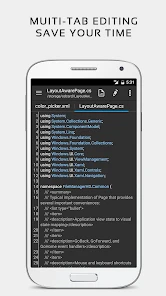
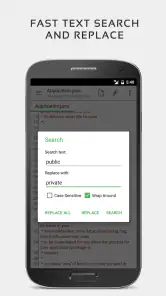
Usability is top-notch, with a plethora of editing tools at your fingertips. Whether you’re editing a simple text file or a complex code script, this app has got you covered. The search and replace function is particularly useful for making quick edits, and the ability to work with multiple tabs makes multitasking a breeze.
Search and replace is especially handy when a term appears several times in a long file. I’d search for the exact text first, check the matches, and only then replace it; a quick global change can be difficult to undo if the same word has different meanings in different places. Tabs also help when comparing two open documents or moving a snippet between them, though they don’t remove the need to keep track of which file you’re changing.
Where it fits among other tools
Compared with a basic notes app, this editor is a better fit when I need direct control over text files or want code to be easier to scan. Compared with a full desktop development environment, it is intentionally a lighter option: convenient for inspecting or adjusting a file, but not my choice for a large coding session that needs a wide workspace and a broader project setup. If all I need is a shopping list or a quick thought, a simple notes app is less work. If I need to edit text with precision while away from my computer, QuickEdit makes more sense.
The app costs $2.79, is rated for Everyone, and has a 4.2 average from around 4,000 ratings. It has been available since September 17, 2014, and its current version is 1.12.3, with Android 5.0 as the minimum requirement. Those details make it straightforward to judge whether it suits your device and budget; the purchase is easiest to justify if you expect to use its file-editing tools regularly rather than only occasionally.
Who will get the most from it
I’d recommend it to people who already handle code or text files on mobile, students making small edits to programming exercises, and anyone who wants a more capable editor than a basic notes app. Its 100K-plus installs suggest it has found an audience, but the more useful question is whether your routine involves editing actual files. If your work is mostly long-form writing, collaborative document editing, or project-wide coding, a dedicated writing app, shared document service, or desktop editor may suit you better.
In conclusion, if you’re in need of a robust, reliable, and user-friendly text editor for your mobile device, look no further than QuickEdit Text Editor Pro. Its combination of features, performance, and ease of use make it a must-have for anyone serious about mobile productivity. So, give it a try and see how it transforms your workflow!
QuickEdit Text Editor Pro Frequently Asked Questions
What kind of app is QuickEdit Text Editor Pro?
QuickEdit Text Editor Pro is a productivity app for editing text and code. It is developed by Rhythm Software and is intended for users who want to work with documents or source files on a mobile device. Its fast, stable, and full-featured approach makes it useful for both everyday text editing and coding tasks.
What devices and Android versions can run QuickEdit Text Editor Pro?
QuickEdit Text Editor Pro is designed for Android phones and tablets. It runs on devices using Android 5.0 or later, so checking your device’s software version before downloading can help avoid compatibility surprises. Its phone-and-tablet focus makes it suitable for editing on a smaller screen as well as working with more room on a tablet.
What features does QuickEdit Text Editor Pro offer?
QuickEdit Text Editor Pro is a powerful, full-featured text editor optimized for both phones and tablets. It supports over 50 programming languages, offers syntax highlighting, and includes a code editor with auto-completion and real-time preview. Additionally, it provides a seamless file management system with cloud integration, making it ideal for developers on the go.
Is QuickEdit Text Editor Pro suitable for beginners?
Yes, QuickEdit Text Editor Pro is designed to be user-friendly for both beginners and advanced users. It features an intuitive interface that makes it easy to navigate and use. Beginners will appreciate its straightforward design while more experienced users can take advantage of its full range of advanced editing features.
Does QuickEdit Text Editor Pro require an internet connection?
QuickEdit Text Editor Pro can be used offline, making it convenient for editing files without an internet connection. However, some features like cloud syncing and accessing files from online storage services do require internet connectivity. This flexibility allows users to work effectively in various environments.
Pros
- Fast and responsive user interface.
- Supports syntax highlighting for many languages.
- Allows multiple tabbed editing.
- Customizable color schemes available.
- Offline use without ads.
Cons
- Limited advanced features compared to desktop editors.
- No cloud sync option for projects.
- Occasional minor bugs and crashes.
- Limited support for large files.
- No collaboration features.
- Category
- Productivity
- Version
- 1.12.3












