Poshmark - Sell & Shop Online
- 44.56K
- 4.5
- Installs
- 10.00M
- Price
- Free

Screenshots




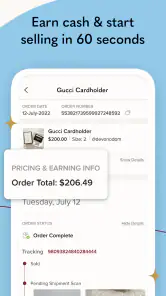



Analysis by Reviewed
I started using Poshmark - Sell & Shop Online because secondhand shopping can be more interesting than browsing the same new-stock shelves, and I wanted a place to pass along clothes I no longer wore. It brings buying and selling together in one marketplace, with a social layer that can make browsing feel lively. I like the basic idea, though the experience works best when you have patience to compare listings and communicate clearly rather than expecting every item to be a quick, standardized purchase.
Making the screen easier to read
For me, the most comfortable way to browse is to start with one clear goal instead of trying to take in the whole marketplace at once. Searching for a particular kind of garment or a familiar brand gives me a manageable set of listings to inspect. I can then focus on the details that matter—photos, condition, and any description of fit—rather than continually jumping between unrelated items.
That approach can also help if long sessions of scrolling are tiring. I’d split a search into short visits and keep a simple note of what I am comparing, such as the size I need or the maximum price I have in mind. The app’s shopping and selling areas are distinct, which makes it easier to return to a task without having to treat every visit as a full browse.
Small tasks, different abilities
Buying and selling put different demands on the person using the app. A buyer can spend time reading and comparing; a seller has to photograph an item, compose a description, and set a price. If typing is uncomfortable, I would draft the key details before opening the listing flow, then enter them when I have time and can check the wording. That is a simple way to reduce rushed input, though it does not remove the work of making the listing useful.
Photos are central to judging secondhand goods, and that creates a real trade-off for anyone who has difficulty distinguishing visual details. I would not rely on a thumbnail or a single image when condition matters. Opening the available photos and asking the seller a focused question can give a better basis for deciding, but people who need consistent, highly detailed product information may find a conventional retailer easier to use.
Finding your way around the marketplace
One of the first things I noticed about Poshmark is its user-friendly interface. From the moment you open the app, you're greeted with a clean and intuitive design. The navigation bar at the bottom makes it super easy to switch between shopping, selling, and managing your profile. I must say, the developers did a great job here. Everything is just a tap away, and you don’t need a manual to figure out how to list an item or make a purchase.
Browsing with a purpose
Shopping on Poshmark is a breeze. The app offers a wide variety of categories, from women's, men's, and kids' clothing to home goods and beauty products. I was particularly impressed by the filter options, which allow you to narrow down your search by size, brand, price range, and even condition of the item. It’s perfect for those who know exactly what they’re looking for or just want to browse casually.
More From Our News Desk

Weather by Xiaomi Review: Clear at a Glance, Less Clear Up Close

X Under Pressure: Can It Recover When Posting Goes Wrong?

Clash of Clans Is Won Between the Battles

Android Auto Makes the Case for Quieter Car Software

MobiOffice: Transforming Mobile Productivity with Seamless Integration

EA SPORTS FC™ Mobile Soccer: Redefining Mobile Sports Gaming
Those filters are most useful when I begin with a concrete target: a particular size, brand, or type of item. For secondhand shopping, condition deserves special attention, because two listings for the same style may tell very different stories. I’d read each description carefully and inspect every available photo rather than treating a familiar brand name as a guarantee of fit or condition. If a listing leaves an important detail unclear, asking the seller before buying is a more sensible move than guessing.
Moreover, the app features a social aspect where you can follow your favorite sellers and see what’s new in their closets. It’s like having a personal shopper who knows your style! Another cool feature is the "Posh Parties," which are virtual shopping events where you can discover new items and brands.
Useful routines for buyers
Following sellers can be more practical than endlessly repeating a broad search. If someone regularly lists the kinds of pieces I like, checking their closet gives me a narrower, more personal stream of options. I’d use this for a specific wardrobe need—such as looking for a secondhand jacket—then compare measurements or condition details across listings before deciding. The trade-off is that a social feed can encourage impulse browsing, so it helps to know what you actually need and what price makes sense to you.
A realistic use for the app is a quick check during a commute or a quiet break: save a search idea in your own notes, browse relevant listings, and return later to compare rather than buying the first appealing item. Poshmark suits people who enjoy discovery and are comfortable making a little extra effort to judge individual listings. If I needed a precisely described, identical replacement delivered through a highly standardized retail process, I’d choose a conventional retailer instead; resale offers variety, but each item and seller is different.
Buying when time is limited
If I were shopping between errands, I would use that short window to narrow the choice, not to rush through checkout. A useful routine is to identify the item, size, and acceptable condition first, then inspect promising listings and leave the final decision for a calmer moment. That helps avoid treating a fleeting find as automatically worthwhile. It is especially relevant for clothing, where a familiar label does not tell me how a particular secondhand piece will fit or wear.
For a gift or an item needed by a specific day, I would be more cautious. A marketplace of individual listings is not as predictable as buying a standard item from a retailer with a uniform catalog. If timing or exact specifications matter more than finding a distinctive piece, I’d use the alternative that best fits that need rather than relying on the appeal of a one-off listing.
Listing without making it a chore
If you’re looking to declutter your closet, Poshmark makes selling as easy as pie. Listing an item is straightforward: snap a few pictures, add a description, set your price, and you’re good to go. The app also provides a prepaid shipping label once your item sells, which is a lifesaver for busy people like me who dread the post office queues.
For a stronger listing, I’d take clear photos from several angles and write down the details a buyer cannot infer from the image, especially the item’s condition. That small effort can prevent avoidable back-and-forth and helps set realistic expectations. I’d also prepare the item and its packaging before listing if I know I may be busy; a sale still requires follow-through, so “easy to list” should not be confused with “no work after listing.” The label simplifies one step, but sellers still need to handle the item and get it moving.
A practical seller habit is to make the listing while the item is in front of me, rather than trying to remember its details later. I can check the fabric, note visible wear, and photograph the parts a buyer is most likely to want to assess. Clear, specific wording may take a little longer, but it is more useful than a vague description that invites repeated questions. If I have several pieces to sell, I would start with one or two; that reveals whether I enjoy the photo-and-description process before I turn decluttering into a larger project.
What’s more, Poshmark offers a flat shipping fee for buyers, which simplifies the whole process. It’s reassuring to know that you’re not going to get hit with unexpected costs at checkout. Plus, the community is generally friendly and respectful, making the selling experience pleasant and rewarding.
Comfort across different situations
The uncluttered layout and clear separation between browsing, selling, and profile tasks make routine navigation approachable for me. Still, shopping involves looking closely at photos and reading descriptions, while listing asks you to take pictures and enter text. Those steps may feel tiring for someone with limited vision, hand dexterity, or a preference for low-stimulation screens. I would take breaks, use the phone’s own display and input settings where helpful, and avoid trying to write a detailed listing in a rushed moment.
Poshmark is convenient when I have a few minutes and a stable connection, but it is less suited to situations where I cannot comfortably inspect images, compare details, or respond to a seller. It also depends on people creating and maintaining listings, so the experience is less predictable than browsing a retailer’s uniform catalog. For anyone who needs a very consistent product description or does not want to message strangers, a conventional shop may be the more comfortable choice.
When the setting changes
Not every moment is a good moment to shop. In a noisy place or while walking, I would avoid making a decision that depends on careful reading or visual inspection. A quick browse can be useful for noting an interesting listing, but checking details later is a better fit when I can give the photos and description proper attention. The same goes for listing: taking pictures in a hurry can leave important angles out, so I’d wait until I have a steady surface and enough time.
For someone who shares a device or prefers not to handle purchases in public, the app’s usefulness will depend on when and where they can comfortably review a listing and communicate. I would treat browsing as something I can pause, then return to the item with a clearer head. The social element is helpful for discovering sellers, but it is not a substitute for making my own careful decision about a purchase.
Who will get the most from it
Poshmark, from Poshmark, Inc, is a free shopping app for buying and selling clothing and other goods. It has a 4.5 average from around 191,000 ratings, and has been installed over 10 million times. Its Everyone age rating makes its intended audience broad, though anyone making a purchase should still use good judgment about listings and communication. Version 9.46 supports devices running Android 7.0 or later.
I’d recommend it most to people who like secondhand finds, want to clear out wearable items, and don’t mind comparing details before committing. It is less appealing if you want every purchase to be uniform, dislike browsing through individual sellers’ listings, or need a friction-free way to sell without taking photos and writing descriptions. Compared with general online retail, its strength is the variety of individual closets; compared with a simple local sale, its appeal is having shopping and selling organized in one app, though it still asks you to do your part.
Choosing the right kind of marketplace
Poshmark sits between browsing a large retailer and arranging a one-off sale locally. The retailer is usually the better match when I want the same product specifications across listings and a predictable shopping flow. A local transaction can be simpler when I want to deal directly nearby, but it does not offer the same combined browsing-and-selling setup. Poshmark’s distinct advantage is seeing many individual closets in one place; the cost of that variety is doing more evaluation myself.
It is also a better fit for some goals than others. I would open it for a secondhand clothing search, a chance to discover a less obvious piece, or a small closet clear-out. I would not make it my first stop for an urgent replacement, a precise match where measurements are essential, or a sale I cannot manage after posting. Those are not flaws so much as reminders that resale depends on the particular item and the person listing it.
A balanced last look
Overall, Poshmark - Sell & Shop Online is a fantastic app for both buying and selling. Whether you're on the hunt for a vintage treasure or looking to make some extra cash by selling unworn items from your closet, Poshmark has got you covered. The app combines convenience, community, and a touch of fashion flair, making it a staple for anyone who loves to thrift or wants to start selling online. So, why not give it a try and see what treasures you can find?
My more measured take is that it is worth trying if you enjoy the human side of resale: browsing distinct closets, checking condition, and making considered choices. Its approachable organization helps, but it cannot remove the judgment and effort that come with secondhand buying and selling. I’d start with one focused search or a small number of items to list, see whether that workflow suits you, and then decide whether Poshmark deserves a regular place in your shopping routine.
Making it work for you
If you are unsure whether the app fits your habits, I’d test it in a low-pressure way: browse for one item you genuinely need, compare a few listings, and notice whether the process feels enjoyable or draining. A potential seller can do the same with one item that is easy to photograph and describe. This gives you a practical sense of the work involved without turning a casual trial into a commitment to shop or sell regularly.
My inclusive verdict is positive with a clear qualification. The separation of tasks and the ability to browse at your own pace can make the marketplace approachable, and phone-level display or input adjustments may help some people tailor the experience. But its reliance on photos, written details, and communication means it will not suit every ability or situation equally. I’d recommend it to patient secondhand shoppers and occasional sellers who can comfortably handle those steps; if visual comparison, typing, social interaction, or unpredictable listings are a barrier, a more standardized shopping option may be kinder to your time and energy.
Poshmark - Sell & Shop Online Frequently Asked Questions
Do I need an account to browse Poshmark, or is one required to buy?
Poshmark is a marketplace for discovering and buying clothing and more, and it also lets users create listings to sell. If you plan to participate in transactions or list items, an account is part of getting started. You can first consider whether the app’s shopping and selling experience suits you, then decide how you want to use the marketplace.
What kinds of items can I find on Poshmark?
Poshmark’s marketplace focuses on clothing and more, including clothing, shoes, and accessories. It brings together listings from individual users, so the selection depends on what sellers have posted. If you are looking for a particular item, browsing listings can help you assess what is available and whether a listing matches what you want before making a purchase.
Can I contact a seller before buying something on Poshmark?
Poshmark has community features that let users engage with listings through comments, and communicating within the app is encouraged for transaction safety. If you have a question about an item, using the listing’s in-app conversation options can help you clarify details before deciding. As with any marketplace purchase, review the listing carefully and keep transaction-related communication on the platform.
Is Poshmark free to download, and what devices can run it?
Poshmark is a free shopping app from Poshmark, Inc. The listed minimum operating system is version 7.0, so it is worth checking your device’s software before downloading. The app is intended for browsing and buying in the marketplace, as well as creating listings if you want to sell. You can begin with the shopping experience and decide later whether selling suits you.
What is Poshmark and how does it work?
Poshmark is a social commerce marketplace where users can buy and sell new or gently used clothing, shoes, and accessories. To get started, you need to create an account, browse or list items for sale, and engage with the community by sharing and commenting on listings to increase visibility. The platform facilitates the transaction process, including payment and shipping.
Pros
- User-friendly interface for easy navigation.
- Wide variety of brands and items available.
- Secure payment options ensure safe transactions.
- In-app chat for direct communication with sellers.
- Regular sales and discounts on popular items.
Cons
- High shipping fees for some items.
- Limited buyer protection policies.
- Occasional delays in order processing.
- Some listings may have inaccurate descriptions.
- High competition among sellers.
- Category
- Shopping
- Version
- 9.46











