Planning Center Services
- 1.84K
- 4.1
- Installs
- 1.00M
- Price
- Free

Screenshots
Analysis by Reviewed
Planning Center Services is the kind of productivity app that becomes useful when a group has many moving parts and nobody wants to coordinate everything through scattered messages. I used it as a mobile companion for service planning and scheduling, and my overall impression is that it works best as a shared workspace rather than as a personal to-do list. It is built for churches and teams that need a clearer way to organize people, plans, and responsibilities around services.
The app is developed by Planning Center and is free to use. It has been available since September 29, 2010, and the current version is 6.10.2. On the store, it carries a 4.1 average from around 8.8 thousand ratings, with more than 1 million installs. Those figures suggest a well-established tool, but they also match my experience: this is a focused utility for a particular kind of organization, not a general scheduling app that will suit everyone.
How Planning Center Services feels in real ministry work
I find the app most revealing when I follow a service from the first planning decision to the moment a volunteer needs to act on it. The value is not simply having a schedule on a phone; it is giving the team a shared reference as responsibilities and details move between people. That workflow also makes clear where a careful handoff helps, and where a team still needs a human fallback.
A shared plan is more useful than another calendar
The main strength is the way the app brings service-related information into one place. Instead of asking several people which song, reading, role, or task they were assigned, a team member can check the current plan and see what applies to them. That sounds simple, but it removes a surprisingly common source of confusion: different people working from different versions of the same plan.
I found the app most valuable when the service was close enough to require practical decisions, but not so close that every change became stressful. A coordinator can review the schedule, check who is involved, and make sure the plan reflects the latest arrangement. A volunteer can use the phone to confirm where they fit without opening a long conversation or searching through old messages.
This is where it differs from a normal calendar. A calendar is good at showing that something happens at a particular time. Services requires a more structured view of what happens within that event and who is connected to it. A shared spreadsheet can do some of the same work, but it tends to become awkward on a phone, especially when several people edit it or when the plan changes repeatedly.
The important shift is from “Where is the information?” to “What is my part in the plan?” That makes the app particularly helpful for volunteers who do not need access to every administrative detail but do need a dependable view of their own involvement.
More From Our News Desk

Weather by Xiaomi Review: Clear at a Glance, Less Clear Up Close

X Under Pressure: Can It Recover When Posting Goes Wrong?

Clash of Clans Is Won Between the Battles

Android Auto Makes the Case for Quieter Car Software

MobiOffice: Transforming Mobile Productivity with Seamless Integration

EA SPORTS FC™ Mobile Soccer: Redefining Mobile Sports Gaming
Connectivity changes the experience
Because the app is designed around shared service information, connectivity is part of the experience rather than a minor technical detail. When the network is working, the advantage is clear: updates can move through the team instead of staying trapped in one person’s notebook, computer, or message thread. That is especially useful when a service plan changes during the week and several people need to respond to the same update.
The trade-off is that a connected planning system asks you to think about timing. I would not leave every important check until the moment I walk into a building, particularly if the connection there is unreliable or crowded. My practical habit would be to open the relevant plan before leaving, review the assignment, and give the app a moment to display the latest information. That small routine reduces the chance of discovering a change at the worst possible time.
For a planning leader, this also affects how updates should be communicated. Changing a plan in the system is useful only if the people affected can reach it. If an urgent alteration matters immediately, I would still use the team’s established direct communication method rather than assuming that everyone will see the app at once. Services can centralize the plan, but it should not be treated as a substitute for judgment during a last-minute problem.
What mobile use gets right
The phone format makes sense for volunteers. People are often checking a service plan while moving between rooms, arriving at a rehearsal, or standing outside before a gathering. A mobile app is less cumbersome than carrying a printed schedule or opening a full desktop planning system for one quick answer.
I particularly like the idea of using it as a confirmation tool. Before heading out, I can check the service details and my role. On arrival, I can look again if I need to remember the order of events or verify whether a change has been made. That is a more realistic mobile workflow than trying to perform every administrative task on a small screen.
There is a limit, though. Phones are excellent for checking information and responding to immediate needs, but they are not always the best place to build a complicated service plan from scratch. If I were responsible for arranging a large service with many dependencies, I would prefer a larger screen and a calmer setting for the initial work. The mobile app is strongest when it keeps the plan available to the people who need it, not when it replaces every planning context.
This distinction matters for teams. A coordinator may need a detailed planning workflow, while a volunteer may only need a clean way to confirm an assignment. If everyone is expected to use the app in exactly the same way, some users may feel overwhelmed and others may feel restricted. A good rollout should explain which parts each person actually needs.
A realistic Sunday scenario
Imagine a volunteer who is scheduled for a service but has not checked the plan since the previous rehearsal. On the way to the building, they open Services and review the current information. They notice that their role is still included and that the order has changed. Instead of arriving with an outdated assumption, they have a chance to prepare for the revised plan.
Now imagine the same situation with a weak connection. The volunteer may spend time waiting for the current information or may not feel confident that what is visible is the latest version. This is why I would make a habit of checking before travel, while the connection is known to be reliable, and then checking again after arrival if the network allows it. The app can support a better routine, but the routine still matters.
For a service leader, the scenario looks different. They may use the app to review several people’s involvement, spot a gap, and make a correction before the team gathers. The value is not just speed; it is reducing the number of parallel conversations needed to keep everyone aligned.
Failure, uncertainty, and recovery
No shared planning app removes the possibility of human error. Someone can overlook an update, misunderstand a role, or assume that another person has handled a task. A network issue can add another layer of uncertainty. The useful question is not whether the app prevents every failure, but whether it gives the team a sensible way to recover.
My advice is to establish a simple fallback habit: check the plan in advance, identify the information that matters most, and know who to contact if something does not look right. This is more reliable than depending on memory or assuming that a screen showing old information represents the final arrangement.
When a change affects only one person, a direct confirmation is sensible. When it affects the whole service, the shared plan should remain the central reference point, with a clear message drawing attention to the change. That combination avoids two opposite problems: hiding important updates inside private chats, or expecting the app alone to guarantee that every person has noticed them.
There is also a human recovery benefit. When a team has one recognized place for the current plan, correcting a mistake becomes easier. People can return to the same reference instead of comparing screenshots, printed pages, and individual notes. That does not eliminate confusion, but it gives the group a better starting point for resolving it.
Using it without wasting mobile data
Services is not an app I would open repeatedly without a reason. A data-conscious workflow is straightforward: review the relevant service information when connected to a dependable network, avoid refreshing simply out of habit, and use direct communication for urgent matters when the app is not responding as expected. The goal is not to avoid using the app; it is to use it deliberately.
This approach is also kinder to attention. Repeatedly checking for a possible change can make volunteers more anxious without improving the plan. A team can agree on when updates are normally made and how urgent changes will be highlighted. Services then becomes part of a predictable process rather than another stream of notifications and uncertainty.
I would also encourage leaders to keep the shared plan tidy. The more unnecessary material a service contains, the harder it is for a volunteer to identify what matters on a small screen. Clear naming, sensible ordering, and a consistent planning habit can make the mobile experience feel much better even without changing the app itself.
Who should use it, and who should skip it?
I would recommend Planning Center Services to churches and ministry teams that already need organized service planning and want volunteers to have access to the same current information. It is a strong fit when several people contribute to each gathering, roles change from week to week, and relying on informal messages has started to create mistakes.
It is also a good choice for volunteers who want a quick way to check their involvement without learning a complicated general-purpose project management system. The focused purpose is an advantage here. You are not sorting through unrelated work tasks, shopping lists, or personal reminders to find the information connected to a service.
I would be more cautious if you are looking for a universal calendar, a personal productivity planner, or a standalone communication tool. Services is too specialized for those jobs. A small group with very simple arrangements may find a shared calendar or a basic messaging conversation faster to maintain. Likewise, a team that does not have a consistent planning process may blame the app for confusion that actually comes from unclear ownership and late changes.
The age rating is Everyone, and the app is available at no cost. It requires Android 7.0 or later, which makes it accessible on many older Android phones, although the quality of the experience will still depend on the device, screen, and network environment. I would check compatibility before asking an entire volunteer team to adopt it, especially if some members use older phones.
How it compares with familiar alternatives
Compared with a group chat, Services offers a more stable reference for structured planning. Chats are fast and familiar, but important details can disappear beneath newer messages, and different people may remember different instructions. A chat remains useful for urgent human communication, while Services is better suited to keeping the service plan organized.
Compared with a spreadsheet, the app is more natural for people who need to consult information on a phone rather than edit rows and columns. A spreadsheet can be flexible, but that flexibility often creates its own maintenance burden. Services makes more sense when the team’s work follows the pattern of services, schedules, and assigned participation.
Compared with a general project management app, it is less attractive for unrelated projects but more relevant to a church service workflow. General tools may offer broader task systems, while this app’s value comes from staying close to the specific planning context. Choosing between them depends on whether your team needs broad customization or a focused shared structure.
My connectivity verdict
After using Planning Center Services as a mobile planning companion, I see connectivity as both its main advantage and its main practical consideration. A connected service plan can reduce duplicate messages, help volunteers prepare, and give leaders a clearer way to keep people aligned. But the app works best when the team develops sensible habits around checking updates, handling urgent changes, and preparing for unreliable network moments.
My final recommendation is positive for churches already using Planning Center’s planning approach or for teams that have outgrown informal coordination. I would introduce it with a short explanation of who checks what, when updates are considered final, and what to do if the app cannot be reached. That makes the technology support the ministry workflow instead of becoming another source of uncertainty.
Planning Center Services is most successful when it becomes the team’s dependable reference point, not the team’s only safety net. If that distinction fits your situation, the free app is worth trying. If you only need a basic calendar or a casual group chat, a simpler alternative may be less work. For structured service planning on mobile, however, it offers a focused and practical experience that can make busy gatherings easier to coordinate.
Planning Center Services Frequently Asked Questions
Who is Planning Center Services designed for?
Planning Center Services is aimed at people involved in organizing or taking part in church services, including volunteers and teams who need to check schedules and service details. It can be useful for worship teams and other participants who want those plans available on a phone. The app is most relevant when the church or organization already uses Planning Center to coordinate its services.
What is Planning Center Services used for?
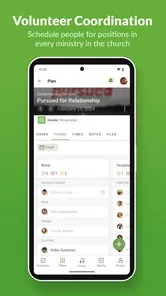
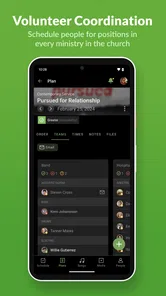
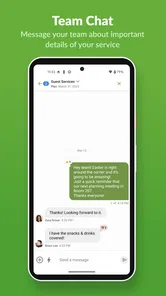
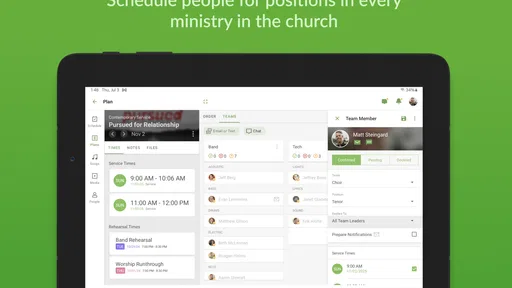
Planning Center Services is a church scheduling and service-planning app designed to help teams organize worship services, volunteers, songs, readings, announcements, and other elements of a gathering. From the app, users can view service plans, check assigned positions, access relevant information, and communicate updates. It is especially useful for churches that already manage their schedules through the Planning Center platform.
Do I need a Planning Center account to use the app?
Yes, Planning Center Services generally requires an invitation or login connected to a church or organization using Planning Center. You cannot normally create a complete service schedule independently from the app without being associated with an existing account. Your church administrator must add you to the relevant team, schedule, or plan, after which you can sign in and view the information assigned to you.
Can volunteers use Planning Center Services to confirm their availability?
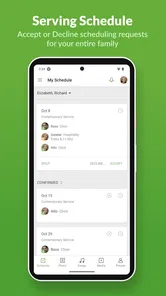
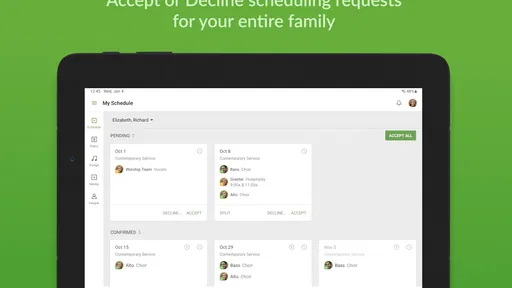
Yes, one of the app’s main purposes is helping volunteers manage their assignments. Depending on the permissions configured by the church, you may be able to view upcoming schedules, accept or decline invitations, indicate availability, and review the position you have been assigned. Features can vary because administrators control how scheduling and responses are handled for each organization.
Can I access service plans, songs, and notes from my phone?
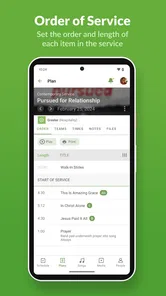
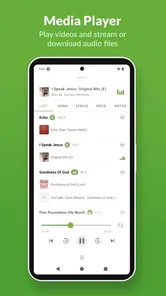
Planning Center Services allows users to review important details of an upcoming service directly from a mobile device. Depending on the plan and permissions, this may include song information, service order, rehearsal details, team notes, files, and position-specific instructions. The exact content available to you depends on what your church has entered and which access rights your account has.
Pros
- Easy volunteer scheduling with clear reminders and confirmations.
- Works smoothly with Planning Center’s broader church management tools.
- Team members can view schedules and block out unavailable dates.
- Mobile notifications help reduce missed services and last-minute confusion.
- Clean interface makes it simple to find upcoming assignments and details.
Cons
- Requires an invitation from a church or organization using Planning Center.
- Some features depend on the administrator’s setup and permissions.
- Frequent notifications may feel excessive for users with many assignments.
- Limited usefulness outside organizations already using Planning Center.
- Certain actions may be easier to complete through the web dashboard.












