Pixel Studio: pixel art editor
- 3.93K
- 4.7
- Installs
- 5.00M
- Price
- Free

Screenshots
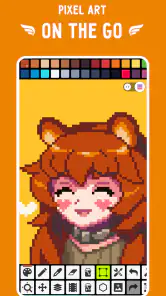
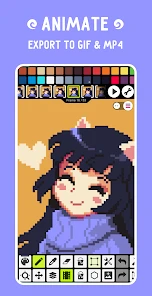
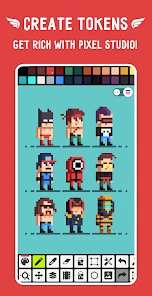
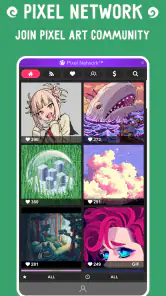

Analysis by Reviewed
I often turn to a pixel art editor when I want to sketch a tiny character, test a limited color scheme, or make a simple icon without setting up a full desktop art program. Pixel Studio is aimed at that kind of focused, small-canvas work: it makes creating on a phone feel approachable rather than like a compromised version of a larger design suite. It is an Art & Design app from Hippo Games AM, and its appeal is clearest when you want to work in deliberate little squares instead of loose, freehand strokes.
Where a phone fits into the workflow
Pixel art suits short creative sessions particularly well. I can imagine opening the app while waiting for a friend, blocking in a small sprite, then returning later to refine its outline and colors. A phone is convenient for that, though its compact screen can make single-pixel placement fiddly. For careful edits, zooming in and working in short passes is more comfortable than trying to finish a detailed image in one sitting.
That distinction also helps set expectations. Pixel Studio is not a substitute for a desktop illustration package when I need a large workspace, precise input from a stylus setup, or a broader production pipeline. Its strength is having pixel-level drawing tools close at hand. If I were making a quick concept for a game character or a small decorative graphic, I would find that focused approach more useful than opening a general-purpose editor full of tools I do not need.
Connectivity, sharing, and sensible habits
Network access matters most when an art session turns into a sharing session. Making marks on a canvas is the central task, while sending a finished image to other people or browsing for inspiration involves services beyond the act of drawing. I would treat those as separate steps: concentrate on the artwork first, then share when a connection is available and convenient. That keeps a weak signal from becoming the thing that dictates whether a sketch is worth starting.
I also prefer to make a deliberate choice before posting a draft. A rough sprite can reveal more about an unfinished idea than I intend, so I would review the image and any destination carefully rather than tapping through a sharing flow on autopilot. If connectivity is unreliable, keeping the session focused on edits and postponing social browsing is a practical way to avoid interruptions. I would not assume every online action behaves the same way on every network or device.
Who will enjoy it—and who may want something else
Pixel Studio makes the most sense for beginners learning how grid-based drawing works, hobbyists making small sprites, and artists who like building images one pixel at a time. It is also a reasonable choice for someone who wants a portable creative tool without paying upfront: the app is free, rated for Everyone, and has an average rating of 4.7 from around 84,000 ratings. Optional in-app purchases range from $2.99 to $17.99 per item, so I would check what is included before spending.
On the other hand, a person who mainly edits photographs, paints broad textured strokes, or needs detailed vector illustration may be happier with a tool designed around those jobs. Pixel art has its own constraints: small dimensions make every color and edge conspicuous, and a polished result often takes more patience than a casual doodle. That is part of the appeal for me, but it can feel restrictive if the goal is expressive sketching rather than crisp, grid-aligned images.
Getting Started with Pixel Studio
When you first open up Pixel Studio, you're greeted with an interface that's as inviting as it is intuitive. For those of us who might not be tech wizards, fear not! The app is incredibly user-friendly. As soon as I launched it, I was drawn in by its clean design and straightforward navigation. It’s almost like the app is saying, "Hey, let's create something awesome together!"
Features That Spark Joy
One of the standout features of Pixel Studio is its versatility. Whether you're on your phone, tablet, or desktop, the app ensures that your creative process remains uninterrupted. I found the cross-platform functionality to be a lifesaver—no more transferring files or worrying about compatibility issues!
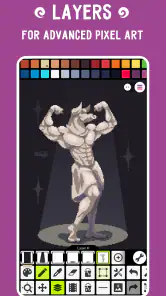
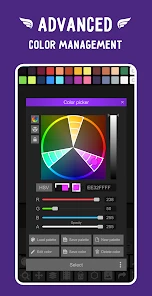
The app is packed with tools that cater to both beginners and experienced artists. From a wide array of brushes to an extensive color palette, the possibilities are endless. I particularly loved the layer system, which allowed me to experiment without the fear of ruining my masterpiece. It's like having an undo button for life—if only!
Creating and Sharing Your Art
Once you've crafted your pixel art masterpiece, sharing it with the world is a breeze. Pixel Studio offers seamless integration with social media platforms, making it easy to showcase your work to friends and fellow art lovers. There’s something incredibly satisfying about seeing your creations come to life on a screen, and even more so when you can share them with just a tap.
And let’s not forget about the community aspect. The app has a vibrant community where you can draw inspiration from others, exchange tips, or simply admire the creativity around you. It’s a reminder that art is not just about creation but also about connection.
Final Thoughts
After spending some quality time with Pixel Studio, I can confidently say that it’s a must-have for anyone interested in pixel art. It’s an app that grows with you, offering more depth as you become more familiar with its features. What started as a curious download quickly turned into a staple on my device.
So, if you're looking to embark on a creative journey, Pixel Studio is your trusty companion. It's more than just an app; it's a portal to endless possibilities, waiting for you to make your mark. Happy creating!
A practical routine for small projects
For a character or icon, I would begin with a rough silhouette before spending time on details. At low resolution, a readable outline matters more than tiny highlights; checking the shape at normal viewing size helps catch details that look neat when zoomed in but disappear on a phone screen. I would then use layers to test alternate colors or facial features without disturbing the base drawing. That makes experimentation less risky and gives me a cleaner way to compare versions.
A useful everyday example is making a small avatar for a chat profile or a personal project. I could sketch the head and main colors during a short break, then revisit the image later to sharpen the outline and adjust contrast. The trade-off is that touch input can make repeated one-pixel corrections slow, so I would keep the first draft simple and save intricate polish for when I have more time and a steady hand.
Choosing tools and managing expectations
Compared with a general drawing app, a dedicated pixel editor is better suited to crisp edges, compact palettes, and sprite-like images; a broad painting app is usually more comfortable for soft shading and freeform brushwork. The layer system described in Pixel Studio is especially useful when I want to separate a figure from its background or try a palette variation. A practical habit is to keep those experiments on distinct layers, then inspect the combined image at its intended size before deciding which version reads best.
The app has been available since May 18, 2018, and version 5.42 supports devices running Android 6.0 or later. It has over 5 million installs and around 3,900 written reviews, which gives a newcomer a substantial pool of user feedback to consider alongside the rating. I would still judge it by the actual task: those figures do not make a phone screen larger or remove the care pixel art requires. For someone who wants desktop-grade control or a workflow centered on photography, another kind of editor is the more sensible choice.
When a connection is part of the process
Sharing and community browsing can make a finished piece feel less solitary, but they are not the same thing as drawing. I would plan around that difference if I were working somewhere with a patchy connection: develop the image first, and leave posting or looking for other artists’ work until the network is dependable. That approach is also useful when I want to stay focused instead of switching between making art and checking social feeds.
For data-conscious use, the simplest habit is to avoid repeatedly loading online material when I only mean to edit my own canvas, and to wait until I am comfortable with the connection before sending images. I would also keep a separate copy of important artwork using a method I already trust, rather than treating a social post as an archive. This is sensible practice for any creative project, especially when a drawing has taken several sessions to finish.
My connectivity verdict
Pixel Studio is most compelling to me as a portable place to make pixel art, with connectivity serving the social and sharing side of the experience rather than defining the creative task. If your main goal is to draw sprites and small graphics in spare moments, its focused approach and free starting point make it easy to try. If your work depends on constant online collaboration, a large display, or advanced image-production tools, I would compare alternatives before committing. For a beginner or hobbyist willing to work patiently at pixel scale, though, it offers a clear path from a rough grid sketch to a finished little image.
Pixel Studio: pixel art editor Frequently Asked Questions
Can I try Pixel Studio before deciding whether it fits my workflow?
Pixel Studio is free to download, giving you a chance to explore its mobile pixel-art workspace before spending money. You can see whether creating pixel art on a phone or tablet suits the way you like to work, then consider any optional purchases if you want more from the app. Starting with a small drawing is a practical way to get a feel for the experience.
Who develops Pixel Studio, and what kind of app is it?
Pixel Studio is an Art & Design app developed by Hippo Games AM. It is a mobile pixel art editor, aimed at people who want to draw and work with pixel-based images on a portable device. Its focus is different from a general painting app: the workflow is centered on placing and refining individual pixels to build artwork.
Is Pixel Studio free to download, and are there in-app purchases?
Pixel Studio is free to download, so you can try its pixel-art workspace without paying upfront. The app also offers in-app purchases, with prices ranging from $2.99 to $17.99 per item. If you are planning to use it regularly, check the purchase options in the app and decide whether the free experience meets your needs before buying anything.
What devices and age groups is Pixel Studio suitable for?
Pixel Studio is an Art & Design app developed by Hippo Games AM and is rated Everyone, making it suitable for a broad audience. On Android, it requires version 6.0 or later. The app is described as a simple, fast, portable mobile pixel art editor, so it is intended for creating pixel artwork on a phone or tablet rather than requiring a desktop setup.
What is Pixel Studio: pixel art editor?
Pixel Studio is a powerful and user-friendly pixel art editor designed for both beginners and experienced artists. It supports layers, animations, and a wide range of drawing tools, allowing users to create intricate pixel art designs. The app is available on both Android and iOS platforms, making it accessible for mobile artists. Its focus is pixel art, so it is particularly suited to drawing small, carefully placed shapes and building images pixel by pixel.
Pros
- User-friendly interface with intuitive tools
- Supports layers for complex artwork creation
- Cross-platform support enhances accessibility
- Offers a wide variety of color palettes
- Regular updates with new features
Cons
- Free version has limited features
- Some advanced tools require in-app purchases
- Occasional bugs during export
- Interface can be cluttered on smaller screens
- Learning curve for beginners

- Category
- Art & Design
- Version
- 5.42












