PDF Editor: Edit PDF, Sign PDF
- 690.00
- 3.9
- Installs
- 10.00M
- Price
- Free
Screenshots
Analysis by Reviewed
I like the idea behind PDF Editor: Edit PDF, Sign PDF: it brings common document jobs together on a phone, so I can make a quick change or sign a file without reaching for a computer. That convenience is the main reason I’d consider it. It is a free productivity app from A1 Office Apps, though in-app purchases mean some parts of the experience may involve spending. I’d treat it as a practical mobile toolkit, not a full replacement for desktop publishing software.
That distinction shapes how I judge it. A phone is a handy place to finish a form on the way home or combine a few pages before sending them, but it is not the most comfortable workspace for rebuilding a complicated document. I value an app like this most when it removes small steps from an ordinary task, not when I expect it to behave like a full office suite.
The appeal of keeping PDF jobs together
PDF tasks often arrive as a string of little chores: find the file, add a note, sign a page, put related documents in order, and send the result. Having those jobs available in one mobile app can save me from switching between a reader, a separate signing tool, and a computer. That is a meaningful convenience for occasional work, even if it does not make every document task effortless.
I would also think about the handoff. A signed or combined PDF is often meant for somebody else, so the useful outcome is not just making an edit; it is producing a file that opens clearly and is easy to understand. My habit would be to inspect the saved copy at normal reading size and make sure the right pages and marks are there before I send it. That check is especially worthwhile when I am working quickly on a small screen.
First Impressions of the App
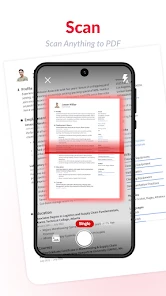
When you first open PDF Editor: Edit PDF, Sign PDF, the clean and user-friendly interface is a breath of fresh air. You're greeted with a simple menu that lets you jump straight into editing, signing, or creating PDFs with just a few taps. It’s like having a Swiss Army knife for PDFs right in your pocket.
Editing Made Easy
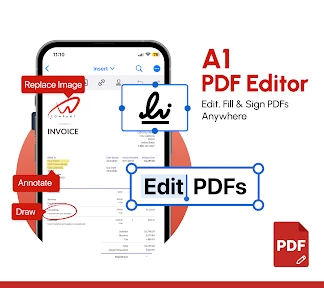
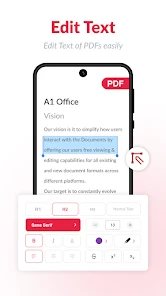
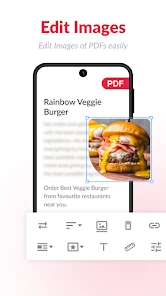
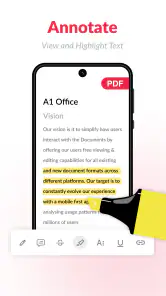
Now, let’s talk about the meat and potatoes—editing PDFs. This app offers robust editing features that allow you to tweak text, images, and even add annotations. Whether you’re marking up a document for work or adding notes to a school project, this app has got your back. It’s incredibly intuitive, so you don’t need a PhD in computer science to figure it out.
One of the standout features is the ability to merge multiple PDFs into a single document. Imagine compiling all your important documents into one handy file before a big meeting. Talk about a time saver!
You May Like

Clash of Clans Is Won Between the Battles

Android Auto Makes the Case for Quieter Car Software

MobiOffice: Transforming Mobile Productivity with Seamless Integration

EA SPORTS FC™ Mobile Soccer: Redefining Mobile Sports Gaming

How Microsoft OneDrive Became a Mobile Productivity Giant

How Google Translate Breaks Language Barriers Effortlessly
Signing Documents? Piece of Cake!
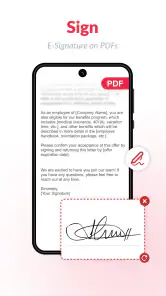
Gone are the days of printing, signing, and scanning documents. With this app, you can add your signature electronically with just a few taps. It’s perfect for those of us who are always on the go and need to send signed documents pronto. Plus, you can save your signature for future use, making the process even quicker next time.
A useful habit is to check the finished file before sharing it: confirm the signature is in the right place, annotations are legible, and pages are in the intended order. That quick review matters when a document has several sections or when you have merged files from different sources. I’d also keep an untouched copy of an important original until I know the edited version is ready to send.
Creating PDFs from Scratch
If you’ve ever needed to create a PDF from scratch, this app makes it a breeze. You can quickly whip up a new document using existing text and images or start fresh with a blank canvas. It’s like having a mini design studio in your hands. The creative possibilities are endless, whether you’re crafting a flyer or a presentation.
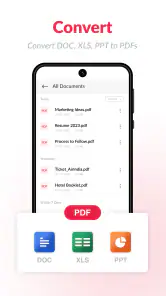
Plus, the app supports a variety of file formats, so you can import documents from different sources without a hitch. This flexibility is a real game-changer, especially if you work with diverse file types on a regular basis.
Small-screen habits that make a difference
When I am editing on a phone, I try to separate the job into two passes. First I make the actual change, then I review the page without touching any controls. That second look helps catch a signature that sits too close to a line or a note that covers a word. For a longer file, I would also check the beginning and end after combining pages, rather than assuming the order is right because the merge seemed simple.
For text changes, I would be cautious about treating a PDF like a word-processing document. A PDF is often designed to preserve a fixed layout, so an edit that looks acceptable on one page can affect spacing or alignment elsewhere. I would use a mobile editor for small corrections and annotations, then compare the finished pages with the original. If the document needs extensive rewriting or exact typography, a computer gives me more room to inspect the result.
Where It Fits in a Daily Workflow
Picture a familiar errand: a school form arrives as a PDF while you’re away from your desk, and it needs a signature before the day is over. I’d use the phone app to open the file, sign it, inspect the result, and send the completed copy through whatever channel I normally use. For a bundle of meeting papers, merging related files first can make the handoff tidier. The benefit is fewer trips between apps and devices, rather than a promise that every complicated document becomes effortless.
For light jobs, a mobile editor can be more convenient than opening a computer-based PDF suite. It also brings more document tools together than a basic reader, which is useful when signing or combining files is an occasional task. On the other hand, someone who needs precise page layout, extensive revisions, or a carefully controlled publishing workflow will likely be better served by a desktop editor. Phone screens are simply less comfortable for detailed checking and fine adjustments.
When a reader or desktop editor is the better choice
If I only need to read a PDF, a dedicated reader is likely to feel simpler: it keeps the focus on opening and viewing documents rather than offering a wider editing toolkit. If I need to revise many paragraphs, carefully position images, or prepare a polished document for publication, I would use a desktop editor instead. The larger screen and more precise controls matter for that kind of work, and they make it easier to review pages side by side.
There is also a practical difference between annotating a document and changing its underlying content. Notes and marks are useful when I am reviewing a draft or pointing out a section to a colleague. But when I need a substantial rewrite, a PDF may not be the best starting point at all; editing the original source document can preserve layout more reliably. I see this app as a convenient stop for the smaller jobs in that workflow, not a reason to avoid the right tool for a bigger one.
Who Should Consider It
I’d recommend it to students, people handling everyday forms, and workers who need to annotate, sign, or assemble documents while away from a desk. Its broad reach—over ten million installs and an average rating of 3.9 from around 114,000 ratings—suggests plenty of people use it, but those figures don’t tell me whether its particular workflow will suit yours. It is rated for Everyone, and it runs on Android versions starting with 7.0. The current version is pdfviewer-6.14.0.
A student could use it to combine readings into one file or mark a page for later discussion. Someone dealing with household paperwork might appreciate being able to sign a form without printing it first. At work, it can be a useful fallback when a colleague needs a quick annotation or a few documents assembled while everyone is away from their computers. In each case, the strongest fit is a clear, bounded task rather than a long editing session.
I would not make it my first choice for confidential, high-stakes paperwork without considering the requirements of the person receiving it. A drawn electronic signature is convenient, but some organisations have specific rules about how documents must be signed or submitted. I would check those instructions before relying on a mobile workflow. That is less a criticism of this particular app than a reminder that convenience does not decide whether a signature method meets a recipient’s requirements.
What to try before relying on it
Before committing to it for frequent work, I’d try the specific tasks I expect to use most: edit a copy of a document, merge a small set of files, and place a signature. That reveals whether the controls feel comfortable on my device and whether the result is clear enough for its intended recipient. The app is free to install, with in-app purchases listed from $1.99 to $49.99 per item, so I’d check what is available without paying before relying on a particular tool every day.
I would start those tests with duplicate files rather than originals. A simple trial can answer useful questions: can I find the tool I need quickly, can I read the result comfortably, and does the completed file fit the way I normally share documents? If one task feels awkward, I would not assume the rest will be equally smooth; editing, signing, and assembling a PDF call for different kinds of precision.
It is also sensible to consider how often the app will be used. For a form now and then, free access may be enough, while a regular workflow makes it worth checking which tools are available at no cost and whether any paid option is relevant to the jobs I actually do. The listed in-app purchase range runs from $1.99 to $49.99 per item, so I would make that decision based on a real need rather than paying in anticipation of features I may never use.
Final Thoughts
All in all, PDF Editor: Edit PDF, Sign PDF is a fantastic tool that simplifies the way we handle PDF documents. It’s packed with features that cater to both casual users and professionals alike. Whether you’re editing, signing, or creating PDFs, this app is designed to make your life easier. So, if you’re tired of wrestling with clunky PDF software, give this app a whirl. You might just find it’s the missing piece in your productivity puzzle.
My more measured verdict is that its strongest case is convenience: editing, merging, annotating, and signing are useful to have close at hand when the task is straightforward. The trade-off is that an all-in-one phone tool may not be the right place for demanding document design, and optional purchases are worth keeping in mind. I’d choose it for occasional PDF chores and quick mobile handling; for intricate work, I’d reach for a desktop alternative.
For me, the decision comes down to where the work happens and how exact the result needs to be. If I regularly receive forms or need to prepare a tidy bundle of PDFs away from a desk, I can see the appeal of having these tools within reach. If my main need is comfortable reading, I would lean toward a reader; if the document is headed for publication or needs careful reworking, I would move to a desktop editor. That is the clearest way to get value from this app without expecting a phone to do every job equally well.
PDF Editor: Edit PDF, Sign PDF is worth considering as a practical mobile option for everyday document handling, especially when signing and merging are occasional needs rather than a full-time production workflow. I like its one-place approach, but I would keep a copy of important originals, review each finished file, and check purchase options before building a routine around a particular tool. For quick PDF chores, that balance makes sense to me.
PDF Editor: Edit PDF, Sign PDF Frequently Asked Questions
Can PDF Editor: Edit PDF, Sign PDF handle the kinds of PDF tasks I need?
Its main purpose is to help with everyday PDF work, including viewing, editing, annotating, signing, merging, and converting documents. The app’s description highlights editing, splitting, converting, merging, and signing PDFs. If you regularly handle forms or need to make changes to a document, those tools may be useful; for a specialized workflow, consider whether the available functions suit the files you work with.
How widely used is PDF Editor: Edit PDF, Sign PDF?
The app has more than ten million installs and around 114,000 ratings, so it has reached a substantial number of users. Its average rating is 3.9, which gives a general sense of how people have responded, though experiences can differ depending on the features and tasks each person needs. These figures can help you judge its popularity, but they cannot predict whether it will fit your own workflow.
Is PDF Editor: Edit PDF, Sign PDF free to download, and are there optional purchases?
The app is free to download, so you can try its PDF tools without an upfront purchase. It also offers in-app purchases, with prices ranging from $1.99 to $49.99 per item. Consider which features you expect to use and check the purchase options in the app before committing, especially if you only need basic document viewing, editing, or signing.
Who develops PDF Editor: Edit PDF, Sign PDF, and what do users say about it?
PDF Editor: Edit PDF, Sign PDF is developed by A1 Office Apps and is listed in the productivity category. It has an average rating of 3.9 from around 114,000 ratings, giving prospective users a broad snapshot of how it has been received. Ratings reflect different needs and experiences, so it can be useful to consider whether its editing and document tools match your own workflow.
What features does PDF Editor: Edit PDF, Sign PDF offer?
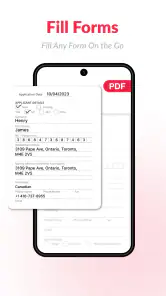
PDF Editor: Edit PDF, Sign PDF provides a comprehensive suite of tools for managing your PDF documents. It allows users to edit text, images, and links directly within a PDF. Additionally, you can annotate documents, fill out forms, and even sign them digitally. The app also supports merging multiple PDFs into one and converting PDFs into other formats like Word or Excel, making it a versatile tool for both personal and professional use.
Pros
- User-friendly interface for easy navigation
- Supports multiple file formats seamlessly
- Allows digital signatures on documents
- Provides annotation tools for editing PDFs
- Offers secure sharing options for files
Cons
- Limited features in free version
- Occasional lag on older devices
- Requires internet for some functions
- Frequent ads disrupt user experience
- Limited cloud storage integration
- Category
- Productivity
- Version
- pdfviewer-6.14.0













