Newegg - Tech Shopping Online
- 30.51K
- 4.7
- Installs
- 5.00M
- Price
- Free

Screenshots


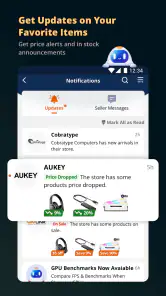



Analysis by Reviewed
I judge a shopping app by whether it helps me make a considered choice, not just by how many products it can show me. Newegg is built around tech shopping, so it makes most sense when I’m comparing electronics or computer components rather than picking up everyday household items. The app is free, developed by Newegg Inc., and has a 4.7 average from around 100,000 ratings. Its Everyone age rating makes it broadly suitable, though the products and purchasing decisions are naturally aimed at shoppers choosing tech.
Browsing works best when I know what I’m looking for
So, I finally got around to checking out the Newegg - Tech Shopping Online app, and let me just say, this app is a tech lover's paradise. If you're someone who enjoys staying up-to-date with the latest gadgets, electronics, and computer parts, then this app might just become your new best friend.
The app has been around since December 24, 2010, and its current version is 5.84.4, with iOS 8.0 listed as the minimum operating system. It has passed 5 million installs, which suggests it has a well-established place among online tech-shopping apps. I would still treat the app as one part of the buying process: for expensive or compatibility-sensitive items, I take time to read the listing carefully rather than assuming a quick scan is enough.
Readability and navigation
The first thing that strikes you about the Newegg - Tech Shopping Online app is its user-friendly interface. It's super intuitive, making it easy for anyone to navigate through a plethora of tech products. From laptops and desktops to gaming consoles and smart home devices, the app provides a seamless shopping experience. I found it remarkably easy to filter through categories, apply search parameters, and find exactly what I was looking for without any hassle.
That kind of filtering is especially useful when a broad search returns products that look similar at a glance. I use the search results to narrow the field, then compare the details on individual product pages before deciding. For computer parts, I would not rely on a product name alone: checking the full specifications against the rest of a planned build is a more dependable habit. A dedicated tech retailer is often more useful for this than a general shopping app, where specialist components can be harder to browse in context.
One useful way to keep a search manageable is to decide which specifications are deal-breakers before opening a long list of results. For a replacement part, that might mean matching the exact component type and the connections your existing setup requires; for a laptop, it could mean choosing the size and core capability that fit your work. I find this prevents attractive images or prominent discounts from distracting me from the practical question: will this specific item do what I need?
There is a trade-off between focused browsing and broad discovery. Newegg’s tech emphasis helps when I already have a product or category in mind, but it is less suited to someone who wants one app to combine tech with groceries, clothing, and household supplies. A general marketplace may be quicker for mixed errands, while this specialist setting gives electronics more room and makes it easier to keep a component search from getting lost among unrelated goods.
More From Our News Desk

Clash of Clans Is Won Between the Battles

Android Auto Makes the Case for Quieter Car Software

MobiOffice: Transforming Mobile Productivity with Seamless Integration

EA SPORTS FC™ Mobile Soccer: Redefining Mobile Sports Gaming

How Microsoft OneDrive Became a Mobile Productivity Giant

How Google Translate Breaks Language Barriers Effortlessly
Deals and the pace of shopping
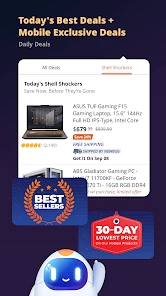
One of the standout features of this app is its constant stream of deals. Newegg is known for offering competitive prices, and the app takes this to the next level with exclusive app-only deals. I was particularly impressed by the daily deals and flash sales that pop up quite frequently. It's like having a personal tech bargain hunter at your fingertips. If you're a deal hunter, this feature alone makes the app worth a download.
My practical advice is to decide what you need before a sale catches your eye. A discount is useful only if the item suits your setup and the final purchase makes sense to you. I’d save a few candidates to revisit rather than rushing because a deal appears temporary. That approach also helps when comparing a specialist listing with a broader marketplace: the Newegg app keeps tech products front and center, while a general retailer may be more convenient if I’m buying unrelated items at the same time.
I also try to compare the whole choice rather than treating a sale label as the answer. A cheaper option is not automatically the right one if it lacks a feature I rely on, or if it is a different configuration from the one I researched. My habit is to open the product details, confirm the exact model, and only then decide whether the offer is genuinely useful. That extra pause is particularly worthwhile for components, where a small difference in a model name can matter to a build.
For someone who checks prices over time, a saved shortlist is more useful than repeatedly searching from scratch. I would keep only the items I might actually buy, then revisit their pages when I have enough time to compare the details. This does not remove the need to make a decision, but it makes browsing feel less reactive. If you dislike sale-driven shopping or would rather make a quick purchase without weighing alternatives, the frequent deal focus may feel distracting instead of helpful.
Product details, reviews, and confidence
Another aspect that really enhances the shopping experience is the detailed product information and user reviews. Each product page is loaded with comprehensive details, specifications, and high-resolution images. I found this incredibly helpful when trying to make informed purchasing decisions. The user reviews are a goldmine for honest feedback, helping you weigh the pros and cons of a product based on real user experiences.
I treat reviews as one source of evidence, not a substitute for checking the specification. For a laptop or component, I first identify the requirement that matters most to me, then look for reviews that discuss that exact use rather than relying on a broad thumbs-up or thumbs-down. This is a good workflow for people who enjoy researching before buying; shoppers who want a quick, low-effort choice may find all the detail more work than they need.
A helpful review-reading trick is to look for repeated, specific observations instead of letting one unusually positive or negative comment set the tone. I pay attention to whether a reviewer describes the same kind of setup or use I have in mind. For a part going into an existing computer, comments about fit or everyday operation can prompt me to check the product specifications again; they do not replace that check, but they can point me toward questions worth answering before checkout.
When I am uncertain between two products, I write down the difference that would actually change my decision and compare only that detail first. It might be a configuration, a connection, or a feature relevant to my planned use. This keeps a long product page from turning into an exhausting hunt for every possible fact. If the listing and reviews still leave me unsure about a compatibility-critical point, I would pause rather than gamble on a purchase simply because the product looks close enough.
Planning, tracking, and everyday access
For those of us who like to plan our purchases or keep an eye on items before committing, the wishlist feature is a game changer. It's super easy to add items to your wishlist and monitor them for price changes. Plus, the order tracking feature is top-notch, allowing you to keep tabs on your purchases from the moment you hit buy to the second it arrives at your doorstep.
A realistic use for me would be checking a part during a lunch break, saving it instead of making a rushed purchase, and returning later to compare it with the rest of a build. Tracking is then handy after checkout when I want to check progress without digging through old messages. Those steps make the app useful across the full shopping decision, from research to waiting for an order, although I’d still verify that a saved item is the exact model I intend to buy.
This workflow is especially practical for a gradual upgrade. I can identify a needed component, save it while I check what else the system requires, and return when I am ready to make a complete decision. The main advantage is continuity: the research does not have to happen in one sitting. I would still keep my own notes for compatibility questions or measurements, because a wishlist helps me return to products but does not do the planning for me.
For a smaller, everyday purchase, I might browse while waiting for an appointment, save one or two options, then review them later at home. That is a better fit than trying to complete a careful comparison in a noisy queue or during a short break. If the purchase is urgent, or I need an item that is not part of Newegg’s tech focus, a nearby general retailer or another familiar shopping option may be more practical than starting a specialized search here.
Different needs, different barriers
On a small screen, dense specifications and long review threads can take more effort to read than they would on a larger display. If I’m comparing several components, I prefer to slow down, enlarge the text through my device settings if needed, and avoid making the final call while distracted. Filtering reduces clutter, but it cannot remove the need to inspect technical details closely.
For shoppers with limited dexterity, any task that involves repeated scrolling, opening product pages, and returning to search can become tiring. I find it helps to narrow a search first and save promising options, so I don’t have to repeat the same navigation. In a noisy or visually busy setting, I’d postpone a complicated purchase until I can concentrate; a rushed tap on the wrong configuration is a more serious drawback than taking longer to browse.
These considerations matter because browsing a specialist catalog is not always a quick, one-handed activity. I would avoid trying to compare several long specification pages while walking, commuting, or carrying other things. A calmer setting gives me more control over reading and selecting the right option. For anyone who finds repeated screen interaction tiring, planning the search in shorter sessions and keeping the shortlist small can make the task more manageable.
Different people will also have different comfort levels with technical language. If I already know the terms for a part, the product detail is useful; if I do not, a dense specification can make it harder to tell which feature matters. I would first clarify the requirement through a trusted source or someone knowledgeable, then use the app to compare products that meet it. The app supports shopping research, but it cannot make an unfamiliar technical choice effortless by itself.
Newegg is at its strongest for people who actively shop for electronics and appreciate specifications, comparison, and deal discovery. It is less compelling if I only want a broad, one-stop store for mixed household shopping, or if I prefer someone else to simplify technical choices. Its focus is also its trade-off: specialist browsing can be valuable, but it asks me to pay attention and make my own judgement.
Who benefits most from a specialist tech store
I would recommend giving this app a try if you regularly research computer parts, compare electronics, or prefer to make a purchase after reading product details and customer feedback. It can also suit someone who buys occasionally but wants to keep a shortlist and return to it later. Newegg Inc. has built a recognizable destination around technology shopping, and the app’s 31,000 reviews reflect a sizeable body of customer feedback alongside its strong average rating.
It is not my first choice for shoppers who want a minimal interface with very little product research, or for people trying to put a varied household order together in one place. In those situations, a general retailer may save time. Likewise, anyone buying a compatibility-sensitive component without knowing what their system needs should do that research first, whether through a knowledgeable person, existing device documentation, or another reliable reference. A focused catalog helps me find options; it does not guarantee that I have chosen the right one.
My overall impression is that the app is most valuable when I arrive with a question to answer: which component fits this build, which device meets a particular need, or whether a current offer is worth considering. It is less useful when I expect the app to tell me what I need without any input from me. That distinction is worth keeping in mind before installing it, especially if you are new to technology shopping.
In conclusion, the Newegg app is a fantastic tool for anyone who loves tech shopping. Its user-friendly interface, plethora of deals, and comprehensive product information make it a standout in the realm of online shopping apps. Whether you're on the hunt for the latest gadget or just browsing for fun, this app has got you covered. Happy shopping!
Newegg - Tech Shopping Online Frequently Asked Questions
Can I use the Newegg app to shop without creating an account?
Newegg is a shopping app for browsing its technology-focused marketplace and looking for deals. Whether you are exploring products or getting ready to place an order, check the sign-in and checkout options shown in the app. If you prefer not to create an account, reviewing those options before choosing products can help you understand what steps are available for your shopping session.
How do I find deals in the Newegg app?
The app is designed to help shoppers browse Newegg’s products and deals from a mobile device. Its store summary encourages users to download the app and start saving money by shopping available offers. You can explore product listings and compare details as you shop; checking the terms attached to an offer before ordering is a sensible way to make sure it suits what you need.
Is the Newegg app free, and what devices can run it?
The Newegg app is free to download and is designed for shopping on a mobile device. It requires Android 8.0 or later, so it is worth checking your device’s operating system before installing. The app is published by Newegg Inc. and is rated for Everyone. Once installed, you can use it to browse Newegg’s technology-focused marketplace and shop for deals.
What is Newegg and what can I buy on it?
Newegg is an online retail platform that specializes in technology products, including electronics, computer hardware, software, and gaming gear. Users can purchase a wide range of items such as laptops, graphics cards, motherboards, and gaming consoles. It also offers various categories like apparel and home appliances. The platform is known for its competitive prices, deals, and customer reviews that help shoppers make informed purchasing decisions.
Is Newegg safe and reliable for online shopping?
Yes, Newegg is considered a reliable and trustworthy platform for online shopping. It has been in operation since 2001 and is known for its secure payment methods and buyer protection policies. The site also features user reviews and ratings for products, which adds an extra layer of reliability for consumers. Additionally, Newegg offers customer support to resolve any issues that may arise during the shopping process.
Pros
- User-friendly interface for easy shopping.
- Wide selection of tech products available.
- Regular discounts and deals on products.
- Fast shipping with reliable delivery service.
- Detailed product descriptions and reviews.
Cons
- Limited customer support availability.
- Occasional app crashes reported.
- Some items may have delayed shipping.
- User account issues reported by some.
- Limited payment options for users.

- Category
- Shopping
- Version
- 5.84.4











