monAI - AI Art Generator
- 1.18K
- 4.4
- Installs
- 100.00K
- Price
- Free
Screenshots
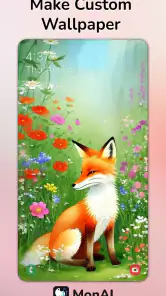
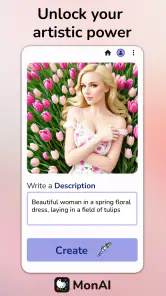
Analysis by Reviewed
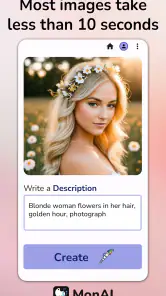
I approached monAI - AI Art Generator as an everyday creative tool rather than a replacement for a full drawing studio. It belongs to the Art & Design category and is made by Tesseract Mobile LLC. The basic idea is appealing: describe an image in words, or start from a photo, and let artificial intelligence turn that starting point into artwork. In practice, the quality of the experience depends as much on how clearly you prepare the request as on the image itself.
My first impression was that monAI is most useful when I want to explore an idea quickly. It can help with a mood board, a social profile image, a visual concept for a presentation, or simply a playful reinterpretation of a photo. I would not open it expecting the precise control of a traditional illustration program. I would open it when speed and experimentation matter more than drawing every detail myself.
Getting started without unnecessary friction
The app is free to install, with optional in-app purchases ranging from $2.99 to $29.99 per item. It is rated for Teen users, runs on Android 7.0 or later, and the current release is 1.0.969-release. Those details make it accessible to many older Android devices, although an operating system that can run an app is not automatically a guarantee of a smooth creative session. AI image generation can still feel demanding on a device with limited memory or an unstable connection.
One of the first places users can get stuck is assuming that a short request will always produce a focused result. A phrase such as “a beautiful city” leaves too many decisions open. I got more useful results by describing the subject, setting, mood, lighting, and visual direction in a single compact instruction. For example, I would identify the main object first, then explain where it is, what atmosphere I want, and whether the result should feel like a poster, portrait, landscape, or another recognizable format.
This does not mean writing a long paragraph every time. In fact, excessive description can make the intended subject harder to understand. I found it better to make one clear request, inspect the result, and then adjust one element at a time. If the composition is good but the atmosphere is wrong, I change the mood. If the subject is unclear, I simplify the wording. That approach is more reliable than replacing the entire prompt after every attempt.
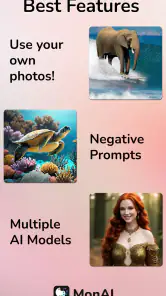
Photo-based creation deserves a slightly different mindset. A source image gives the app more visual direction, but it does not turn the process into ordinary photo editing. I treat the original photo as a starting point and describe the transformation I want rather than expecting every feature of the source to remain untouched. This is especially important for faces, hands, small objects, and busy backgrounds, where an artistic reinterpretation may alter details that matter to me.
Checks worth making before blaming the generator
When a result appears incomplete, fails to appear, or looks very different from the request, I first check the simple things. I confirm that the text is actually present, that the photo selection finished properly, and that the device has a stable connection. I also avoid immediately repeating the same request several times. Repeating a poorly prepared input usually wastes time and makes it harder to understand what caused the problem.
More From Our News Desk

Clash of Clans Is Won Between the Battles

Android Auto Makes the Case for Quieter Car Software

MobiOffice: Transforming Mobile Productivity with Seamless Integration

EA SPORTS FC™ Mobile Soccer: Redefining Mobile Sports Gaming

How Microsoft OneDrive Became a Mobile Productivity Giant

How Google Translate Breaks Language Barriers Effortlessly
A useful preparation habit is to keep the first attempt deliberately simple. I might begin with “a red bicycle beside a quiet lake at sunrise” instead of combining several people, multiple objects, a complex action, a specific lettering style, and an elaborate background. Once the central idea works, I add a secondary detail. This gives me a clearer way to judge whether a change improved the image or merely introduced a new problem.
It is also worth checking whether the phone itself is under pressure. Closing unrelated apps, making sure there is reasonable storage available, and restarting a stalled session are ordinary steps, but they can prevent a temporary device issue from looking like an artistic failure. I would not treat every slow response as evidence that the app is broken. Image generation can take more effort than browsing a normal gallery or editing a simple photograph.
The app has passed the point of being an obscure experiment for many users: it shows an average rating of 4.4 from around four thousand ratings, with roughly 1.2 thousand written reviews and over one hundred thousand installs. Those figures suggest real interest, but they should not be read as a promise that every phone, prompt, or photo will behave identically. Reviews reflect many different devices and expectations, while my own experience is shaped by the way I use the tool.
Recovering a workflow after a disappointing result
My most effective recovery method is to separate creative correction from technical troubleshooting. If an image is generated but the subject is wrong, I revise the wording. If nothing useful appears at all, I check the connection, restart the attempt, and simplify the input. Mixing those two kinds of fixes can lead to random changes that never reveal what actually helped.
When a result is close but not quite right, I save the useful idea mentally and rebuild the request around the strongest part. Suppose the colors and setting work, but the main object is too small. I would make that object the first and most important part of the description, then remove decorative details that compete with it. If a photo transformation loses the person’s recognizable features, I would use a less aggressive artistic direction rather than adding more adjectives.
This is one of the less obvious trade-offs of AI art: more instructions do not always mean more control. A crowded request can produce an image that technically contains many requested elements but lacks a clear focal point. For monAI, I get better value when I think like an art director giving a short brief, not like someone listing every possible decoration.
I also recommend treating each generation as exploration instead of assuming that the first output is final. The app’s appeal is its quick idea-making loop, so the practical workflow is to test a concept, identify what works, and refine the direction. Someone who needs exact placement, consistent characters across many images, or carefully editable layers may find this process frustrating. A conventional drawing app, photo editor, or desktop design program is usually better for those jobs.
Photo work brings another recovery question: is the source image suitable for the intended transformation? A dark, blurry, or heavily cluttered photo gives the generator less useful visual information. I would choose a clear image with an obvious subject when possible. This is not a guarantee of a perfect result, but it gives the app a stronger starting point and makes the difference between source quality and generation quality easier to judge.
When the app is not the real cause
Some disappointing outputs come from the limits of the request rather than from monAI itself. AI-generated artwork often interprets language broadly. Words that seem precise to me can still allow several visual readings. “Old house” might produce a different architectural style than I imagined, while “professional portrait” can leave clothing, lighting, and background open to interpretation. I get more predictable results when I describe visible qualities instead of relying on vague labels.
There is also a difference between wanting inspiration and wanting production-ready material. For a quick concept, the app can be genuinely helpful. For a business identity, technical diagram, exact product mockup, or image containing readable text, I would use it cautiously and expect additional work elsewhere. AI art is often strongest at atmosphere and broad composition, while exact typography, brand consistency, and small factual details require more dependable control.
Another boundary concerns personal expectations around photo edits. If I want a natural correction to color, cropping, or exposure, a normal photo editor is the more sensible choice. monAI is aimed at creative transformation, so its strength is changing the visual character of an image rather than preserving every original detail. Choosing the wrong tool for the task can make a capable app feel unreliable.
The Teen content rating is also a useful reminder to consider the intended audience and the images being created. I would supervise younger users according to the expectations of the household or school, and I would think carefully before uploading photos of other people. Even when an app is easy to use, creative convenience should not replace permission and common sense when someone else’s image is involved.
The free entry point makes experimentation easy, but I would pay attention to the purchase screen before committing to anything. Optional items cost between $2.99 and $29.99 each, so I would not assume that every available capability or repeated use is covered by the initial installation. My advice is simple: try the basic workflow first, decide whether the output quality fits your needs, and only then consider spending money. That is especially important if you are comparing it with an app that uses a different payment model.
A realistic everyday workflow
Imagine I need a visual for a small club announcement but do not have time to draw one. I might begin with a simple scene that reflects the event’s mood, generate a few directions, and choose the composition with the clearest focal point. I would then use a separate design tool to add the exact event wording, date, and layout. This division of labor is where monAI makes sense: it supplies an imaginative visual starting point, while a conventional editor handles precise information.
For a personal project, I might use a travel photo as inspiration for a stylized illustration. I would select the clearest image, describe the desired atmosphere, and compare the result with the original rather than expecting a faithful conversion. If the first version changes the important landmark too much, I would simplify the style request and emphasize the landmark before adding color or mood instructions.
For social content, the app can help when I need several visual ideas quickly, but I would still review each image before sharing it. I look for strange object shapes, distracting background details, and accidental changes to faces. The speed of generation is useful only if I leave enough time for that inspection. A fast image is not automatically a finished image.
One practical tip is to keep a small record of the wording that produced a promising composition. Even without treating the prompt as a technical formula, noting the subject order and the descriptive terms helps me recreate a visual direction. This matters when I want a related image later, although I would not expect perfect consistency from one generation to the next.
How it compares with familiar alternatives
Compared with a traditional drawing app, monAI removes much of the manual work at the beginning. I do not need to sketch a scene before exploring its mood. The trade-off is control: a drawing app gives me direct command over lines, layers, proportions, and corrections, while this tool interprets my instructions and may make choices I would not make.
Compared with a standard photo editor, monAI is more imaginative but less dependable for careful retouching. A photo editor is the better choice when I need to preserve a person’s appearance, correct lighting, remove a small distraction, or prepare an exact crop. The AI approach is more suitable when I want to turn the photo into something visibly different.
Compared with a browser-based design platform, monAI is more focused on generating visual concepts than assembling a complete publication. A design platform usually wins for templates, text placement, branded layouts, and collaborative finishing work. I see monAI as a companion to those tools rather than a complete replacement for them.
It is also different from a professional desktop illustration workflow. Experienced artists may prefer software with editable layers, repeatable settings, vector precision, and detailed export control. monAI is easier to approach when I have an idea but limited drawing time. That convenience is its main strength, while the lack of direct, granular control is the central compromise.
Who will enjoy it, and who should skip it
I would recommend monAI to curious beginners, casual creators, students exploring visual ideas, and anyone who wants to turn a short concept or photo into an artistic experiment. It is particularly useful when the question is “What could this idea look like?” rather than “How do I reproduce this exact design?” The free installation lowers the barrier to trying that workflow.
I would be more cautious recommending it to professional designers who need repeatable brand assets, illustrators who require precise editing, or users whose main goal is natural photo correction. They may still find it useful for brainstorming, but another application will probably be the primary tool. I would also skip it for tasks where exact text, accurate diagrams, or strict visual consistency are essential from the first generation.
Before deciding, I would ask myself three questions. Do I enjoy refining an idea through several attempts? Am I comfortable treating a generated image as a draft rather than a guaranteed final asset? Do I have another editor available when I need exact text or finishing touches? If the answer to all three is yes, the app’s limitations are easier to work around.
My practical verdict
After using monAI as an AI art companion, I see a clear purpose behind it. It makes visual experimentation approachable and gives a photo or sentence a chance to become something more stylized. Its best moments come when I provide a focused starting point, accept that the first result may need refinement, and use another tool for precision work afterward.
The main friction is not learning a complicated interface; it is learning how to ask for the kind of image I actually want and how to distinguish a creative mismatch from a technical problem. Starting with a simple prompt, choosing a clear source photo, checking the phone and connection, and changing one variable at a time make the experience much less frustrating.
My recommendation is to try it for exploration, not exact production. The combination of a free starting point, broad Android compatibility, and a growing user base makes it worth testing for personal artwork, mood boards, and early concepts. Just keep the optional purchase range in mind, review generated images carefully, and move to a conventional editor when precision matters. For me, that balance makes it a useful creative sketchbook in app form, even though it is not a substitute for a full art or design workflow.
In short, monAI earns its place when I want to move from an idea to a visual direction quickly. It is less convincing when I need complete control over every pixel. Used with those expectations, it can save time, encourage experimentation, and provide a practical first draft instead of asking me to begin with a blank canvas.
monAI - AI Art Generator Frequently Asked Questions
What devices and operating systems can run monAI - AI Art Generator?
monAI is an art and design app for Android devices running Android 7.0 or later. Before downloading, check that your device meets this requirement and has enough available storage for the app and the images you create. Keeping your operating system updated can also help with compatibility and general performance.
Is monAI suitable for younger users?
monAI carries a Teen content rating, so it may be more appropriate for teenagers than for young children. Parents and guardians should consider that users can create varied images from their own prompts and photos. It is sensible to review the app together and discuss responsible use, especially when creating or sharing images involving real people.
What is monAI - AI Art Generator and how does it work?
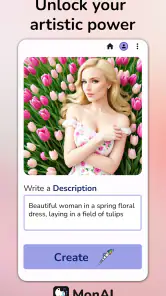
monAI - AI Art Generator is an app for creating images from written prompts. You describe the subject, style, mood, colors, or scene you want, and the AI produces artwork based on that request. During testing, the quality depended heavily on prompt detail, so specific descriptions generally delivered more useful results than short or vague instructions.
Is monAI - AI Art Generator free to download and use?
The app is free to download, but in-app purchases range from $2.99 to $29.99 per item. Some features, image generations, styles, or higher-quality results may involve a purchase, so check the purchase details in the app before using them extensively. Availability and costs may vary by country and platform.
What kind of images can I create with monAI?
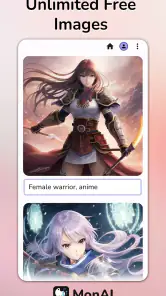
You can use monAI to experiment with many visual concepts, including portraits, fantasy characters, landscapes, illustrations, wallpapers, concept art, and different artistic styles. Results are influenced by the wording of your prompt and the available generation options. Keep in mind that AI images may occasionally contain distorted hands, faces, text, or other visual details.
Pros
- Creates varied AI artwork from simple text prompts.
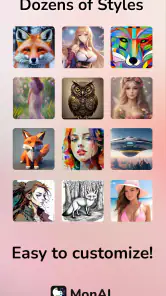
- Offers multiple visual styles for different creative projects.
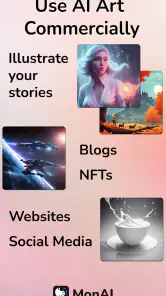
- Useful for generating wallpapers
- avatars
- and social media images.
- Makes experimentation quick without requiring design experience.
- Easy to save and share generated images from the app.
Cons
- Results can vary significantly between similar prompts.
- Some advanced features or styles may require payment.
- Generated images may include visual artifacts or odd details.
- High-quality image generation can consume considerable data.
- Commercial usage rights may depend on the selected plan.
- Category
- Art & Design
- Version
- 1.0.969-release