Macy's: Online Shopping & Save
- 69.39K
- 4.9
- Installs
- 10.00M
- Price
- Free

Screenshots






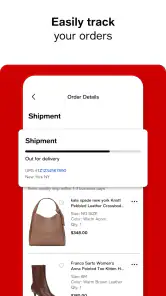

Analysis by Reviewed
I find a shopping app works best when it makes the next step obvious: locate an item, understand what it is, and decide whether to buy without fighting the screen. That matters especially when I’m browsing casually, shopping in a hurry, or switching between a phone and a busy store. Macy’s app is built around browsing and buying from the retailer’s range, and its strongest case is for people who already shop across fashion and home goods and want those tasks together.
Reading product pages at your own pace
The app’s organized categories and search give me two useful ways in: I can explore a department when I’m not sure what I want, or search directly when I have a specific item or brand in mind. Product descriptions and customer reviews add context before checkout, which is helpful when a photo alone doesn’t answer practical questions. I’d still read those details carefully rather than treating recommendations or search results as a substitute for checking the item itself.
For a more deliberate visit, I’d use the wishlist as a staging area rather than buying every interesting find on the spot. Saving possible gifts or home purchases lets me compare them later and keep browsing separate from the final decision. That approach is particularly useful when I’m shopping for someone else and need time to narrow down choices. The app is free, and Macy’s Inc is its developer; it is rated for Everyone.
Different ways of interacting
Search, categories, and the barcode scanner support different shopping habits. If I’m already in a store, scanning an item can help me compare its app listing with what I’m holding; at home, search is the quicker route to a known product. These tools make the app useful in more than one setting, though they do not remove the need to read labels and product details closely.
For motor or sensory needs, I would judge the experience by how comfortably I can use its controls and review its screens on my own device. A focused search or a saved wishlist may make a task more manageable than repeatedly browsing broad departments, while alerts can be useful for someone who wants to hear about offers without checking the app constantly. On the other hand, frequent deal messages may be distracting, so I’d be selective about notifications instead of enabling every prompt. I wouldn’t assume a shopping app automatically fits every access need; trying a small task first is the most practical test.
Browsing and Shopping Experience
Once you open the app, you’re greeted with a sleek and user-friendly interface that’s as inviting as Macy’s storefront itself. The categories are neatly organized, allowing you to easily navigate through clothing, accessories, home decor, and more. I especially love the search feature, which is super intuitive and helps you find exactly what you’re looking for in a jiffy. Whether you’re hunting for a specific brand or just looking to browse through the latest sales, Macy's: Online Shopping & Save has got you covered.
Exclusive Deals and Savings
Who doesn’t love a good bargain? Macy’s app is packed with exclusive deals and promotions that you can’t find anywhere else. I was pleasantly surprised by the range of discounts available, from flash sales to special member-only offers. Signing up for notifications is a game-changer, ensuring you never miss out on a deal. Plus, the Star Rewards program is integrated into the app, making it easy to track your points and redeem them for even more savings. Trust me, your wallet will thank you.
More From Our News Desk

Weather by Xiaomi Review: Clear at a Glance, Less Clear Up Close

X Under Pressure: Can It Recover When Posting Goes Wrong?

Clash of Clans Is Won Between the Battles

Android Auto Makes the Case for Quieter Car Software

MobiOffice: Transforming Mobile Productivity with Seamless Integration

EA SPORTS FC™ Mobile Soccer: Redefining Mobile Sports Gaming
For a realistic use case, I’d start a holiday gift search by browsing a few departments, save promising picks to the wishlist, and return later to compare the descriptions and reviews before checking out. That avoids making a rushed choice just because an item appears in a promotion. If I’m shopping for a particular person or occasion, I’d also set a rough budget before opening a sale section; a discount is only useful if the item is a good fit in the first place.
User-Friendly Features
The app boasts a host of features designed to make your shopping experience seamless. From the convenient barcode scanner that lets you compare prices in-store to the detailed product descriptions and customer reviews, every aspect of the app is crafted with the user in mind. I particularly appreciate the personalized recommendations, which are spot-on and often lead me to discover new products I didn’t even know I needed. It’s like having a personal shopper at your fingertips!
That mix of tools is most valuable when I’m comparing a few candidates, rather than trying to replace every other shopping resource. A department-store app keeps Macy’s merchandise and its rewards in one place; a broad marketplace may be a better fit when I want to compare many unrelated sellers, while a brand’s own app can be more direct if I already know exactly which label I want. The trade-off is that Macy’s makes most sense when its selection is relevant to the purchase, not simply because I want the widest possible catalog.
Another feature worth mentioning is the ability to create and manage your own wishlist. This is perfect for keeping track of items you’re interested in or planning for future purchases. The app also offers a simple and secure checkout process, so you can complete your purchases with ease and peace of mind.
Practical limits and who it suits
The app is a strong fit if I want to browse Macy’s fashion and home offerings, keep possible purchases in one place, or check a deal while shopping in person. Its reported average rating is 4.9 from around 300,000 ratings, and it has more than 10 million installs, signs of a large audience but not a guarantee that every screen or shopping journey will suit me. The current version is 2510.2.3, and the app first arrived on November 16, 2011; it requires iOS or Android version 9 or later.
I’d skip it if my priority is comparing prices across a broad range of retailers, or if I rarely shop at Macy’s and don’t need its store-specific rewards and browsing. Promotions can also make it tempting to keep scrolling, so I’d treat alerts as optional and check the final order details before placing an order. If I need to confirm something important about an item or purchase, I’d look directly at the relevant product and checkout information rather than relying on a recommendation tile.
Making a shopping trip easier to manage
One practical way I’d use the app is to separate discovery from decision-making. At home, I can search for an item, check the description and customer feedback, and save a shortlist. Later, if I’m in a Macy’s store, the barcode scanner gives me another way to look up an item I’m holding. This two-stage routine is useful when I don’t want to make a quick choice under pressure, though I’d still compare the listing with the product and its packaging in front of me.
For gift shopping, I’d make the wishlist do more than collect attractive items: I’d use it to keep alternatives together while I check suitability, details, and the overall cost at checkout. It can be especially handy when several people are on my list and I’m returning to the task in short bursts. The app is less compelling if I need a shared planning space with another person or want to compare offers across many retailers; in those cases, a general shopping tool or a simple shared note may be more convenient.
Comfort across different settings
Using a phone in a crowded store is not the same as browsing at home. In-store, I may have limited time and attention, so a targeted search or scan is more practical than exploring multiple departments. At home, I can take longer with descriptions and reviews. If I’m shopping while distracted or fatigued, saving an item and returning to it later is a sensible alternative to trying to finish the whole purchase in one sitting.
People who rely on larger text, screen readers, voice controls, or other device-level settings should test the exact tasks they expect to use: finding a product, reading its details, saving it, and reaching checkout. The experience can vary by device and by how an individual uses those settings, so I would not infer that every part of the interface will be equally easy to operate. A brief trial is more useful than assuming the design will work for everyone.
Sensory comfort is also personal. Some shoppers welcome deal alerts; others find frequent promotional prompts interruptive. I’d begin with only the notifications I actually want, then adjust if they become noisy. If visual browsing is tiring, searching for a known product and limiting the number of results I compare may feel less demanding than moving through a long run of recommendations. That is a shopping strategy rather than a guarantee about the app’s presentation.
What to check before placing an order
A product image can make an item look straightforward, but I would use the written description and reviews to check the details that matter to my decision. Reviews can offer useful context from other shoppers, yet they are still individual opinions, not a replacement for the item’s own specifications. I’d also revisit the selected item and the order summary before completing checkout so I can catch a mistaken choice while I still have the chance to correct it.
When a promotion is the reason I opened the app, I’d decide what I’m looking for before browsing the offer. That small habit helps keep a deal from steering me toward something I did not plan to buy. I’d check the final details rather than assuming a discount applies in the way I expect, and I would treat a notification as a prompt to inspect an offer, not as a reason to purchase immediately.
The app is free to download, but that does not mean every shopper will find it useful. Its value depends on whether Macy’s selection, browsing tools, and rewards fit the way I shop. If my main task is to locate a particular item from another retailer, or to compare the broadest possible range of sellers, I’d start elsewhere. If I’m already considering Macy’s products, keeping the search, saved options, and store-related tools together is a more persuasive reason to use it.
Final Thoughts
All in all, the Macy's: Online Shopping & Save app is a solid choice for anyone looking to enhance their online shopping experience. With its array of features, exclusive deals, and user-friendly design, it certainly stands out in the crowded world of retail apps. Whether you’re a seasoned shopper or a newbie to the online retail scene, Macy’s app offers something for everyone. So go ahead, download the app, and let the shopping spree begin!
My inclusive verdict is more measured: the app brings several useful ways to browse, save, and compare Macy’s items, but comfort depends on the person, device, and situation. I’d try a short search and a wishlist task first, then decide whether its layout, alerts, and reading experience work for me. If they do, it can be a handy companion; if not, a mobile browser or another retailer may be the easier route.
Macy's: Online Shopping & Save Frequently Asked Questions
Does the Macy’s app require an account, and can I browse before signing in?
The app is designed for browsing Macy’s products and shopping on a mobile device. Before downloading, it is useful to consider whether you want a retailer-focused app for exploring fashion, home items, holiday gifts, and deals. Account and sign-in requirements can depend on the action you take, such as proceeding with a purchase, so review the prompts shown in the app as you shop.
How much storage space does Macy's: Online Shopping & Save need?
Macy’s: Online Shopping & Save is a shopping app for browsing products and deals, but the space it occupies can vary with the app version and the device. Check the app’s download page on your phone before installing, especially if storage is limited. Leaving some free space can also help with downloads and routine app updates.
Is Macy's: Online Shopping & Save free to download, and what devices can run it?
Macy's: Online Shopping & Save is free to download and is a shopping app from Macy's Inc. It supports devices running iOS 9 or later, so it is worth checking your device’s operating system before installing. The app is rated Everyone, making it suitable for a general audience. Its focus is browsing Macy’s fashion, home goods, and holiday gifts.
What is Macy's: Online Shopping & Save app about?
Macy's: Online Shopping & Save is a comprehensive mobile application that allows users to browse and purchase a wide array of products from Macy's, one of the largest department stores in the U.S. The app offers features such as personalized shopping experiences, special discounts, and exclusive deals, making it convenient for users to shop anytime, anywhere.
How can I use discounts and coupons on Macy's app?
The Macy's app provides exclusive discounts and coupons that can be applied directly at checkout. Users can find these offers in the 'Offers' section of the app. Simply select the applicable coupon, and it will automatically be applied to your order. This feature ensures that you’re always getting the best deals and savings on your purchases.
Pros
- Wide variety of products available.
- User-friendly interface.
- Regular discounts and promotions.
- Easy order tracking.
- Fast checkout process.
Cons
- Limited international shipping.
- Frequent app updates needed.
- Occasional slow loading times.
- Some users report app crashes.
- Returns process can be complex.
- Category
- Shopping
- Version
- 2510.2.3











