Ibotta: Save & Earn Cash Back
- 204.86K
- 4.6
- Installs
- 10.00M
- Price
- Free

Screenshots
Analysis by Reviewed
When I’m weighing a shopping app, I want to know whether it fits the way I already buy things—not just whether it promises rewards. Ibotta: Save & Earn Cash Back is built around earning cash back on eligible purchases, with a receipt submission step that makes the shopper part of the process. I see its strongest use as a small add-on to a planned shop, rather than a reason to change what goes in my basket.
Trust starts with a practical routine
I find it helps to treat Ibotta as a shopping aid, not a reason to buy more. The app is free, and its developer is Ibotta. It has a 4.6 average from around 711,000 ratings, with over 10 million installs, so plenty of shoppers have tried it. Those figures are useful context, but they don’t tell me whether every offer will suit my household; the value still depends on what I already planned to purchase.
A realistic use is checking the app while making a grocery list, then choosing only offers that match that list. If a product is already part of dinner plans, a cashback offer can make sense. If I would not normally buy it, I count the extra spending as a cost rather than calling the offer a saving. That small distinction keeps the app from steering my choices.
How Does Ibotta Work?
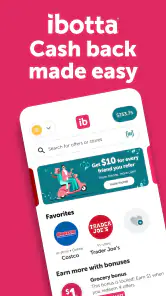
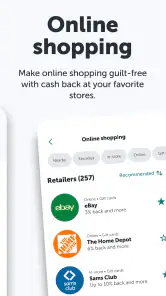
Alright, so here’s how it goes. With Ibotta, you simply browse through the app before you head out shopping. It’s like your typical shopping list, but with bonuses. You’ll find tons of offers on products you’re already planning to buy. From groceries to clothing, and even electronics, there’s a little something for everyone.
The process is pretty straightforward. After you’ve selected your offers, head to the store, buy the products, and then, the fun part—upload your receipt through the app. It’s as easy as snapping a photo. In just a short while, you’ll see the cashback rolling into your Ibotta account. It’s like magic, but with money!
What to check before you shop
The receipt workflow makes a little preparation worthwhile. I would select matching offers before entering the store, then keep the receipt until I have submitted it and checked that the purchase is reflected. This avoids the easy-to-miss mistake of buying the right item but forgetting to claim it afterward. It also gives me a chance to compare the offer with the shelf price rather than assuming cashback automatically makes a product the best deal.
That extra step is the main trade-off against a standard loyalty-card discount that applies during checkout: Ibotta asks me to be more deliberate and handle a claim after shopping. In return, it can be useful when I am already buying eligible products and am willing to spend a moment on the receipt. If I want savings with no follow-up task, a store’s automatic discounts may fit better.
More From Our News Desk

Weather by Xiaomi Review: Clear at a Glance, Less Clear Up Close

X Under Pressure: Can It Recover When Posting Goes Wrong?

Clash of Clans Is Won Between the Battles

Android Auto Makes the Case for Quieter Car Software

MobiOffice: Transforming Mobile Productivity with Seamless Integration

EA SPORTS FC™ Mobile Soccer: Redefining Mobile Sports Gaming
The Perks of Using Ibotta
So, why should you consider using Ibotta? Well, first off, it’s free to download and start using. No hidden fees or subscriptions to worry about. Plus, it’s available on both Android and iOS, so anyone with a smartphone can jump on board.
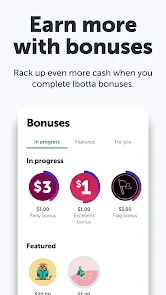
What I love most about this app is the variety of stores and products it supports. Whether you’re shopping at a big retail chain or a local store, there’s a good chance Ibotta has got your back. And let’s not forget the bonus feature—referring friends can earn you extra cash. Honestly, it feels like a win-win situation.
A receipt routine that stays manageable
I would keep the receipt flat and readable until the claim has gone through, especially after a larger shop with a long paper slip. Before taking a photo, I would check that the whole receipt is visible and that the printed details are legible. That is a simple way to reduce avoidable submission friction; it does not change which items qualify, so I would still check each offer’s terms in the app rather than relying on memory.
For a mixed basket, I would also avoid assuming that one eligible item makes the whole purchase count. I would match each chosen offer to the exact product I intend to buy, then check the receipt against that short list afterward. This is more dependable than trying to reconstruct a week’s shopping from a pile of receipts, and it keeps the app’s role limited to the purchases I actually meant to make.
Where it fits—and where it may not
Ibotta is best for people who already shop regularly and don’t mind checking offers before they leave home. It is less compelling for someone who shops spontaneously, dislikes taking receipt photos, or expects every purchase to earn something. It also is not a replacement for comparing prices: a discounted alternative or a store’s own promotion can still be cheaper than the product with cashback.
For a busy weekday shop, I would scan offers while writing the list, save only the ones that fit, and submit the receipt soon after getting home. I would avoid turning every aisle into a search for deals; that can take more time than the reward is worth. The useful question is not simply “Can I earn cash back?” but “Would I buy this at this price without the offer?”
How it compares with familiar ways to save
Compared with a store loyalty program, the practical difference is when the work happens. A loyalty discount is often visible at checkout, while this receipt-based approach asks me to plan beforehand and complete a claim afterward. Ibotta can be worth that extra step when the offers match a normal shopping list; for a one-off purchase or a rushed trip, an automatic price reduction is easier to use and easier to judge on the spot.
Couponing is another useful comparison. Paper or digital coupons can require matching brands, sizes, and conditions, and Ibotta also rewards careful offer matching rather than broad, automatic savings. I would not stack plans in my head or assume different discounts combine. I would compare the final price and follow the terms shown for each offer. A lower shelf price without an offer can beat a higher-priced item that returns some cash later.
Small choices that protect the value
My most useful habit would be to set a time limit for browsing. I would check the offers once when planning the list, choose only relevant ones, and then stop. That prevents a savings app from turning a quick grocery run into a lengthy hunt. If the eligible choices are sparse that week, I would simply shop as usual rather than buying something extra to make the app feel worthwhile.
I would also treat the receipt as a record to verify, not as proof that every selected offer has qualified. After submitting it, I would check the account activity and keep the receipt until the result is clear. If something does not appear as expected, having the receipt available gives me the information I need to review the claim. This small bit of follow-through matters more than repeatedly refreshing the app or adding unrelated offers.
Who is likely to enjoy it
The app makes most sense to a household that buys many of the same kinds of products each week and can plan a little in advance. That shopper has a natural chance to notice a relevant offer without changing habits. It can also suit someone who enjoys comparing promotions and does not mind keeping a receipt long enough to submit it.
I would be more cautious if I shop at different places on impulse, rarely keep receipts, or find that offer-checking encourages me to spend beyond my list. Someone who wants a discount applied immediately may be happier with a store’s own loyalty system. And if managing another account or sharing purchase details is a deal-breaker, there is no need to force this into a routine; ordinary price comparison remains a perfectly reasonable alternative.
Privacy, control, and a sensible verdict
Because using receipt-based cashback means sharing purchase details, I would review the app’s current permission requests and privacy information before deciding what to allow. I would also take a moment to understand the account controls and the steps for submitting a receipt. Those are practical checks, not reasons to assume anything about how information is handled; they help me make an informed choice before I start.
In particular, I would pause at the moments when the app asks me to provide information or enable access, read the on-screen explanation, and decide whether it is needed for the task I want to do. I would not grant a permission simply because an app requests it, nor would I assume that every request is required for every way of using the service. If I am unsure, I can review the available settings and make a deliberate choice before continuing.
I would also think about account housekeeping before building up a habit: know where the app presents account options, keep login details private, and review the account occasionally if my use changes. These are ordinary safeguards, not claims about any particular security feature. The point is that a cashback balance should not make me ignore basic care around an account or rush through choices involving my shopping information.
The app is rated Everyone, and its current version is 6.313.0, with Android 8.0 listed as the minimum operating system. I would still check compatibility on my own device before installing. If I am comfortable with the receipt process and willing to plan around offers, the app can make an ordinary shopping routine more rewarding. If I prefer completely automatic discounts or do not want to submit receipts, I would stick with the savings options already built into my usual store routine.
In conclusion, Ibotta: Save & Earn Cash Back is more than just an app; it’s a handy tool for anyone looking to save a few bucks on their everyday purchases. It’s easy to use, filled with opportunities to earn cash back, and frankly, it makes shopping a bit more fun. So why not give it a try? A little extra cash never hurt anyone, right?
Ibotta: Save & Earn Cash Back Frequently Asked Questions
Can I use Ibotta without linking a retailer account or shopping online?
Ibotta supports earning cash back through shopping offers, and the original app description includes submitting a receipt after an eligible purchase. You can browse offers and check their individual instructions before deciding how to shop. Some offers may involve in-store purchases, while others may be available through online shopping, so choose the method that matches the offer you want to use.
Do I need to make purchases I would not normally make to benefit from Ibotta?
You do not need to treat Ibotta as a reason to buy items you do not want. The app is most useful when you find an offer for something already on your shopping list, then check that the product and purchase meet the offer conditions. Reviewing the available offers before shopping can help you focus on relevant rewards rather than spending just to earn cash back.
Does Ibotta work on my Android or iOS device?
Ibotta is a shopping app for earning cash back, and its current version is 6.313.0. On Android, it requires version 8.0 or later. Before downloading, check that your device’s operating system meets that requirement and that you are installing the app from a trusted app store. The app is free to download.
What is Ibotta and how does it work?
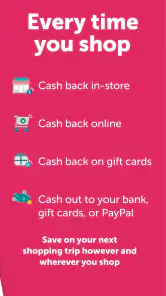
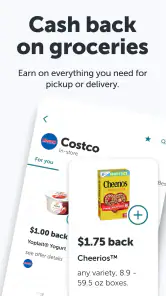
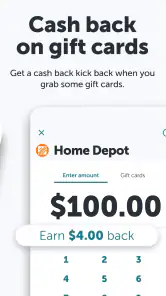
Ibotta is a cashback rewards app that helps you earn money on everyday purchases. Users can browse offers, shop as usual at partner retailers, and then submit their receipt through the app for cashback. Ibotta partners with a wide array of stores and online platforms, making it easy to earn cashback on groceries, apparel, electronics, and more.
Is Ibotta free to use?
Yes, Ibotta is completely free to download and use. There are no hidden fees or charges associated with the app. Users simply need to create an account to start earning cashback on their purchases. The app generates revenue through partnerships with retailers and brands, which allows it to offer cashback incentives to users.
Pros
- Easy to use interface for finding deals.
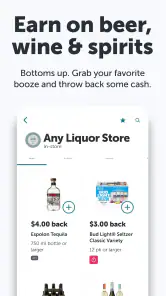
- Wide range of participating retailers.
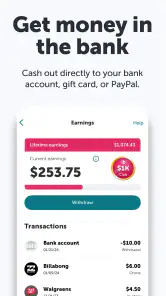
- Quick payout process via PayPal or gift cards.
- Regularly updated with new offers.
- No need to carry paper coupons.
Cons
- Limited availability outside the US.
- Requires scanning receipts for cashback.
- Offers can be restricted to specific brands.
- App can be slow at times.
- Account verification can be cumbersome.
- Category
- Shopping
- Version
- 6.313.0











