ibis Paint
- 1.15K
- 4.5
- Installs
- 100.00K
- Price
- $15.99
Screenshots

Analysis by Reviewed
Have you ever dreamt of creating amazing artwork right from your phone or tablet? Let me introduce you to ibis Paint, an app that’s been a game-changer for budding and professional artists alike. Whether you’re doodling for fun or sketching your next masterpiece, this app might just be the perfect digital canvas you’ve been searching for.
Unleashing Creativity at Your Fingertips
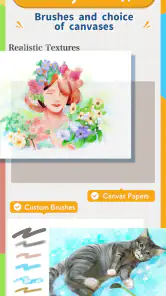
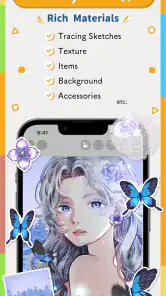
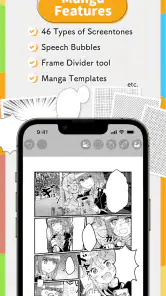
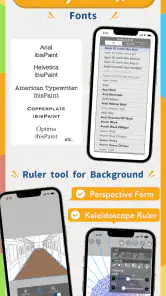
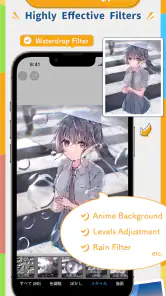
One of the first things I noticed about ibis Paint is how it feels like a complete art studio in your pocket. The app boasts an impressive array of tools that can make anyone feel like a pro. From over 800 fonts to a staggering 379 brushes, and let’s not forget the 71 filters available to turn your work into something extraordinary, the possibilities are endless!
Brushes, Brushes, and More Brushes
If you’re anything like me, you’ll find yourself spending hours just experimenting with the different brush types. Need a watercolor effect? Check. Want to add a bit of texture with oil paint? Double-check. The variety ensures that whatever your preferred medium is, ibis Paint has got you covered. Plus, the brush customization options mean you can tweak to your heart’s content.
User-Friendly Interface
I was pleasantly surprised at how intuitive the interface is. Sometimes apps with so many features can feel overwhelming, but that’s not the case here. The layout is clean, and finding tools is a breeze. Even if you’re just diving into digital art, you’ll find yourself navigating like a pro in no time.
Layers and Editing
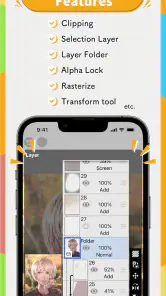
Layers are a lifesaver for anyone serious about digital art, and ibis Paint doesn’t skimp on this feature. You can add multiple layers, which makes editing much easier. It’s like having onion skin for your art, allowing you to peel back or add on as needed. The editing tools are robust, offering everything from color adjustments to blend modes. Your art, your rules!
Social and Learning Community
What’s really cool is the app’s community aspect. You can share your creations with the ibis Paint community, get feedback, or simply find inspiration by browsing through others’ artwork. Plus, there are tons of tutorials available in-app to help you refine your skills or learn new techniques. It’s like having a community art class wherever you go.
In closing, ibis Paint is not just an app; it’s a gateway to a world of creativity and artistic freedom. Whether you’re an experienced artist or a hobbyist, this app offers tools and a community that can elevate your art to new heights. So, if you’re ready to unleash your creativity, download ibis Paint and let your imagination run wild!
Pros
- Extensive brush options for detailed art.
- User-friendly interface for easy navigation.
- High-resolution canvas for quality art.
- Wide range of customizable tools.
- Supports real-time drawing with layers.
Cons
- Can be overwhelming for beginners.
- Ads in free version can be intrusive.
- Some features require in-app purchases.
- Occasional lag on older devices.
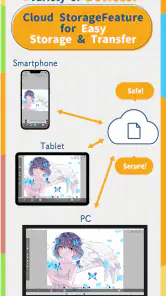
- Requires internet for full features.
- Category
- Art & Design
- Version
- 13.1.16











