Halara
- 691.00
- 4.7
- Installs
- 1.00M
- Price
- Free

Screenshots

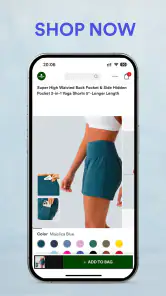
Analysis by Reviewed
When I judge a shopping app, I look beyond attractive product photos: can I find a useful item without getting lost, and can I make a decision at my own pace? Halara is a free fashion-shopping app from FULL SCALE FULL SPEED PTE.LTD. Its focus makes it most relevant to people browsing casual, sporty clothing, including skirts and leggings. I’d treat it as a convenient place to explore those styles, rather than a replacement for every clothing shop or a guarantee that a garment will suit every body and activity.
Reading the catalog at your own pace
For me, a useful shopping app should help narrow a large choice into a manageable one. The original experience described here includes category browsing, search, product images, and descriptions, which can help compare items before opening several pages. Filters such as size, color, and price are especially practical when I already know the rough shape of what I want. They are less useful if I’m still deciding what style or fit would work, so I’d browse a category first and use filters only after I have a clearer idea.
Product photos and written details can reduce guesswork, but they cannot fully reproduce fabric feel, stretch, weight, or how a cut sits on a particular person. I’d compare the description and images carefully, and avoid treating a polished photo as proof that an item will feel right in daily wear. If fit is a major concern, checking the garment information before adding it to the cart is a better habit than relying on the thumbnail alone.
Making browsing easier to manage
When I’m shopping with a specific need in mind, I find it easier to start with the intended use than with a trend. A skirt for a relaxed day out and leggings for exercise may look similar in a product grid, but the important questions differ: how much movement I need, what I plan to wear with the item, and whether the garment details suit that setting. Searching or browsing with those questions already in mind keeps the catalog from becoming an endless stream of appealing but unrelated options.
I’d also treat filtering as a narrowing tool, not a substitute for reading. A size or color result can help cut down the list, but a product image may not show the details that matter most to my decision. My practical approach is to filter once, open only a handful of promising items, and compare their descriptions side by side. That takes a little more attention than tapping the first attractive result, but it gives me a more useful basis for choosing.
Comfort, choice, and different ways of shopping
Shopping from a phone can be helpful if crowded stores, travel, or standing for long periods make browsing tiring. A saved wishlist also gives me a low-pressure way to collect possibilities and return later instead of deciding immediately. That can be useful when comparing a few outfits for work-from-home days, errands, or light exercise. The app’s fashion focus, however, does not by itself tell me whether a particular garment is suitable for a specific mobility, sensory, or medical need; those decisions still depend on the item’s own details and the shopper’s requirements.
Screen-based shopping also has trade-offs. Small images and dense product details can be harder to review on a compact display, and scrolling through many similar styles may take patience. I’d use search terms that describe the garment I need, then compare only a short list rather than browsing endlessly. If visual detail, tactile inspection, or in-person fitting is essential to choosing clothes, a physical shop may be the more comfortable option.
More From Our News Desk

Weather by Xiaomi Review: Clear at a Glance, Less Clear Up Close

X Under Pressure: Can It Recover When Posting Goes Wrong?

Clash of Clans Is Won Between the Battles

Android Auto Makes the Case for Quieter Car Software

MobiOffice: Transforming Mobile Productivity with Seamless Integration

EA SPORTS FC™ Mobile Soccer: Redefining Mobile Sports Gaming
Using the app across different situations
The phone format is most useful to me when I can browse in short, calm sessions rather than needing to finish a purchase immediately. I might look through a category while waiting for an appointment, save a few options, and return later when I can focus on the descriptions. This helps if interruptions or fatigue make a long browsing session difficult. A saved item is not a decision, though; I still need to reopen it and check whether it meets the practical reason I started shopping.
For someone who uses clothing to manage sensory comfort or has specific needs around seams, pressure, stretch, or ease of dressing, online images can only take the decision so far. I’d look for those details in the garment information and contact the seller through the available shopping channels if a question affects whether the item is wearable. If the answer cannot be established before buying, choosing a retailer where I can inspect or try the garment may be a better way to avoid an uncomfortable surprise.
From shortlist to checkout
A practical way to use the app is to build a small wishlist before buying. I’d save a few alternatives, revisit their descriptions and images together, and remove anything that does not match the intended use. For example, if I need a skirt for a casual day out, I’d compare the relevant styles first and think about comfort and movement rather than choosing solely because one photo looks appealing. This simple pause helps keep browsing purposeful and makes the cart less likely to fill with impulse picks.
Checkout and order tracking are useful parts of the reported shopping flow, but they do not remove the need to review the final order carefully. I’d confirm the selected item and size before paying, then use the order information to follow delivery. Deals can make a purchase tempting, yet a discount is only worthwhile if the garment is actually something I want and expect to wear. Compared with a general marketplace, Halara’s narrower fashion identity can make its style browsing feel more focused; a broader retailer may be a better fit when I want to compare many brands or shop for unrelated household needs.
Discovering the Magic of Halara
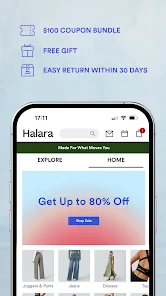
So, what exactly is Halara? In a nutshell, it's a mobile shopping app that brings the latest fashion trends right to your fingertips. Upon launching the app, I was greeted with a sleek and intuitive interface that makes browsing through a vast collection of fashion items a breeze. From chic tops and cozy loungewear to trendy accessories, Halara offers a little something for everyone.
User-Friendly Interface
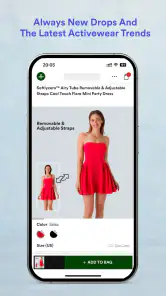
One of the first things that caught my eye was how user-friendly the app is. Navigating through different categories is as smooth as butter. The search functionality is robust, allowing you to filter by size, color, and even price range. It's like the app knew exactly what I was looking for! Plus, with detailed product descriptions and high-quality images, you get a pretty good idea of what you're buying.
Features That Stand Out
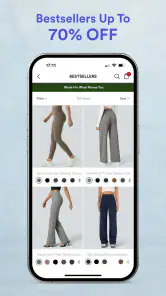
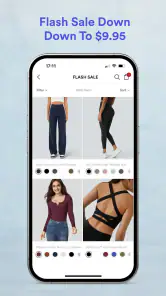
Now, let's talk features. Halara is not just about shopping; it's about creating a personalized experience. The app offers a wishlist feature where you can save your favorite items for future purchase. This is super handy for those "I'll get it next time" moments. Another feature worth mentioning is the exclusive discounts and deals that pop up regularly. Who doesn't love a good bargain?
The wishlist is particularly useful when I want to compare clothing for different purposes instead of making a quick choice from a single product page. I can save a few possibilities, step away, and come back with a clearer sense of what I actually need. One small discipline makes that process work better: I’d remove saved items that no longer fit the original plan, so the list remains a shortlist rather than another place to endlessly browse.
Shopping Made Easy
Shopping on Halara is as easy as pie. Once you've added your items to the cart, the checkout process is straightforward. The app supports multiple payment methods, ensuring a hassle-free transaction. And guess what? They offer a track order feature, so you can keep tabs on your package until it arrives at your doorstep.
Even with a straightforward checkout, I’d pause at the cart to check that each choice still makes sense together. If I’ve saved an item because of a deal, I ask whether I would still want it without the discount. I also review the selected size and product before submitting the order; that simple check is more useful than rushing through checkout and relying on memory.
My Takeaway
After spending some quality time with Halara, I can confidently say it's a great app for fashion-forward individuals looking for convenience and style. The app's seamless interface, coupled with its robust features, makes for an enjoyable shopping experience. Whether you're a casual shopper or a fashionista on the prowl for the latest trends, Halara might just become your go-to app.
As a quick everyday scenario, I might open the app during a commute break, search for a particular type of skirt, save a few options, and revisit them at home on a larger screen before choosing. That split-session approach is more useful than trying to make a rushed decision on a small display. If I’m shopping for someone else, I’d be more cautious: style preferences and fit are personal, so a saved shortlist is helpful, but it cannot replace knowing what that person likes.
That kind of split-session shopping also suits someone who wants to browse without buying immediately: a saved selection lets me think over the choices after the commute and compare them with what is already in my wardrobe. If the item needs to work for a particular activity, I’d make that the test when I return, rather than letting a striking photo or a deal decide for me. For gifts, I’d use the app more as a place to identify possible styles than as a shortcut around knowing the recipient’s preferences and fit.
Halara is rated for Everyone and has a 4.7 average from around 12,000 ratings, with over 1 million installs. It first appeared on January 29, 2021, and version 2.6.3 supports devices running Android 7.0 or later. Those details make it accessible to a broad range of Android users, though device compatibility alone does not tell me how comfortable the interface will be for every individual.
As a shopping choice, this app makes the most sense when I want to focus on its particular casual and sporty clothing range. A general fashion marketplace is better if I need to compare labels, price points, or styles across many sellers; a local shop is better when fabric feel and trying on are decisive. Halara’s focused browsing can save time for the right shopper, but that focus also means it is not the place I’d open for every clothing need.
Who will get the most from it
I’d recommend giving it a try if you already wear casual athleisure and want a convenient way to look through skirts, leggings, and related clothing without making a trip to a store. It can also suit someone who prefers to gather choices gradually, using search and a wishlist instead of deciding on the spot. For a shopper who knows the general style they want but is still weighing colors or alternatives, that low-pressure process is a genuine advantage.
I’d be less likely to recommend it to someone whose priority is formal clothing, a wide comparison across brands, or the ability to touch and try every garment before deciding. The same goes for a shopper whose comfort depends on a very particular feature that cannot be judged from a photo or description. In those cases, a specialist retailer or in-person shopping may provide more useful information, even if browsing takes longer.
Where I’d draw the line
The app helps with finding and organizing options; it cannot make a fit decision for me. Product pictures can be appealing and descriptions helpful, yet neither guarantees how a fabric will feel through a full day or how a cut will suit my movement. I would avoid buying several similar items just to guess at the best one unless I had already checked the retailer’s current purchase and return details. That is a sensible step for any online clothing order, especially when fit is uncertain.
There is also a difference between an interface being easy to navigate and being comfortable for every person to use. A phone screen, scrolling, and image-led browsing may work well for one shopper and become tiring or hard to inspect for another. I’d use a larger screen when small details matter and take breaks rather than forcing myself to decide quickly. If screen interaction itself is a barrier, the app’s convenience may not outweigh the value of another way to shop.
For someone who already likes athleisure and wants an easy way to browse this kind of clothing, the app is a sensible option to try. I’d skip it if I mainly need formalwear, broad brand comparisons, or the certainty of trying fabric and fit in person. The strongest approach is to use its browsing and wishlist tools to make a considered shortlist, then judge each garment against your actual comfort and wardrobe needs. Happy shopping!
Halara Frequently Asked Questions
Is Halara suitable for someone looking to shop for activewear?
Halara is a shopping app focused on trendy athleisure wear, including skirts, leggings, and functional styles in a range of sizes. It may suit shoppers looking for clothing that can work for active or everyday wear. The app is free to download, so you can browse its shopping experience before deciding whether the available styles fit what you are looking for.
What is Halara and what does it offer?
Halara is a versatile lifestyle app designed to enhance your daily living by offering a wide range of features that cater to various needs. From wellness and productivity tools to entertainment and social engagement features, Halara aims to be your go-to app for managing different aspects of your life in one convenient place. Whether you're looking to track your fitness goals, organize your tasks, or stay updated with the latest trends, Halara provides a comprehensive suite of functionalities to help you achieve your objectives.
Is Halara available for both Android and iOS platforms?
Yes, Halara is available for download on both Android and iOS platforms. Users can easily find the app on the Google Play Store for Android devices and the Apple App Store for iOS devices. This cross-platform availability ensures that users can seamlessly integrate Halara into their daily routines, regardless of their preferred mobile operating system.
Does Halara require a subscription or is it free to use?
Halara offers both free and premium subscription options. The free version includes a basic set of features that allow users to explore the app's core functionalities. For those seeking an enhanced experience, the premium subscription unlocks additional tools and exclusive content. Users can decide which option suits their needs best, with the flexibility to upgrade or cancel at any time.
How does Halara ensure user privacy and data security?
Halara takes user privacy and data security very seriously. The app employs advanced encryption technologies to safeguard your personal information and ensure that all data transmissions are secure. Additionally, Halara adheres to strict privacy policies and industry standards, providing users with peace of mind that their data is protected against unauthorized access and breaches.
Pros
- User-friendly interface
- Variety of clothing styles
- Affordable prices
- Fast shipping options
- Regular discounts and promotions
Cons
- Limited size options
- Occasional website bugs
- No physical stores
- Limited international shipping
- Customer service response time
- Category
- Shopping
- Version
- 2.6.3











