

GPS Maps Live Navigation
- 18.00
- 3.9
- Installs
- 1.00M
- Price
- Free

Screenshots
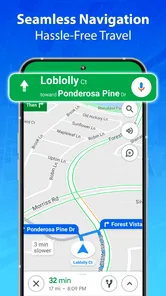
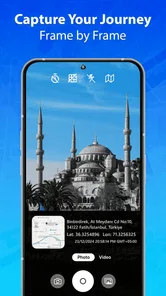
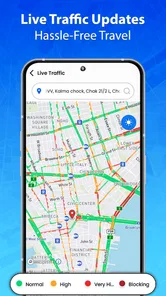
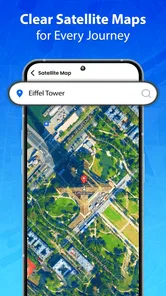
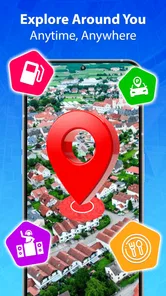

Analysis by Reviewed
I approached GPS Maps Live Navigation as a practical driving companion rather than expecting it to replace every navigation tool on my phone. It is a free maps and navigation app from TarrySoft, built around route finding, live traffic information, and spoken directions. After using it for ordinary trips, I found that its value depends less on flashy extras and more on whether its basic guidance fits the way you travel.
The first thing I noticed is how quickly the app gets to its main purpose. You open it, choose a destination, and follow the suggested route with visual guidance and voice prompts. That straightforward flow makes sense for commuting, errands, and unfamiliar roads where I want directions without spending much time adjusting the screen. It is also listed for Everyone, so its presentation is approachable for a wide range of users.
Its current version is 1.4.2, and the app supports devices running Android 6.0 or later. That gives it a relatively broad reach, especially for people using an older phone as a dedicated navigation device. The app has passed one million installs and holds an average rating of 3.9 from around 2.2 thousand ratings. Those figures suggest a useful but not universally loved tool: plenty of drivers find it serviceable, while the rating also tells me not to treat it as flawless.
How I use it for an ordinary trip
My baseline workflow is deliberately simple. Before moving, I enter the destination, look over the proposed route, and check whether the journey makes sense for the time of day. I then place the phone where the map can be seen without taking my attention too far from the road. Once I start driving, I rely more on the voice directions than on constantly watching the display.
That last habit matters. A navigation app is most useful when it reduces screen interaction, not when it encourages me to inspect every turn while driving. I prefer to glance at the map only when the road layout is complicated or when several nearby streets make the next maneuver unclear. The spoken guidance is particularly helpful on routine trips because I can keep my attention on traffic and use the screen as confirmation rather than as my only source of information.
For a short errand, I would not overthink the route. I enter the shop or street, confirm the destination, and let the app handle the sequence of turns. For a longer drive, I spend more time checking the route before leaving. I want to know whether the suggested path takes me through a busy central area, uses roads I already know, or sends me through a section where I would rather have a backup plan.
A realistic example is an evening trip across town after work. I might already know the first part of the journey, but traffic can make the final approach unpredictable. I would start the route before leaving, listen for the initial traffic-aware guidance, and avoid changing destinations while moving. If the app suggests a different road, I would compare that suggestion with what I can see around me instead of blindly following every change. The best workflow is a partnership between the map and my own judgment.
More From Our News Desk

 Weather - By Xiaomi
Weather by Xiaomi Review: Clear at a Glance, Less Clear Up Close
Xiaomi’s weather app makes everyday forecasts quick to scan, but its calm surface can leave useful details and recovery paths harder to find than they should be.

 X
XX Under Pressure: Can It Recover When Posting Goes Wrong?
A resilience-focused review of X, examining setup, mistaken posts, interruptions, weak connections, and the gaps that matter when recovery needs to be dependable.

 Clash of Clans
Clash of Clans Is Won Between the Battles
Its raids are quick; its community is a long-term project of coordination, teaching, rivalry, and shared responsibility—with all the friction that entails.

 Android Auto
Android Auto Makes the Case for Quieter Car Software
The car interface is no longer judged by how much it can do, but by how quietly it helps. Android Auto shows what drivers now expect—and what still gets in the way.

 MobiOffice: Word, Sheets, PDF
MobiOffice: Transforming Mobile Productivity with Seamless Integration
MobiOffice: Word, Sheets, PDF is redefining mobile productivity with a surprising blend of functionality and innovation.

 EA SPORTS FC Soccer Mobile 26
EA SPORTS FC™ Mobile Soccer: Redefining Mobile Sports Gaming
Dive into EA SPORTS FC™ Mobile Soccer, where immersive gameplay and strategic depth transform mobile sports gaming.
Latest News



This is also where the app’s limitations become visible. A route can be technically sensible but still inconvenient because I prefer wider roads, familiar junctions, or easier parking access. Live traffic can improve the route choice, but it cannot understand every personal preference. I would not use any navigation app as permission to make a sudden turn, cross several lanes, or follow a confusing instruction without checking the road first.
What I check before I drive
I make sure the destination is correct before starting. Similar street names, businesses with multiple locations, and addresses near large complexes can all create avoidable mistakes. Entering the complete destination and checking the route preview takes less time than correcting a wrong turn several minutes later.
I also check the phone position and audio before moving. A route is much less useful if the speaker is too quiet, the display is hidden by glare, or the device is placed where it blocks part of the windshield. This is not a special feature of the app, but it is an important part of getting reliable value from it.
Another useful habit is to begin navigation while stationary. I can inspect the opening turns, understand the general direction, and notice whether the route starts with a complicated junction. That small amount of preparation makes the spoken instructions easier to follow and reduces the temptation to handle the phone once the vehicle is moving.
Settings and habits that make the guidance easier
I would not leave every navigation setting untouched. The best choices depend on how I drive, how familiar I am with the area, and whether I am using the app for a quick local trip or a longer journey. I first make sure voice directions are enabled and audible at the volume I actually use in the car. A voice prompt that is technically active but drowned out by music is not a useful safety aid.
I also give the route screen a quick inspection before departure. The map view is valuable for understanding the shape of a trip, but I do not need to stare at it continuously. I treat the visual route as a planning tool and the spoken instructions as the primary reminder during ordinary driving. This approach helps me avoid the common mistake of tapping around the app every time the road changes.
Traffic information deserves a little skepticism. It is helpful when deciding between a direct route and a busier alternative, but I do not assume that a colored traffic indication captures every delay. A recently changed road condition, a difficult merge, or a crowded parking area may not be represented in the same way as a normal slowdown. I use live traffic as one input, not as a guarantee of the fastest arrival.
For repeat journeys, I use a consistent routine rather than repeatedly experimenting with settings. I start the route, confirm the destination, listen to the first instruction, and then leave the phone alone unless the road situation requires attention. This is one of the strongest practical improvements I found: the app works better when I reduce unnecessary interaction.
People often ask whether a free navigation app is enough for daily use. In my experience, it can be enough for straightforward commuting and errands, particularly when the destination is clear and the driver is comfortable checking the route before leaving. It becomes less convincing when the trip requires specialized planning, very detailed local information, or a high level of confidence in unusual road conditions.
The free price makes it easy to try without committing money at the start. However, the app includes in-app purchases ranging from 99 cents to $99.99 per item. I would therefore inspect any purchase screen carefully before confirming anything. The basic no-cost experience is the reason I would test it first, and I would only consider spending money if a paid option clearly solved a problem I personally encountered.
Shortcuts for repeatable trips
Experienced use is mostly about preparation. I keep a small mental checklist for destinations that are easy to confuse: verify the street, verify the town or area, and look at the final approach. This is especially useful for large shopping areas, office districts, and residential streets with similar names. The route finder can guide me, but it cannot correct a destination that I entered incorrectly.
For a journey I make often, I compare the suggested route with my own knowledge before setting off. If I know that one junction is stressful or that a particular road is difficult during school or work hours, I pay closer attention when the app routes me that way. I do not assume that the fastest-looking line is automatically the most comfortable route for me.
On unfamiliar roads, I listen for the next instruction early and then wait for the maneuver rather than reacting to the first glimpse of a turn. This helps when several exits or side streets appear close together. If I miss a turn, I let the app recalculate instead of attempting an abrupt correction. That is a simple but important trade-off: arriving a little later is better than making an unsafe maneuver.
I also use the map at the beginning and end of a trip differently. At the beginning, I want the broad route and the first few decisions. Near the destination, I slow down mentally and pay more attention to signs, building numbers, and the actual entrance. Navigation apps are often strongest at getting me into the right area; the final few meters may still require ordinary observation.
One non-obvious benefit of this routine is that it exposes weak destinations early. If the route preview looks strange or ends somewhere that does not match the place I intended to visit, I can correct the search while parked. That is more useful than discovering the problem after passing the correct entrance.
Where it fits beside familiar alternatives
The usual alternatives in this category tend to compete on the same basic needs: route calculation, traffic awareness, spoken directions, and ease of use. GPS Maps Live Navigation covers that familiar core. Its appeal is that I can try a free, focused navigation app without immediately committing to a larger ecosystem or changing how I plan ordinary drives.
Compared with a navigation service I already use every day, the main question is not whether this app can draw a route. It is whether its route suggestions, voice timing, traffic presentation, and destination handling feel dependable enough for my own roads. A familiar alternative may be better if I rely heavily on saved places, broad location search, public transport planning, detailed business information, or a long-established personal history inside one service.
I would lean toward this app for someone who wants a straightforward driving aid and is willing to test it on familiar routes first. I would be more cautious about recommending it as the only tool for complex travel. Drivers who regularly need offline planning, specialized road information, cycling or walking options, or very detailed place discovery should compare it carefully with an alternative designed around those needs.
That does not make GPS Maps Live Navigation a poor choice. It simply defines its best role. I see it as a practical route-and-guidance app, not an all-purpose travel organizer. The distinction matters because expectations are often the source of disappointment. If I want spoken driving directions and traffic-aware route support, it is relevant. If I want a complete travel-planning system, I would look beyond it.
Limits I would keep in mind
The average rating of 3.9 is consistent with my balanced impression. The app is usable, but navigation quality is highly dependent on location, road complexity, phone setup, and the accuracy of the destination I choose. A smooth trip on familiar urban roads does not guarantee the same confidence on every rural road, complicated interchange, or newly altered street.
I would also avoid judging the app solely by the fastest estimated route. Traffic conditions change, and a route that looks efficient may involve more stressful turns or a difficult final approach. For me, the best route is sometimes the one that is easier to understand, even if it is not the shortest option shown.
Another limitation is the need for sensible driver behavior. Voice directions reduce screen dependence, but they do not eliminate the need to prepare the route or observe signs. I would never adjust the destination, inspect menus, or respond to a confusing prompt while the vehicle is moving. The app can support attention; it cannot replace it.
Users should also think about their phone’s age and general condition. Support for Android 6.0 or later is helpful for older devices, but an older phone may still have a smaller screen, weaker speaker, or slower response than a newer model. That is not necessarily a fault in the app, yet it affects the experience. I would test it in a parked car before relying on it for an important journey.
My verdict after building a routine around it
After using it with a repeatable workflow, I see GPS Maps Live Navigation as a sensible free option for everyday driving. TarrySoft has kept the focus on the parts most people expect from a navigation app: finding a route, presenting traffic-aware guidance, and speaking directions while I drive. The experience is easiest to appreciate when I prepare the destination, check the route briefly, and avoid unnecessary interaction once the journey begins.
I would recommend it to a driver who wants a simple way to test another navigation tool, needs guidance on occasional trips, or prefers using an older compatible Android phone for directions. It is also a reasonable backup when I want a separate route suggestion instead of automatically relying on the same service every time.
I would skip it, or at least compare it closely with another option, if my trips depend on advanced travel planning, highly detailed local search, offline operation, or specialized transport modes. I would also avoid making it my sole navigation choice for unfamiliar and demanding journeys until I had tested its route behavior in the areas where I normally drive.
The app is free to install and carries an Everyone age rating, which lowers the barrier to trying it. Still, because optional in-app purchases can range from 99 cents to $99.99 per item, I would review each purchase prompt rather than assuming every part of the experience is included without charge. For many users, the sensible approach is to begin with ordinary local trips and decide from actual use whether any paid option is worthwhile.
My final judgment is positive but measured. GPS Maps Live Navigation is best when treated as a focused driving companion, not as a complete replacement for every maps service. Its strongest qualities are the direct workflow, voice-led guidance, and traffic-aware route planning. Its weaker side is the uncertainty that comes with depending on any navigation app for every road, destination, and travel style. If those boundaries match your needs, it is worth trying; if they do not, a more feature-rich alternative will probably serve you better.
GPS Maps Live Navigation Frequently Asked Questions
Which devices can run GPS Maps Live Navigation?
GPS Maps Live Navigation is available for Android devices running version 6.0 or later. Before downloading, check that your phone or tablet meets that requirement and has functioning location services. Navigation also works best when the device can receive a clear GPS signal, so a suitable mounting position in a vehicle can make directions easier to follow.
Who develops GPS Maps Live Navigation, and what do user ratings suggest?
The app is developed by TarrySoft and is listed in the Maps & Navigation category. It has an average rating of 3.9 from around 2.2 thousand ratings, along with 18 written reviews. Ratings can offer a quick sense of other users’ experiences, but navigation performance may still vary with device, location, GPS reception, and the features you use.
What is GPS Maps Live Navigation, and what can I use it for?
GPS Maps Live Navigation is a mobile navigation app designed to help you plan routes, follow turn-by-turn directions, and find your way while driving or traveling. It can be useful for daily commutes, road trips, and exploring unfamiliar areas. Depending on the version and region, it may also provide map browsing, location search, traffic information, route alternatives, and points of interest.
Does GPS Maps Live Navigation work without an internet connection?
The app may require an internet connection for features such as downloading map data, searching for new places, receiving live traffic updates, and calculating certain routes. GPS positioning itself can often work without mobile data, but this does not always mean that complete offline navigation is available. Before traveling, check whether the app supports offline maps and download the required areas while connected to Wi-Fi.
How accurate are the directions and live traffic updates?
Navigation accuracy depends on your phone’s GPS signal, map coverage, road conditions, and the quality of available traffic data. In our experience, directions are generally most reliable in open areas with a clear view of the sky. Live traffic information can be helpful in busy locations, but it may be delayed or unavailable in some regions, so drivers should always follow road signs and use their judgment.
Pros
- Live traffic updates help you avoid delays during busy journeys.
- Turn-by-turn voice guidance makes driving easier without checking the screen.
- Offline map support can be useful in areas with weak mobile coverage.
- Nearby places and services are easy to find while planning a route.
- Route recalculation quickly responds when you miss a turn.
Cons
- Some navigation features may require a stable internet connection.
- Location tracking can noticeably affect battery life on longer trips.
- Traffic accuracy may vary depending on local data coverage.
- The interface can feel crowded when many map details are displayed.
- Frequent alerts may become distracting during busy drives.













