Genix Art: AI Art Generator
- 9.00
- 4.2
- Installs
- 1.00M
- Price
- Free
Screenshots
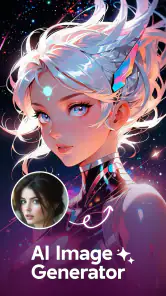

Analysis by Reviewed
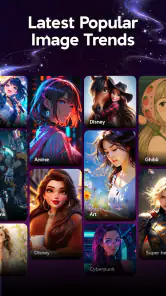
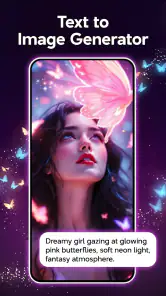
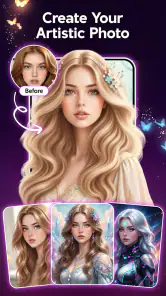
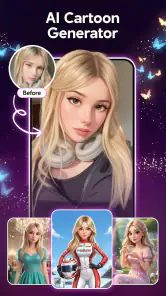
I can see the appeal of an AI art app almost immediately: type an idea, choose a look, and get an image that feels more personal than a stock photo. What matters after that first burst of curiosity is whether making images stays enjoyable—or turns into a loop of trying prompts, saving a few results, and forgetting the app. Genix Art: AI Art Generator is best approached as a quick creative sketchbook for avatars, anime-inspired images, and other AI-generated pictures, rather than as a replacement for a full art studio.
From first experiments to a useful routine
The first week is about finding a visual direction
In my first sessions with Genix Art: AI Art Generator, I would focus less on asking for a perfect finished image and more on learning which kinds of descriptions produce results I actually want to keep. The app is an art-and-design tool from Amobear Application - AILABS, built around turning written ideas into AI-made images. Its main attraction is speed and approachability: it suits someone who wants to explore a visual concept without first learning layers, brushes, or a complicated editing workflow.
A useful first experiment is to make one subject the constant and change only the style or setting. For example, describe the same imaginary character as a soft anime portrait, a dramatic fantasy illustration, and a clean profile image. Comparing those outputs makes it easier to see whether the app’s interpretation matches your taste. If you change the subject, mood, lighting, and style all at once, it becomes hard to tell what caused a result to improve or miss the mark.
That small habit also helps manage expectations. AI image tools can interpret an idea differently from a person, and a prompt that sounds clear to you may still produce an image with an unexpected composition or details. I treat the first result as a draft, not a promise. A more specific description—especially about the subject, mood, and intended use—gives me a better starting point than piling on decorative adjectives.
The app’s audience is broad: it has an Everyone content rating, is free to install, and has passed one million installs. It carries a 4.2 average from around 2.5 thousand ratings. Those figures suggest that many people are willing to try it, but they don’t tell me whether it will suit a particular workflow. I’d judge that by the images it can make for your own purposes and by how often you want to return to it.
What makes it worth opening again
The strongest recurring use is small, practical creative work. I can imagine making a themed avatar for a personal profile, generating a visual reference for a character, or producing an image to accompany a casual post. These tasks benefit from variety more than exact control. When I want a handful of different moods quickly, a prompt-based generator can be more inviting than opening a traditional drawing app and starting from a blank canvas.
For a realistic everyday scenario, suppose I’m updating a profile picture and don’t want to use a photograph. I could start with a short description of the look I want, then make a few controlled variations: change the background first, then the color mood, then the degree of stylization. I’d keep the best candidate and judge it at the size people will actually see it. A face that looks striking in a large preview may become muddy or lose its expression when cropped into a small avatar.
That last check is an easy step to skip, but it makes the output more useful. Before settling on an image, I’d inspect the crop, contrast, and focal point on the intended platform. If the image is meant to sit beside text, a busy background may compete with it; for a profile icon, a close, readable subject usually matters more than elaborate scenery. This is a better use of repeat generations than asking for endless variations without a clear purpose.
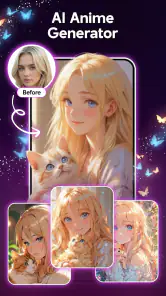
Genix Art is also a reasonable place to explore anime-inspired looks without drawing every element yourself. I’d use it for inspiration, mood boards, or a personal image rather than for a project that depends on exact character continuity. If a face, outfit, or object must remain identical across a sequence of images, a generator can be frustrating: each new result may reinterpret the brief. A dedicated illustration program or a workflow with stronger manual controls is a better fit when consistency is essential.
Month-to-month value depends on a real reason to create
After the novelty wears off, I would ask whether the app has a place in something I already do. If I regularly refresh avatars, collect visual references, or brainstorm fictional characters, a quick generator can earn a spot in my routine. If I only wanted one amusing image, there may be little reason to keep returning. The important distinction is not how many styles I can imagine trying, but whether I have recurring situations where a new image is genuinely useful.
Compared with a conventional drawing app, this kind of tool trades hands-on control for fast ideation. A drawing app lets me adjust a line, move an object, or refine a small area precisely; an AI generator is more suited to exploring several interpretations from a description. Compared with general-purpose image editing, it is oriented toward creating a picture from an idea rather than carefully retouching a photograph. I’d choose Genix Art when I’m exploring possibilities and another tool when I already know exactly what needs to change.
There is a middle ground that makes the app more valuable: use its output as a starting point, then finish the job elsewhere if needed. A generated image can help settle a color palette, suggest a character’s overall mood, or give a social post a visual anchor. I wouldn’t assume the first version is ready for every professional or commercial use. The more exact the brief, the more important it is to inspect the result and make any final adjustments in a tool designed for them.
The current version is 1.1.6_20260909, and the minimum operating-system requirement is 8.0. For someone deciding whether to try it, the practical point is simply to check that their device meets that requirement before installing. The app’s free entry point lowers the barrier to experimenting, while optional in-app purchases range from $5.49 to $99.99 per item. I’d look at the purchase details carefully before spending, and decide in advance what kind of repeated use would justify paying rather than treating curiosity as a reason to buy.
Keeping the workflow light—and the expectations sensible
The maintenance burden should stay modest if I use the app for occasional creative prompts, but the habit can become untidy if I generate images without a saving plan. I’d give useful files clear names or move the ones I want to keep into an organized collection on my device. Separating “interesting experiment” from “image I may actually use” prevents a pile of near-duplicates from becoming harder to browse than the original idea was to make.
I’d also keep prompts in plain language and record the ones that lead to a result I like. A short note about the subject and style can make it easier to recreate a direction later, even if a new generation is never identical. This is especially handy for a personal series: instead of changing the whole prompt each time, keep the core description and adjust one detail. It is a simple way to make experimentation feel deliberate rather than random.
For a recurring task, I’d set a stopping point before I start. If I’m making a profile image, I might decide that I’m looking for one clear, readable option, not a theoretically perfect picture after dozens of retries. That boundary protects the fun part of the process and keeps the app from absorbing more time than the task deserves. AI generation can make producing alternatives feel effortless, but choosing among them still takes attention.
One important question is whether this is suitable for a precise design brief. My answer is: only if the brief allows interpretation. The app makes sense for personal artwork, informal concepts, and visual exploration, but I’d be cautious about relying on it for branding, exact product mockups, or any image where fine details must match a specification. A person who needs layer-by-layer control, repeatable layouts, or meticulous retouching will likely be happier in a conventional design editor.
Where fatigue can set in
The main risk is sameness. If I keep asking for the same kind of polished portrait or familiar anime look, the results may start to feel like variations on one idea rather than fresh discoveries. I’d avoid that by changing the purpose of a session: one day, explore a color palette; another time, make a reference for a story character; later, create an image that works as a small icon. A clear creative question gives each session a reason to exist.
Another source of friction is the gap between imagination and output. A generator may produce an attractive image that still misses the detail I care about most. That can be fine when I’m browsing for inspiration, but disappointing when I have a fixed picture in mind. I’d decide before generating whether I’m open to surprise. If not, manual drawing or editing is likely to feel more satisfying because it gives me direct control over the parts I’m trying to perfect.
Cost can also affect how enjoyable the routine feels. Since the app is free to install but offers purchases, I’d explore the free experience first and only consider spending if the app fits a repeated need. The listed item prices span a wide range, so I would read each purchase screen rather than assume that every useful function is included at no cost. That simple check is more sensible than paying in the middle of a burst of experimentation.
Finally, AI-generated images are not automatically finished just because they look polished at first glance. I’d check for awkward details, composition problems, and whether the image communicates what I intended. For something casual, an imperfect flourish may not matter; for a public-facing design, it can. A quick review before sharing is part of using the tool well, not a sign that the generator has failed.
My long-term verdict
I’d recommend Genix Art to someone who enjoys visual experimentation and wants an easy way to turn a rough idea into an image, especially for avatars, anime-style concepts, and informal creative projects. Its appeal is strongest when I approach it as a prompt-driven sketchbook: useful for finding directions, less suited to exacting final production. That distinction helps the app earn a lasting place without expecting it to replace every other art tool.
I’d skip it if my main need were precise editing, consistent characters across many images, or professional design control. I’d also avoid paying until I knew I had a recurring reason to use it. For an occasional user, the free installation makes a low-commitment trial possible; for a regular creator, the value depends on whether the app continues to produce images that fit real projects rather than merely filling a gallery.
My lasting impression is that the app can be worth keeping when I give it a job. A focused prompt, a quick comparison of variations, and a final crop check turn casual generation into a practical workflow. Without that purpose, the novelty can fade into repetitive browsing. With it, Genix Art is a convenient creative companion—one I’d open when I want ideas quickly, then pair with a more controlled editor whenever the details matter.
Genix Art: AI Art Generator Frequently Asked Questions
What is Genix Art: AI Art Generator?
Genix Art is an AI-powered art creation app that turns written prompts into images. You describe the subject, style, mood, or details you want, and the app uses that information to generate artwork. It may also offer different styles or creative tools, depending on the version available. Results can vary, so refining a prompt or trying alternative wording may help you get closer to your idea.
How do I create an image with Genix Art?
Start by entering a clear description of the image you want to create, including useful details such as the subject, setting, colors, and artistic style. Choose any available generation options, then submit the prompt and wait for the result. If the image is not quite right, adjust the description and try again. The app’s layout and available controls may differ by device or app version.
Is Genix Art free to use?
The cost and access limits can depend on the current app version, region, and subscription options. Some features may be available without payment, while generating additional images or using particular tools could require credits, a purchase, or a subscription. Check the app’s listing and its in-app purchase details before downloading or subscribing, and review the renewal terms carefully if you choose a paid plan.
Do I need an internet connection to use Genix Art?
AI image generation generally requires an internet connection because prompts are processed using online services. You may need to be online to create new artwork, sign in, or access certain features. Previously generated images might remain viewable on your device if they have been saved, but offline access can vary. Check the app’s requirements and test the features you need before relying on it without connectivity.
Can I use or share artwork made with Genix Art commercially?
Whether you can share, sell, or use generated images commercially depends on Genix Art’s current terms, the app’s licensing rules, and any relevant laws in your location. Do not assume that every generated image is unrestricted or exclusive to you. Review the terms of service and privacy policy, especially before using artwork for business, advertising, or products, and avoid submitting sensitive personal information in prompts.
Articles Related to Genix Art: AI Art Generator
Clash of Clans Is Won Between the Battles
Its raids are quick; its community is a long-term project of coordination, teaching, rivalry, and shared responsibility—with all the friction that entails.
Android Auto Makes the Case for Quieter Car Software
The car interface is no longer judged by how much it can do, but by how quietly it helps. Android Auto shows what drivers now expect—and what still gets in the way.
MobiOffice: Transforming Mobile Productivity with Seamless Integration
MobiOffice: Word, Sheets, PDF is redefining mobile productivity with a surprising blend of functionality and innovation.
EA SPORTS FC™ Mobile Soccer: Redefining Mobile Sports Gaming
Dive into EA SPORTS FC™ Mobile Soccer, where immersive gameplay and strategic depth transform mobile sports gaming.
Pros
- Quickly turns text prompts into original-looking images.
- Offers a simple way to experiment with different art styles.
- Useful for creating visuals without drawing skills.
- Makes it easy to explore multiple interpretations of a prompt.
- Can provide inspiration for creative projects and social posts.
Cons
- Results may not match the prompt precisely.
- Image quality and style can vary between generations.
- Creating suitable prompts may take some trial and error.
- Generated artwork may need editing before professional use.
- Check the app’s privacy and usage terms before sharing prompts or images.
- Category
- Art & Design
- Version
- 1.1.6_20260909