GameStop
- 27.27K
- 4.1
- Installs
- 5.00M
- Price
- Free

Screenshots

Analysis by Reviewed
Have you ever found yourself wandering around a gaming store, overwhelmed by the sheer number of games and accessories? Well, welcome to the digital era where everything you need is just a tap away on your phone. Enter the GameStop app, a handy tool for gamers and tech enthusiasts alike. Having spent some quality time exploring the app, I’m here to spill the beans about its features and my experience using it.
Easy Navigation and User-Friendly Interface
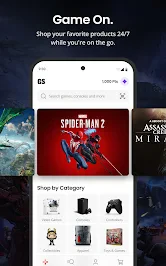
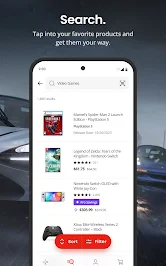
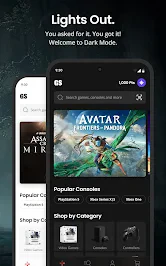
First off, let's talk about how easy it is to navigate the GameStop app. When I opened the app for the first time, I was greeted with a clean and intuitive interface. I mean, seriously, I didn’t have to play hide and seek with the features I wanted. Everything is neatly categorized, and the search bar works like a charm, helping me find games, consoles, and even pre-owned gadgets in a jiffy.
Vast Collection of Games and Consoles
Now, onto the heart of the app – the collection. Whether you're a fan of Xbox, PlayStation, or Nintendo Switch, the app has got you covered. I was amazed by the extensive range of games available, from the latest releases to golden oldies. Plus, there are tons of accessories to choose from. It’s like having a GameStop store right in your pocket, and you know what, that’s a pretty cool feeling.
One feature that stood out to me was the ability to check the availability of items in nearby stores. It's a lifesaver! Imagine spotting a deal on a game you’ve been eyeing forever and finding out it's just around the corner. No more waiting for delivery – just a quick dash to the store and voila!
Exclusive Deals and Rewards
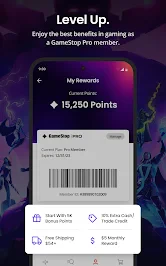
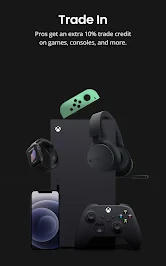
If there's one thing that makes my gamer heart skip a beat, it’s a good deal. The app often features exclusive discounts and offers that you won’t find anywhere else. And let me tell you, the PowerUp Rewards program is a game-changer. I’ve scored some sweet perks and rewards just by being an active user. It feels like getting a little pat on the back for being a loyal gamer.
Moreover, the app sends personalized notifications about sales, new releases, and restocks. It’s like having a personal shopping assistant who knows exactly what you want. Pretty neat, right?
Final Thoughts
In conclusion, the GameStop app is a treasure trove for any gaming aficionado. From its user-friendly interface to the vast array of games and exclusive deals, it’s a must-have for anyone who loves gaming. Sure, there might be a few hiccups here and there, like occasional slow loading times, but hey, nothing’s perfect. Overall, it’s a reliable app that brings the gaming world to your fingertips.
So, if you’re on the hunt for your next favorite game or just want to stay in the loop with the latest gaming trends, give the GameStop app a whirl. Trust me, you won’t regret it!
Pros
- User-friendly interface for easy navigation.
- Wide selection of games and consoles available.
- Frequent discounts and special offers.
- Loyalty program for frequent buyers.
- Fast and reliable customer support.
Cons
- Limited availability of rare collectibles.
- Occasional shipping delays.
- Membership required for some discounts.
- Inconsistent online stock updates.
- App can be slow during peak times.

- Category
- Shopping
- Version
- 500.14.8