Facer Watch Faces
- 15.93K
- 4.0
- Installs
- 10.00M
- Price
- Free

Screenshots


Analysis by Reviewed
I like to think of a smartwatch face as more than decoration: it decides what I notice each time I glance at my wrist. Facer Watch Faces is a personalization app for people who want more choice than the handful of designs that come with a watch. Its appeal is the range: you can browse ready-made looks, adjust some designs, and spend time exploring what other creators have made.
Choosing a face for the way you use your watch
The app is most useful when I treat a face as a small everyday tool, not just an outfit for my wrist. A commuter who checks the time in bright daylight may want a high-contrast layout, while someone who mainly glances at the watch indoors might care more about color and style. I would think about where and how I look at the screen before spending time on a design.
There is also a difference between choosing a face for a special occasion and finding one to live with all week. A formal design can suit a dinner or presentation, but the face I keep on during errands needs to be readable with a quick glance. I like having the option to change the mood, though I would not try to make every face serve every situation.
What browsing feels like in everyday use
The collection is the first thing that stands out. I can look for a face that feels formal, playful, retro, or information-focused, then change direction when I get tired of it. That makes Facer useful for matching a watch to a workday, an evening out, or simply my mood, rather than treating the default face as a permanent choice.
A practical tip is to decide what you need to read at a glance before choosing a design. A detailed face may look striking on a phone preview but feel crowded on a small watch screen; a simpler layout can be better when I am checking the time while walking or carrying something. I would try a few styles in ordinary conditions before settling on one for daily use.
Speed, syncing, and the moments that test it
Changing a face is most satisfying when I can do it without turning the process into a project. The original experience felt straightforward, but actual responsiveness can depend on the watch, phone, connection, and design being used. I would not assume every face will appear instantly or behave identically across devices. If a change seems delayed, I would first check that the watch and phone are connected, then give the transfer a moment before repeating the action.
Heavy browsing is a different kind of use from simply wearing one face. Scrolling through many designs, previewing options, and sending several changes in a row can make the phone and watch do more work than leaving a settled design alone. My advice is to shortlist a few candidates on the phone, then send them one at a time. That keeps the choice manageable and makes it easier to tell whether a delay belongs to a particular design or to the connection.
More From Our News Desk

Clash of Clans Is Won Between the Battles

Android Auto Makes the Case for Quieter Car Software

MobiOffice: Transforming Mobile Productivity with Seamless Integration

EA SPORTS FC™ Mobile Soccer: Redefining Mobile Sports Gaming

How Microsoft OneDrive Became a Mobile Productivity Giant

How Google Translate Breaks Language Barriers Effortlessly
Making a short list instead of endlessly browsing
When the catalog is broad, a simple selection routine saves time. I would first narrow the choice by mood or visual style, then compare only a few faces on the watch itself. The key is to judge the actual screen rather than the phone preview: small differences in contrast and spacing can matter more on the wrist than they appear in a larger image.
This also helps answer a common practical question: do I need to keep changing faces to get value from the app? No. The collection can be useful even if I settle on one design, because the benefit is having options when my needs change. If I rarely care about appearance and already like the watch’s included faces, however, the extra browsing may feel like unnecessary work.
Designing for your watch, not just the preview
Customization is appealing if I want a face to feel personal, but it also rewards restraint. Color, complications, and animation can make a design distinctive; too much competing detail can make it harder to read quickly. I would start with the information I genuinely check, then add visual flourishes only if the result remains legible on the wrist. That small workflow is more useful than spending time polishing a look that is attractive only on a larger phone screen.
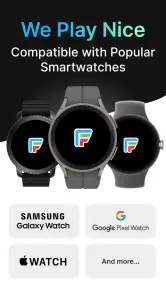
Compatibility is worth considering before investing time in a design. Facer supports a range of smartwatch platforms, though available options and the exact setup can vary by device. I would check that the watch is supported and try a basic face first; it is a sensible way to confirm the connection before building a custom design or browsing at length. People who prefer a watch’s built-in faces and do not want to manage another app may be happier staying with the default selection.
When customization is worth the effort
The strongest reason to adjust a face is not to make it more elaborate; it is to make the information easier for me to notice. If I tend to check the date or another displayed detail, I would give that space priority instead of filling the screen with decoration. A restrained design can feel more personal precisely because it fits my habits rather than trying to show everything at once.
There is a trade-off between a face that looks lively and one that remains comfortable throughout a long day. Animated elements can add character, but they may be a poor fit if I want the simplest possible display or am trying to be conservative about battery use. I would start with a static, clean option and only choose a more animated look if the extra movement genuinely improves the experience for me.
Discovering the World of Facer
When I first opened Facer Watch Faces, I was greeted with a sleek and intuitive interface. Right off the bat, you can tell that this app means business. The layout is clean, and everything is easy to navigate, which is a huge plus in my book. No one wants to spend ages figuring out how to use an app, right?
Vast Collection of Watch Faces
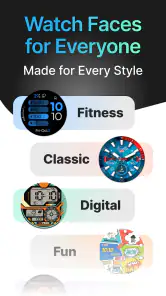
One of the standout features of Facer is its enormous library of watch faces. Whether you're into classic, digital, or even quirky designs, there's something here for everyone. I found myself browsing through endless options, and it was like being a kid in a candy store. The variety is genuinely impressive, and it caters to all tastes.
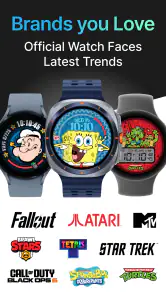
What’s more, Facer partners with leading brands like Star Trek, Tetris, and Garfield, bringing some nostalgia right to your wrist. It’s not just about pretty faces; it’s about wearing a piece of pop culture history.
Customization at Your Fingertips
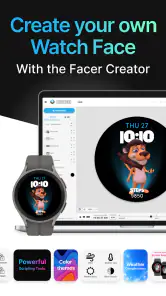
Another feature I absolutely loved is the customization aspect. Not only can you select from pre-designed faces, but you also have the power to create your own. Imagine having a watch face that no one else in the world has. Sounds cool, right?
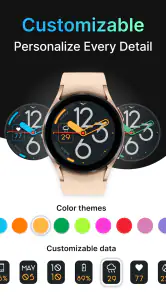
The app allows you to personalize these faces with different colors, widgets, and even add animations. It’s like being an artist, but instead of a canvas, you have your smartwatch. The tools are straightforward, and even if you're not tech-savvy, you’ll find it a breeze to use.
Easy Integration and Sync
Setting up Facer with my smartwatch was a piece of cake. The app supports a wide range of smartwatches, including Wear OS and Tizen, among others. Syncing the watch faces is just a tap away, and voila, your watch gets a fresh new look in seconds.
Plus, the app doesn’t hog your phone’s resources, which is fantastic. I didn’t notice any lag or battery drain, which is often a concern with apps that require constant syncing.
Community and Sharing
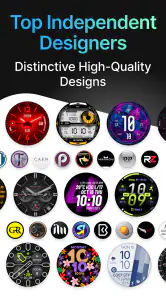
Facer also boasts a vibrant community where users can share their creations. It’s a fantastic feature that adds to the social aspect of the app. You can follow your favorite designers or even share your own masterpieces. It feels like being part of an exclusive club of watch face enthusiasts.
Value, trade-offs, and who I’d recommend it to
The app is free to install, with optional in-app purchases ranging from about fifty cents to just under forty dollars per item. I’d begin with the free options and only consider paying when I know I’ll use a particular design; a large catalog is exciting, but not every attractive face earns a place on my wrist. Facer is rated for everyone, and its long-running presence is reflected in a four-point-zero average from around one hundred eighty thousand ratings, with more than ten million installs. Facer Studios is the developer.
Compared with relying only on the watch’s built-in selection, Facer gives me a broader browsing and creator-oriented experience. A more device-specific alternative may be preferable if I want the simplest possible setup or a tightly curated set of faces for one watch model. The trade-off here is choice: more options make discovery fun, but also mean I need to pay attention to compatibility, readability, and whether a paid design is worth it to me.
A realistic day with the app
Imagine I have a busy morning, a work meeting, and errands afterward. I could choose a clean, easy-to-read face before leaving home, use it throughout the commute, and switch to something more expressive later if I feel like it. That is where Facer makes practical sense: it gives me a way to change the character of the watch without needing to replace the device or settle permanently for its original look.
I would still avoid turning each transition into a series of rapid experiments. If I want to try a new design, I would do it when I have a moment to check how it looks and whether the watch has received it. That is more convenient than attempting several changes while heading out the door, when a delayed sync is especially frustrating.
Reliability and a sensible routine
For a normal day, I would choose one readable face in the morning and avoid changing it repeatedly unless I have a reason. For example, before a meeting I might switch from a colorful design to a restrained one, then leave it alone rather than repeatedly testing alternatives. This makes the app’s customization useful without turning watch-face management into a distraction. If syncing stalls, I would check the connection and try again calmly instead of sending the same face multiple times.
As with any watch-face app, the experience has practical limits: the watch’s screen, battery, and supported platform shape what looks good and works smoothly. Animated or information-dense designs may not suit someone who values maximum simplicity or long stretches between charging. I would choose a static, uncluttered option in that case, or stick with the manufacturer’s included faces. The app is best for curious owners who enjoy changing their watch’s appearance; it is less compelling for someone who wants a set-and-forget watch with no extra browsing.
My take after trying it
Overall, Facer Watch Faces is a must-have for anyone looking to personalize their smartwatch. The sheer variety, customization options, and user-friendly interface make it stand out in the crowded market of watch face apps. Whether you’re a casual user or a die-hard smartwatch fan, this app has something to offer.
So, if you’re ready to give your smartwatch a fresh new look, Facer is definitely worth checking out. Trust me, your wrist will thank you!
Facer Watch Faces Frequently Asked Questions
Can I browse watch faces before pairing my smartwatch?
Yes. You can explore Facer Watch Faces on your phone and get a feel for the designs before applying one to a watch. The app is most useful when you have a compatible smartwatch to pair, since that is where the selected face is meant to appear. Browsing first can help you decide whether the available styles fit what you want.
Is Facer Watch Faces suitable for someone who only wants simple personalization?
Facer Watch Faces is focused on changing the appearance of a smartwatch, so it can suit users who want a different look without changing the watch itself. You can browse designs and choose one that matches your taste, from an existing face to a more customized option. The range of choices makes it useful for both casual browsing and more hands-on personalization.
Does Facer Watch Faces require an account to explore its designs?
You can start by exploring the app’s watch-face selection on your smartphone and see whether its personalization approach appeals to you. The key part of using a design is having a smartwatch that works with Facer, since the face needs to be applied to a compatible watch. If you are considering creating or sharing designs, review the app’s current setup and available options after installing it.
Can I use Facer Watch Faces without making purchases?
Facer Watch Faces is free to download and offers a vast selection of free watch face designs. However, for users looking for exclusive and more intricate designs, the app offers in-app purchases. The premium subscription unlocks additional features and access to a broader range of watch faces, ensuring that users can find something that suits their unique tastes and preferences.
Do I need a smartwatch to use Facer Watch Faces?
Facer Watch Faces is designed to personalize a smartwatch, so its main purpose is to help you browse and apply watch-face designs from a smartphone to a compatible watch. You can explore the app’s selection on your phone, but using a design on your wrist requires a smartwatch that works with Facer. Checking compatibility before downloading can help you avoid choosing designs you cannot use.
Pros
- Wide variety of watch face designs.
- User-friendly interface and navigation.
- Regular updates with new designs.
- Compatible with most smartwatches.
- Offers customization for unique styles.
Cons
- Some designs are paid only.
- May consume more battery life.
- Occasional bugs in app operation.
- Limited free design options.
- Requires smartwatch for full functionality.
- Category
- Personalization
- Version
- Varies with device













